

Description
Thank you for downloading this Tara Air livery for the Aerosoft DHC-6 Twin Otter. Make sure you have the aircraft purchased and installed from the Aerosoft website or MSFS Marketplace.
https://www.aerosoft.com/en/microsoft-flight-simulator/msfs-aircraft/3437/aerosoft-aircraft-twin-otter
Installation:
- Head to your Microsoft Flight Simulator directory and go inside the Community folder. You can find this folder at 'Microsoft Flight Simulator\Community'.
- Drag and drop the 'aerosoft-aircraft-twin-otter-tara-air-drawyah' folder into the Community folder. DO NOT insert into the 'aerosoft-aircraft-twin-otter' folder.
- Load up Microsoft Flight Simulator and select the DHC-6-300 Twin Otter PAX variant, the Tara Air livery should now appear in the selection menu.
Disclaimer:
De Havilland Aircraft of Canada and Tara Air colours, logos and aircraft are trademarks under their own respective organisations. This is a freeware livery with the aim of adding real-world liveries into Microsoft Flight Simulator. This pack is available for FREE, you should not purchase this pack for any financial transaction.
You can find me on YouTube via the link below.
https://www.youtube.com/drawyah/
Tara Air DHC-6-300 Twin Otter Livery
This Tara Air livery for the Aerosoft DHC-6 Twin Otter brings a touch of authenticity to your Microsoft Flight Simulator experience. Simply follow the installation instructions to start enjoying this freeware livery in-game.


User Reviews
8 reviews
Version History
- Complete rework of the Tara Air livery, featuring the 2018 'Great Himalaya Trails' collaboration design.
Featured in Collections(1)

Related
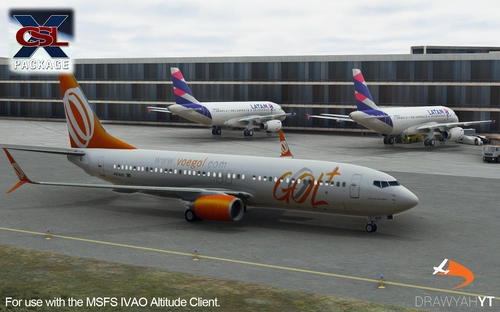
(IMPROVED!) IVAO Altitude X-CSL Model Matching
Enhance your IVAO AI traffic experience with this model matching mod, increasing the variety of aircraft liveries from 1,230 to 2,248. Discover a wide range of models including Boeing 737, Airbus A330, A340, A380, and more. Simply replace the mtl.dat file in your IVAO PilotCore folder to enjoy a more diverse virtual sky. Note: occasional issues may occur, but updates will be provided to address them.
by Drawyah
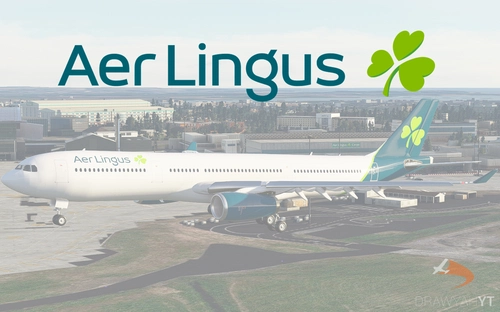
Aer Lingus Airbus A330-300 Livery
Aer Lingus livery for Project Mega Pack A330-300, featuring authentic colors and logos. Install it easily to enhance your Microsoft Flight Simulator experience with this free and realistic livery.
by Drawyah
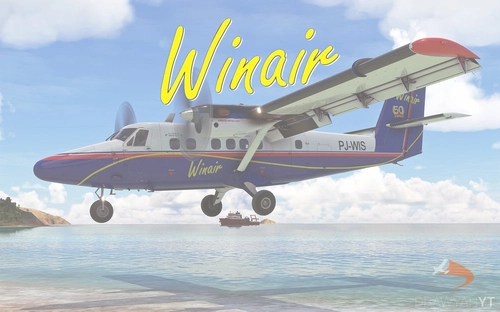
Winair DHC-6-300 Twin Otter Livery
Enhance your Aerosoft DHC-6 Twin Otter experience with this Winair livery! Follow easy installation steps and enjoy the realistic touch it adds to your Microsoft Flight Simulator aircraft selection. Remember, this freeware livery is designed to enrich your virtual flying experience with authentic detail.
by Drawyah
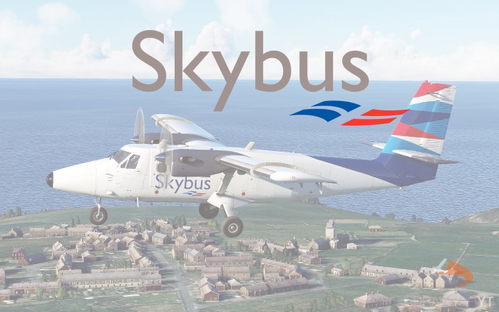
Skybus DHC-6-300 Twin Otter Livery
Isles of Scilly Skybus livery for the Aerosoft DHC-6 Twin Otter now available for download. Install easily in your Community folder and enjoy this real-world livery in Microsoft Flight Simulator. Freeware add-on for added realism to your flying experience. Find more aviation content on the creators YouTube channel.
by Drawyah
Log in to join the discussion
Log InComments(27)
3 months ago
11 months ago
almost 2 years ago
https://forums.x-plane.org/index.php?/files/file/67920-royal-nepal-airlines-livery%C2%A0-for%C2%A0-rwdesigns-dhc-6-twin-otter-300-series-v2/
over 4 years ago
I am getting pink checkered textures when I use this livery. What is the fix?
about 4 years ago
same brobro
about 4 years ago
Same, I found it also happened on some other Drawyah DHC-6 liveries. Hopefully there's a solution.
about 4 years ago
Try re-naming the mod folder to something shorter. If you install MSFS to the default location the name is apparently too long.
about 4 years ago
Unfortunately this isn't working for me and the pink checkered texture is still appearing. Could I confirm that the mod file is the file that can be found by clicking 'open community folder' after turning on dev mode?
over 4 years ago
Awesome. :)
over 4 years ago
Thank You Drawyah, nice livery and uploaded on day of the Twin Otter's release! WD mate!
over 4 years ago
over 4 years ago
A great livery! Thank you very much.
over 4 years ago
Thank you for the kind words Kai, I hope you enjoy it! 🛩️
over 4 years ago
great livery cant wait to fly to lukla with it
over 4 years ago
Nice livery like it alot!