
Description
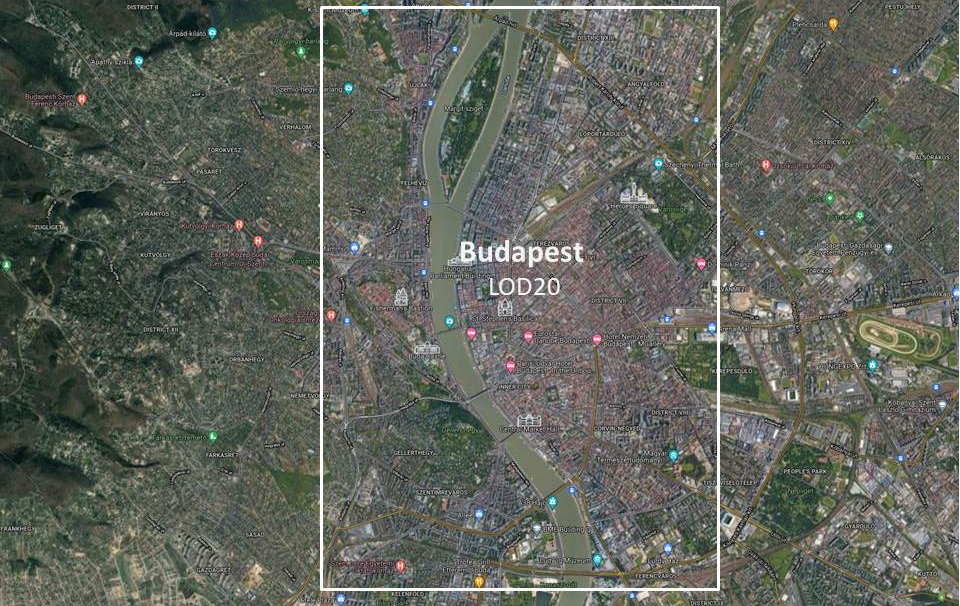
City of Budapest in photogrammetry (LOD20 ) imported from Google earth. Color correction and sharpness have been applied for better visual viewing. Tested on High end GPU machine (RTX2080 in 2K resolution) with smooth play.
If you are the first time user, please download all 3 files and extract them into community folder.
If you are updating from v1.1 to v1.2, please do the following: Download the "main file " (Budapest_n) and extract it into community folder.
In Budapest v1.2, the color is corrected on blue tone, also layout.json file is updated to resoved the "flat" area problem.
Budapest was made on LOD20 and was optimized for better FPS, Tiltes are baked using Lily texture packer for faster scenery loading. It should be FPS friendly on Mid/High end PC.
Donate
I will try my best to keep this mod up to date for every MSFS update in the future. If you like this mod and want to offer me a cup of coffee, please click this link: https://www.paypal.com/donate/steveli
Thanks for your support!
Budapest City
Explore the stunning photogrammetry rendition of Budapest in Microsoft Flight Simulator, featuring color correction and sharpness enhancements for an immersive visual experience. Optimized for improved FPS performance on Mid/High-end PCs, this scenery add-on brings the city to life with realistic textures and details while maintaining smooth gameplay. Experience the iconic landmarks and cityscape of Budapest like never before with this meticulously crafted update.

User Reviews
10 reviews
Version History
V1.2: 1.Combined budapest_n_1 and budapest_n_2 into one file. 2.Texture DDS file size are reduced by file compression.
Related
Honolulu
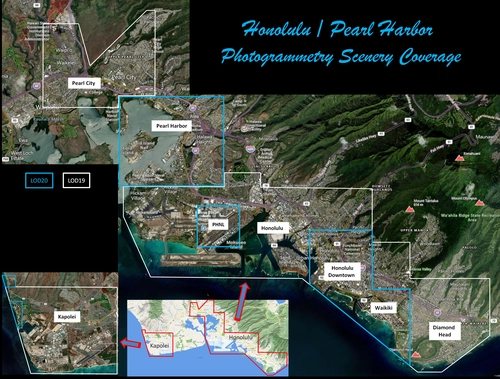
Explore the photogrammetry scenery of Honolulu, including the iconic Pearl Harbor area with optimized performance for better FPS. Discover Waikiki, Honolulu downtown, and more with this detailed addon. Enhance your experience by adding free mods for carriers, battleships, and military airplanes in Pearl Harbor and surrounding bases. Support the creator for future updates if you enjoy this mod.
by steveli
Downtown Los Angeles
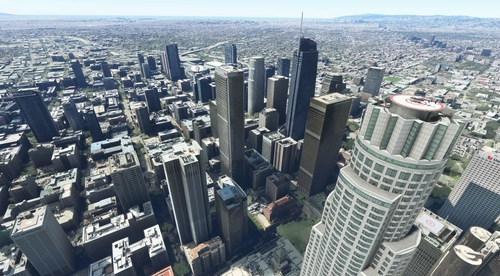
Various buildings and monuments that are missing from Los Angeles in the game that shoudn't be. Wilshire Grand Center, SoFi Stadium, 801 S Grand, 825 S Hill, 888 S Hope, 1000 Grand, Apex the One, Atelier, Aven Apartments, Metropolis Towers, Level Los Angeles
by senecadriver
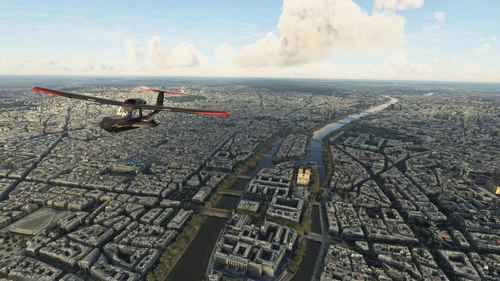
Paris
Explore the iconic cityscape of Paris in Microsoft Flight Simulator. This detailed add-on captures the essence of the French capital, featuring famous landmarks and architectural marvels. With accurate GPS coordinates, immerse yourself in the beauty of Paris, known for its historical significance and vibrant culture. Download now and experience the City of Light from a whole new perspective.
by Thalixte
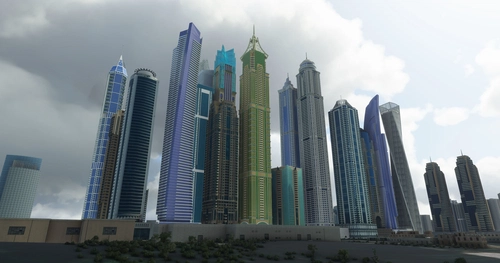
Dubai City Pack
Explore a detailed rendition of Dubai City and Jebbel Ali Port featuring over 250 custom buildings and various landmarks like the iconic hotels and tourist attractions. While focusing on enhancing the daytime visuals, this pack offers improved textures for select buildings, promising a refreshing experience for simmers. Additionally, adjustments have been made to SkyDive Dubai Airport to address previous elevation issues, ensuring a more immersive flight into this dynamic cityscape.
by risuali
Log in to join the discussion
Log InComments(73)
about 2 years ago
over 3 years ago
Check the danube, am I the only one who's danube got cover
by weird grass?
over 4 years ago
Great scenery for a beautiful city. Thanks a lot!
over 4 years ago
Dear Steveli!
Great work, congrat! You made the FIRST (at least for me)nice photogeomertry scenery. I hope you will continue this amazing work. I think this is the only future of flightsims to be as lifelike as possibble. Hand made sceneries can't match with this level of quality. I even like the trees which are the weakest pionts of photogems (in most case). To all others, please don't make photogem scs less than LOD20, they are ugly on low altitude.
Is it possibble to control /edit what distance LODS come up? I play in VR, I have a RTX3080 and with HPG h145 it start to sweet and some time deatails come a little bit slow. Anyway I deleted all objects from Budapest....this started a new area.
Csaba
over 4 years ago
Dear Steveli! Encouraged by your example, I tried to make the missing southern part of Budapest - but with a LOD of 17-20, the result is something awful, not even close to yours. What I use: Earth2MSFS (https://www.reddit.com/r/FS2020Creation/comments/j3faaj/google_earth_decoder_now_userfriendly/) and Thalixte Blender python scripts (https://github.com/Thalixte/Google-Earth-Decoder-optimisation-tools). If it is not a secret, would you tell me what tools and settings you used to make Prague and Budapest? Thank you in advance for your help!
over 4 years ago
I'm glad you work on the extension of my mod. I use the same tool as you used: Earth2MSFS and Google-Earth-Decoder-optimization, and I used LOD18-20. Alos, I did a color correction and image sharpness enhancement using Photoshop.
Would you please post a couple of screenshots of what you did?
over 4 years ago
Thanks for the quick response! Unfortunately, I wiped out the South Budapest scene in my anger - I decided to start over, so I don't have a screenshot. But in the other cities I have "committed" there is also a huge difference between the quality of you and my party - and unfortunately not for my benefit ... :-) Eg:
https://cdn.flightsim.to/images/22/szolnok-gJdMX.jpg?width=1400&auto_optimize=medium
or
https://cdn.flightsim.to/images/22/szolnok-5L1ws.jpg?width=1400&auto_optimize=medium
over 4 years ago
Dear steveli!
I finally managed to make the southern part of Budapest in good quality, (see the Gallery) the ratio of the size of the area to the size of the library is approx. is the same as Yours (I used Thalixte's algorithms) - but FPS is only approx. half / third (At you (budapest_s): ~ 35-40, above my scenery ~ 15-20 FPS) Do you have any suggestions or advice on how I could make it smoother? Thanks in advance:
vizipok
over 4 years ago
Hey, this looks great, thanks a lot!
Just one question ,as the different filenames in the download menue confuse me a bit:
Main File 1.2 January 23, 2022 - 1.84 GBBudapest_further north1.1 January 16, 2022 - 1.53 GBbudapest_s_v1.11.1 January 23, 2022 - 1.91 GBWhat are we supposed to download?
Only the Mainfile (version 1.2), or also the "Budapest_further north" (showing version 1.1)?
Or still all 3 files, as it´s mentioned in the discription text?
It´s my first install for this addon, to be sure.
over 4 years ago
If you are the first time user, please download all 3 files and extract them into community folder.
over 4 years ago
Thank you so much for your hard work!
this is incredible!
Would you be able to expand it so as to fill the gap between the downtown and the airport? as you've done for Prague.
It will be the perfect combo with the Lhsimulations airport.
best regards.
over 4 years ago
Hello
Excellent.
Everything is ok, except two huge green patches on the Danube. My Icon A5 almost gets stuck in them (as in a swamp). When I manage to get out one of them, I "collide" with the river as though there was a tidal wave.
over 4 years ago
Now this became one of my favorite cities for flying. It even ended looking better than Prague. I hope you do your version of Vienna, Zagreb, Belgrade, Bucarest, Ljubljana, Berlin, Warsaw, all the ones you want jaja
over 4 years ago
Wow this looks amazing!! I'm very surprised. I wish London looked like this. Great job, congratulations, I'll be following you very, very closely :-)
over 4 years ago
Very nicely done, and for such large files (which was necessitated by LOD20, not the authors fault), the optimization is surprisingly good, the performance is better than expected! At this resolution you can fly helicopters and still have a decent image to look at, not just a blurry mess. My only (little) complaint is that the night lighting could a tad be stronger. Plus an even wider coverage area would be great (maybe in the future?), however the most important parts of the city are well covered. It's beautiful to look at, with everything being done to mitigate the inevitable performance hit. Great job, renewed my interest to fly over my home city!