

Description
PLEASE READ BEFORE LEAVING ANY COMMENTS OR REVIEWS
This is the last update of KDTW for MSFS2020.
I will not release an update for MSFS2024 until the Simulator and SDK is stable
Because of the complexity of this airport I decided to release a developer version of the Detroit Metro Wayne Airport meaning is fully functional but the interior terminals are not 100% complete!
For faster response regarding the scenery please follow me on Discord
Discord invite link: OltcitRoom
KDTW-Detroit Metro Wayne Dev 2.5+ require Animated Human 3D Models Library by superspud
Having an external library for the animated characters will give you the ability to install it or not based on your system. If your system is powerfull, i do recommend installing the library. Thank you "superspud" for this amazing library.
KDTW supports BATC and FSHud ATC
While you guys enjoy flying in and out of DTW I will continue working on completing the airport. This process will take me probably another half of year or more. All the flying aspects like Runways, Taxiways, Taxi signs, Gates and so on are updated according to Navigraph charts. The airport was designed to work with default ATC and online like Vatsim or Pilotedge or any other online services you prefer.
ILS frequencies were updated and aligned for all runways supporting the instrument landing system. Textures were applied to the exterior terminals but it is an in work progress meaning some of the textures might not look perfect.
The tunnel under the runway 09L-27R and taxiway`s V and F is in work progress as well, you might see the ground mesh snapping or being off, depending on your system, but for now that's the best I could do. Please understand that SDK offered by Asobo/ MFS has limitations, so I had to improvise a little.
The airport ground traffic should follow their path but again it might be off in some cases.
I did assign airliners to specific gates but it doesn't work all the time. Even the AIG traffic is ignoring the gates I assigned. I will continue testing and working on this matter, for the time being it will stay the way it is.
**Please let me know if you run into an error I made regarding taxiways, taxi sings, ils being way too off or any other flying aspects of this airport.**
**Anything related to the terminal or parking or any none flying aspects, please be patient, it is still in working progress.**
Special thanks to "EmergencyButter" , "pb321" , "flynn7788978" and "Alex" for taking their time to test the performance of the airport. Also thanks to all users providing me with pictures and helping me create this scenery.
**FOR OTHER DEVELOPERS**If you are a developer interested on having your input or helping, please contact me via private message. Please include other projects you worked or currently working on.
**Installation**Delete the older version of KDTW from your community folder. Extract the latest KDTW-Detroit Metro Wayne-Developer x.x to your community folder.
Recommendation:
To have the best experience using this airport please download and install AIG Ai Manager and Traffic from here:
Full tutorial on how to install the AIG Traffic here:
Tutorial created by 2020 fs`ers
I created a short video explaining what you need to do to make Detroit Airport look more realistic.
Recommended traffic FSLTL by FlyByWire.
Until this airport its 100% I hope you enjoy using the developer version of DTW.
Thank You for understanding and Happy Flying!
--Interested testing the airport before realese? Click on Discord invite link** For other recomandations, discussion or problems with DTW scenery please follow and post it HERE
Discord invite link: OltcitRoom
Location
KDTW-Detroit Metro Wayne-Dev 2.5.2
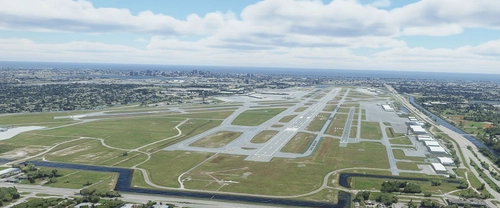
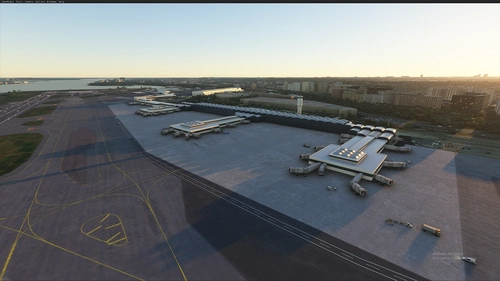
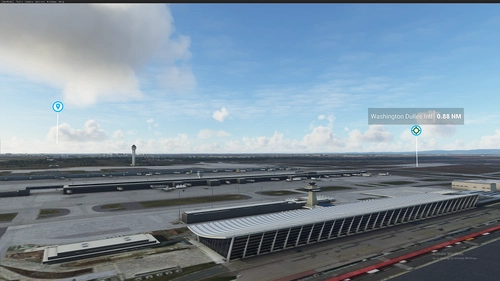
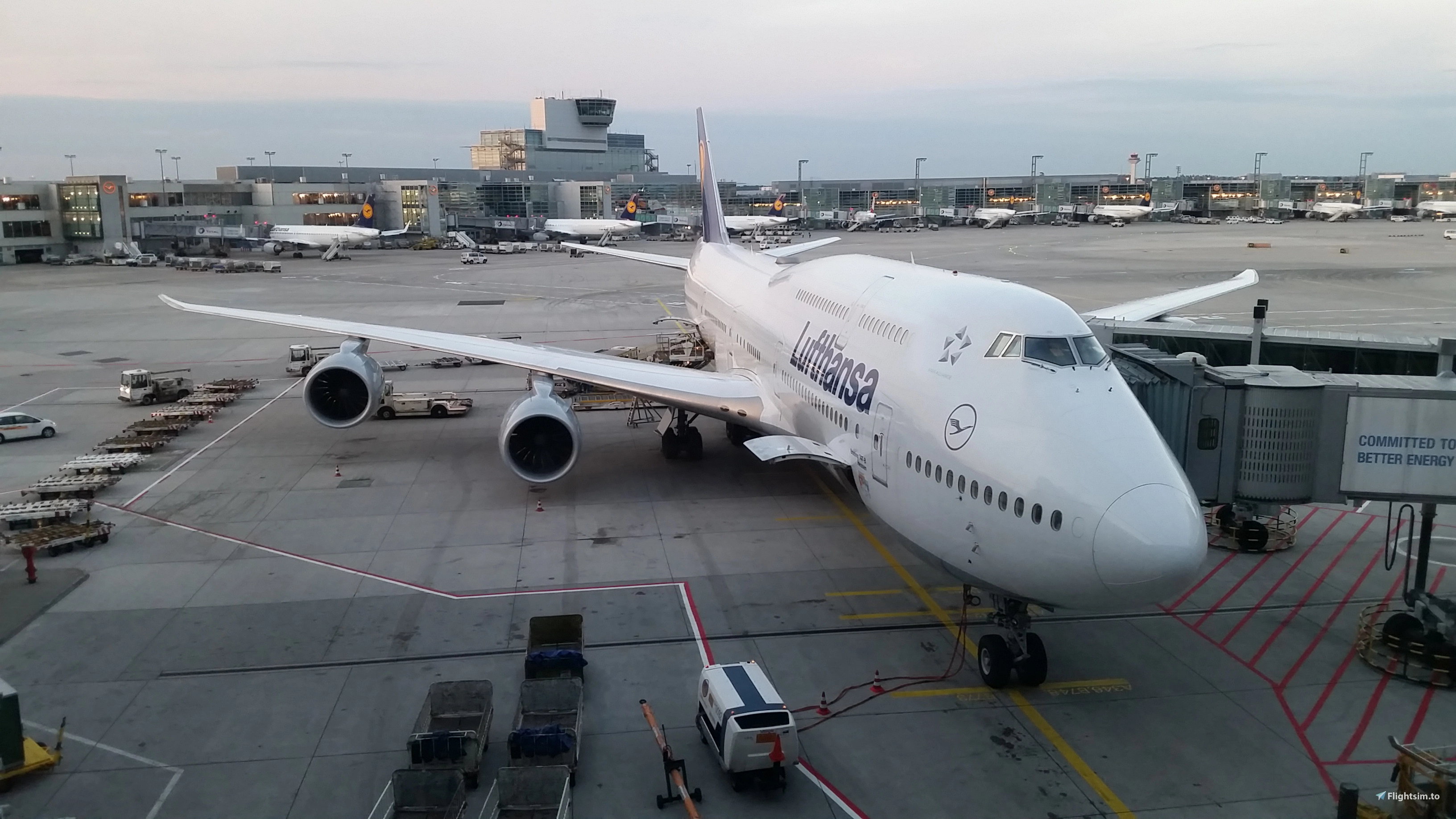
KDTW-Detroit Metro Wayne is a developer version of Detroit Metro Airport for Microsoft Flight Simulator, offering a fully functional airport layout with ongoing updates to the interior terminals. While exterior textures and ground traffic paths are included, some elements remain a work in progress, and users are encouraged to provide feedback. The add-on includes support for popular ATC systems and requires the Animated Human 3D Models Library for enhanced realism.


Supporters




User Reviews
89 reviews
Version History
-covered bad ground areas with grass -worked on blue Jetways color -Worked on road/tunnel LOD,s -minor other touches
Featured in Collections(2)
Related
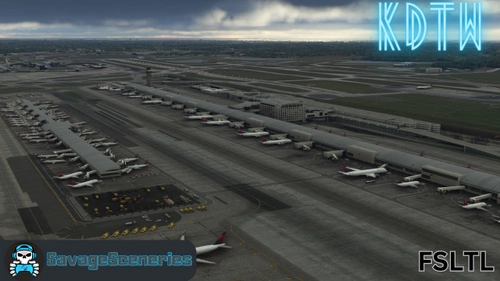
KDTW FSLTL Static Aircraft
Enhance your KDTW experience with static aircraft and extras designed for the IniBuilds payware airport, compatible with the FBW FSLTL base package. Enjoy improved visuals with FSLTL models, offering better quality without impacting FPS. Download, install, and elevate your airport scenery with this add-on.
by SavageSceneries
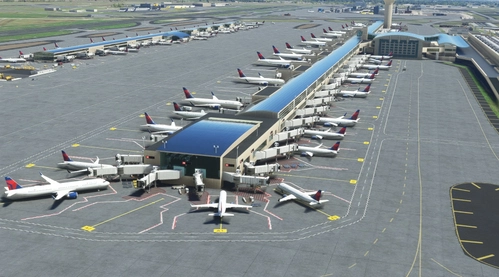
KDTW Static Aircraft
Enhance your KDTW experience with static aircraft and added details - a realistic touch to your flights. Compatibility with OLTCITROOM freeware airport; requires Latinvfr static aircraft add-on. Simply drag and drop into your community folder for easy installation. Explore the enhanced realism and added elements throughout the airport for a more immersive experience.
by SavageSceneries

KDTW Detroit - FSLTL Static Aircraft (inibuilds)
This add-on enhances the KDTW Detroit airport by inibuilds with realistic static aircraft using FSLTL models, placed at gates, ramps, and stands. Designed to offer a populated terminal experience without any FPS impact, it requires the FSLTL base models pack for functionality. Compatibility is primarily intended for inibuilds version of KDTW, with specific placement accuracy based on real-world airline operations. Users must follow installation guidelines and traffic settings to avoid conflicts with spawning aircraft.
by ixvst01
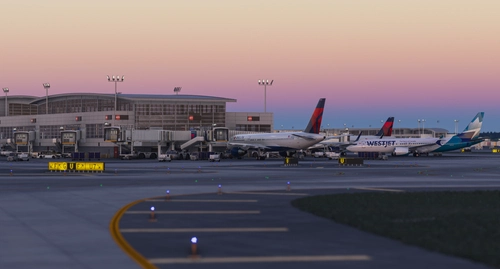
KDTW AIG Static Aircraft (iniBuilds)
This add-on introduces static aircraft models to the iniBuilds KDTW airport in Microsoft Flight Simulator 2024, utilizing only AIG models. Installation of AIG AI Manager models is required for proper functionality. The modification aims to enhance realism by populating the airport environment with parked aircraft. No FSLTL models are included in this package.
by octopushadow
Log in to join the discussion
Log InComments(318)
17 days ago
about 2 months ago
4 months ago
4 months ago
4 months ago
4 months ago
6 months ago
6 months ago
7 months ago
4 months ago
7 months ago
9 months ago
9 months ago
9 months ago
you sound very ungratefull
6 months ago
23 days ago
This comment has been deleted
11 months ago
11 months ago
11 months ago
With my i7, 12700 and RTX3080 I get a n FPS drop but its very managable.
11 months ago