
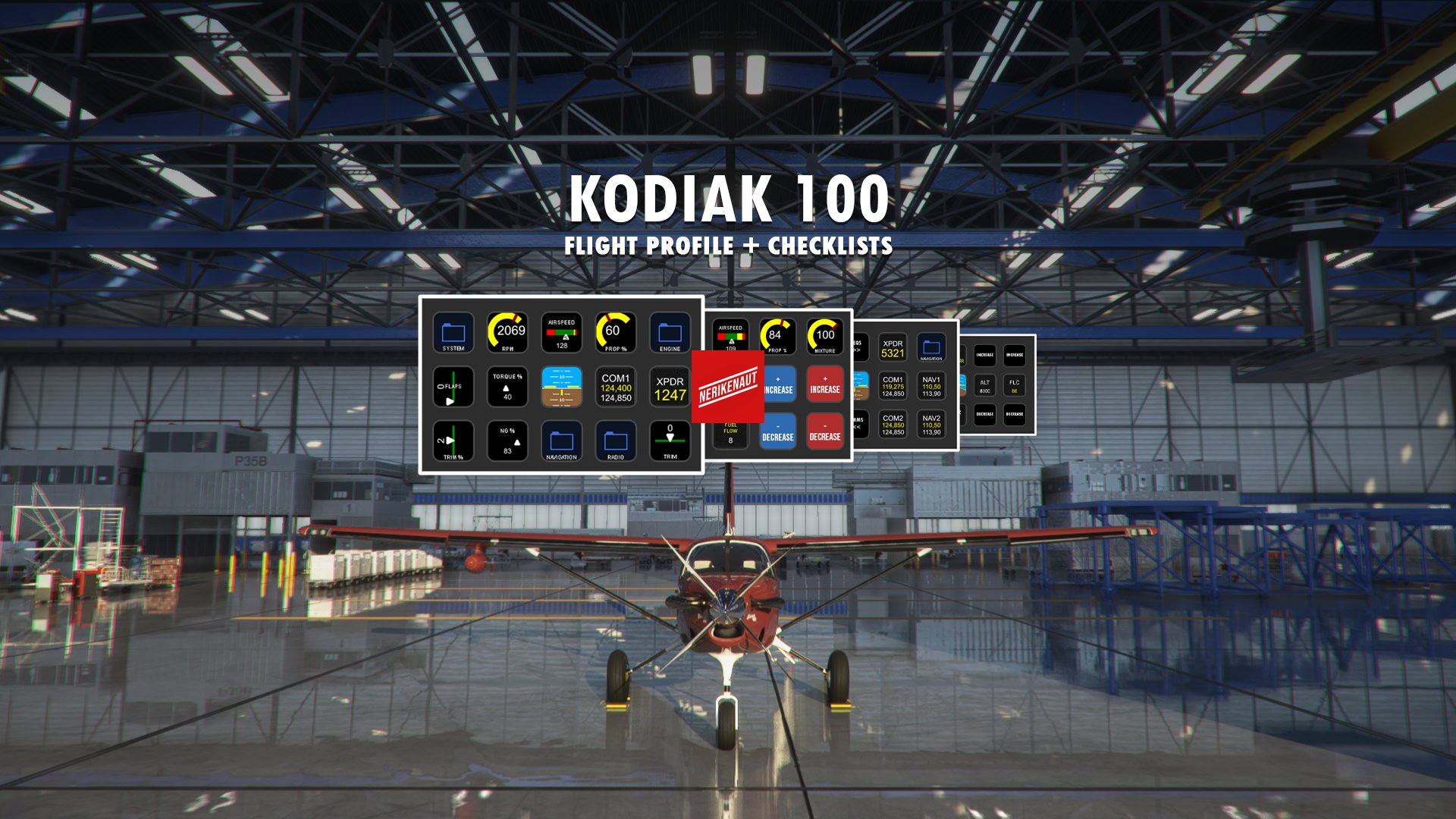
Description
This profile is part of the NERIKENAUT Flight Companion Hub that will be released later this year.
Important noticeTo use this profile on your Stream Deck, you need to download and install “Flight Tracker”. Don't forget to give your thanks to Hy (the creator of Flight Tracker). Make sure to buy him a coffee or two.
About the NERIKENAUT Flight CompanionThe Flight Companion turns your StreamDeck into an interactive controller that allows you to control your aircrafts different systems and gives you an overview of your most crucial gauges. Every profile comes with a startup and takeoff checklists.
Features- Get full control over your comms and frequencies - Hold the COM/NAV/XPDR buttons down on your StreamDeck to change your frequencies and squawk code. Push to switch between your standby and active frequencies.
- Control your aircrafts autopilot through the StreamDeck – In the navigation folder you’ll find your aircrafts autopilot functions.
- Checklists - Easy to follow startup, takeoff, landing and shutdown checklists to follow.
- Overview of your systems - Have an eye on your Ts and Ps to get to where you are going in the safest way possible.
- Full control of your lights - In the "Lights" folder you can easily access your lights panel without having to look around in the cockpit.
The profile is regularly updated when new features are added to “Flight Tracker”. If you want to see certain features implemented – don’t hesitate to reach out.
Kodiak 100 Stream Deck Profile & Checklists
Elevate your flight simulation experience with the Kodiak 100 Stream Deck Profile & Checklists from NERIKENAUT Flight Companion. This interactive controller allows you to manage aircraft systems, frequencies, autopilot functions, and lights effortlessly. With easy-to-follow checklists and system overviews, enhance your virtual flights with this comprehensive tool. Regular updates ensure compatibility with new features, making it a valuable addition to your flight setup.


User Reviews
6 reviews
Version History
The NERIKENAUT Flight Companion Hub is released. Make sure to download it here: https://flightsim.to/file/31923/nerikenaut-flight-companion-hub-build-your-own-profiles-for-the-stream-deck-addon-flight-tracker This profile is part of the Companion Hub, if you wish to use it separately - make sure to download the latest version here on Flightsim.to. Thank you! <3
Related
Piper PA-28R Arrow III (JustFlight) Stream Deck Profile & Checklists
Elevate your flight experience with the NERIKENAUT Flight Companion for the Piper PA-28R Arrow III by JustFlight. This Stream Deck profile offers full control over communication, autopilot functions, checklists, system overviews, and lights panel. Stay tuned for regular updates and enjoy a seamless flying experience with this interactive controller.
by NERIKENAUT
Twin Otter Stream Deck Profile & Checklists
Elevate your flight experience with the NERIKENAUT Flight Companion Stream Deck Profile & Checklists. This interactive controller allows full control over aircraft systems, autopilot, frequencies, and lights. Stay organized with easy-to-follow checklists for startup, takeoff, landing, and shutdown procedures. Regular updates ensure compatibility with "Flight Tracker" and continuous enhancement of features.
by NERIKENAUT
NERIKENAUT Flight Companion Hub - Build your own profiles for the Stream Deck addon Flight Tracker
Welcome to the NERIKENAUT Flight Companion Hub – a tool that lets you build your own profiles for the Stream Deck addon Flight Tracker to make your flights more immersive. To use this profile on your Stream Deck, you need to download and install “Flight Tracker”. Don't forget to give your thanks to Hy (the creator of Flight Tracker). Make sure to buy him a coffee or two.
by NERIKENAUT
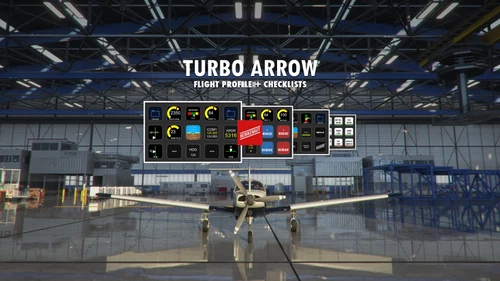
Piper PA-28R Turbo Arrow Stream Deck Profile & Checklists
Transform your Stream Deck into a powerful flight controller with the Piper PA-28R Turbo Arrow Stream Deck Profile & Checklists in the NERIKENAUT Flight Companion. Access interactive controls for communication, autopilot functions, checklists, and system overviews right at your fingertips. Stay up-to-date with regular updates and enjoy a seamless flying experience with this comprehensive tool.
by NERIKENAUT
Log in to join the discussion
Log InComments(22)
over 4 years ago
Superb work - would appreciate a profile for the Carenado Piper Seneca PA-34T
over 4 years ago
Absolutely wonderful job. Thank you boss
over 4 years ago
Thanks for your work, this is great. Dumb question - where is the lights folder please?
over 4 years ago
Hi Nerikenaut,
I have sent you a pm, with some info to make the profile better.
over 4 years ago
Hi,
Thanks for the profile, I use it with great pleasure. It makes flying the Kodiak more immersive. Do you know a way to change the color of the simple gauges. That now is a yellow arc. Would be nice to add red segnments for eg overspeed. I have searched the internet but couldn'f find anything. I now change the displays for torque and ng, widening the line and use percentage's color. But having these on the arc display would me nicer. Thanks for the good work!!
over 4 years ago
Great work, looking forward to the next update available :-)
almost 5 years ago
Great work! How do I get the icons?
almost 5 years ago
I would like to know, too. At least a readme would have been nice.
almost 5 years ago
Would you like to use the icons in a different profile? If so you can easily just ctrl + c then ctrl + v on your profile. I could make them available in the next update if you'd like to?
almost 5 years ago
Thanks for replying! Ctrl+c on what, I don't see anything?
Update, to clarify: I understand that you want me to copy/paste icons, but in the package are only the profile and a png of the example image used in your product heading. Have I missed something?
almost 5 years ago
My bad. I overread the part where it says I have to have Flight Tracker Plugin installed. Now everything works like a charm. Nice work!
almost 5 years ago
Are u there?
almost 5 years ago
Just some ideas here: And I WISH i knew how to prgram like you so I could maybe help out.
1) A throttle position read out if possible. This is for people whose joystick throttle does not have a backward detent. The readout will allow one to know when they are throttling back if they have reached the reverse thrust (beta). Mine is at 70% back but have know way of knowing unless maybe I put some marks on my joystick throttle.
2) On the GPS-1000 range knob they have the Joystick that scrolls the GPS map left right up and down. Mobiflight has the commands but it would be nice to use the Stream Deck to scroll the map. I don't like they way its works so slow with the mouse.
The GPS-1000 has lots of stuff but Ive programmed a lot using Mobiflight. Its the range knob joystick that hard to configure as its a joystick.
Update: I programmed it to my JS Hat with Mobiflight, it does work but its too slow unless I can find out a way to make a continuous press when holding the button. So constantly having to press the button would be a pain. I'll do some more research.
Second Update: I installed the GTN-750 mod and now the Range Joysticks are not needed and very obsolete.
Thats it. Thanks
almost 5 years ago
Hello there! Thank you for your comment. Great suggestions, let me answer some of them.
Regarding the throttle position read out. It’s certainly possible and it’s a good suggestion. I went for the RPM read out because in the POH the RPM is mentioned more often than the power % itself. I have created profiles for many other planes and where the POH references the power setting, I usually show it instead. However, if you’d want to I can certainly share with you how you can get it on your profile?
Regarding the GPS system and controlling the map on the StreamDeck. Right now there aren’t really any good ways of doing this in a reliable way. I want this to be an option and I’m sure it will be down the line, but I don’t want people having to install another addon to get this going. The philosophy I have doing these profiles have always been one click plug and play.
A new version will be available soon and I'll make sure to take your ideas in consideration.
almost 5 years ago
Thanks for some great work .Let me ask. How can we learn how to create a profile like you have just done? Does it take some special python programming or something similar? When I open your file it looks like its all in Hex. I'd love to make a profile myself. I got the VS and ALT working and realize its a bit different than the Mooney. You need to select the Target ALT then activate VS its sets to zero then you adjust the VS to what you want. One the Mooney it just goes to what ALT you dial in at +/- 700 ft/min.
Also the HDG event is differnt as you use the HDG_SYC event to line up the HDG bug with the G1000 unlike in the Mooney. So I prog'd a button on my Arduino to Sync heading on press then to activate HDG on release.
Great work.
almost 5 years ago
Is there a way to reset the value of checklists buttons to red? Everytime I start a flight I have to press individually to all buttons. Thanks!
almost 5 years ago
Thank you so much for the review, titime! I'll look into your request. I guess it shouldn't be too difficult to add a "reset to standard state" button. I'll look into it straight away! :D
almost 5 years ago
Are the AP commands based off the G100 AP. I'm just struggling a bit with the VS Hold and ALT commands. It could be error on my part.
What event did you use for Toggle AP VS Hold
I may need to re-learn the G1000 AP again.
My head is spinning here: WE Have
SET AP VS HOLD
TOG AP VS HOLD
SET CURRENT AP VS
TOG AP ALT HOLD
TOG FREEZE ALT
SET FREEZE ALT
I need a tutorial to learn these.
almost 5 years ago
I believe this is an issue on your end, I'm not sure though! I've been using the autopilot features for months without issues but you never know, haha!
All the commands are standard, regarding the autopilot. My workflow around this is to set everything up on the ground and when I have a stable climb simple activate the autopilot using the button. I'll look into if I can find any bugs.