
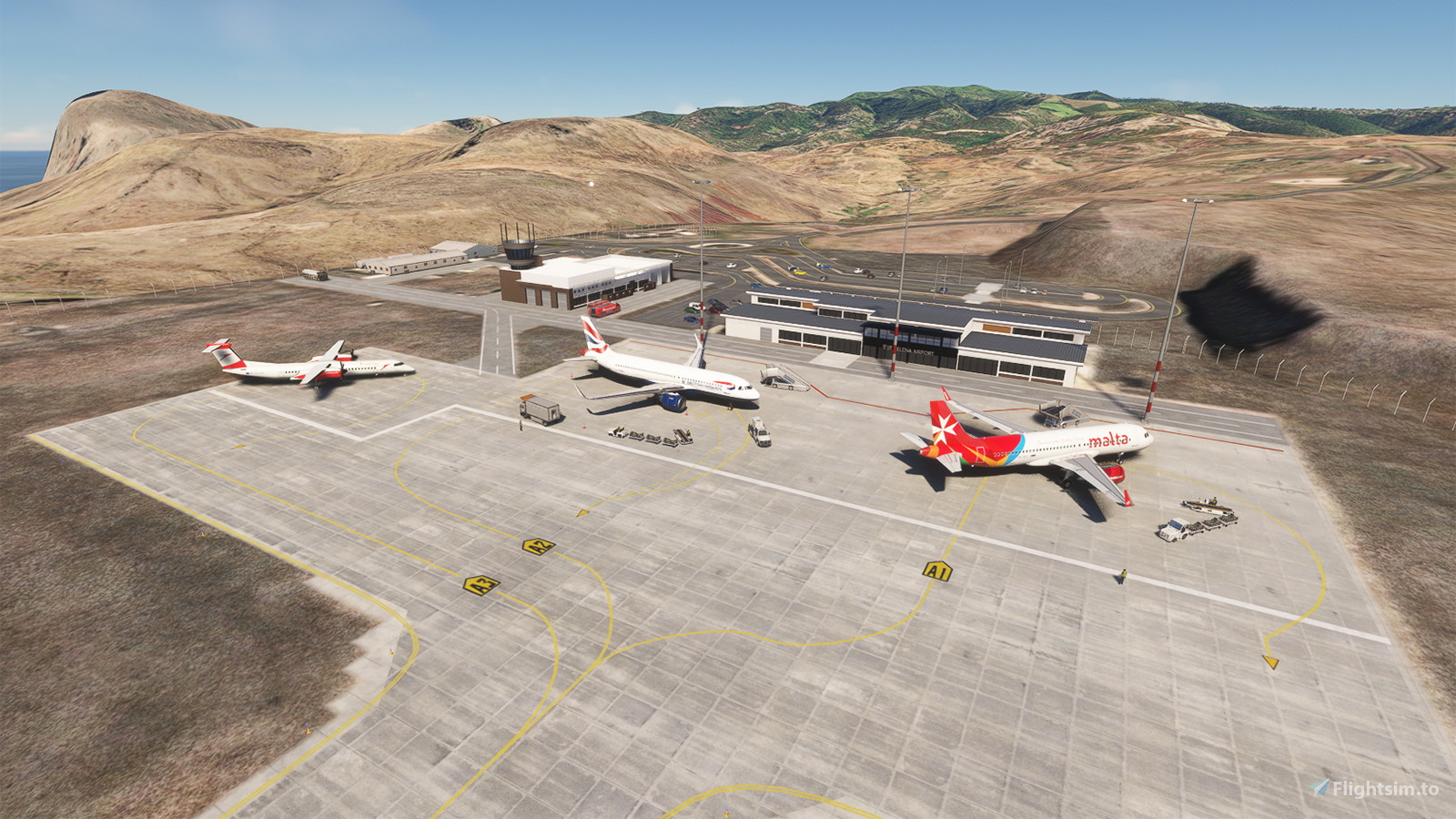
Description
If you have bought the GSX Pro payware addon, you may also want to download the corresponding Profile by mortysimmer.
Now the navdata and the scenery have been separated. Just delete the file "navdata-fhsh.bgl" if you have subscribed 3rd party global navdata from vendors like Navigraph. Also check here if you experience the very common "double runway" issue, or a big hump is experienced at the conjunction between the taxiway and runway:
https://www.youtube.com/watch?v=JzOTMAh7wIw
https://forum.navigraph.com/t/fhsh-double-runways/14168
The reason for existance of the big hump is that the vertical profile of the autogen runway by Navigraph is only a linear interpolation between the elevation of two thresholds, while it is non-linear in real life (the highest point is located at the midway) and all the terraforming for this airport is based on the real life vertical profile.
One day I know the presence of this airport from a magazine, which the airport is called "the most useless airport of the world". I don't agree with it, as it drawn my attention at least, and then I would like to fly there in the sim. Sadly it is not a stock airport, then I found the one made by superspud. I would like to add something on it as a mod after reading real world documents about it but not succeed, so I decided to make my own one.
This airport is somehow similar to the "epic" Madeira Airport, where strong crosswind is usual and the approach is not straight-in for Runway 19 due to vicinity of hilly terrain along the coast. It should be included in the landing challenges of the sim (so it is not "useless", at least for the sim). Both ends of the runway are cliffs, where the start of runway 01 is constructed on embankment, which is quite tedious to reproduce.
There are 3 documented approaches implemented (LDA/RNAV/VOR), where only RNAV 01 approach is straight-in. RNAV and Offset LDA approaches are available for Runway 19. Both of them are not straight-in, which means there is an offset angle between approach path and the extension of runway center line. The offset angle of the LDA approach is less then the RNAV approach, but it doesn't provide vertical guidance (make good use of the TRK/FPA mode if you're flying an Airbus). In contrast, the RNAV approach provides vertical guidance but the offset angle is larger. There is a displaced threshold of 300m at the start of runway 19, so no need to touch down too early. Radar altitude will jump suddently during approach, so keep watching the PAPI is recommended.
There is no SID/STAR for this airport, but you are recommended to fly straight to 3000ft, or fly visually along the coast to the west of the island under VMC before joining the flight path in case of west departure.
There are 3 parking spaces at the apron, 2 of them are suitable for single-aisle jetliners and the remaining one is only for GA aircraft. However aircraft may not follow parking space configurations if there is no other aircraft on it IRL. All the parking spaces are taxi-in taxi-out, which means that no pushback tug is needed although it is present.
Please REMOVE the current installation before each updates, as there may be BREAKING CHANGES to file structure
--
Welcome to subscribe my channels for MSFS live game-play:
https://www.youtube.com/channel/UC21efZOlIujoYpzzCGoiYfQ
https://www.twitch.tv/kychungdotcom
Location
FHSH - St. Helena Airport
St. Helena Airport (FHSH) offers a detailed representation of this unique airport, known for its challenging approaches and distinct geographical features. The add-on includes handcrafted terminal and tower buildings, as well as three documented approaches.

User Reviews
12 reviews
Version History
Minor adjustments on navdata (You can skip this update if you are subscribing Navigraph)
Featured in Collections(1)

Related
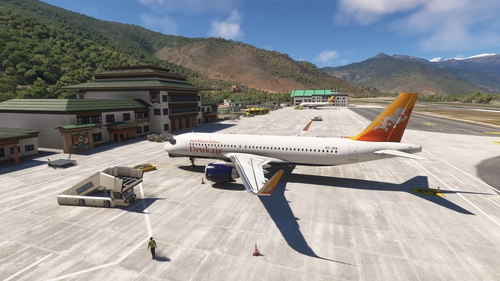
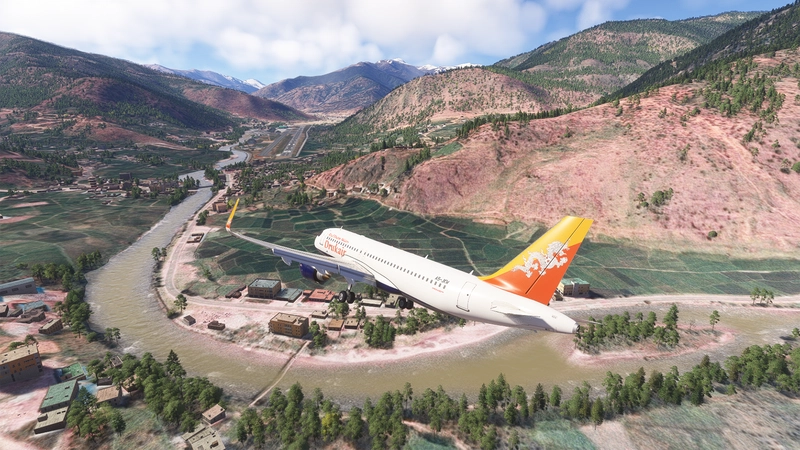
Paro Airport (VQPR) Remake with Restored RNAV Procedures
Discover the enhanced Paro Airport (VQPR) and nearby landmarks with this addon. Experience updated runway, apron, and taxiway layouts, as well as revised parkings for improved realism. Enjoy a detailed tutorial and separate navdata and scenery files for enhancing your flight simulation experience
by kychungdotcom
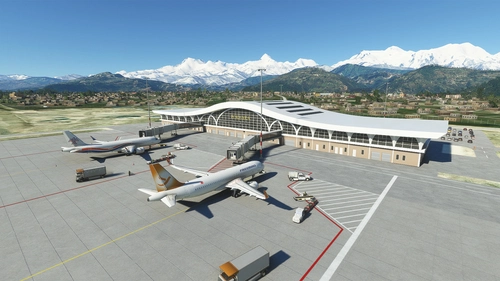
Pokhara Intl. Airport (VNPR)
Explore Pokhara International Airport with this handcrafted scenery mod, featuring a custom terminal building.
by kychungdotcom
VGHS - Dhaka (Hazrat Shahjalal) Intl. Airport
Hazrat Shahjalal Intl. Airport add-on for Microsoft Flight Simulator offers handcrafted buildings, precise runway placement with ILS localizers, and revamped taxiway system with corrected names. This enhancement includes detailed elements like airport gardens and car parkings, taxiway signs, and custom paint elements for a more realistic airport experience. Regular updates are expected as the airport progresses, making it a must-have for virtual pilots.
by kychungdotcom
VNBW - Bhairahawa (Gautam Buddha) Intl. Airport
Upgrade Bhairahawa (Gautam Buddha) Intl. Airport in Nepal to an international hub with a new runway and apron. Enhance your Buddhist pilgrimage experience with improved facilities and ILS features for your home simulation. Note: Ramp limitations and update instructions apply for seamless performance.
by kychungdotcom
Log in to join the discussion
Log InComments(49)
12 months ago
just downloaded the update. Had the bump between the runway and taxiway.
Followed the fix on youtube, restarted msfs. Superb... no bump....
great work on this remote airport...
about 1 year ago
over 1 year ago
almost 2 years ago
almost 2 years ago
almost 2 years ago
This will get messy real quick. You removed .cgl file for the MSFS2024. When MSFS2020 will get updated bing imagery (next year) it will look the same as MSFS2024 looks right now (satelite imagery), but at that time MSFS2020 version of this airport wont be usable because of the .cgl file and the version for MSFS2024 version will be unusable probably as well, because in the meantine it will get few updates with new MSFS2024 only features, new models, LOD etc.
almost 2 years ago
about 2 years ago
over 2 years ago
over 2 years ago
about 2 years ago
over 2 years ago
https://youtu.be/vDpYfyqXpaA
Hope you enjoy it!
Lee
over 2 years ago
I am about to review your scenery which is excellent by the way. At least as good as the payware wirth very little difference.
I, too, have a Navigraph subscription and followed the instructions to move the airport position using the Order option under Developer mode.
It made no difference - however, I'm not sure if I'm getting double runways. It looks like both ends have TWO thresholds with two sets of runway numbers, but the runways seem fine, no overlap that I can see, so not really sure if I have the issue.
Not tested the runway itself for slopes or issues - will do a circuit today before the review next week.
*************
Ok,I flew a circuit and landing on both runways with the Cessna C172 - no bump issues. or other problems encountered. And here is a view of Runway 01 AFTER the Re-Order in Developer mode. Don't know why it didn't work the first time, but now it does:-
https://imgur.com/A3i82Wt
Lastly, I notice that the AERIAL IMAGERY file you recomended, seems to have been removed! I DO have this file and will show it in the review, but I'm wondering why it was pulled.
Thanks for producing this.
Regards,
Lee
VirtualAirlinePilot.Org
over 2 years ago
https://flightsim.to/file/69302/saint-halena-island-aerial-imagery
over 2 years ago
over 2 years ago
over 2 years ago
https://www.youtube.com/watch?v=JzOTMAh7wIw