
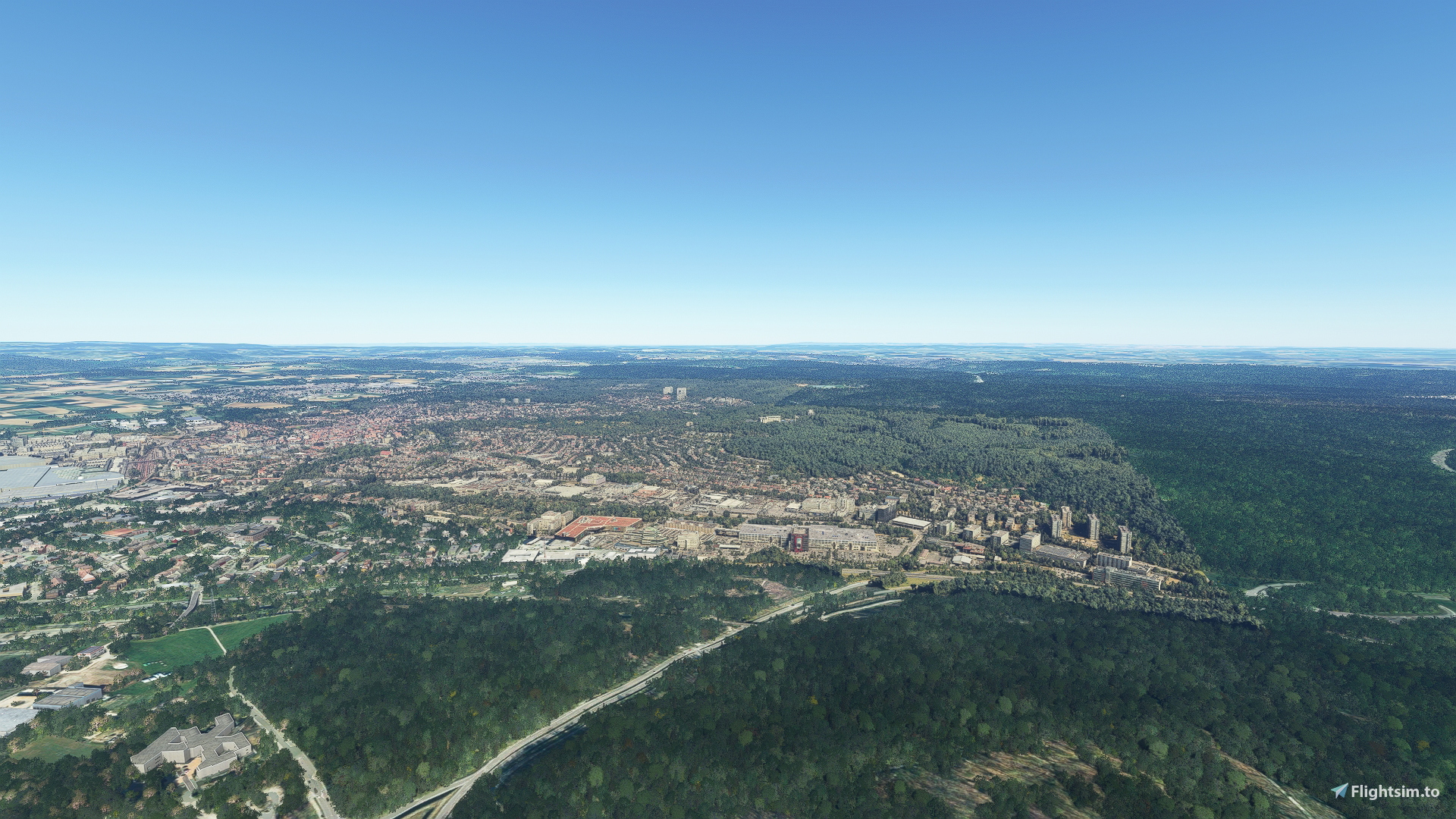
Description
City of Sindelfingen
unzip and copy the folders "sindelfingen-eins", "sindelfingen-zwei" and "sindelfingen-drei" in yout "community-folder".
The appropriate sequel can be found here:
------------------
Sindelfingen
entpacken und Ordner "sindelfingen-eins", "sindelfingen-zwei" und "sindelfingen-drei" in den Community-Ordner kopieren.
Die passende Fortsetzung findet sich hier:
Comments(19)
Log in to join the discussion
Log Inover 4 years ago
Wie meinst Du das? Schweben die in der Luft? Bei mir sind die eher leicht unter der übrigen Landschaft bedingt durch den "Versatz" der ersten angepassten Teil-Szenerie (Sindelfingen-eins) bis hin zur letzten passend gemachten (Böblingen-vier). Ich gehe auch davon aus, dass Du die alte Version gelöscht hast ;-)
over 4 years ago
..... oder wechsel einmal Deinen "Bing-Server" z.B. auf "Asien-Süd" oder andere.
over 4 years ago
Hallo Rosi,
ja - die schweben in der Luft. Wie die einst so schöne Version 1 des Matterhorns.
Man kann drunter fliegen.
Es ist aber wohl so, daß Deine Version auf richtiger Höhe ist, doch die Default-Version ist tiefer gerutscht. An den Rändern Deiner Sceneries sieht man einen deutlich Spalt, an dem die Default_Scenerie einige Meter abtaucht. Wie an einer steil abfallenden Kante.
Die alte Version habe ich noch nicht gelöscht; aber sie ist im MSFS Addons Linker nicht aktiviert. Das mache ich aber bei anderen Neu-Versionen zunächst auch immer so. War noch nie ein Problem.
over 4 years ago
... wie gesagt, mal einen anderen "Bing-Server" einstellen.
... und ja, wenn die alte im Linker nicht aktiviert ist, ist das kein Problem.
over 4 years ago
Mein Computer entwickelt ein ungewöhnliches Eigenleben:
Selbe Einstellungen wie zuvor - aber jetzt war (allerdings nach einer ungewöhnlich langen Ladezeit schon beim MSFS-Start) alles in Ordnung!
Seltsam. Aber bei dem Ergebnis auch durchaus in Ordnung 😉
Dein Tip mit dem anderen Server ist mir vollkommen neu. Werd ich bei Gelegenheit mal ausprobieren.
over 4 years ago
aha, vielleicht hilft es dann schon, die datei "Content.xml" zu löschen (die legt sich beim Neustart des Sims wieder neu an.
over 4 years ago
Hey, vielen Dank für meine Heimat. Würde mich sehr über Altdorf/Hildrizhausen/Herrenberg freuen. Vielen Dank :-)
over 4 years ago
Bild 4 ist der Blick von unserem Balkon ;-)
almost 5 years ago
Looks like a great addition to MSFS but when I fly over Sindelfingen it does not look anything like your creation. Brueningerland is not there as it appears in your screenshots and I keep getting messages that File 1 is missing. I installed both Parts 1 and 2 into the "Community" folder but it does not appear in FS like the one you have posted. Any ideas?
almost 5 years ago
hmmmm ...... maybe delete your "Content.xml" - there will be create a new one when starting MSFS (STEAM = "C:\Users\*...*\AppData\Roaming\Microsoft Flight Simulator\Content.xml".
I think, you have copied the two Folders (Sindelfingen 1. Sindelfingen 2) direkt in the Community-Folder - so you do well.
almost 5 years ago
Okay, and thank you. Will give it a try and let you know.
almost 5 years ago
Ich bekomme beim auspacken Fehlermeldungen, bitte um Prüfung.
Danke :)
I get error messages when unpacking, please check.
Thx :)
almost 5 years ago
Was kommt denn für eine Fehlermeldung? Vielleicht ist (D)ein Download "kaputt" - versuche nochmals die Dateien runterzuladen. ...
almost 5 years ago
Habe das Problem vermutlich gefunden, die Dateien heißen bei mir:
Sindelfingen.part1_MIHb1.rar
Sindelfingen.part2_YGq8l.rar
Sindelfingen.part3_XhFEl.rar
So kann 7-Zip den Part2 und Part3 nicht finden.
Habe diese umbenannt in:
Sindelfingen.part1.rar
Sindelfingen.part2.rar
Sindelfingen.part3.rar
Dann findet 7-Zip die Dateien und kann diese Auspacken.
Vielleicht liegt es an 7-Zip, keine Ahnung habe nur das Programm für .RAR Dateien drauf.
almost 5 years ago
super! .... und lieben Dank für Dein Feedback ...... da baut flightsim.to wohl noch ein paar Buchstaben in die Dateien ein. Ich hoffe das hilft auch anderen, die die selben Probleme haben wie Du :*
Sindelfingen
Explore the City of Sindelfingen in Microsoft Flight Simulator with this detailed add-on. Unzip and copy the provided folders to your "community-folder" to enhance your virtual flying experience. Check out the sequel, Böblingen, for a seamless continuation of your journey. Discover Sindelfingen like never before with this immersive modification.

User Reviews
1 reviews
More Information
Version History
Simulator loading time dramatically reduced Enlarged scenery -------- Simulator-Ladezeit eklatant verkürzt Szenerie vergrößert
Related
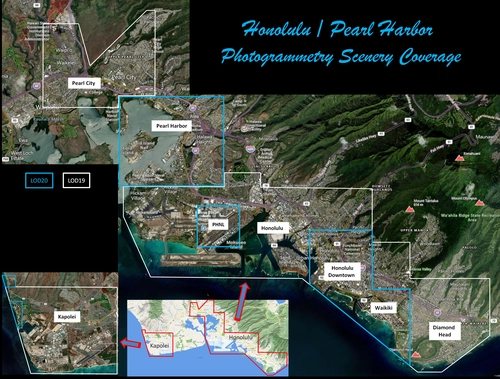
Honolulu
Explore the photogrammetry scenery of Honolulu, including the iconic Pearl Harbor area with optimized performance for better FPS. Discover Waikiki, Honolulu downtown, and more with this detailed addon. Enhance your experience by adding free mods for carriers, battleships, and military airplanes in Pearl Harbor and surrounding bases. Support the creator for future updates if you enjoy this mod.
by steveli
Downtown Los Angeles
Various buildings and monuments that are missing from Los Angeles in the game that shoudn't be. Wilshire Grand Center, SoFi Stadium, 801 S Grand, 825 S Hill, 888 S Hope, 1000 Grand, Apex the One, Atelier, Aven Apartments, Metropolis Towers, Level Los Angeles
by senecadriver
Paris
Explore the iconic cityscape of Paris in Microsoft Flight Simulator. This detailed add-on captures the essence of the French capital, featuring famous landmarks and architectural marvels. With accurate GPS coordinates, immerse yourself in the beauty of Paris, known for its historical significance and vibrant culture. Download now and experience the City of Light from a whole new perspective.
by Thalixte
Dubai City Pack
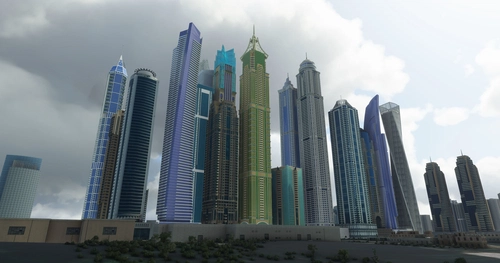
Explore a detailed rendition of Dubai City and Jebbel Ali Port featuring over 250 custom buildings and various landmarks like the iconic hotels and tourist attractions. While focusing on enhancing the daytime visuals, this pack offers improved textures for select buildings, promising a refreshing experience for simmers. Additionally, adjustments have been made to SkyDive Dubai Airport to address previous elevation issues, ensuring a more immersive flight into this dynamic cityscape.
by risuali
over 4 years ago
Hallo Rosi,
die Ladezeiten bei Deinen 3.0-Sceneries sind wirklich viieel kürzer geworden! Super!
Und die Detailgenauigkeit ist - wie bei allen Deinen Projekten - ganz prima!
Aber bei mir fliegen die neuen Sceneries von Sindelfingen und Böblingen recht hoch über den Default-Landschaften. Was läuft da schief? Was mache ich falsch / kann ich da falsch machen? Und: Bin ich etwa der einzige, bei dem das so ist?
(Die neuen Sindelfingen und Böblingen-Sceneries sind auf selber Höhe - aber eben insgesamt zu hoch).
MfG
Uli