
![[A32NX] China Eastern Retro - Image 1](https://cdn.flightsim.to/images/17/a32nx-china-eastern-retro-8xJUX.jpg)
Description
To install simply drag and drop to your community folder. For A32NX only.
BTW i think retro one of China Eastern Livery are cooler than modern one.
All right reserved except copyrighted content. Do not reupload without written consent.
Any reupload of fsx.org.cn is NOT ALLOWED.
严禁飞行宝盗取此涂装!
Any reupload of fsxchina is NOT ALLOWED.
严禁FSXCHINA盗取此涂装!
[A32NX] China Eastern Retro
Experience the nostalgic charm of China Eastern Retro livery with this A32NX add-on. Simply drag and drop into your community folder for exclusive use with A32NX. Copyrighted content respected – do not reupload without permission.


User Reviews
1 reviews
Version History
No version history available.
Related
![[A32NX]China Eastern 8K](https://cdn.flightsim.to/images/15/brOKg_lP.jpg?width=500)
[A32NX]China Eastern 8K
Experience the China Eastern Airlines A320neo in stunning 8K quality with this add-on for the FlyByWire A32NX. Fly routes like Xian to Nanjing and Urumqi to Xian in this meticulously detailed aircraft featuring the unique serial number 8888. Explore the skies with this realistic representation of one of Chinas major state airlines.
by parker10101
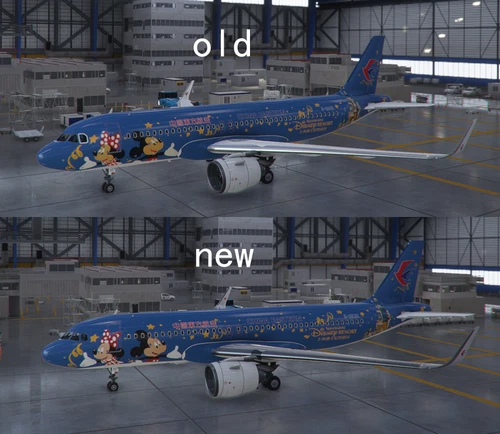
FBW A32NX China Eastern B-6635 Mickey And Minnie
This add-on fixes the bug that prevents the "Mickey And Minnie" livery and "Duffy" livery from coexisting on the A32NX aircraft. All liveries are based on real photos or static models, with no duplication from other flight simulation games. The creator strictly prohibits theft from fsx.org.cn and fsxchina.
by Tombuglibo
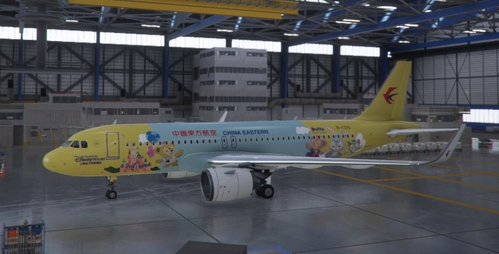
FBW A32NX China Eastern B-1316
Ensure compatibility of liveries with this FBW A32NX China Eastern B-1316 add-on. Authentic aircraft liveries referencing real photos and models, with strict policies against duplication from other simulators. Creator highlights the unique designs and prohibits theft from other flight sim communities.
by Tombuglibo
![[A32NX] China Eastern Skyteam silver livery 8K](https://cdn.flightsim.to/images/16/PFDfB5tb.jpg?width=500)
[A32NX] China Eastern Skyteam silver livery 8K
Experience the stunning China Eastern Skyteam silver livery in high-definition 8K quality with this add-on. Showcasing intricate details and vibrant colors, this livery is a must-have for your flight simulator collection. Explore the skies in style with this top-tier aircraft repaint.
by n0k3
Log in to join the discussion
Log InComments(2)
about 3 years ago
super
about 4 years ago
您好,请在A320neo的默认机器上做这种绘画,请,谢谢