
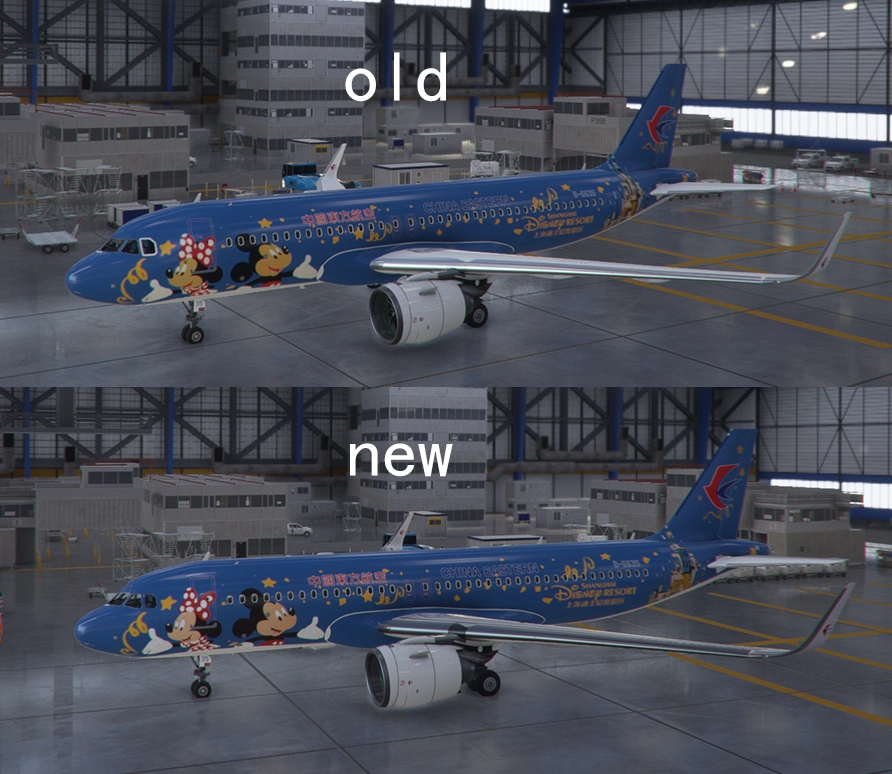
Description
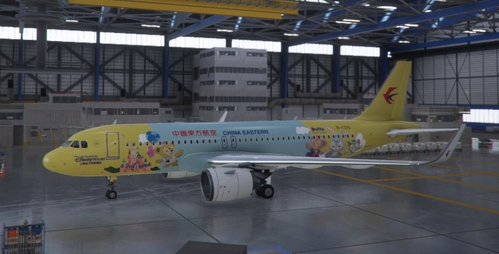
Fix the bug that this livery and B-1316 DUFFY livery could not coexist.
Download the new file of Duffy livery(version1.1) and overwrite the original one.
Statement: All aircraft liveries made by me refer to real photos or static models, and the livery elements also come from this. There is no duplication or misappropriation of livery in any other simulated flight games. I have all published livery production documents. It is not acceptable to ask for deletion of livery on the grounds that similar livery has been done in other games. If you think there is embezzlement, please provide evidence and refuse to reply to such messages without evidence. It is strictly prohibited to steal fsx.org.cn, fsxchina, etc. 特此声明,本人制作的所有飞机涂装均参考真实照片或静态模型,涂装元素也来源于此,不存在复制或盗用其他任何模拟飞行游戏中的涂装。本人拥有发布的所有涂装制作文件。不接受以在其他游戏做过同类涂装为由要求删除涂装等,如觉得有盗用等,请提供证据,拒绝回复无证据的此类消息。 涂装严禁飞行宝,fsxchina等盗取。FBW A32NX China Eastern B-6635 Mickey And Minnie
This add-on fixes the bug that prevents the "Mickey And Minnie" livery and "Duffy" livery from coexisting on the A32NX aircraft. All liveries are based on real photos or static models, with no duplication from other flight simulation games. The creator strictly prohibits theft from fsx.org.cn and fsxchina.


User Reviews
1 reviews
Version History
Redraw Micker, Minnie and the castle.
Featured in Collections(1)

Related
![[A32NX]China Eastern 8K](https://cdn.flightsim.to/images/15/brOKg_lP.jpg?width=500)
[A32NX]China Eastern 8K
Experience the China Eastern Airlines A320neo in stunning 8K quality with this add-on for the FlyByWire A32NX. Fly routes like Xian to Nanjing and Urumqi to Xian in this meticulously detailed aircraft featuring the unique serial number 8888. Explore the skies with this realistic representation of one of Chinas major state airlines.
by parker10101
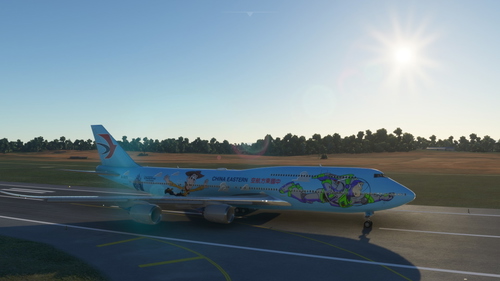
FBW A32NX China Eastern B-1316
Ensure compatibility of liveries with this FBW A32NX China Eastern B-1316 add-on. Authentic aircraft liveries referencing real photos and models, with strict policies against duplication from other simulators. Creator highlights the unique designs and prohibits theft from other flight sim communities.
by Tombuglibo
![[A32NX] Flybywire A320Neo 中国东方航空 China Eastern Airlines B-327Y(With Cabin)](https://cdn.flightsim.to/images/27/flybywire-a320neo--china-eastern-airlines-b-327ywith-cabin-950423-1744950032-qdKLz.jpg?width=500)
[A32NX] Flybywire A320Neo 中国东方航空 China Eastern Airlines B-327Y(With Cabin)
This add-on features the China Eastern Airlines livery for the FlyByWire A320neo, specifically showcasing the aircraft B-327Y, complete with an accompanying cabin interior. China Eastern Airlines, based in Shanghai, is one of Chinas three primary state-owned airlines. This mod requires an additional cabin addon to function properly and is intended for installation in the community folder of Microsoft Flight Simulator.
by AstorAST
![[A32NX] China Eastern Skyteam silver livery 8K](https://cdn.flightsim.to/images/16/PFDfB5tb.jpg?width=500)
[A32NX] China Eastern Skyteam silver livery 8K
Experience the stunning China Eastern Skyteam silver livery in high-definition 8K quality with this add-on. Showcasing intricate details and vibrant colors, this livery is a must-have for your flight simulator collection. Explore the skies in style with this top-tier aircraft repaint.
by n0k3
Log in to join the discussion
Log InComments(4)
8 months ago
9 months ago
almost 5 years ago
做的真不错,感谢!!!
about 5 years ago
Great Work 👍