

Description
Granada based on Goolge Maps photogrammetry
Installation
Download and unzip on community folder
Credits
Jonahex111 (Goolge Earth Decoder)
thalixte (Optimization tool for Google Earth Decoder)
Google Maps
Location
Granada, Andalucía, Spain
Explore Granada, Andalucía, Spain in stunning detail with this add-on based on Google Maps photogrammetry. Simply download and unzip the files into your community folder to enhance your virtual flying experience. Special thanks to the contributors for their work in creating this impressive scenery.


User Reviews
6 reviews
Version History
- Fixed some holes and glitches with some tiles - Added night lightning to Alhambra and the Cathedral
Related
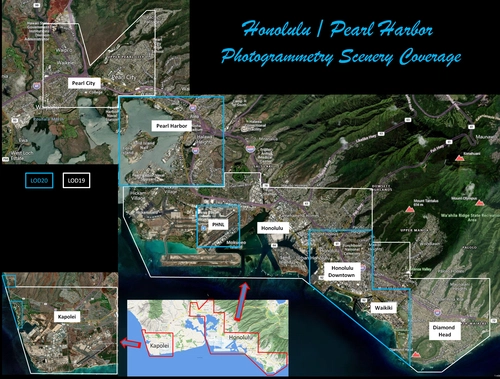
Honolulu
Explore the photogrammetry scenery of Honolulu, including the iconic Pearl Harbor area with optimized performance for better FPS. Discover Waikiki, Honolulu downtown, and more with this detailed addon. Enhance your experience by adding free mods for carriers, battleships, and military airplanes in Pearl Harbor and surrounding bases. Support the creator for future updates if you enjoy this mod.
by steveli
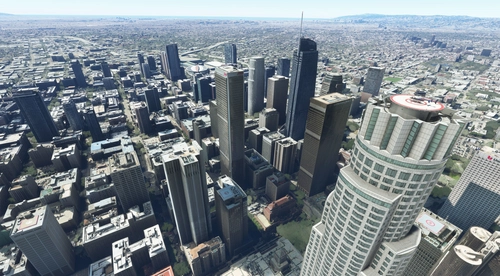
Downtown Los Angeles
Various buildings and monuments that are missing from Los Angeles in the game that shoudn't be. Wilshire Grand Center, SoFi Stadium, 801 S Grand, 825 S Hill, 888 S Hope, 1000 Grand, Apex the One, Atelier, Aven Apartments, Metropolis Towers, Level Los Angeles
by senecadriver
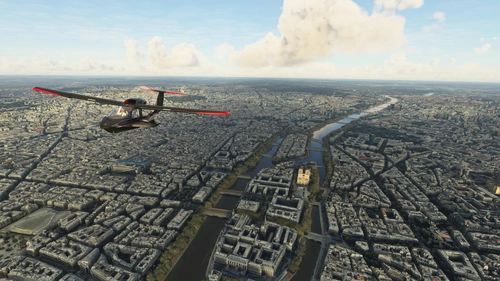
Paris
Explore the iconic cityscape of Paris in Microsoft Flight Simulator. This detailed add-on captures the essence of the French capital, featuring famous landmarks and architectural marvels. With accurate GPS coordinates, immerse yourself in the beauty of Paris, known for its historical significance and vibrant culture. Download now and experience the City of Light from a whole new perspective.
by Thalixte
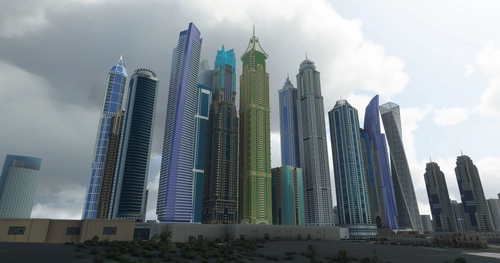
Dubai City Pack
Explore a detailed rendition of Dubai City and Jebbel Ali Port featuring over 250 custom buildings and various landmarks like the iconic hotels and tourist attractions. While focusing on enhancing the daytime visuals, this pack offers improved textures for select buildings, promising a refreshing experience for simmers. Additionally, adjustments have been made to SkyDive Dubai Airport to address previous elevation issues, ensuring a more immersive flight into this dynamic cityscape.
by risuali
Log in to join the discussion
Log InComments22
Awesome work! Thank you!
Brutal, está muy muy bien. Enhorabuena!!
Awesome work, like all your cities !! ;)
I wish you could bring Avila to the simulator in the future !!
Thanks a lot for sharing your job!
muchas gracias! gran trabajo!
thanks a lot! great job!
THANK YOU, THANK YOU, THANK YOU!!!!
all is no allright, thank you so much!
La Alhambra, el Generalife, la Cathedral, magnifico! Es una gran alegría volar sobre estas maravillas! Gracias!
It is so great to see you again, Maestro Erzo!
Thanks for yet another astonishing scenery.
Now I value your work even more. I tried to create myself some scenery for the canary islands and the result was catastrophic. This is harder than it looks, so I´m even more thankful now.
Great Job, thanks! works fine with Update 5. But one thing: better night lighting of the Alhambra would be great.
Thanks! I added lights on Alhambra and the Cathedral, check new version.
Top! Thanks a lot.
Grande!! No podía faltar La Alhambra... Te echábamos de menos :) Saludos
Great scenery, but as Machuca99 points before, there is a hole in the photogrammetry, that shows the base photoscenery. Could be possible to fix that, because you made a great work, and could be perfect if you could solve this issue.
Thanks! I will check that, must be some tile that was not correctly exported from Google Earth.
Should be fixed now, download new version. Thanks for reporting!
Thank you so much for this new city of spain in high res!!! And thanks for fullfilling this for us!
I have a strange phenomenon north of the Albaicín. There is a hole but only, if you are near. Moving from this hole its desapear.
Here is a screenshot: https://www.dropbox.com/s/kwrhmob9i516peb/FS21_09323.jpg?dl=0
Any idea?
Thanks! I will check that, must be some tile that was not correctly exported from Google Earth.
There is another tile north of this one that is also shifted. Maybe the optimization tools?
Other than those shifted tiles, the scenery works so well with SU5. Thank you!
Should be fixed now, download new version. Thanks for reporting!