
Description
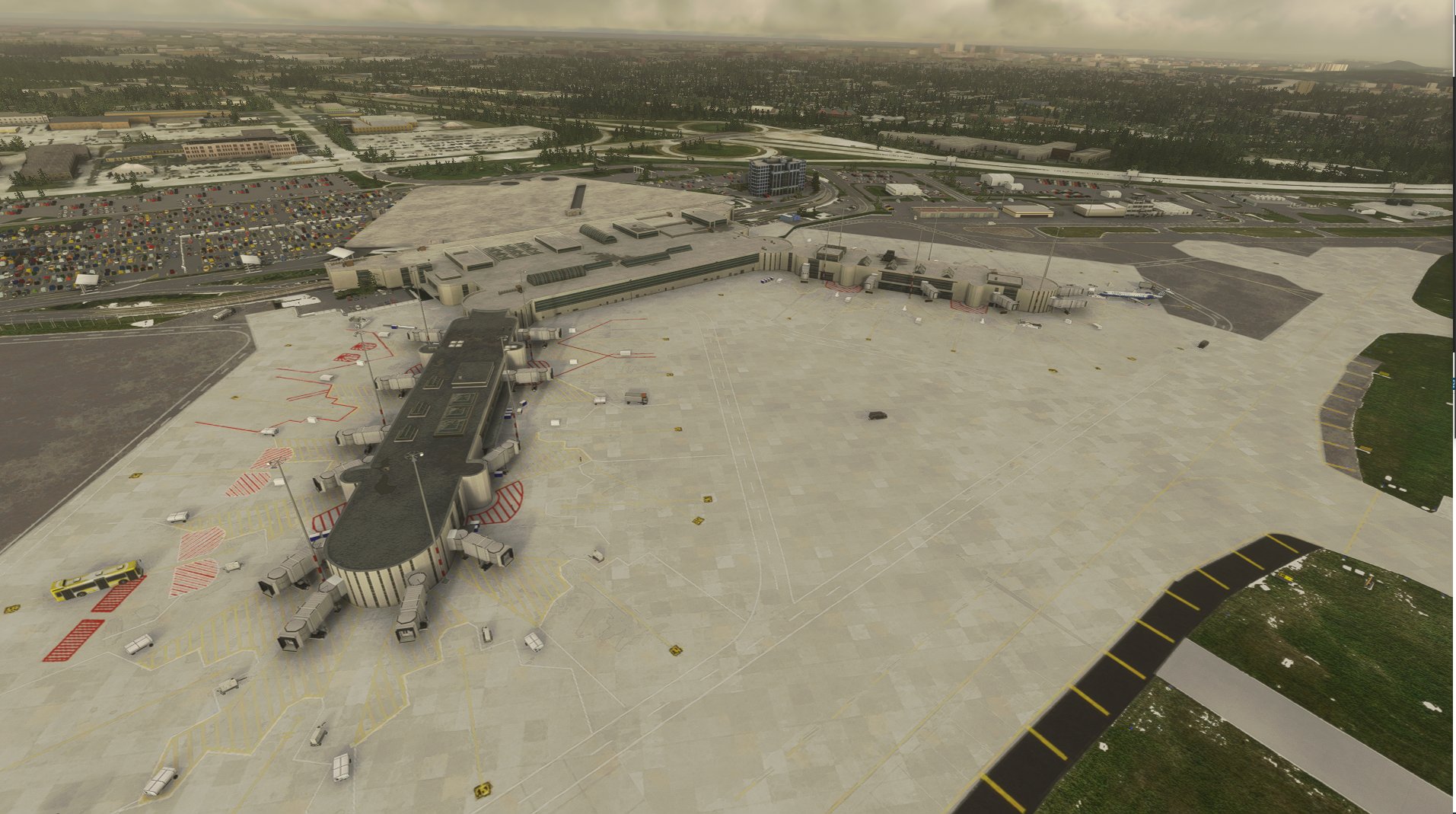
Frederick Douglass - Greater Rochester International Airport (IATA: ROC, ICAO: KROC, FAA LID: ROC) is a public airport located within the City of Rochester, three miles (6 km) southwest of Downtown, in Monroe County, New York. It is owned and operated by Monroe County. It is the fifth-busiest airport in the state of New York and the third-busiest outside of the New York City metropolitan area. The airport is home to the 642nd Aviation Support Battalion, part of the 42nd Infantry Division.
Microsoft has continually messed this airport up in every realease, In FSX they missed all jetways and a couple of taxiways. IN FS220 they left out a few gates and jetways, and worst of all they missed the ATC, so this airport was treated as VFR. No payware has been created for this airport, maybe at some point that will change. I edited this airport using Airport Design Editor that works with FS2020. If someone wishes, I have no issues if one would like to pick up where I left off and maybe hand craft some buildings that correctly match this aiport using my work. As time goes on, I wll continue to edit it and will upload it as I get enough changed or added.
___________________________________________________________________________________________________________I
Previous Versions have been removed and this one will be in place moving Forward. I am no longer using ADE2020 and am now using the built in SDK to do this. Keep in mind that Microsoft keeps breaking things and for example in the main parking lot, I had cars parked well, now there are extra cars being put in by default, and there is no way to remove them since sim update 6, guess I should have rushed to upload this prior to the update. I will keep working on this and when those issues are fixed I will reupload. I have a little more work to do in the main parking areas as far as painted lines and cars. Short of learning how to do handmade buildings and teraforming I am nearing completion on this project. Also please note, that while hard to siee in satalite imagery, there really are yellow and red hatched areas as shown, The red ones are pretty acurate but I could not find any clear images of the yellow lines under and round the jetways so I added them using my best judgement and also looking at other airports to see how they were put in as well.
- Removed extra Terminal Building
- Removed Ortho Lines that did not exist in real Life
- Cleaned up all Aprons
- removed all mass created painted lines and placed them back in by hand
- fixed and correctly placed taxi signs
- cleaned up jetways and added new painted hatched areas around jetways and stairwells at terminal
- corrected parking spots at cargo areas
- added lighted hold short lines
- added painted parking lines to parking lots and added in new cars
- removed vehicle taxi lines and hand placed them accurate to real life
- Assigned parking to terminal parking spots (don't know if it works as new AI traffic does not seem to pay it any mind
-
Version 2.1
- Corrected Floating Light near Terminal A
- Corrected Taxiway Sign C > C3
Version 2.2
- Cleaned up NW Parking Lot
- Updated some Taxi Signs
- Removed lights near Terminal A \ Runway 22
Update: .02/08/2023
2.4 Made some major updates to ground textures, but for this version, you must have GSX to be able to see and use jetways
Location
KROC Frederick Douglass - Greater Rochester International Airport v2.4
Enhance your simulation experience with the KROC Frederick Douglass - Greater Rochester International Airport v2.3. This public airport, located in Monroe County, New York, has been meticulously edited to include accurate details such as jetways, taxiways, ATC, and more. Updates include corrected taxiway signs, cleaned-up parking lots, and detailed handcrafted features for a more realistic airport environment.


User Reviews
11 reviews
Version History
Did make some major updates, have not had alot of time to double check everything, but tested and working
Featured in Collections(1)
Related
KPWM Portland International Jetport V1.1
Explore the detailed improvements made to Portland International Jetport (KPWM) with this V1.1 update. Enhancements include corrected taxiway labels, added signage, and accurate apron layouts, providing a more functional and realistic airport experience in Microsoft Flight Simulator. The update also addresses elevation issues, corrected runway details, and custom lighting for a seamless flying experience.
by csv1996
KBGR Bangor International Airport V1.2
Enhance your flight simulation experience with KBGR Bangor International Airport V1.2. This airport add-on is a detailed rendition of the real-life Bangor International Airport in Maine, known for its connections to famous author Stephen King and its airline services. Developed continuously, this update focuses on improving aprons, jetways, taxiway signage, and parking alignments, providing a more immersive environment for virtual pilots to explore.
by csv1996
KBIL Billings Logan International Airport
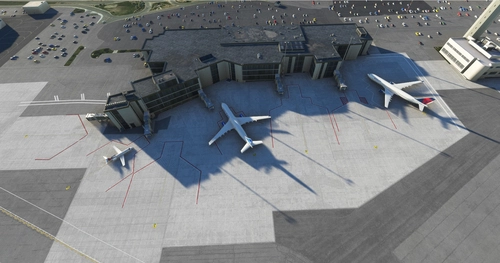
Explore KBIL Billings Logan International Airport, the second largest airport in Montana with major airlines like Alaska, Delta, United, and more. This add-on enhances the main runway, taxiways, and terminal area with fixed Papi lights, enhanced centerlines, and custom terminal lighting. Experience improved realism with added buildings and details, while future updates may include a cargo ramp and more.
by csv1996
KGRK FT HOOD Robert Gray Army Airfield \ Killeen, TX V1.2
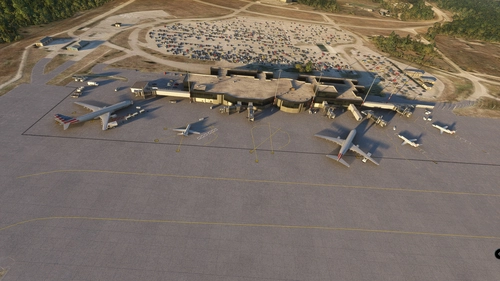
Explore Ft Hood Robert Gray Army Airfield in Killeen, TX with this add-on, which enhances the default airport by adding terminal buildings, runway, taxiways, and parking spots. This airport serves as an international gateway for the city of Killeen, TX and is used by major airlines like AIRFRANCE, AMERICAN AIRLINES, DELTA, KLM, US AIRWAYS, and UNITED. Version 1.2 includes added ground markings, objects, corrected parking, and missing PAPI lights for a more realistic flight experience.
by csv1996
Log in to join the discussion
Log InComments(43)
over 1 year ago
almost 2 years ago
Keep up the great work!
almost 2 years ago
almost 2 years ago
I'm a GA pilot, so I won't be using the jetways, but, it would be nice to see them when I'm visting the airport.
almost 2 years ago
over 2 years ago
over 2 years ago
over 2 years ago
almost 3 years ago
If you have a moment, I would like to ask if there is a way, I can delete the ground clutter from the gate areas. It's not a like or death. Since I use GSX it's more of a visual thing. Safety is my high priority in RL, so it gets at me in a sim environment when I see vehicles collide. Not a huge deal if it's not an option. I still absolutely love this airport. Blue skies and the best of health !
almost 2 years ago
about 3 years ago
about 3 years ago
over 3 years ago
Thank you for making and sharing this! As others have stated, this is "home base" for me and what we got with the sim was a total disappointment.
over 3 years ago
Nice work. Looks good, looks accurate, and no apparent effect on framerates. Thanks for doing this!
almost 4 years ago
Just wondering if you plan on updating this for Sim Update 11. Thanks.
about 4 years ago
KROC is my hometown airport and MSFS somehow managed to goof it up a good bit. The biggest issue by far was the ATC that still thinks its an uncontrolled airport! Your scenery is a MUCH needed improvement. I'd give you 5 stars but I had downloaded it before I made this account to post/request a couple liveries. I looked into the payware one before finding yours, and I don't think I could spend $14 on theirs at all. They have things like the new canopies at the terminal modeled, the terminal is more correct, but their overall feel of the building look and text on them is rushed. The USAirports logo isn't even correct, its just generic MS text.
There was a freeware made years ago of KROC for FS2004 that was fantastic, and nobody has made anything close until yours.
Things that I would say could use a tweaking? The tower is probably the most nit picky thing I have. The generic MSFS tower is far from what they actually have. KROC has one of those tan 4 post style towers which the payware has the correct tower. Could things like the buildings be more visually corrected? Sure, but to me, a minor deal. All of the buildings appear to be in the correct places which is more important IMO.
Now if only someone could correct the city skyline with the proper buildings........
almost 4 years ago
Thank You for your response, very much appreciated and glad you like it. Yes, I would very much love to improve the buildings and the tower, but I do not have the capability as of yet to do custom buildings and my health has not been great as of late. It is always on my mind to continue the work regardless, but other concern right now is I did the beta program and am nervous if I do make changes and publish if it would ruin it for those that are not on at least same version I am and would not be good. Also I understand that one of last updates we got I have to add new file Wich I do not yet understand what it is yet. But I will say again, if someone has the time and ability do custom buildings, I have no problem turning over my project files as long as it was improved upon instead of being ruined
about 4 years ago
@ csv1996,
Excellent work...very much appreciated...
Don't forget to update the version number in the manifest.json file.
Here it shows version number 2.2, but shows 0.1.32 in the manifest.
over 4 years ago
I have been using your freeware almost since the beginning, but I thought I would try out the recently released payware just to see. I fly out of GA land at KROC at least once a week and am very familiar with the south side of the airfield. While I appreciate the work the payware product put into the GA buildings, it had some important basic details wrong like taxiway names. It also wasn't using the current airfield diagram where Taxiway H has been extended to the end of runway 28.
This freeware product is clearly superior from a GA standpoint. I'd love to see a more accurate representation of the historic hangar structures we use over there, but having the right airfield layout is more important. I have uninstalled the payware KROC and will continue to use this project. I look forward to seeing how it progresses!
over 4 years ago
Thank you so much for letting me know your comment means a lot to me