
Description
Landing analysis for Microsoft Flight Simulator 2020.
Update
Check out the new in-game panel – it's more convenient and comes with some cool updates.
https://flightsim.to/product/gees-landing-analysis-for-msfs
How to Install/Use?
Download the latest release. Unzip to your favorite location for MSFS2020 landing monitors, and start Gees.exe. You'll see a window like this in the bottom right.
The app itself runs in the background, and you can find this status window in the status tray, as this icon:
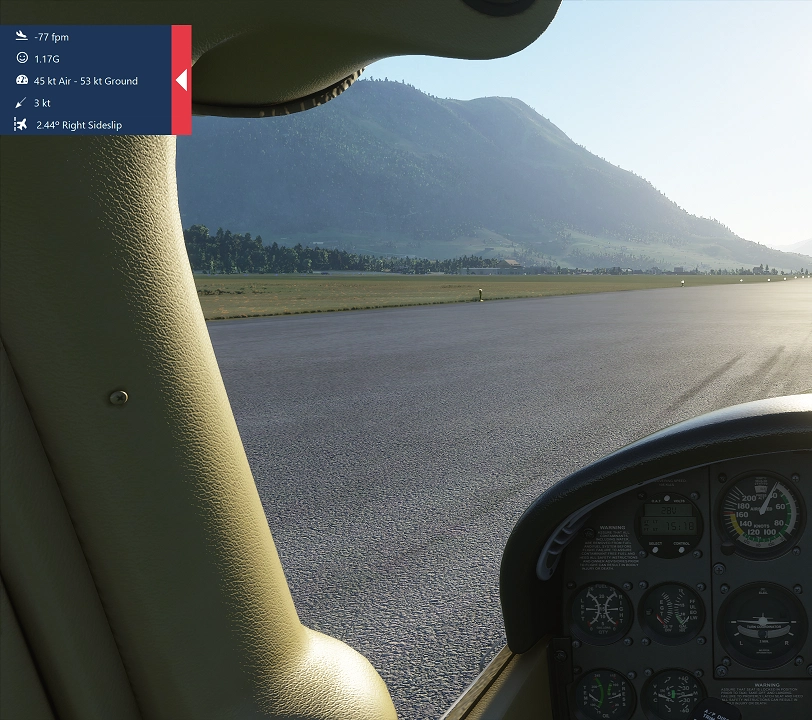
That's it. When you start the sim the app will automatically connect and when you land, you'll get a window similar to this slide out top-left:
You can start it before, or after the MSFS, it doesn't matter.
How to Uninstall?
Delete the folder where the Gees.exe resides.
What is measured?
Descent rate at the landing in feet per minute
Self explanatory.
Maximum G force impact at the moment of touchdown. Should be in theory related to the descent rate, undercarriage dampers and how much the passengers are nervous.
Airspeed and ground speed at the touchdown
Self explanatory.
Wind speed and direction at the touchdown
There's a nice arrow, showing where the wind is blowing from
Did you do the proper de-crab maneuver, or the plane is going sideways on touchdown in the crosswind? The higher, the worse. Keep it close to 0 degrees or you might break the gear, or pop the tire (well, probably not in the sim).
How to compile it
It's a c# WPF application. You'll need a Visual Studio with .NET 4.7 and the following nuget libraries:
CTrue.FsConnect
Octokit
PrettyBin
CsvHelper
Contact
Use the reddit page, or here, the Issues page to report bugs and suggestions. Please do.
License
Distributed under the GNU General Public License v3.0 License. See LICENSE for more information. (Whatever you do with this, keep it open source)
Gees - In game landing analysis (standalone App)
Enhance your landing skills with Gees, a standalone app designed for landing analysis in Microsoft Flight Simulator 2020. This tool provides insights into key metrics such as descent rate, G force at touchdown, airspeed, ground speed, wind speed and direction, and sideslip angle. Improve your performance and receive real-time feedback on your landings.

User Reviews
73 reviews
Version History
A bug fix to repair incorrect sorting in the table.
Related
FSPM/OSM VFR Map
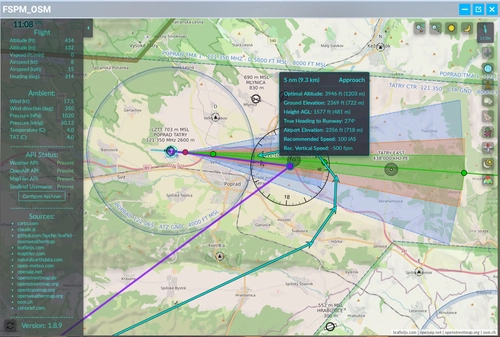
The FSPM/OSM VFR Map is a community-maintained modification of the original FSPM VFR Map, designed for compatibility with MSFS 2020 and MSFS 2024. It offers features such as SimBrief integration for flight plan management, runway and approach visualization, and various map overlays including satellite imagery, airspaces, and weather. The tool also includes enhancements for teleportation, measuring distances, and exporting flight tracks, while providing user-friendly interface updates and quality-of-life improvements.
by a5tr0

GEES 2.0 Landing Analysis for MSFS
Enhance your landing skills with GEES 2.0 Landing Analysis for MSFS. This in-game add-on provides detailed feedback on your landing rate, G-force, speed, wind conditions, sideslip, bounces, and landing location. It also offers instant replay recording to review your landings and can be easily installed by copying files into the Community folder. Improve your piloting abilities and track your progress with GEES 2.0.
by scelt
Log in to join the discussion
Log InComments(241)
about 1 month ago
2 months ago
2 months ago
3 months ago
3 months ago
4 months ago
2 months ago
4 months ago
4 months ago
7 months ago
- VRef
- alignment to centreline
- distance from touchdown zone
- lose points for float
8 months ago
11 months ago
11 months ago
If V2 worked with Sky Dolly I would definitely buy it.
11 months ago
11 months ago
11 months ago
11 months ago
12 months ago
11 months ago
about 1 year ago