
Description
Route 66 - The mother of all roads
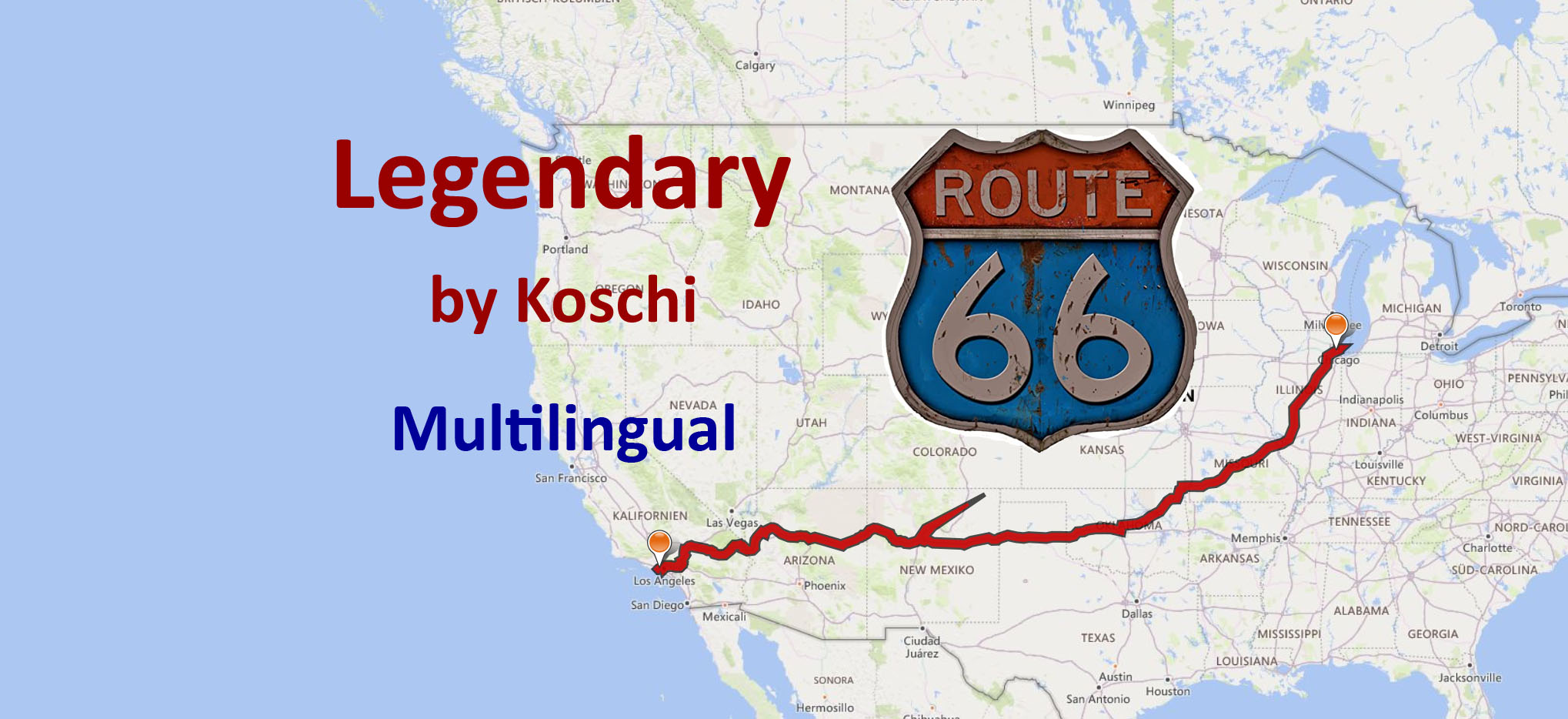
The route is nothing more than the legendary Route 66, the most famous of all roads in the USA or "mother of all roads" as it is sung about in a song. With its 2,448 US miles it connects the cities of Chicago and LA / Santa Monica. The road itself no longer exists in its origin, but has been partially built over by highways or replaced by wider roads, which take more account of today's requirements and lead around the towns and cities that Route 66 once crossed. After all, around 2,000 miles of the original route have been preserved, albeit sometimes as a sand runway. We will encounter many legendary and historical events on this tour.
The course does not always follow Route 66 exactly. Otherwise, more than 400 waypoints would not have been enough. Too many waypoints mean that the simulator no longer runs smoothly.
ATTENTION: The machine is well loaded. If you want to use a smaller aircraft than the Cessna Grand Caravan, you should make sure at the beginning that the machine is not overloaded. Instructions on how to replace the aircraft are available in the Exchange file.
Installation:
Extract the folder into the community folder of the MSFS. Restart the simulator.
Specification:
- You are flying in a Cessna 208B Grand Caravan EX.
- The package is multilingual in all languages currently supported by MSFS. The basic language is German. The other languages are machine translated, so there may be errors in the translation. If you have a better translation, please send it to me.
- At some waypoints, there are instructions in English from the artificial voice output when you skim the corresponding waypoint. All instructions can be read in the Navlog.
- The individual legs do not end at some airports. To avoid this, go back to the main menu after each leg and start the next one.
- Use the GPS and ATC.
- A GPS course is available that can be obtained. (see "Frequently Asked")
In addition, each waypoint is provided with a clearly visible marker. This can be switched off in the support options / navigation aids. - The refuel button is only active on airfields with a fuel station. If the gasoline is not enough, you can stop at an airport to refuel.
- Weather is freely selectable. Live weather is preset.
- The trip is only finished when engine and electrics are switched off and the handbrake is applied. To do this, roll into a parking lot.
- A LNMPLN file for Little Navmap is included in the package. There you can also find the texts for the waypoints in German language. Click on a waypoint in the flight plan table and press the Enter key. With a translation program you can translate the texts into your language.
I wish you a lot of fun with the flights and always safe landings,
Koschi
AddOns:
AddOns are not necessary for these flights. Here are some suggestions for a more enjoyable experience:
Dodger Stadium, Los Angeles CA USA by FreakyD
Downtown Los Angeles by senecadriver
Lakeshore East - Chicago by ChiMilNet
Mag Mile - John Hancock Center - Chicago by ChiMilNet
Santa Monica Pier by MrFixer
Sears (Willis) Tower - Chicago by ChiMilNet
The St. Louis Wheel by zrb
Wolf Point - West Chicago River Area - Chicago by ChiMilNet
Chicago Midway Airport (KMDW) - USA by ARIF STUDIOS - Adnan Arif
Flagstaff Pulliam Airport by JustOkayPilot
VTOL Aviation's KSMO Santa Monica Municipal Airport by Eaglepilot6
Created with BushTripInjector by BuffyGC.
Route 66 – Die Mutter aller Straßen
Die Strecke ist nichts anderes, als die legendäre Route 66, die berühmteste aller Straßen in den USA oder „Mutter aller Straßen“, wie sie in einem Lied besungen wird. Mit ihren 2448 US-Meilen verbindet sie die Städte Chicago und LA/Santa Monica. Die Straße an sich existiert in ihrem Ursprung so nicht mehr, sondern wurde teilweise von Highways überbaut oder durch breitere Straßen ersetzt, die den heutigen Anforderungen mehr Rechnung tragen und um die Ortschaften und Städte herumführen, welche die Route 66 einmal durchquert hat. Immerhin sind noch ca. 2.000 Meilen der ursprünglichen Streckenführung erhalten, wenn auch manchmal als Sandpiste. Viele legendäre und geschichtsträchtige Ereignisse werden uns auf dieser Tour begegnen.
Der Kurs folgt nicht immer genau der Route 66. Ansonsten hätten mehr als 400 Wegpunkte nicht ausgereicht. Zu viele Wegpunkte bewirken, dass der Simulator nicht mehr flüssig läuft.
ACHTUNG: Die Maschine ist gut beladen. Willst Du ein kleineres Flugzeug als die Cessna Grand Caravan benutzen, solltest Du am Beginn darauf achten, dass die Maschine nicht überladen ist. Eine Anleitung, wie man das Flugzeug austauschen kann, gibt es in der Exchange-Datei.
Installation:
Entpacke den Ordner in den Community-Ordner des MSFS. Starte den Simulator neu.
Spezifikation:
- Du fliegst mit einer Cessna 208B Grand Caravan EX.
- Das Paket ist multilingual in allen Sprachen, die der MSFS derzeit unterstützt. Die grundlegende Sprache ist deutsch. Die anderen Sprachen sind maschinell übersetzt, darum können Fehler in der Übersetzung enthalten sein. Wer eine bessere Übersetzung hat, kann sie mir bitte schicken.
- An einigen Wegpunkten gibt es Anweisungen in Englisch aus der künstlichen Sprachausgabe, wenn man den entsprechenden Wegpunkt überfliegt. Alle Anweisungen sind im Navlog nachlesbar.
- Die einzelnen Etappen beenden sich auf manchen Flughäfen nicht. Um das zu vermeiden, gehe nach jeder Etappe zurück ins Hauptmenü und starte die nächste.
- Nutze das GPS und ATC.
- Ein GPS-Kurs ist vorhanden, der erhalten werden kann. (siehe "Häufig Gefragt")
Zusätzlich ist jeder Wegpunkt mit einer gut sichtbaren Markierung versehen. Diese kann in den Unterstützungsoptionen / Navigationhilfen ausgeschaltet werden. - Der Tanken-Button ist nur auf Flugplätzen mit Tankstelle aktiv. Wenn das Benzin nicht reicht, kann man auf einem Flughafen zwischenlanden, um zu tanken.
- Das Wetter ist frei wählbar. Live-Wetter ist voreingestellt.
- Der Trip ist erst beendet, wenn Motor und Elektrik abgestellt sind und die Handbremse angezogen ist. Rolle dazu am besten auf einen Parkplatz.
- Eine LNMPLN-Datei für Little Navmap ist im Paket enthalten. Dort sind auch die Texte für die Wegpunkte in deutscher Sprache nachzulesen. Klicke in der Flugplantabelle auf einen Wegpunkt und drücke dann die Entertaste. Mit einem Übersetzungsprogramm kannst du dir die Texte in deine Sprache übersetzen lassen.
Viel Freude und immer sichere Landungen wünscht,
Koschi
Frequently Asked Questions
Location
Legendary Route 66
Embark on the legendary Route 66, spanning 2,448 US miles from Chicago to LA/Santa Monica. Experience historical events and landmarks along the way in this immersive journey. Fly with a Cessna Grand Caravan EX and follow waypoints for a smooth simulator experience. Installation is easy - just extract the folder into your MSFS community folder.
Supporters

User Reviews
5 reviews
Version History
There was an issue after a flight was interrupted or the mission failed that when restarting, the allowed flight altitude was exceeded and the mission failed again. This problem has been fixed. The flight now starts at the last waypoint flown over at 2,000 ft AGL. When a new leg is started, the aircraft is not on the runway but on a parking position. Some languages have been corrected. Many thanks for the corrections. Added translations: Chinese, Japanese, Korean and Turkish. # # # # # # # # # Es gab ein Problem nachdem ein Flug unterbrochen wurde oder die Mission gescheitert war, dass bei Neustart die zulässige Flughöhe überschritten wurde und die Mission dadurch erneut gescheitert ist. Dieses Problem wurde behoben. Der Flug beginnt nun am letzten überflogenen Wegpunkt bei 2.000 ft AGL. Wird ein neues Leg begonnen, steht das Flugzeug nicht auf der Piste, sondern auf einer Parkposition. Einige Sprachen wurden korrigiert. Herzlichen Dank für die Korrekturen. Übersetzungen hinzugefügt: Chinesisch, Japanisch, Koreanisch und Türkisch.
Related

Discover Germany - Part 1
Explore Germanys rich history and diverse landscapes with this Bush-Trip add-on. Discover iconic destinations such as Berlin, the Baltic Sea, North Sea, and Elbe River, covering 938 NM with 20 legs. Enjoy flying with a Cessna Skyhawk G1000 and multilingual support for a truly immersive experience. Install, start your engine, and embark on an unforgettable adventure in the skies.
by Koschi

Discover Germany - Part 2
Explore Germany from the Elbe to the Rhine in this flight simulation add-on. Follow a 863 NM route with 15 legs, flying a Cessna Skyhawk G1000. Available in multiple languages, with detailed landmarks and customizable weather settings. Installation is easy - just unpack and enjoy discovering Germany for yourself.
by Koschi

Discover Germany - Part 3
Embark on a journey through historical sites along the Rhine River in "Discover Germany - Part 3," covering 531 NM from Emmerich airfield to Lake Constance. Explore areas settled by the Romans and experience all the sights of World Update 6. Fly in a Cessna Skyhawk G1000 with multilingual support and customizable weather options. Join the adventure and discover Germany for yourself.
by Koschi

Discover Germany - Part 4
Explore Southern Germany and the Alps in "Discover Germany - Part 4". Embark on an adventurous 991 NM journey from Lake Constance to Zugspitze, criss-crossing through picturesque landscapes and significant landmarks. Fly with a Cessna Skyhawk G1000, enjoy multilingual support, and discover all the sights of World Update 6 for Germany. Install the package in the community folder, start your simulator, and experience a truly immersive flying experience.
by Koschi
Log in to join the discussion
Log InComments(31)
almost 2 years ago
almost 2 years ago
Thank you in advance for your help!
Tamas
almost 2 years ago
The exchange file should be included in the package. Otherwise, you can find help here: http://www.koschis-web.de/en-us/help-support#change
almost 2 years ago
Kind regards,
Tamas
over 2 years ago
Wende mich auf diesen Weg, direkt an den Author.
Ich bleib immer in Springfield (Lincoln Airport) hängen, der Flug wird nicht als beendet erkannt, auch zurück in das Hauptmenü, bringt nichts, denn damit habe ich keinen Zuggriff auf Leg2, bleibt gesperrt.
Habe das Fluggerät auf TBM930 gewechselt.
Gruß
over 2 years ago
hast Du richtig gemacht, dass Du Dich direkt an den Autor wendest. Ich danke Dir für die Rückmeldung.
Das Problem, das Du beschreibst liegt an der TBM. Seit dem letzten SU braucht die Batterie etwa 4 Min., um ganz abzuschalten. Du kannst da nichts weiter tun als zu warten, bis sich der Flug von allein beendet. Das Problem tritt derzeit allein bei der TBM auf. Evtl. nutze eine andere Maschine.
Grüße, Koschi
over 2 years ago
Auch beim Neustart des Leg1, keine Beendigung möglich.
about 3 years ago
about 3 years ago
I would like to thank you again for the contribution. Previously, missions were saved at time intervals and the aircraft was reset to the altitude of the last save. Now it is that it only saves after the last waypoint flown over and refers to the default altitude. Since I almost never crash, I was able to test this through your post and uploaded a new version that fixed the problem.
Thanks again and greetings from the German Baltic coast.
about 3 years ago
about 3 years ago
the problem is caused by the data stored in MS's cloud. Go to the community folder and append "-000001" to the route 66 trip folder there. It should then look like this: "koschi-bushtrip-route66-000001". This should solve the problem. You can then increase the counter by 1 for each restart of the trip.
almost 4 years ago
Hello,
I don't know if it's SU11 related, but it is very laggy ! (use to have ~60fps with my system and have only ~10 here). Any up-date incoming ?
Thank you for the great job !
almost 4 years ago
Hello Squad69,
yes, there will be an update in the foreseeable future. I have made a lot of bush trips that need to be updated. Please be patient. Subscribe to this addon and you will be informed automatically.
I wish you nice christmas holidays.
almost 4 years ago
Thank you very much and merry christmas too ! 8)
almost 4 years ago
Hello Squad69,
the trip is reworked and there are some fps more out of it. You can try it out and please let me know if it works better for you now. If this should not be the case, it can, in my opinion, only be due to an addon. In that case please delete all addons from the community folder except this trip and try again.
over 3 years ago
Yes, same problem here. I found out only in this bush trip my GPU is working on almost 0 percent, AMD Radeon RX 6900 XT normaly around 80-90 percent in MSFS2020. Something is broken. No GPU utilization for some odd reason.
over 3 years ago
Hello clarion99,
thank you very much for the feedback. I have already read about similar problems with other bush trips. So it occurs variously. However, no solution to it. Supposedly it is due to the settings of the MSFS. If you find a solution, I would be grateful if you can share it with me.
over 3 years ago
Have you perhaps set DX12?
almost 4 years ago
I did follow your flightplan, every bit was worth it at low altitude.
That was a great experience. Thank you.