

Description
When choosing the modern construction and looks of the DA62, why not stand out from the crowd with the X range of liveries by SmearyGrain.
With gold and silver inlay to offset the designs, these rich colours show off this craft off to its best
NOW!!! Available in a 9th colour! Burnt Orange (not pinched from the Aston Martin colour palette... :-)
simply choose the colour and enjoy.
Instructions: Once you have the zipped folder, unzip it (there will be 9 folders inside - once for each colour). Then put them into your 'Communities' folder. And that should be it. Finding your communities folder is probably the hardest bit as its not necessarily in the same place for everyone (I have Flight Sim on its own SSD for ease of access) Try this resource if you have difficulties: Locating the community folder of my game
o7
Note: Since finding that another site was uploading my liveries without permission, I have chosen to assert my copyright (written into the documentation for the livery). Please.. please... do not upload these files to any other sites without my express permission. This is for made available freely for your own personal use.
Diamond DA62 X Series (9 colours)
Enhance your Diamond DA62 experience with the X Series add-on, featuring 9 unique liveries by SmearyGrain. Stand out from the crowd with vibrant colors like Burnt Orange, gold, and silver inlays. Simply unzip the folder and select your preferred color to customize your aircraft. Remember to respect the creators copyright by not uploading these files to other sites.

User Reviews
14 reviews
Version History
Now updated to remove the pink cockpit
Featured in Collections(1)

Related
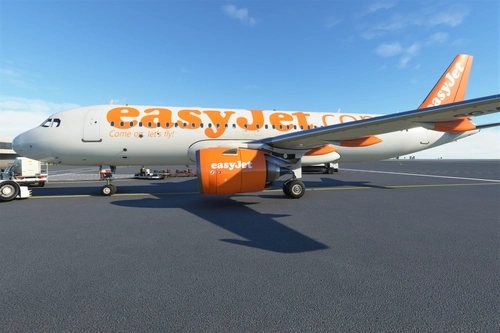
Airbus A320neo EasyJet (DotCom livery)
Introducing the classic Airbus A320neo EasyJet livery, replacing the original telephone number with the iconic .com design. This nostalgic livery, featuring the famous orange color scheme, is a must-have for aviation enthusiasts. Thanks to community requests, this add-on brings back a piece of aviation history to Microsoft Flight Simulator.
by SmearyGrain
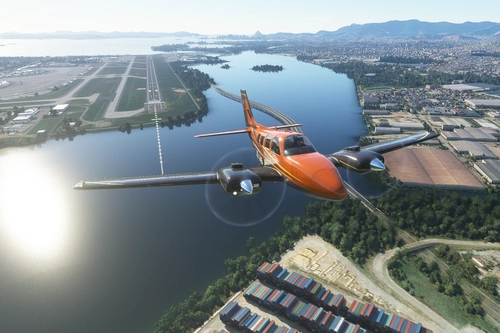
Beechcraft Baron G58 X series (9 colours)
Add a touch of style to your Beechcraft Baron G58 with the X series, featuring 9 vibrant color schemes and sleek carbon wings. Easily unzip and install the packs to customize your flying experience. Share your feedback and suggestions for future X series designs.
by SmearyGrain
![[A32NX] Airbus A320 NX EasyJet.com (FlyByWire)](https://cdn.flightsim.to/images/13/93zyL_lQ.png?width=500)
[A32NX] Airbus A320 NX EasyJet.com (FlyByWire)
"Experience the classic EasyJet.com livery for the Airbus A320 NX with this FlyByWire mod. Originally introduced in 1998, this livery pays homage to the iconic design that represents EasyJets history. Created based on requests from the flightsim.to community, this mod brings a touch of nostalgia to your virtual flights."
by SmearyGrain

Beechcraft King Air X series (9 colours)
Experience the Beechcraft King Air X series in all 9 vibrant colors, including a unique Burnt Orange option. Stand out from the crowd with these stylish liveries by SmearyGrain, featuring gold and copper inlay details that showcase this aircraft at its best. Simply select your preferred color and elevate your flying experience today.
by SmearyGrain
Log in to join the discussion
Log InComments(71)
over 1 year ago
Please fix because i love these liveries. cheers.
over 2 years ago
over 2 years ago
over 2 years ago
over 3 years ago
FYI on the white version there's some slight artifacting on the engine texture below the pin striping, visible from the cockpit
over 3 years ago
Love the orange one, fly in XPlane this type of livery. Thanks mate!
over 4 years ago
Nice one. Can you please add a readme and explain how to add them to the sim? "The usual way" isn't very helpful for those of us who have never installed a liverly before
over 4 years ago
Hi, thanks for the feedback.
The main reason I just mention 'the usual way' is that the guidance is found in the FAQ of this site... but I should maybe say that (will edit).
Once you have the zipped folder, unzip it (there will be 9 folders inside - once for each colour). Then put them into your 'Communities' folder. And that should be it. Finding your communities folder is probably the hardest bit as its not necessarily in the same place for everyone (I have Flight Sim on its own SSD for ease of access) Try this resource if you have difficulties: https://flightsim.to/help/general/locating-the-community-folder-of-my-game
Hope this helps.
Smeary
over 4 years ago
very nice liveries, thanks a lot for making them :)
about 5 years ago
Hi all - happy to say I have tested this in update 5 and its working. Let me know if there are any issues out there
over 5 years ago
over 5 years ago
Let me know if it works - or not
All the best
over 5 years ago
Hi, you are mistaken in thinking that a model config is necessary for repaints. it is not, as I have many repaints in msfs without a model config being present with the repaint.
over 5 years ago
Not entirely sure how to reply to that. Liveries have required a model file probably since last December... though if they don't now I am not sure (just test downloaded a new livery to check and the model file is there)
I do not test my liveries against other peoples modifications - if it doesn't work using that modification then I would expect it to be something about the mod rather than the livery.
over 5 years ago
Hi...I believe it's this repaint which does not require an included model config, if you'd like to check it out so maybe you could understand why just for your own info:https://www.flightsim.to/file/4983/da62-multipack
over 5 years ago
over 5 years ago