
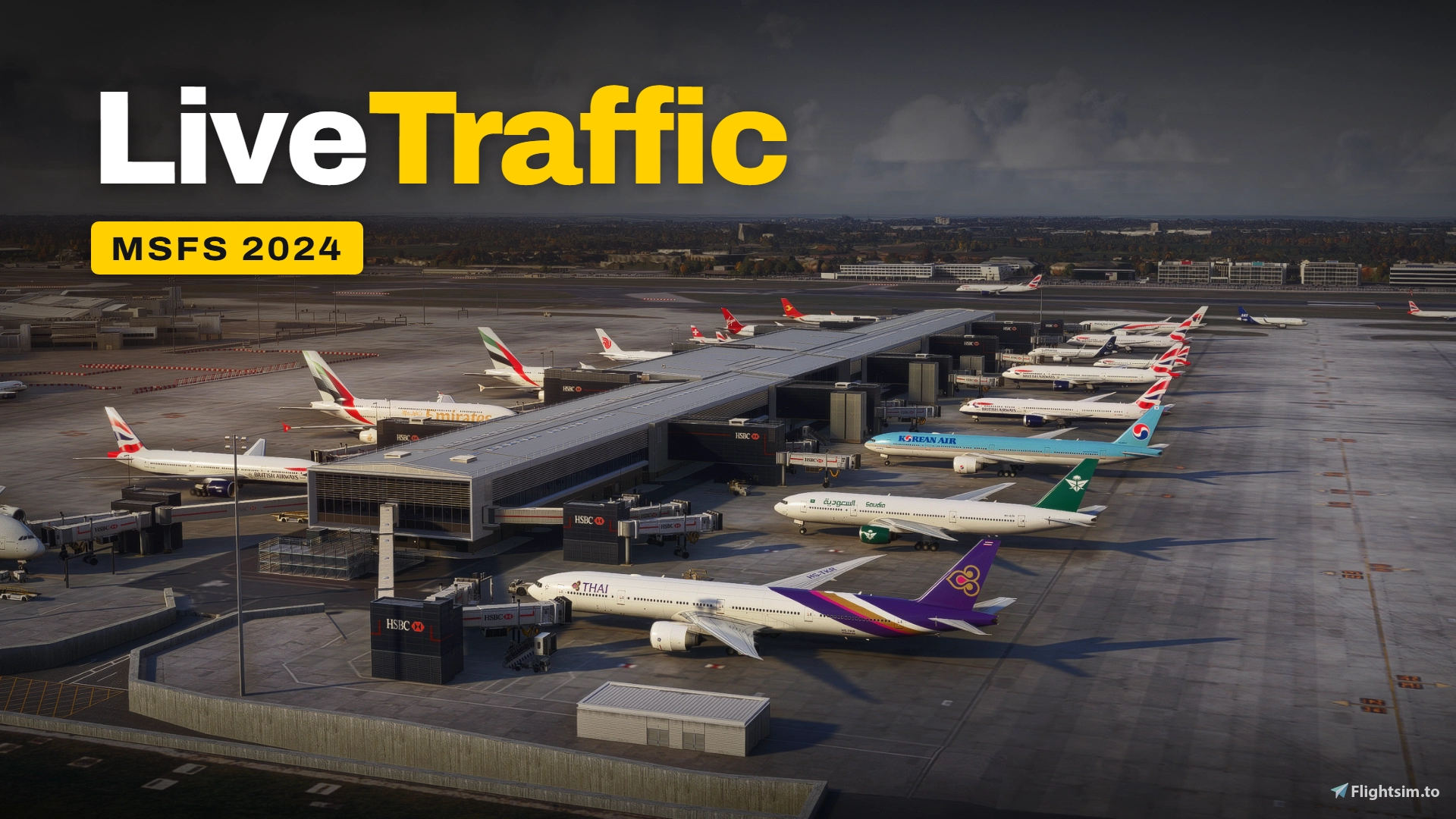
Description
Attention: this app relies on real, FREE, open ADS-B data rather than FR24 data. Consequently, traffic coverage may be incomplete or entirely absent in many regions of the world. Furthermore, the quality of the traffic display depends directly on the quality of the incoming data; I cannot guarantee perfectly smooth or precise aircraft movement, as this is beyond my control - though I do everything possible to optimize the way the movement is rendered.
LiveTraffic MSFS
LiveTraffic MSFS brings the aircraft that are flying right now into Microsoft Flight Simulator 2020 and 2024. It reads public ADS-B feeds and replays each real flight along its actual track, about a minute behind real time, using FSLTL, FS Traffic and AIG models. If you know TwinFan's LiveTraffic for X-Plane, the idea is the same. This is an independent project built for MSFS.
It's for simmers who would rather share the sky and the apron with real flights than with the default AI.
What you get
- Real tracks, not AI logic. The arrivals and departures at your airport are the ones on the flight-tracking map, flying their real paths.
- Proper runway work. Departures line up, roll down the centreline and rotate. Arrivals fly a 3° glide path, touch down in the touchdown zone and brake.
- Taxiing on your scenery. Ground movement follows the taxiway layout of the airport you have installed. Pushback is shown as the aircraft moving backwards.
- Landings that don't vanish. When coverage drops on short final, the aircraft still lands and clears the runway.
- Ground traffic that sees you. Aircraft stop behind you and behind each other, so departure queues form on their own.
- A living apron. Free stands fill with parked aircraft of the airlines and types that actually serve that airport. Freighters go to the cargo ramps.
- Your airport first. On the ground or at low altitude, traffic at and around your airport is created before anything else.
- A map window with flight cards and search. You can hide or remove any aircraft, or keep your own stand free.
Why install it
The default sources need no keys, no sign-up and no subscription. What you see out the window really happened a minute ago, and every flight gets a real runway, glide path and taxi route.
Limitations
The data is replayed with a deliberate delay of about 60 seconds. Between position reports the program interpolates, so each path is a smooth approximation of the real one, not an exact copy.
Coverage near the ground is the weak point. ADS-B often drops out for 40–90 seconds on the ground. Taxi routes are rebuilt from the taxiway layout and may differ from the route actually taxied. A landing completed after the data dropped out is reconstructed, not recorded.
Models come from FSLTL, FS Traffic or AIG. When the right type or livery is missing, a related type or another real airline's livery is used instead. FSLTL has light GA aircraft only in white, so they are hidden by default. There are no helicopter models.
MSFS ATC doesn't see this traffic, airborne traffic doesn't avoid you, and there are no jetways or ground services.
Traffic depends on adsb.fi and adsb.lol, which provide open data for non-commercial use. OpenSky is optional, and without your own account it allows very few requests. When a service is down, the traffic it supplies is gone too.
Every aircraft is a full sim object updated every frame. If your frame rate suffers, lower the display radius and aircraft limit in the settings.
So far it has been tested mostly in MSFS 2024.
Requirements
- Windows with MSFS 2020 or 2024
- FSLTL, FS Traffic or AIG models in Community folder.
- An internet connection
- WebView2 Runtime for the app window (without it, the window opens in your browser)
Node.js is included in the download.
Installation
Unpack the archive into any folder, for example C:\LiveTraffic-MSFS, but not into Community: this is a standalone program. Install models from FSLTL FS Traffic or AIG into the community folder. Run start.bat before or after MSFS and load into a flight. Traffic appears after a one-minute buffer. Don't run other injectors at the same time, or every aircraft will appear twice.
LiveTraffic
LiveTraffic MSFS integrates real-world aircraft movements into Microsoft Flight Simulator 2020 and 2024 by reading public ADS-B feeds and replaying actual flight paths with a short delay. The add-on uses FSLTL models to display real-time arrivals, departures, and taxiing, closely reflecting real airport operations. Ground movement follows each airport's taxiway layout, with aircraft behaving realistically, including forming queues and parking at appropriate stands. Note that MSFS ATC is not integrated with this traffic, and certain limitations apply due to data gaps and model availability.


User Reviews
29 reviews
Version History
Landing gear, flaps, and lights: improved logic for deploying landing gear, flaps, thrust reversers, and lights. smoother landings and traffic flow: improved leveling-off before touchdown and aircraft movement has been improved Engine sound (tebs Traffic Audio): improved application logic for better support of tebs Traffic Audio. Parked aircraft: improved aircraft spawning logic. Simulator aircraft as traffic (MSFS 2024): new set of MSFS models. Easier to use: fixed a bug where the application window would not open.
Log in to join the discussion
Log InComments(174)
about 11 hours ago
about 17 hours ago
https://i.postimg.cc/HL6PcjFM/222.jpg
about 19 hours ago
2 days ago
2 days ago
Why: Traffic2u suggests lots of adjustments spread out over little windows, while the live map stays a pittyful small strech of a window. And a hefty installment is necessary.
Live Traffic comes with a map that fills the whole window and the (same) adjustments are delegated to a very intuitive window that opens on top
with - again - very intuitive sliders, that allocate planes, distances, hight etc., etc.
So I shall opt for Live Traffic while waiting for further updates. Important IT WORKS FINE as of today.
Horst
3 days ago
On the ground the ac sometimes turns sharply with stutters, probably the consequence of the delayed download of some 60 seconds or more from the free servers.
It works fine, the map helps and the planes are also shown on little nav map.
The unitily does not prevent online players in fs2024 to interfere - unless reduce fs2024 traffic to zero.
Frame impact (on my very standart machine) minimal or none existant.
As remarked here before:
Interstingly, ther are now 3 (!) untilities using the same adsb.fi and adsb.lol information:
We now have three variations on the same theme!
https://flightsim.to/addon/116297/livetraffic
https://flightsim.to/addon/116506/traffic2u
https://flightsim.to/addon/108033/msfs-live-traffic-utility
Still have to find out weather the traffic2u and live-traffic is better then the present Live Traffic.
All in all ....very much worth a try. Its free. And good.
Horst LIT234S
6 days ago
6 days ago
7 days ago
7 days ago
Whenever your flying on vatsim and the airport feels empty well .. to this it wont.
Unfortunately the data feed is also the limiting factor of the addon. Due to depending on data of adsb.fi and adsb.lol you wont get accurate situations.
Here for example my Arlanda departure this morning not reflecting what for example is visable from FR24. You should implement that data for more accuracy.
https://i.imgur.com/lbWxCzl.png
https://i.imgur.com/344Axgb.png
Also at the holding point Y1 of ESSA no traffic compared to FR24
https://i.imgur.com/qSdH2ql.png
https://i.imgur.com/6JzC2Qa.png
Is there also a way to resort back to default settings of your application?
Can't seem to find it. Also for some reason remembers it even after a full delete.
An addon with lots of potention and i can all ready see it disapear behind a paywall, but with the limit data factor i will give this 3 stars for room to improve.
8 days ago
9 days ago
10 days ago
10 days ago
10 days ago
It would be great to be able to access the live map and options via a browser window on any device, such as a tablet. Currently, this is possible in a browser tab on the local machine, but not via a browser on a different device.
I’ve also noticed that the nameplates aren’t working. Is this normal?
11 days ago
11 days ago
11 days ago
11 days ago
10 days ago