
Description
FulopD Weather Radar for Synaptic A220
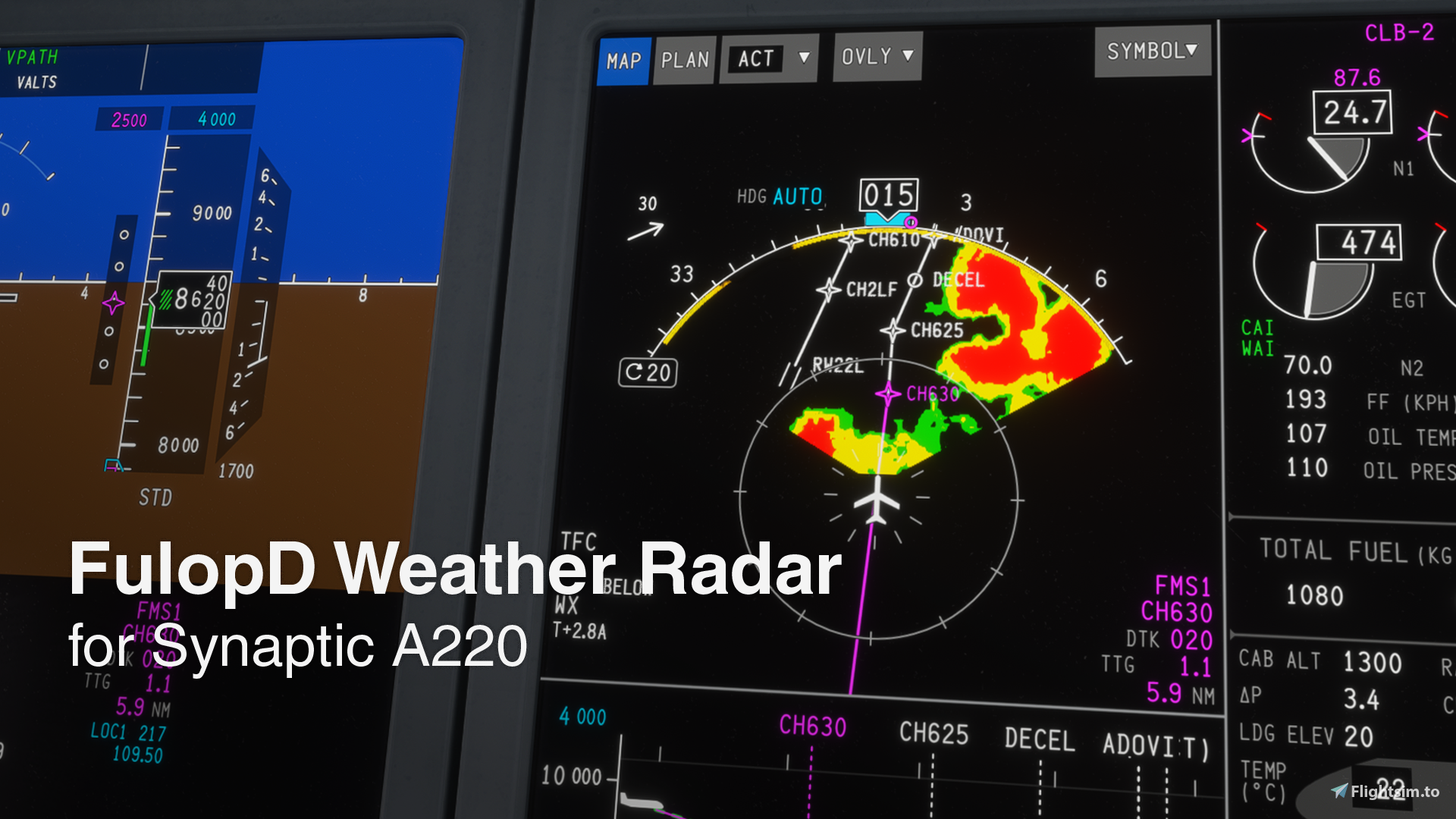
FulopD WXR adds native weather radar presentation to the Synaptic A220 Navigation Display in Microsoft Flight Simulator 2024.
The add-on integrates the native MSFS weather-radar renderer into the existing Synaptic avionics and provides A220-style weather radar controls and indications.
Main Features
- WX, WX+T, TURB and MAP modes
- AUTO and MAN operation
- MultiScan-inspired automatic antenna tilt and manual tilt control
- Adjustable GAIN
- Path Attenuation Correction (PAC) indication
- Ground Clutter Suppression and overflight logic
- TERR + WXR presentation
- Dedicated RADAR controls on the Synaptic CTP
Requirements
Microsoft Flight Simulator 2024
Synaptic A220 v1.0.11 / v1.0.11a
Installation
Extract the ZIP and copy the fulopd-a220-wxr folder into your MSFS 2024 Community folder.
If you are updating from an older FulopD WXR version, remove the previous version before installing v1.0.2.
User Guide Included
A complete FulopD A220 WXR User Guide v1.0.2 is included in the download.
The guide covers installation, controls, normal operation, radar modes, AUTO functions, PAC, GCS, TURB behavior, simulation limitations and troubleshooting.
Compatibility
The following optional add-ons are compatible:
All three can be used together with FulopD WXR, but none of them is required.
Other add-ons that modify the same Synaptic DisplayUnits or cockpit panel files may conflict with this installation.
Simulation Note
MSFS does not expose the complete physical sensor and signal-processing model of the real A220 weather radar.
TURB is therefore derived from the strongest precipitation returns rather than from a true turbulence measurement.
MAP mode cannot reproduce the full physical ground-return behavior of a real airborne weather radar.
Weather Radar for Synaptic A220
Native weather radar integration for the Synaptic A220 in MSFS 2024, featuring A220-style controls, multiple radar modes, AUTO TILT, PAC and TERR + WXR. Full User Guide included.


User Reviews
3 reviews
Version History
- Added Synaptic A220 v1.0.11a compatibility - Added support for the new native VSD terrain profile and aircraft track mode - Updated CTP integration for Synaptic v1.0.11a - Updated CTP bearing handling for the new native bearing logic - Improved DisplayUnits lifecycle and reload handling - Improved WXR diagnostics - Fixed WXR sector apex geometry and clipping - Fixed WXR rendering after DisplayUnits session replacement - Updated the standalone Community package for direct installation without an installer - Updated the included User Guide to v1.0.2
Related

iniBuilds A310-300 Turkish Airlines TC-JDD
Explore the iniBuilds A310-300 add-on featuring a nostalgic Turkish Airlines TC-JDD repaint. Simply extract and place the downloaded file in your Community folder to enjoy this retro livery.
by FulopDorn

DC-3 Malev HA-LIX
DC-3 Malev HA-LIX livery based on the real HA-LIX from Goldtimer with 2 versions available - one with GPS and the "older version" Classic variant. Simply extract and place the downloaded file in your Community folder, but do not use both versions simultaneously.
by FulopDorn

Fenix A320 Lufthansa Cargo (D-AEUC) Livery
Experience realistic aviation with the Fenix A320 Lufthansa Cargo (D-AEUC) Livery, a detailed recreation of the Airbus A321 Cargo variant used by Lufthansa Cargo. Simply extract the file to your Community folder to enjoy this authentic addition to your flight simulator.
by FulopDorn

Aeroexpress C172 Amphibian HA-SEA Livery
Celebrate the 100th Anniversary of Hungarian hydroplane flying with the Aeroexpress C172 Amphibian HA-SEA Livery. This stunning livery is a tribute made in collaboration with Aeroexpress Kft, based on the Aeroexpress Cessna C206 Amphibian. Enjoy easy installation with included G1000 and WB-Sim Compatibility.
by FulopDorn
Log in to join the discussion
Log InComments(74)
about 13 hours ago
about 2 hours ago
5 days ago
4 days ago
7 days ago
7 days ago
5 days ago
5 days ago
4 days ago
8 days ago
8 days ago
7 days ago
8 days ago
Y menu, WX is greyed out (cant select ON).. the only other addon I have installed is the GSX EFB.
9 days ago
10 days ago
9 days ago
13 days ago
13 days ago
i have the ACARS mod that is working and the VSD mod but that is nor working anymore
13 days ago
14 days ago