
Description
Acars/Cpdlc Addon for Synaptic A220.
Marketplace version is no longer supported, switch to the iniManager please.
Supported Networks
- Hoppie(Vatsim)
- SayIntentions.AI
- BeyondATC(Experimental)
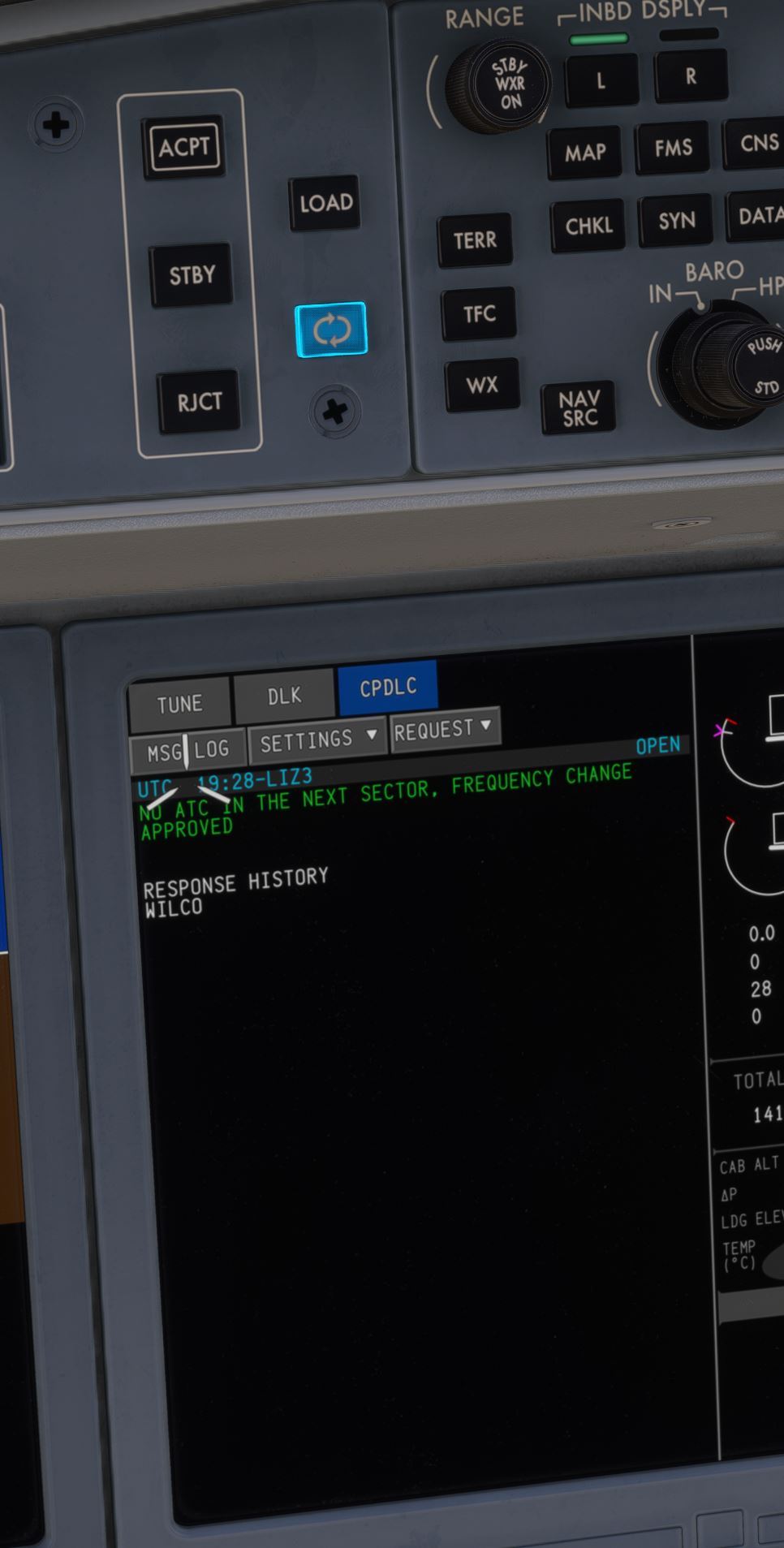
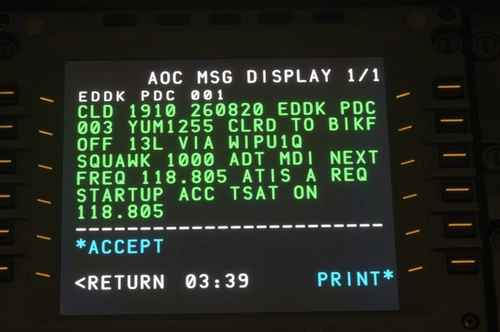
Supports Both ACARS(FreeText, ATIS, METAR/TAF, Oceanic Clearance, PDC) aswell as CPDLC(Speed, FL LVL, DIRECT, Position Report) functionality.
INIT DATA Page under DLK => AOC is implemented aswell.
The ACPT, RJCT, STBY and Refresh BTNS on the Glareshield are supported and interact with the EICAS view.
Currently ATC Messages trigger the Caution sound a single time. DL Messages only add an EICAS CAS Advisory.
Installation & Setup
The Installation is standard by putting the addon folder into your Community folder.
For Setup please refer to the linked Youtube Video.
If you need help, have questions, stay updated with new releases or wanna chat please join my discord:
If you wanna support my work:
https://www.paypal.com/paypalme/liz3de
Planned Updates
Planned means it might come but it is not guaranteed. Please do not ask for feature additions in the comments, thanks :)
- PRV/NXT Key Navigation
NOTE: IF YOU EXPERIENCE ISSUES WITH THE SYNAPTIC A220 IN COMBINATION WITH THIS ADDON, PLEASE REMOVE THIS ADDON AND VERIFY ISSUE PERSISTS BEFORE CONTACTING SYNAPTIC SUPPORT.
This addon may not represent the reality in the A220 100%.
Synaptic A220 ACARS/CPDLC
This add-on introduces ACARS and CPDLC functionality to the Synaptic A220, supporting Hoppie Vatsim, SayIntentions.AI, and experimental BeyondATC networks. Features include free text messaging, ATIS, METAR/TAF, oceanic clearance, PDC, and interactive ATC message response buttons. Functions such as speed, flight level, direct routing, and position reports are available through the CPDLC system. Note that compatibility may be affected by future Synaptic A220 updates.


Supporters

User Reviews
49 reviews
Version History
* Standby on a CPDLC message now allows to still send another response later * Fixed an issue with Direct to requests containing LAT/LON coordinates * Only the actual live station can now log you off.
Featured in Collections(1)




Related
Garmin 3000/5000 CPDLC and Simbrief
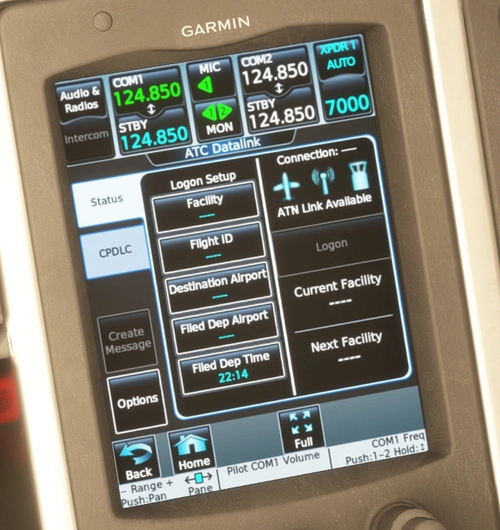
This add-on integrates Simbrief Weight & Balance import and Hoppie CPDLC into the Garmin 3000/5000 avionics systems. It is compatible with select aircraft, including the Asobo Citation Longitude and Daher TBM9, as well as other models. Users can easily access the CPDLC system and settings through the Utilities menu and load weight and balance data directly from Simbrief. The add-on is available for both MSFS2020 and MSFS2024 and is open-source, with its code hosted on GitHub.
by liz3
FlightFX Citation X CPDLC
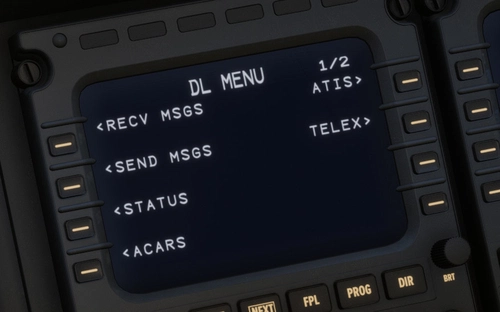
This add-on enhances the FlightFX Citation X for MSFS2020/MSFS2024 by integrating Hoppie CPDLC and compatibility with the Airbus Winwing MCDU. It includes ACARS support through navigation options and requires Mobiflight for full functionality. Note that this modification may be affected by updates from FlightFX, and it is derived from previous plugins not reflecting the actual aircrafts data link software.
by liz3
InIAcars: InI A320n/A321LR/A330/XL - ACARS/CPDLC & MCDU Screen export
InIAcars is a beta add-on enabling ACARS and CPDLC functionality for the iniBuilds A320neo, A321LR, A330, and BelugaXL aircraft in Microsoft Flight Simulator 2024. It supports integration with networks such as Hoppie, SayIntentions.AI, and BeyondATC, and exports MCDU screens to external hardware. The tool operates by injecting a DLL, requiring admin privileges, and may cause compatibility or stability issues. The app includes setup options, package management, and status monitoring for sim connectivity and module operation.
by liz3

FFX Hawker 800XP ACARS/CPDLC
This add-on integrates ACARS and CPDLC messaging functionality for the FlightFX Hawker 800XP in Microsoft Flight Simulator, supporting networks such as Hoppie Vatsim, SayIntentions.AI, and experimental BeyondATC. It offers features like METAR, TAF, ATIS requests, Oceanic Clearances, speed and altitude instructions, and position reporting. The add-on can also export CDU content to Mobiflight for use with external hardware displays. Compatibility notes and setup instructions are included to guide users through installation and usage.
by liz3
Log in to join the discussion
Log InComments(248)
2 minutes ago
7 days ago
7 days ago
7 days ago
7 days ago
Could this be fixed please? As GMM addon is far superior to the synaptic one at the moment, and also doesn't have the sweeping issue. Thanks
7 days ago
13 days ago
shows the logon code as w and nothing works properly
7 days ago
14 days ago
14 days ago
15 days ago
16 days ago
Looking forward to trying it out
19 days ago
19 days ago
22 days ago
24 days ago
19 days ago