Flightsim.to

    UtilitiesTweaks

    Browse Tweaks utilities and tools for Microsoft Flight Simulator 2024 and 2020. Browse 209 addons uploaded by our community.

    Last updated
    View all utilities
    HPG H145/H145AP / H160 – Default MSFS Rotorwash Effects (MSFS 2024)

    HPG H145/H145AP / H160 – Default MSFS Rotorwash Effects (MSFS 2024)

    This add-on introduces custom rotorwash effects for the HPG H145, H145AP, and H160 helicopters in Microsoft Flight Simulator 2024. It specifically addresses issues with snow conditions in live weather, providing an alternative means to generate snow rotorwash effects and allows for forced snow toggling. The mod functions well with custom weather presets and offers a workaround for a current simulator bug affecting snow-covered terrain recognition.

    AnarkandAnarkand
    MSFS2024
    0.0(0)
    249
    136.89 KB
    7 months ago
    Hide This Message

    Hide This Message

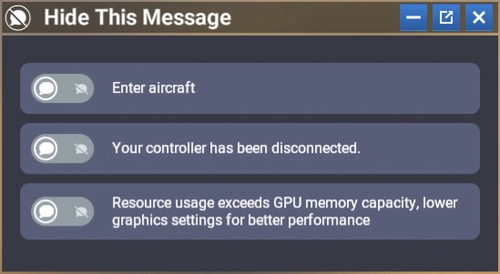
    Hide This Message is a custom module for Microsoft Flight Simulator 2024 that enables users to conceal specific notifications within the interface, enhancing the overall flying experience. It features a user-friendly design that allows for easy activation or deactivation of targeted messages, while keeping the original interface intact. Once configured, the module will automatically hide selected messages in all game modes without needing to reopen the settings. Additionally, it supports automatic translation of messages based on the users language settings.

    GizmoDeelGizmoDeel
    MSFS2024
    5.0(13)
    1.7K
    16.4 KB
    2 months ago
    Toolbar Mod

    Toolbar Mod

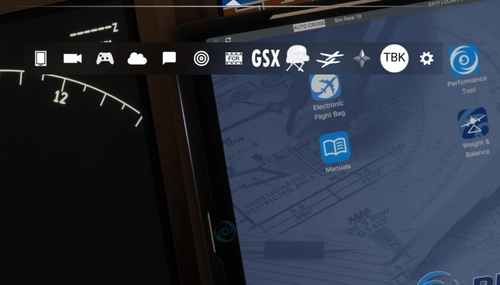
    The Toolbar Mod for MSFS2024 allows users to fully toggle the simulators toolbar on and off, enhancing immersion while retaining valuable screen space. This mod aims to eliminate hindrances when interacting with cockpit elements and custom views. Installation is straightforward, requiring users to place the mod folder in their community folder and utilize a simple key combination for activation. Compatibility is currently tested with MSFS 2024 and SU3, with feedback encouraged for future updates.

    evaamoevaamo
    MSFS2024
    4.9(16)
    3.0K
    7.66 KB
    8 months ago
    DroneSim's Compact Toolbar

    DroneSim's Compact Toolbar

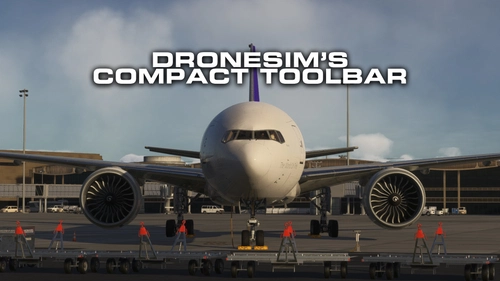
    DroneSims Compact Toolbar for MSFS 2024 offers a reduced-size and streamlined version of the default toolbar, available in 75% and 50% scale options. This add-on eliminates the distracting white mouse trigger line, enhancing the visual experience without impacting performance. Users can follow simple installation steps to integrate the toolbar into their flight simulation environment. It is recommended to use only one scale variant at a time to ensure optimal functionality.

    DroneSimDroneSim
    MSFS2024
    4.6(7)
    3.8K
    312.32 KB
    8 months ago
    Leo's GraphicWorks™ - Just Perfectly Cloudy

    Leo's GraphicWorks™ - Just Perfectly Cloudy

    Leos GraphicWorks™ presents the "Just Perfectly Cloudy" weather preset for Microsoft Flight Simulator 2024. This add-on aims to enhance the atmospheric experience by creating realistic cloudy conditions. It is recommended for use in conjunction with Reshade and the Rex Atmos add-on for optimal results. Detailed installation instructions are provided to integrate the preset into the simulator effectively.

    KingLeoKingLeo
    MSFS2024
    0.0(0)
    216
    3.65 KB
    8 months ago
    Brighter Twilight for MSFS2020 | ARPC Coefficients

    Brighter Twilight for MSFS2020 | ARPC Coefficients

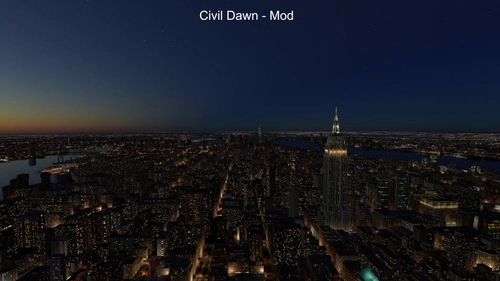
    Bring the improved lighting of MSFS 2024 twilight sky into MSFS 2020! This add-on addresses the issue of excessive darkness during twilight hours in Microsoft Flight Simulator 2020. It utilizes scientifically accurate ozone absorption coefficients to enhance the brightness of the sky without altering its color accuracy. The tweak is designed to be used alongside the MSFS2020.ARPC mod, requiring users to input specific values to achieve the desired effect.

    LucasCTLucasCT
    MSFS2020
    0.0(0)
    556
    0.64 KB
    9 months ago
    Nameplate  Minimal  White

    Nameplate Minimal White

    The Nameplate Minimal White add-on enhances the Microsoft Flight Simulator experience with a simplified, clean nameplate display. It features an adjustable nameplate for improved clarity, streamlined graphics to optimize performance, and is suitable for multiplayer environments. The design is responsive, ensuring compatibility across various screen resolutions and is lightweight to maintain high frame rates during flights.

    LordxMajikLordxMajik
    MSFS2020
    0.0(0)
    55
    2.53 KB
    9 months ago
    Chinese Mandarin ATC Pharseology for MSFS2024 中文航空管制语音替换包

    Chinese Mandarin ATC Pharseology for MSFS2024 中文航空管制语音替换包

    This add-on transforms the ATC voice lines in Microsoft Flight Simulator 2024 by replacing them with accurate Chinese Mandarin phrases, addressing numerous existing errors. Key improvements include corrected radio pronouncements, standardized aviation terminology, and updated airport names. Installation requires file replacement within the game directory, and users are advised to adjust language settings for consistent ATC experience. Known issues related to the games voice engine and ATC interface are also detailed.

    JeremyGolfJeremyGolf
    MSFS2024
    0.0(0)
    697
    2.2 MB
    2 months ago
    LVFR-A320ceo Real Deal

    LVFR-A320ceo Real Deal

    The LVFR-A320ceo Real Deal Enhancement Pack enhances the realism of the LatinVFR A320ceo family, including CFM, CFM Sharklets, IAE, and IAE Sharklets variants. This add-on includes tuned configuration files that refine flight dynamics, systems logic, and performance metrics to closely mimic real-world operations of the A320ceo. It is fully compatible with MSFS 2020, allowing for easy installation by simply dragging and dropping into the Community folder. The enhancement operates independently without overwriting any original files.

    OzzTroyerOzzTroyer
    MSFS2020
    5.0(1)
    160
    47.01 KB
    10 months ago
    EDBS | GA Start Up Screen

    EDBS | GA Start Up Screen

    The GA Start Up Screen add-on provides a custom video background for the startup screen in Microsoft Flight Simulator. It includes a step-by-step guide for replacing the default video with a new one, enhancing the startup experience. The video featured in the add-on is credited to Hanolix_Aviation. Instructions for installation are provided for both MS Store and Steam users.

    0.0(0)
    26
    79.46 MB
    11 months ago
    REX  Atmos Weather Preset "That's the way it should be !

    REX Atmos Weather Preset "That's the way it should be !

    This add-on features the REX Atmos Weather Preset titled "Thats the way it should be," designed to enhance your flight simulator experience with realistic weather conditions. It is compatible with and without REX Atmos, offering flexibility for users. Installation is straightforward; simply unzip the file and add it to your community folder. The preset can be accessed in the weather settings menu during setup and in-flight.

    ScottyScotty
    MSFS2020/24
    0.0(0)
    1.4K
    2.21 KB
    11 months ago
    Showing 25 - 36 of 209 results