

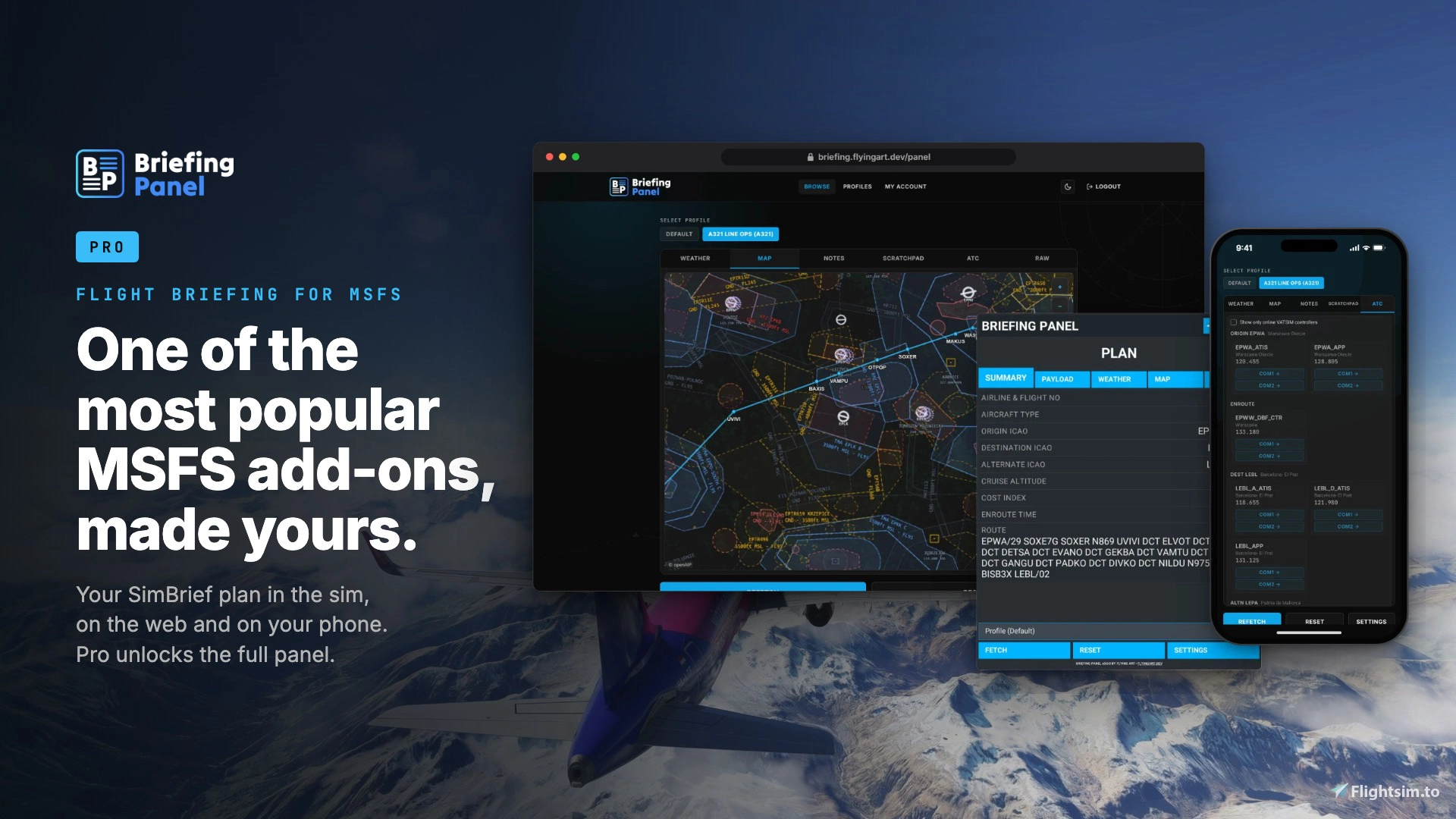
Briefing Panel has become one of the go-to tools for Microsoft Flight Simulator pilots who rely on SimBrief for flight planning. By pulling your flight plan directly into the sim, it has saved countless simmers from alt-tabbing or juggling a second screen just to check their OFP. Developer FlyingArt has now released Briefing Panel PRO, a paid upgrade that builds on the free plugin's foundation and adds a layer of customization and live data aimed at pilots who want the panel tailored to their own setup. Available for both MSFS 2020 and MSFS 2024, Briefing Panel PRO is sold as a one-time purchase with no subscription attached.
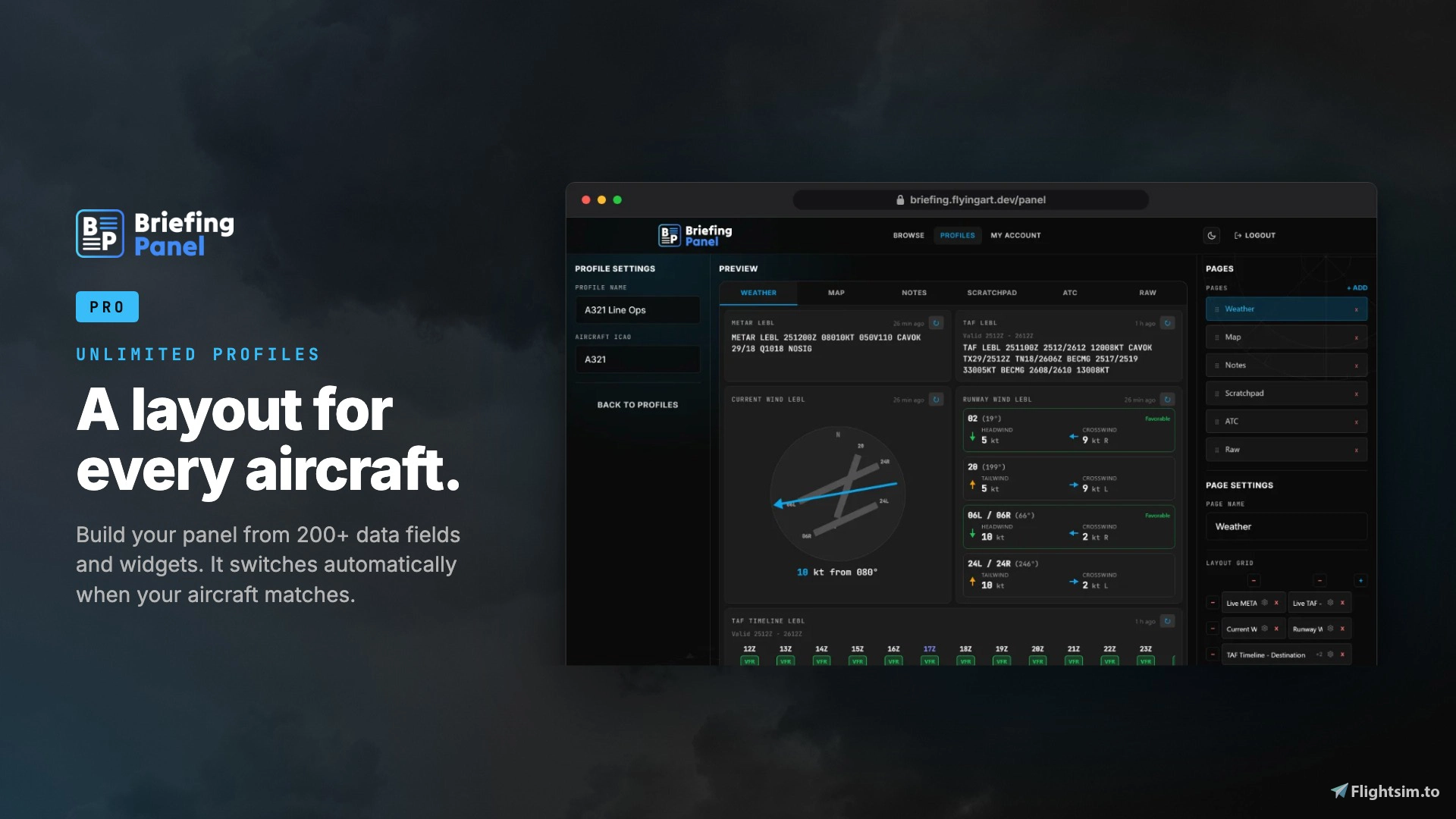
At the center of the Pro upgrade is support for unlimited layout profiles. Rather than using a single fixed panel for every aircraft you fly, you can build a different layout for each one, drawing from more than 200 data fields and widgets. The panel is smart enough to detect which aircraft you've loaded and switch to the matching profile automatically, so there's no need to manually reconfigure things every time you change rides.
Weather data also gets a significant upgrade. Pro pulls live METAR and TAF reports for your origin, destination, and alternate airports, going beyond the static weather information printed in your OFP at the time of planning. Alongside this, a runway wind feature calculates headwind and crosswind components for each runway, paired with a visual TAF timeline that lets you see how conditions are expected to evolve over the course of your flight.
For pilots who like to jot down clearances or sketch out taxi routes before pushback, Pro includes a scratchpad and notepad function. These notes are saved to your account and sync across devices, meaning the clearance you scribbled down on your tablet will still be there when you check in on your PC later.
Try Before You Buy
FlyingArt has structured Briefing Panel PRO as an unlock for features within the existing free plugin, which means you don't need to commit to a purchase before getting a feel for how the base panel works. The free version remains available for download, and you can test it out to see whether the workflow suits your style before deciding to upgrade. The free base version can be downloaded here on Flightsim.to. If you decide the additional customization, live weather, and syncing features are worth adding to your setup, Briefing Panel PRO is available for purchase 👉 on the Flightsim.to Store.