About this addon
Make one of the most popular MSFS add-ons yours.
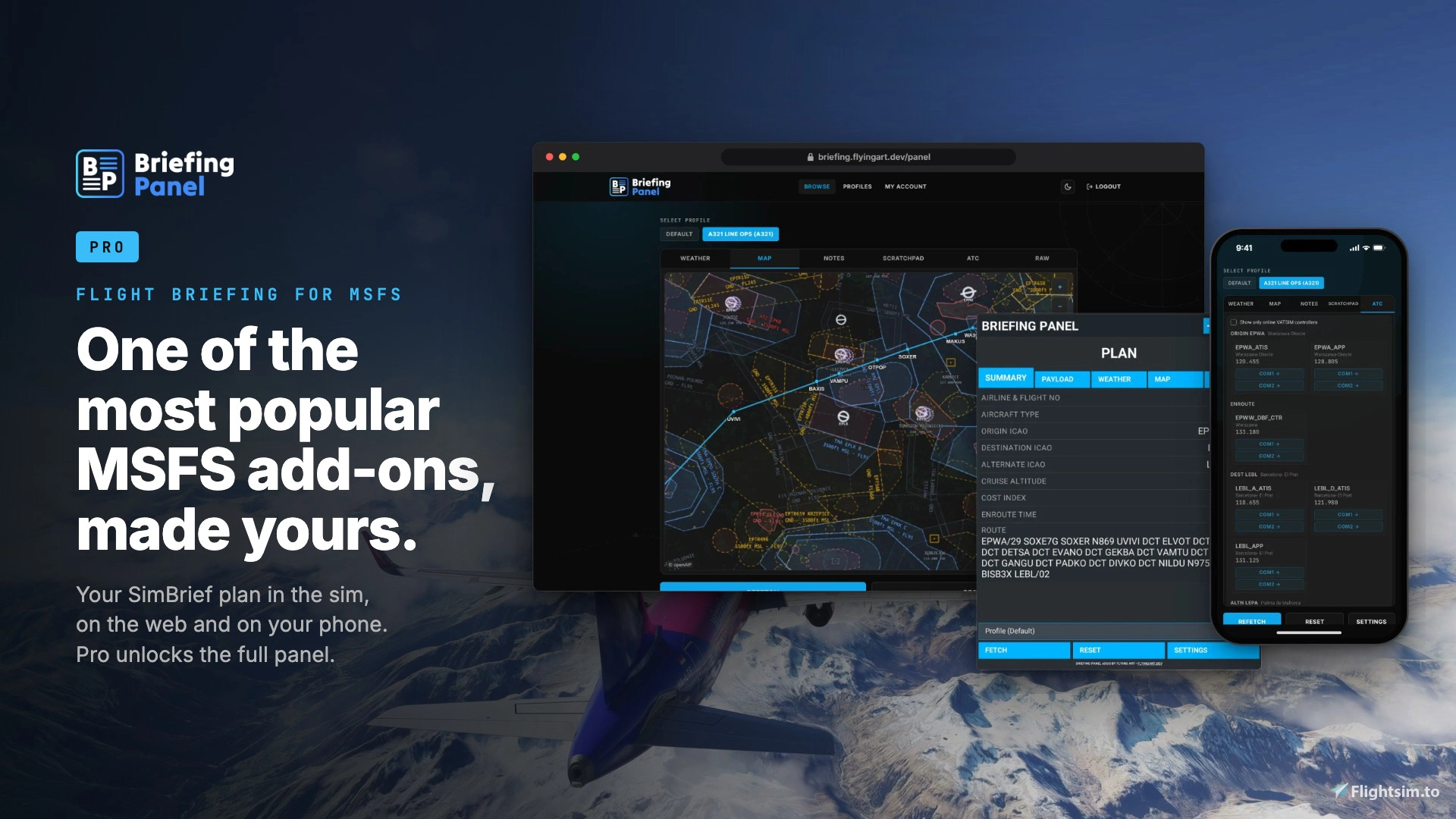
Briefing Panel is one of the most popular add-ons for Microsoft Flight Simulator. It is used by simmers all over the world to bring their SimBrief flight plan into the sim. Pro adds the tools that turn it into your panel: a layout for each aircraft, live weather, notes that follow you between devices, and radios you tune with one click.
One-time purchase. No subscription.
What Pro adds
- Unlimited layout profiles - build a different panel for each aircraft from 200+ data fields and widgets. The right profile switches on automatically when your aircraft matches.
- Live METAR and TAF - current reports for your origin, destination and alternate, not only the ones printed in your OFP.
- Runway wind and TAF timeline - headwind and crosswind for each runway, and a visual timeline of the forecast.
- Scratchpad and notepad - draw taxi routes and type clearances. Notes are saved to your account and sync to every device.
- COM tuning from VATSIM ATC - click a controller's frequency to tune COM1 or COM2.
- Live aircraft position on web and mobile - follow your flight on your phone or a second screen.
- Dark, light and auto toolbar themes - Auto follows the time of day in the sim and turns dark at night.
Try the base version first
Pro unlocks features in the free Briefing Panel plugin. You can download the free base version and try it before you buy:
Changelog
- Radio tuning with the panel closed. When you tap a COM frequency in the web or phone app, the sim now sets it as the standby frequency. You do not have to open the panel first. - Position sync from sim start. Your aircraft shows on the web and phone map as soon as the sim starts. This also works for devices that you paired before the update, and you do not have to pair again. - Better map performance in the sim. The toolbar map now updates once a second and stops updating when the aircraft is parked. This decreases the load on the sim. - Recovery from network problems. Map tiles that fail to load try again by themselves. When the panel cannot reach the server, it shows "can't reach server - retry in Xs" and connects again by itself.
User Reviews

LCarrassi
VerifiedOct 10, 2026
I don't have any suggestions at the moment
Briefing Panel PRO
Briefing Panel PRO enhances Microsoft Flight Simulator by allowing users to customize briefing panels for each aircraft using over 200 data fields and widgets. It offers live weather updates, runway wind forecasts, synced cross-device notes, and one-click radio tuning based on VATSIM ATC. The add-on includes live aircraft tracking on web and mobile and supports multiple toolbar themes. All features are unlocked with a one-time purchase and no subscription is required.

Instant digital delivery • Secure payment
Requirements
Additional Requirements
- Required Software: Microsoft Flight Simulator 2020 or 2024
- IOS app: iOS 16.4 or later
- Android app: Android 7.0 or later
More by this publisher




Details
- Category
- Utilities
- Release Date
- Sep 30, 2026
- Last Updated
- Oct 9, 2026
- Reviews
- 1
- Compatibility
- MSFS2020/24