
Hi everyone,
i my spare time I try to develop application Cockpit manager with two basic functions (for now I've implemented FSLabs A321 neo for MSFS 2024): create custom panels of buttons and knobs and virtual copilot. I'm looking for patient tester (it is now pre alpha version). You may be idealy real airline pilot (of A321 neo) and owner of FSLabs A321 neo aircraft in MSFS 2024 to help with flows and checlists as real as possible and for language corrections (english).
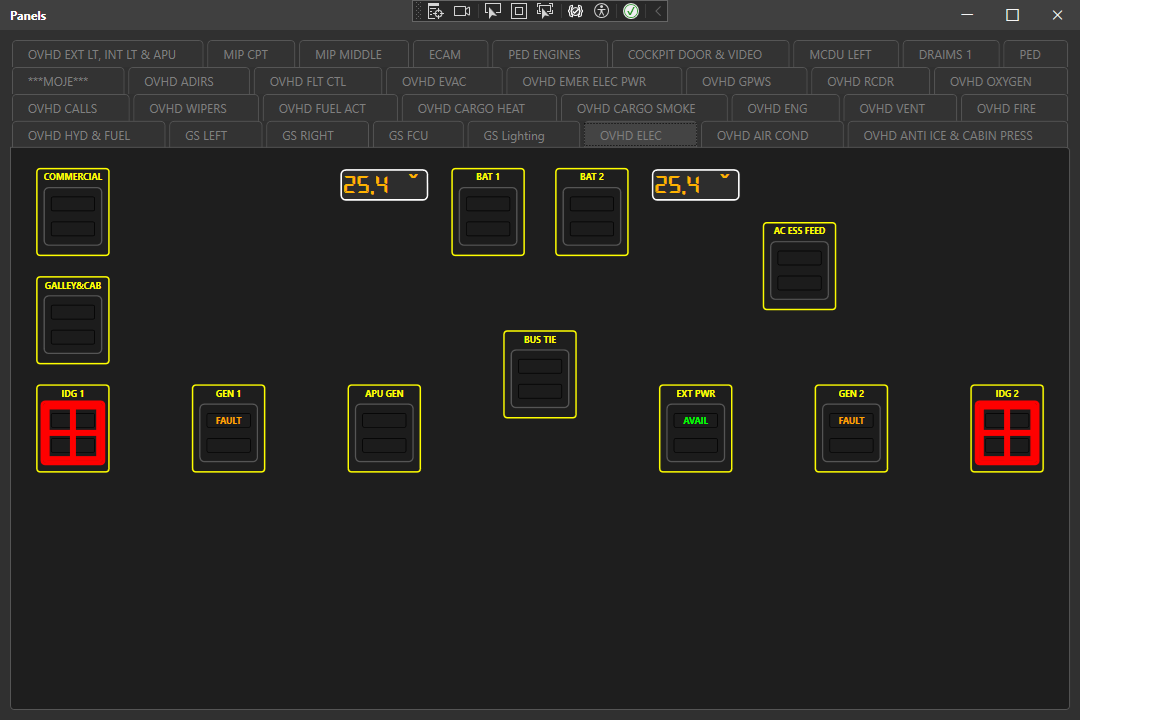
Sample of panel definition:
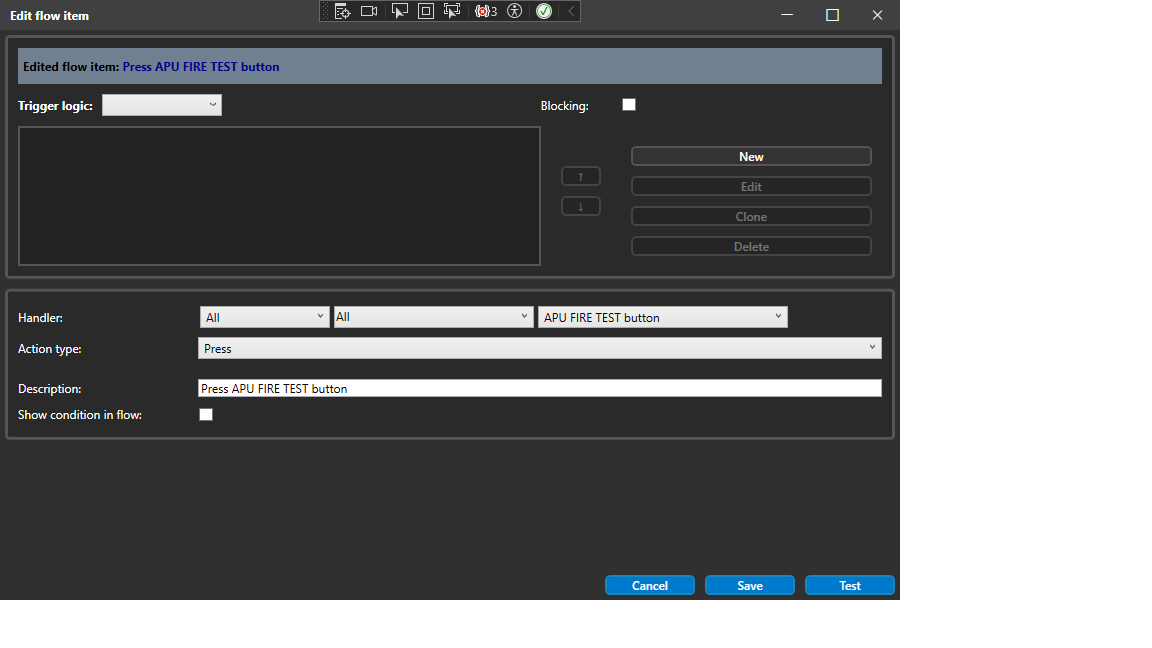
Flow item editor:
I am also working on developing a virtual copilot, starting with implementing the camera control using a page in Touch Portal to manage my camera control by pressing buttons on the Android display:

This is already working pretty well! The display shows 2 crosses of blue buttons. The left one is to move the camera position in all 3 dimensions. The right blue button cross is to rotate the camera around all 3 axes plus to zoom the image on the display on the PC running MSFS 2024. Sadly, after extensive research and tests, it has been proven that right now, due to a bug in MSFS 2024 that does not work to roll the camera CW, CCW does. Then I have implemented to adapt the display to work in the 3 environments in the sim:
EXT: external light when you walk around the plane for the external items of the checklist.
CKP: this is when you are sitting in the cockpit of your plane. Here the initial camera position and view are the origin of a coordinate system with 7 dimensions that I did already present to you when describing the 2 crosses with blue buttons.
DRN: I use this environment you are in when you want to record your landing.
So when none of these 3 environments is active, all 3 buttons are colored yellow. When you click on one of these buttons, the corresponding button changes to green to indicate which environment you are in. The 5 buttons in the column to the right are to choose a preset camera position. If none have been designed for that environment, then they show no text. If you assign a camera preset for your current environment to one of these buttons, text appears that was defined when the camera preset was established, saved, and assigned to 1 of these 5 camera preset buttons. So all 5 camera presets can have a preset assigned to them. When you change the environment, for example to cockpit, the CKP button is green, and up to 5 camera presets can be assigned to these 5 buttons. If I do click on one of these buttons, that button gets green, and on the display of the sim you see the camera preset.

To define a camera preset, you use this page! The name you assign to that preset is the text that will be displayed in the environment chosen and the preset button you assign it to. As you can see, for each of the 7 dimensions, there is a slider that you can work with on the Android tablet.
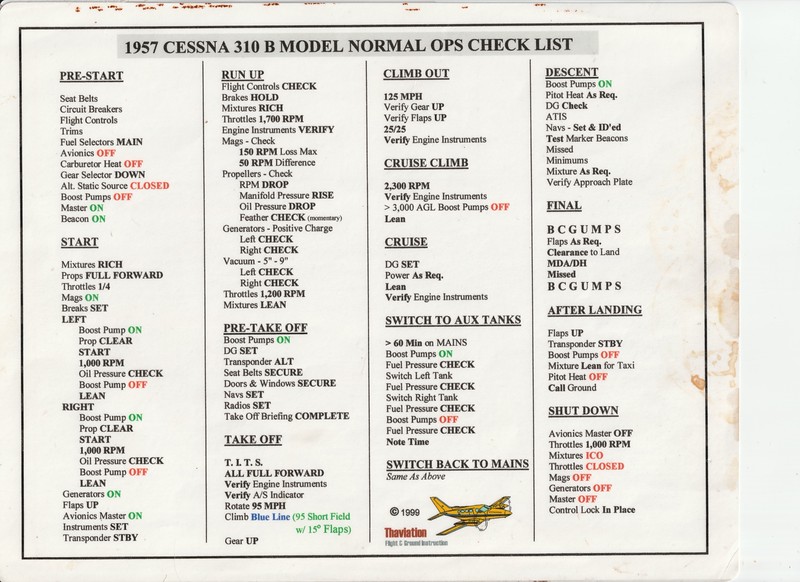
Here is the checklist of the C310R. The C310 was the plane on which I learned to fly multi-engine on a real plane. The goal of this project is to replicate the immersive feeling I had when flying the real C310. A good friend of mine spent a lot of effort so that my DIY Cockpit would behave exactly the way the C310 did, with only analog instruments, as I had on the C310 3 decades ago:


Here is where I will benefit from the way I am implementing my system. First, the priorities of the pilot that have to be supported by my virtual copilot:
1. Fly the plane
2. Respond to ATC
3. Work with the copilot to apply the checklist
4. Fly for fun
So the brain of my system has to support interrupting what it is doing if it is doing any of the first 3 priorities.
The system has to be able to monitor all instruments in the cockpit as required by individual items of the checklist. What I do is I have the virtual copilot speak to me via VoiceAttack and listen to what I do respond. Typically, if I, as the pilot, would speak "Done". The virtual copilot verifies that I have executed what the checklist item demands from me, and if I have not or have not done it correctly, it repeats the checklist item. The virtual pilot does not control anything in the plane; that is all the responsibility of me as the pilot. But it does support me even more by activating the camera preset that shows the instrument I have to work on due to the checklist item. This means that I am implementing the means to store an unlimited number of camera presets I have configured, as shown in the image above.
What I am still thinking about is implementing the flight plan in Navigraph Charts and using the Scratchpad on my second tablet with an S-Pen. I am also thinking of how to implement the ATC communication in a way that is adaptable to different ATC apps. I am going with BeyondATC but also ATC in different communities with real people and other planes.
What becomes an important aspect to solve is to automate starting the apps required in the sequence required. My goal is that when I start a session of flying on my sim, the virtual pilot system will start the apps and present to me the data to enter into SimBrief, for example, and to initiate Navigraph Charts and take the communication with ATC and print it on my scratchpad so reading it back to ATC will not represent any challenge. So the flight I determine in the start process of my system will also show the flight plan in the charts and make available to me the charts about the airports and analog navigation aids, so I can focus on doing the flight plan process about defining and setting the radials and so on.
Has anybody dealt with a project like this?
Regards Hellmut1956