
Description
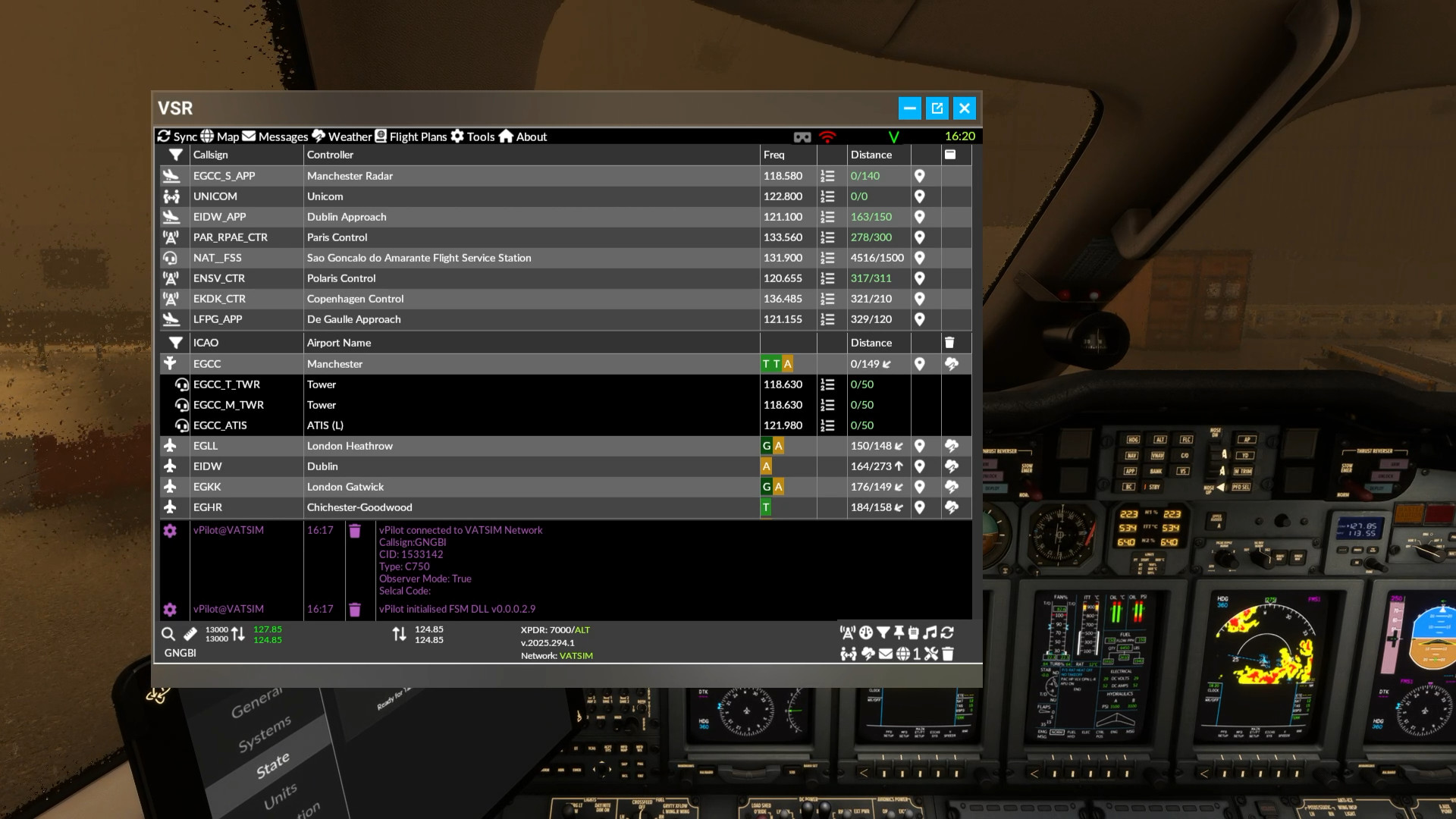
Virtual Sim Radio (VSR) from Delta Bravo Zulu, is a FREE add-on that brings next-level immersion to your flight simulator by combining real-time communications, controller updates, and airport information, all in one powerful tool. Designed for both casual simmers and serious pilots, VSR streamlines your communications, enhances situational awareness, and keeps your focus where it belongs: On flying .
VATSIM SupportVSR was built for VATSIM; it shows real time controller status, either in table or map form, in the cockpit, in VR if need be. It integrates with a custom vPilot DLL to allow you to receive and send VATSIM messages,
SayIntentions.AI SupportVSR integrates seamlessly with SayIntentions.AI, bringing their amazing world of permanently online AI controllers and traffic directly into your cockpit environment using dedicated APIs.
VR SupportFrom its inception in 2022, VSR has been designed with VR support at its core. You never need to lift your headset to check information. Stay fully immersed in your virtual world. Whether flying on SayIntentions.AI or VATSIM, this is the app you have been waiting for to lift your VR flying experience to a whole new level.
Core Features- Real-Time Data – See active controllers and nearby airports instantly—know who to talk to and when.
- Simplified Radio Management – Tune and set frequencies with a single click—no more manual entry.
- Data Link Integration – Connect seamlessly with SayIntentions.AI or Hoppie ACARS for full CPDLC and PDC functionality.
- Click-to-Action Controls – Change comms, transponder codes, and altimeter settings directly from ATIS, PDCs, or messages.
- Live Traffic Awareness – Stay updated with both human and AI-injected traffic around you.
- VATSIM Messaging - Send and receive VATSIM messages from VSR via a custom vPilot DLL.
- Flight Planning Integration – Import your SimBrief flight plan, view routes on a map
- Weather & ATIS Access – Get live ATIS, METARs and TAFs for airports along your route.
- Dynamic VFR Updates – Automatically load data from nearby airports while flying VFR.
- Internet Radio – Enjoy integrated internet radio tuned to “nearby” stations mid-flight.
- Full VR Support – Enjoy a next-level, immersive experience in MSFS 2020 and 2024.
- More information on the SayIntentions.AI integration (https://si.vsrsoftware.com)
- A server (VSR.EXE) is installed in %localappdata%\VSR by default (you can choose another location during the install)
- A symbolic link to the toolbar app is installed in the relevant community folders (for Store/Steam MSFs 2020 & 2024)
- A DLL is copied to the vPilot plugin directory if present.
- Run VSR server each time you run the simulator
- You can access via http://localhost:1228 in a browser or separate tablet/pc/phone
- You will need to enter a Simbrief ID (numeric ID)
- The installer will pickup your VATSIM CID or Sayintentions.AI API Key if they are present
- You will need to add a Hoppie logon code for ACARS on VATSIM (SI ACARS uses their key)
- Support is provided via the VSR/FSM Discord server
We are aware of some users experiencing stuttering issues as of 22/11/25 after latest windows 11 update and are investigating.
Virtual Sim Radio (VSR)
Virtual Sim Radio (VSR) is a comprehensive add-on for Microsoft Flight Simulator that enhances immersion by integrating real-time communications, controller updates, and airport information. Tailored for both casual and serious pilots, VSR supports VATSIM and SayIntentions.AI, allowing users to manage radio communications and access vital flight data seamlessly. Designed with full VR compatibility, VSR enables pilots to remain engaged in their flying experience without interrupting their immersion. Key features include real-time data access, simplified radio management, live traffic awareness, and weather updates.




User Reviews
4 reviews
Version History
2025.334.1 Production release - emergency fix Fix issue with lookup database download from GitHub (moved to google drive) Fix issue with radio player cache Fix issue with win32 com object error with radio player
Log in to join the discussion
Log InComments(45)
10 days ago
about 1 month ago
about 2 months ago
Today this image suddenly appeared in the VSR-app saying API key required. What am I suppose to do?
about 1 month ago
It's CARTO's doing: the dark IFR map pulls tiles from their free basemaps, which now return that "API key required" image.
Workaround: switch the map to VFR — that layer uses OpenStreetMap and needs no key.
The dark map needs an update from David to come back.
about 1 month ago
2 months ago
3 months ago
2 months ago
3 months ago
2 months ago
3 months ago
3 months ago
5 months ago
5 months ago
There was a 3rd party plugin for ATC messages, and if thats all you need then I believe BATC's own toolbar app should suffice.
6 months ago
6 months ago
7 months ago
7 months ago
7 months ago