
Description
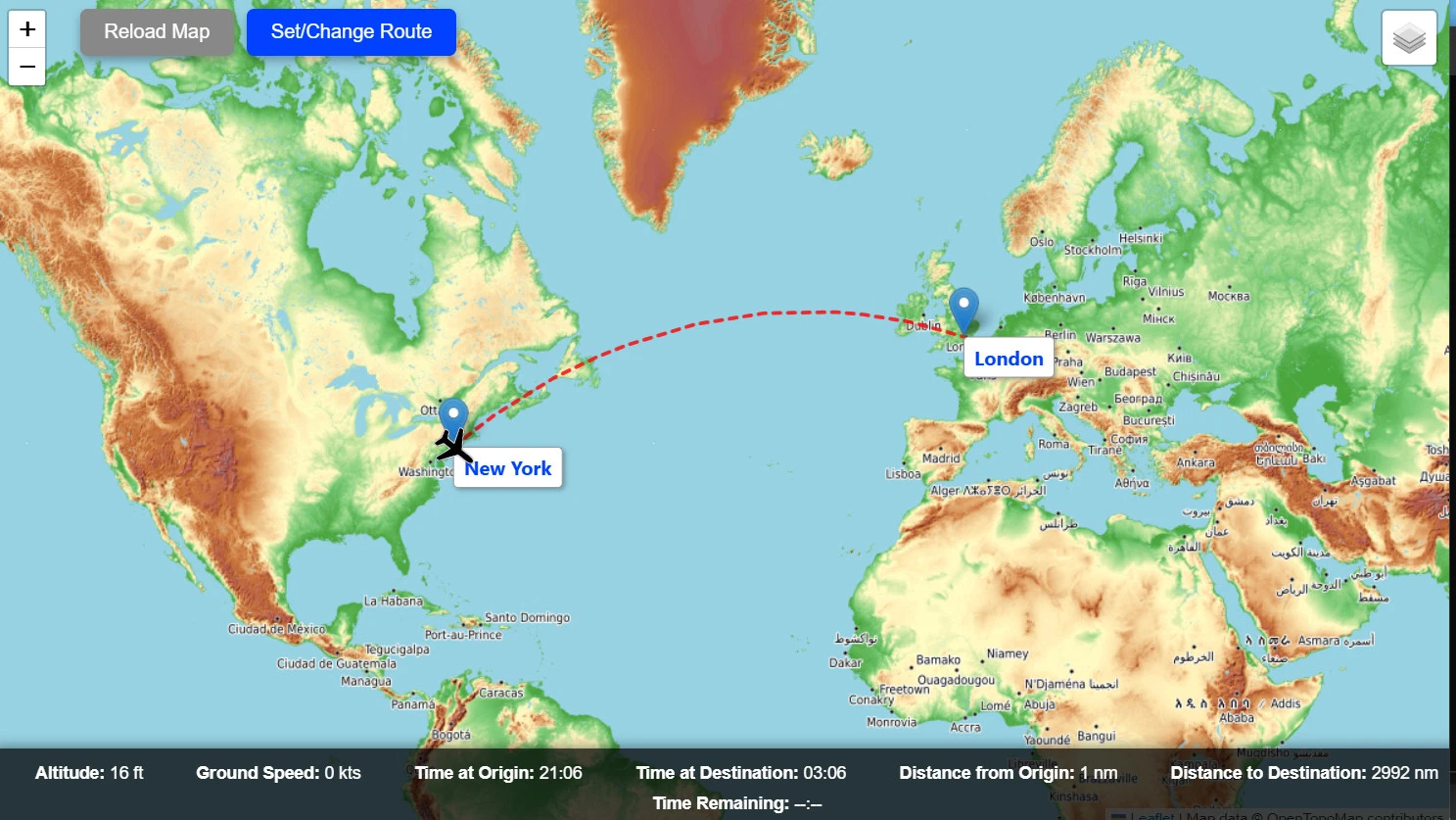
MSFS Passenger Map - A flight tracking app that emulates a passenger information screen/map on your mobile device or browser.
An immersive real-time map experience perfect for tablets, secondary monitors, or streaming overlays designed to emulate the passenger information maps found on airliners. MSFS Passenger Map is a browser-based live flight tracking map that shows your aircraft’s current position, speed, altitude, and more all in real time, directly from Microsoft Flight Simulator. Designed to look like a modern airline inflight tracker, it's ideal for running on a tablet beside your setup or sharing with viewers.
Version 2.0 Changelog
- Added 3D globe view
- [BETA] 3D flight path and terrain in globe view with accurate altitude levels (requires free Cesium Ion token)
- Added MSFS in-game flight plan import (MSFS 2020 only)
- Added time elapsed to flight info bar
- Added option for auto cycle zoom to only activate when airborne
- Added follow re-center delay setting
- Simplified advanced_config.txt
App Features:
- Real-time aircraft tracking on a 2D map or 3D globe with multiple themes available!
- SimBrief integration - load your full flight plan with proper waypoints
- MSFS flight plan import - import in-game created flight plans (MSFS 2020 only)
- Flight info bar - altitude, ground speed, distances, time remaining, ETA, and time elapsed
- Variety of customization options such as ability to: choose route line color and thickness, change airport labels live, change aircraft icon type/color, set unit system to fixed or auto cycle, and more.
- Follow aircraft feature where the map moves to keep the aircraft centered in view at all times.
- Day/night shadow overlay feature to visualize time on the map during flight
- Aircraft hover popup - tap or hover on the plane icon to see flight number, aircraft type, route, and airline logo (2D map only)
- Flight info panel - detailed flight summary with airline logo, aircraft, duration, and scheduled times (SimBrief required)
- Multiple map themes - OSM, Esri Topographic, Esri NatGeo, Esri World Street, TopPlusOpen, and more
- Web-based interface for use on tablet or secondary monitor
- Advanced config file to save certain settings to persist across devices and sessions
- Full localization support for 35 languages!
- Many more features!
Installation:
- Download and extract the ZIP file anywhere
- No install needed. Full guide included with download with more info.
Requirements
- Microsoft Flight Simulator 2020 or 2024 (running on the same PC)
- Internet browser (Chrome, Firefox, Edge, Safari, etc.)
- [Optional] SimBrief account - for SimBrief route import and flight info panel features
- [Optional] Free Cesium Ion account and token - for 3D flight path and terrain in globe view
Running the App
- Launch Microsoft Flight Simulator and wait for it to at least reach the menu screen
- Double-click
MSFS_Passenger_Map.exe - On first launch you may see a Windows Defender / security warning - click More info → Run anyway
- If prompted by Windows Firewall, click Allow access (local network only)
- Open a browser and go to
http://localhost:5000 - To access on other devices, the terminal will print something like:
Access on other device: http://XX.XX.XX.XXX:5000
- You may minimize the terminal window, but it must remain running for the app to work
Cesium Ion Token:
The 3D terrain and flight path feature requires a free personal Cesium Ion token. It is completely free to obtain and only requires creating an account. Follow the steps below to unlock it:
- 1. Go to Cesium Ion and sign up for a free account
- 2. Copy your default access token from the dashboard
- 3. Paste the access token next to
cesium_token =in youradvanced_config.txtfile - 4. Restart the app
Troubleshooting and Known Issues:
- Windows security warning on launch:
Click "More info" → "Run anyway". If still blocked, right-click the .exe → "Run as administrator".
This warning is normal and the program is completely safe to run. It only runs locally on your computer and local network. Source code is included with the .zip and available on Github for reassurance.
- 3D globe is slow or laggy:
Use it on a separate device (e.g. iPad) rather than the PC running MSFS.
- SimBrief route line pointing to an already-passed waypoint:
Click the Trim Waypoint button to skip past it.
- SimBrief username not remembered across devices:
Add it to
advanced_config.txt- this persists across all browsers and devices, unlike browser cookies.
- Local ETA time is inaccurate:
Known issue when using a sim rate above 1.0x with in-sim time set to match real-world time.
- Port 5000 already in use:
Change the port in
advanced_config.txt(e.g. to5050).
- Time remaining is not super accurate:
Limitation of how it's calculated. It is most accurate at cruise level and when route taken is most similar to shortest great circle route.
- Globe views may be laggy and have performance issues:
Depends on device. It is recommended to use globe views on separate device from PC running MSFS.
- 3D terrain and flight path mode is in beta and may have some bugs:
Most notably, the aircraft icon may appear below the lines, follow aircraft feature may behave strangely when in a tilted view angle, and flight trail does not draw when aircraft is on ground.
Questions, suggestions, or issues?
Leave a comment or message me directly
MSFS Passenger Map V2 - A flight tracking app to emulate a passenger info map on your mobile device
The MSFS Passenger Map is a browser-based application that simulates a passenger information screen, providing a real-time map experience. Designed for use on tablets, secondary monitors, or as a streaming overlay, it displays your aircrafts current position, speed, and altitude. Features include a live flight path, local times, and estimated time remaining, enhancing the visual experience of in-flight tracking. A wide variety of customization options are also included.


User Reviews
26 reviews
Version History
- Added 3D globe view - [BETA] 3D flight path and terrain in globe view with accurate altitude levels (requires free Cesium Ion token) - Added MSFS in-game flight plan import (MSFS 2020 only) - Added time elapsed to flight info bar - Added option for auto cycle zoom to only activate when airborne - Added follow re-center delay setting - Simplified advanced_config.txt
Related
ZSPD Shanghai Pudong - FSLTL Static Aircraft (WF Scenery)
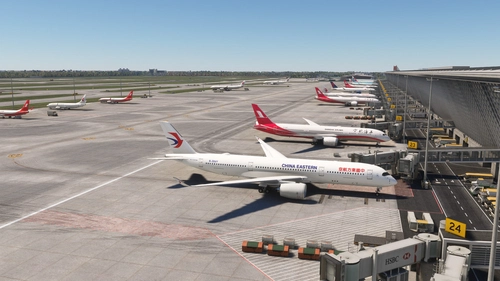
The ZSPD Shanghai Pudong - FSLTL Static Aircraft add-on enhances the WF Scenery airport by adding realistic static aircraft at gates, ramps, and stands. Utilizing FSLTL models without an injector ensures no impact on frame rates while creating an immersive terminal environment. The package is specifically designed for WF Scenerys ZSPD and includes accurate airline placement and traffic ratios for a lifelike experience. A requirement for the FSLTL base models is necessary for functionality.
by ixvst01
RCTP Taipei Taoyuan - FSLTL Static Aircraft (ACO Design)
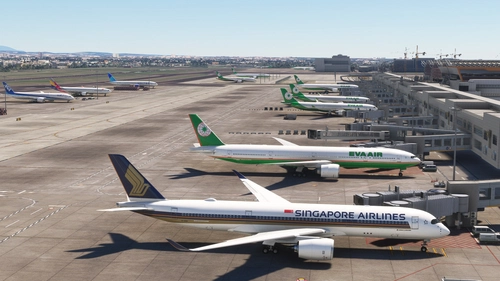
The RCTP Taipei Taoyuan - FSLTL Static Aircraft add-on integrates realistic static aircraft models at the gates and ramps of Taipei Taoyuan Airport, designed specifically for ACO Designs rendition. It utilizes FSLTL models as static objects without requiring an injector, ensuring no impact on frame rates. This add-on includes carefully placed aircraft reflecting real-world airline operations while necessitating the FSLTL base models pack for functionality. Best used with the ACO Design version of the airport for optimal compatibility.
by ixvst01

ZBAA Beijing Capital - FSLTL Static Aircraft (WF Scenery)
Enhance the realism of ZBAA Beijing Capital airport with this add-on featuring FSLTL static aircraft to populate gates, ramps, and stands. Designed specifically for WF Scenerys rendition, it offers accurate airline traffic ratios and placements to mirror real-world operations without impacting FPS. Installation requires the FSLTL base models pack and is intended solely for use with WF Scenerys airport for optimal results.
by ixvst01
RJBB Osaka Kansai - FSLTL Static Aircraft (Technobrain)
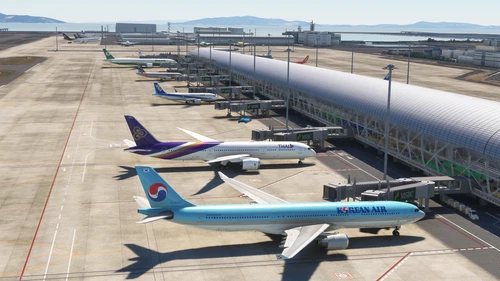
Enhance the realism of your virtual experience at RJBB Osaka Kansai airport with the FSLTL Static Aircraft scenery mod. This mod features hand-placed static aircraft at gates and ramps, based on real-world airline operations, providing a more immersive environment without impacting FPS. It requires the installation of FSLTL base models and is designed specifically for Technobrains RJBB, ensuring optimal compatibility and visual accuracy.
by ixvst01
Log in to join the discussion
Log InComments(109)
about 8 hours ago
2 months ago
2 months ago
Appreciate the work!!
3 months ago
This will be displayed on the home automation wall panel once I get the den rebuilt!
3 months ago
4 months ago
4 months ago
4 months ago
Now if you’re still getting the popup about signing up for Cesium ion then that means you didn’t enter the token in right in the file.
4 months ago
4 months ago
4 months ago
4 months ago
4 months ago
4 months ago
4 months ago
and also is the map can be automated so it only starts circling when airbone/ when on ground it stays locked to zoomed in at airport.
Thank you
4 months ago
And just to confirm, by "circling when airborne" you mean when auto cycle zoom is enabled to have the map only start cycling zoom levels once the airplane is airborne, correct?
4 months ago
And also there was app for fsx called Map by Feelthere. I quiet liked their designs of the map.
5 months ago
Can also use simultaneously using different browsers within my WiFi network. Adds a great level to the whole sim.
Is there a way that I set the options within the executable that will affect the browsers directly though? Controlling it using the tv's browser is a bit of a faff! But 10/10 and what a brilliant product.