
Description
Hi fellow Aviators,
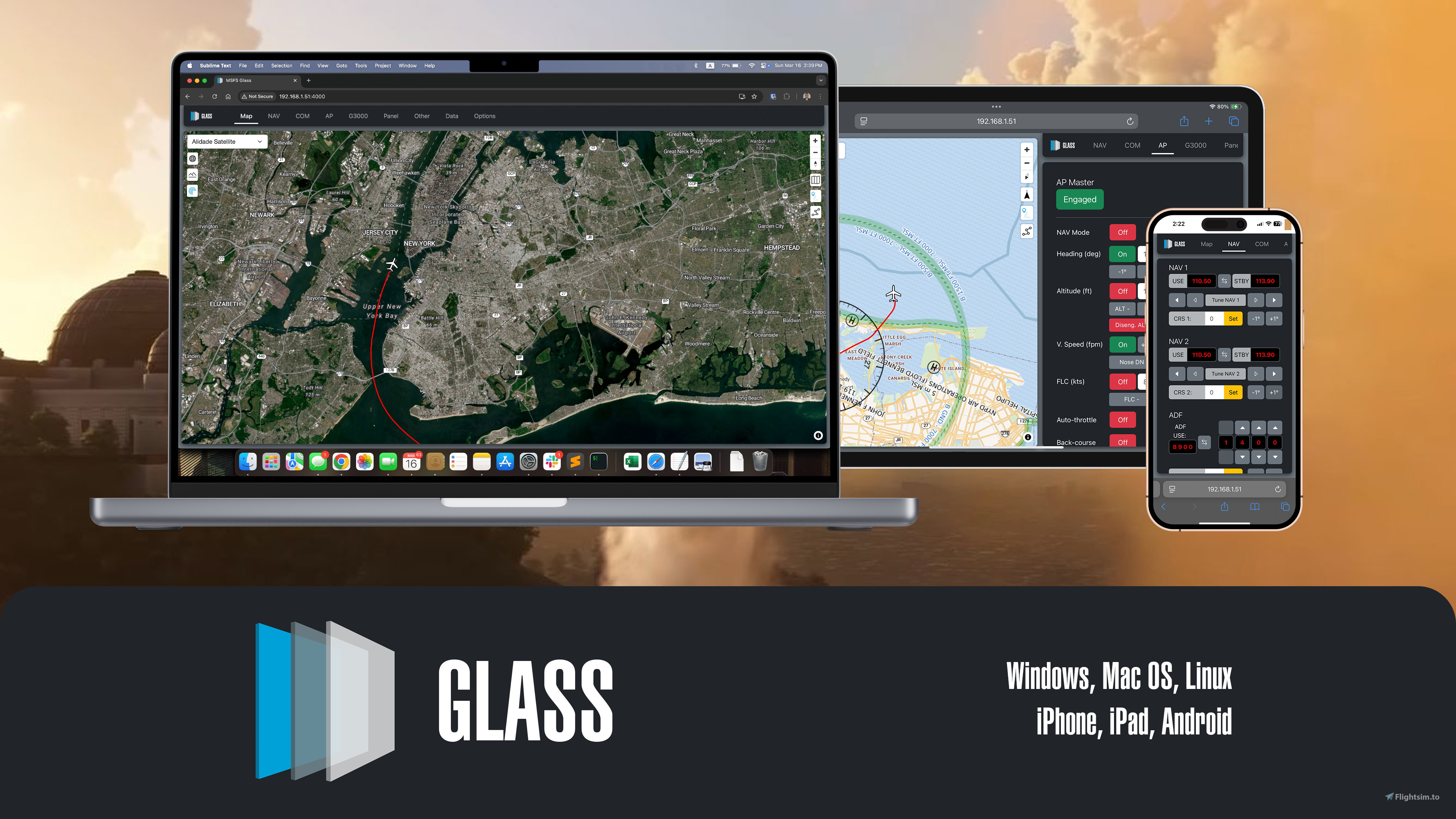
I'm both happy and relieved to announce the release of MSFS Glass, the evolution of the brilliant MSFS Mobile Companion App - revived and refreshed for MSFS 2024.
MSFS Glass is a tool that allows you to control essential aircraft instruments such as NAV/COM frequencies, autopilot, or lights using almost any mobile device, laptop, or PC. It features a fully-fledged "map experience" to follow and augment your MSFS flights. MSFS Glass is forever free to use and open source.
I've been working on this tool since the beginning of this year, and while it is not yet in a state I'd call ready, I am at a point where I can share it with you. With your feedback, we can improve it together.
Note: Don't download it on your mobile device! Download and run MSFS Glass on your PC where you are running the sim, and then connect to it via an IP address on your other devices' browser.
For more information please visit the GitHub page.
As this is the first release that will be running outside of my environments, I encourage you to report any issues or quirks you experience. I would like to resolve first the core issues that might affect connections towards the Sim, getting and sending data to the Sim and the overall stability of the webserver. Feel free to open issues and discussions on GitHub, leave a comment, or reach out to me directly.
Thank you & happy flying!
Note: Unfortunately, due to the limited SDKs on Xbox, this is working only on the PC version.
MSFS Glass
MSFS Glass is a versatile tool designed to enhance the Microsoft Flight Simulator 2024 experience by allowing users to control key aircraft instruments from mobile devices, laptops, or PCs. This add-on supports functionalities such as managing NAV/COM frequencies, autopilot, and lights, alongside offering a comprehensive map experience for flight tracking. The application is open source and remains free to use, with ongoing development aimed at addressing connectivity and data transmission issues. Users are encouraged to run the app on their PC and connect through a browser on other devices.


User Reviews
7 reviews
Version History
No version history available.
Log in to join the discussion
Log InComments(67)
2 months ago
7 months ago
7 months ago
Is there any way to access the page from outside the same network?
It would be great, for example, to be able to track the flight while I'm away from home.
7 months ago
8 months ago
pro: no performance impact on FPS
con: time lag, caused by web based communication with flight sim
Suggested Improvement: show basic flight instruments (speed , alt, vertical speed...)
8 months ago
8 months ago
Works for me with MSFS2020 after adjusting the path in the ini file.
5 months ago
8 months ago
8 months ago
8 months ago
8 months ago
8 months ago
5 months ago
9 months ago
When restart PC, all working on 100 percent. Nice work.,
9 months ago
10 months ago
11 months ago
in the 30 seconds I tried it, and I fell in love,
I have two or three spare old iPad laying around, this will be used to reuse those devices vs throwing them out or collecting dust.
i can now resign some buttons on my HOTAS like AP master on/off.
12 months ago
- Rotating the map is nice, but I would add a couple of options for HDG UP / NORTH UP
- Would it be difficult to plot the FIR areas overlapped to the maps?
Great job!