
Description
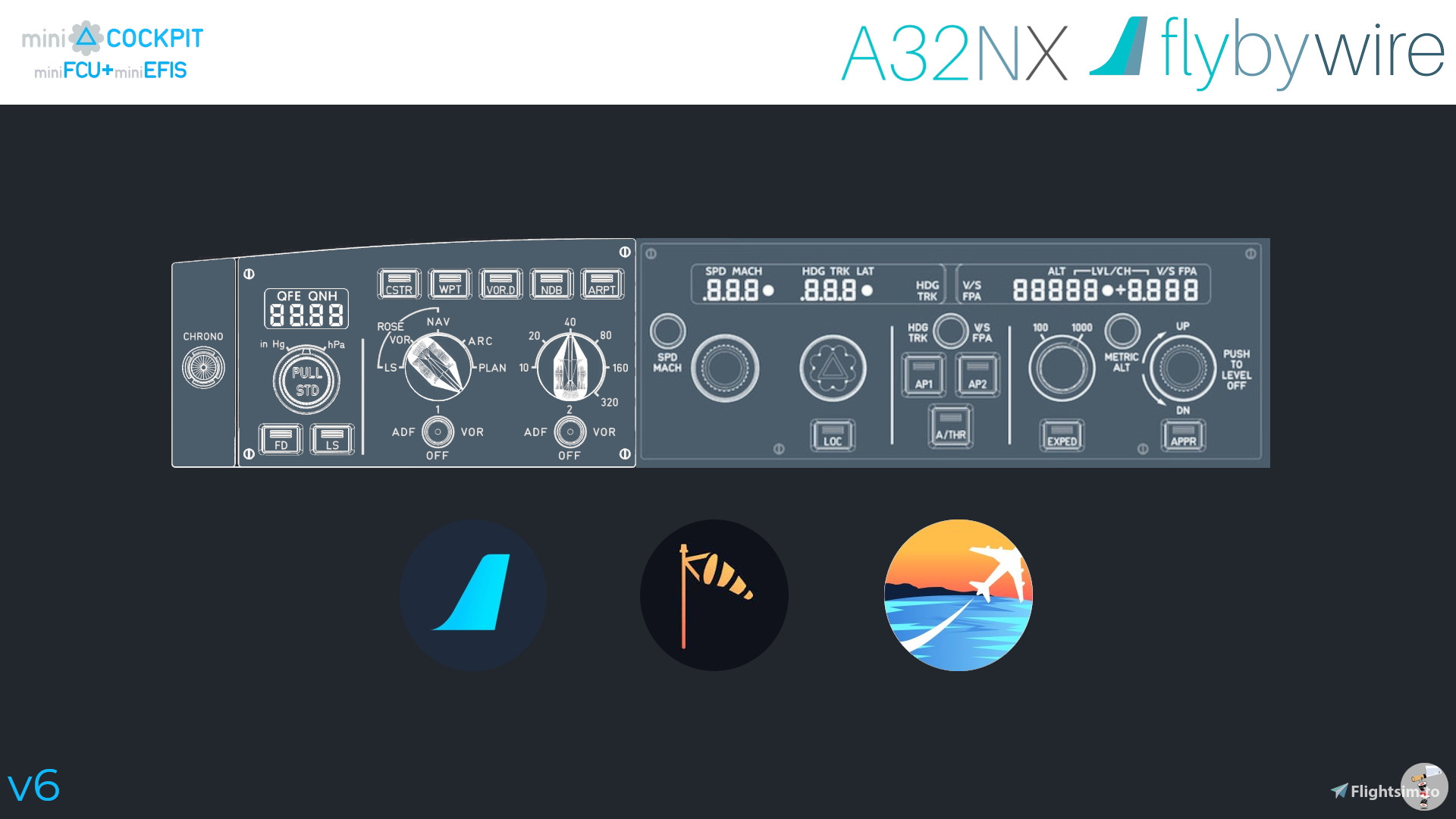
This is a MobiFlight profile for the miniCockpit miniFCU+miniEFIS and hopefully all the FlyByWire A32NX based aircraft. I know the standard firmware already supports it, but a) saves you from swapping firmware and b) adds compatibility to LVFR/HorizonSim A320 family aircraft.
All features of the miniFCU+miniEFIS should be working but I observed that sometimes a value might not update immideately. I also haven't had a chance to test it with any of the HorizonSim mods or the Headwind A330. The A32NX development version also has many LVARS renamed, my guess is to standardize with the A380, for now this profile works only with the 12.3 release version to stay compatible with the other A32NX-based aircraft.
And even though the V3 was pretty much compatible with the A380 - when it comes to the EFIS elements the newer variables are already rolled out so it won't work.
The installation and setup process to use miniCOCKPIT with MobiFlight is perfectly described in the profiles of vinKaiZen, so I'm not repeating it here.
Examples include:
Fenix A320 | MiniCockpit MiniFCU | MobiFlight Profile | Quartz Displays | Full installation
Generic AP Asobo Planes | MiniCockpit MiniFCU | MobiFlight Profile | Full installation
Changelog
V6 - Fixed QFE shown instead of QNH
V5 - Added support for new-new Mobiflight firmware that keeps old profiles compatible
V4 - Added miniEFIS support - for new Mobiflight firmware only
V3 - Fixed HDG 35 after pulling heading knob
V2 - Added annunciator light test
V1 - Initial release.
A32NX based | MiniCockpit MiniFCU+MiniEFIS | MobiFlight Profile
Enhance your cockpit experience with this MobiFlight profile designed for the miniCockpit miniFCU+miniEFIS, compatible with FlyByWire A32NX based aircraft and LVFR/HorizonSim A320 family models. Enjoy full functionality of the miniFCU features, with a straightforward installation process detailed in the provided guides. Stay up-to-date with the latest updates and improvements for an even smoother flying experience.

User Reviews
6 reviews
Version History
Related
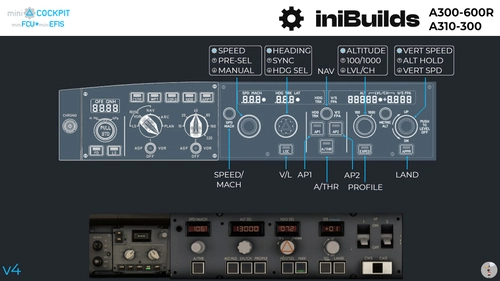
iniBuilds A300 & A310 | MiniCockpit MiniFCU+MiniEFIS | MobiFlight Profile
Enhance your cockpit experience with the iniBuilds A300 & A310 MobiFlight profile, designed for miniCockpit miniFCU+miniEFIS. This profile features various improvements such as blanking out FCU and dashed windows when certain features are active. Explore the detailed changes and enhancements for a more immersive flight simulation experience.
by sushiat
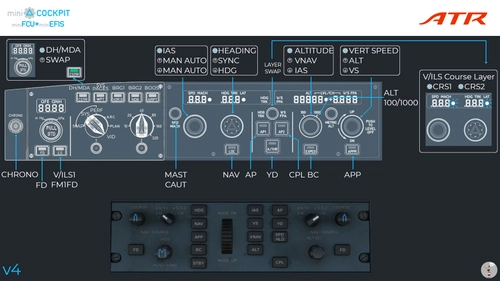
Asobo ATR 42/72-600 | MiniCockpit MiniFCU+MiniEFIS | MobiFlight Profile
A MobiFlight profile designed for the miniCockpit miniFCU+MiniEFIS and the Asobo ATR 42/72-600 aircraft, featuring functionalities like VNAV and SPD push/pull. Ensure to follow detailed instructions for optimal usage.
by sushiat
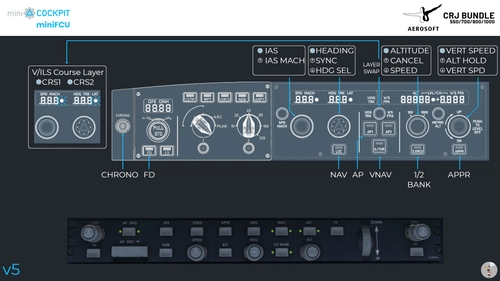
Aerosoft CRJ 550/700/900/1000 | MiniCockpit MiniFCU | MobiFlight Profile
MobiFlight profile for the Aerosoft CRJ 550/700/900/1000 aircraft, designed for the miniCockpit miniFCU. Enhance your flight simulation experience with this detailed setup including various functionalities and features. The profile offers a smooth integration process and detailed instructions for optimal use. Explore the various included configurations and adapt them to suit your preferences.
by sushiat
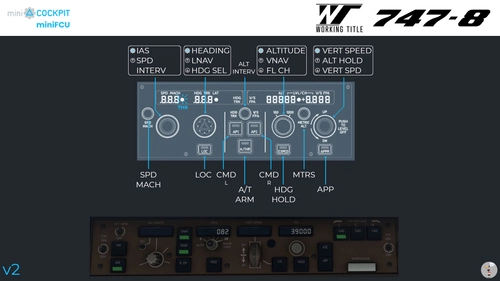
Boeing 747-8i | MiniCockpit MiniFCU | MobiFlight Profile
Enhance your flight simulation experience with this MobiFlight profile designed for the miniCockpit miniFCU and the WorkingTitle 747-8i aircraft. Check out the included image for full guidance on setup and installation process. Join the community of users benefiting from this profile, and stay updated with the latest changelog improvements.
by sushiat
Log in to join the discussion
Log InComments(43)
about 1 year ago
about 1 year ago
about 1 year ago
about 1 year ago
CSTR, WPT, VOR D, NDB, ARPT, Rose, Range, inHg/hPa Pull and Push Baro, FD, LS
So they all work for me now, You can just change the selected Preset to these ones.
Under the Fly By Wire, A320, EFIS
They All Start
"Left EFIS *" or "Set Left *" or "Toggle Left *"
about 1 year ago
clicking in the sim however activates the buttonlights on the miniefis.....
about 1 year ago
Nice work with the profiles,
Always the same story, people with problems.....
I am one of them,
Initialli the profile worked great, happy.
Now, efis more or less useless, all suddenly.....
Is it possible to release info on firmwareversion, mfversion,msfs2020version, fbwversion,
when it works...
There are so many combinations, i am losing count.
Again, thanks for your efforts, you guys make fs worth wile,
Thank you
ps i have tried (i think) a lot of combinations,
Greets
Ton
about 1 year ago
But, 5 Stars for your amazing work! I use all your profiles, because they are AWESOME.
about 1 year ago
over 1 year ago
over 1 year ago
My guess is that the A380x is more compatible at this stage, so I would try to start from there. Bit too busy at the moment with work to do new profiles.
over 1 year ago
Thanks for this update! However I have to mention some issues I'm facing wiht my FBW A20N EFIS:
- LS button inoperative - led indicator reflects correctly LS status
- rose selector mode - whenever it is moved, screen flashs the selected mode than return to the original one
- range selector - same as above: whenever a new range is selected, screen flashs with the selection than return to the original one
- ADF/VOR 1 and 2 - tottaly inoperative
- Baro PULL/PUSH - not working
FCU looks working ok (not fully tested yet).
Any tip how to fix that?
Thank you.
over 1 year ago
For me it's working with the Flybywire A32NX and the Headwind A330 NEO.
The only thing is I see QFE on my EFIS, and in the sim I see QNH.
Thanks!!!!
Den
over 1 year ago
over 1 year ago
regards
Steve
over 1 year ago
In Mobiflight after updating the firmware I had to upload the board default config (there is button for it on the module dialog) for all the device elements to be added correctly.
almost 2 years ago
about 2 years ago
The 35 heading bug has appeared again, I'm still using the V3 you did but have changed exped led to indicate nose gear down and the exped button to enable FD & LS.
Is there any particular heading that creates this problem? This time it's happened again, AP heading was 000 and minifcu displayed 35. Just one click of the heading knob syncronised the displays again.
almost 2 years ago
In the mapping for the profile there isn't anything special. I double checked that the variable is still the one they officially list as the correct one to use, and the Round($,0) would only remove decimals, not even sure if that's still the case but it was using a floating point number in the past.
So there is probably not much to do unless I can catch it with spad.next or something at the same time, and then report it as a bug to them...
almost 2 years ago