
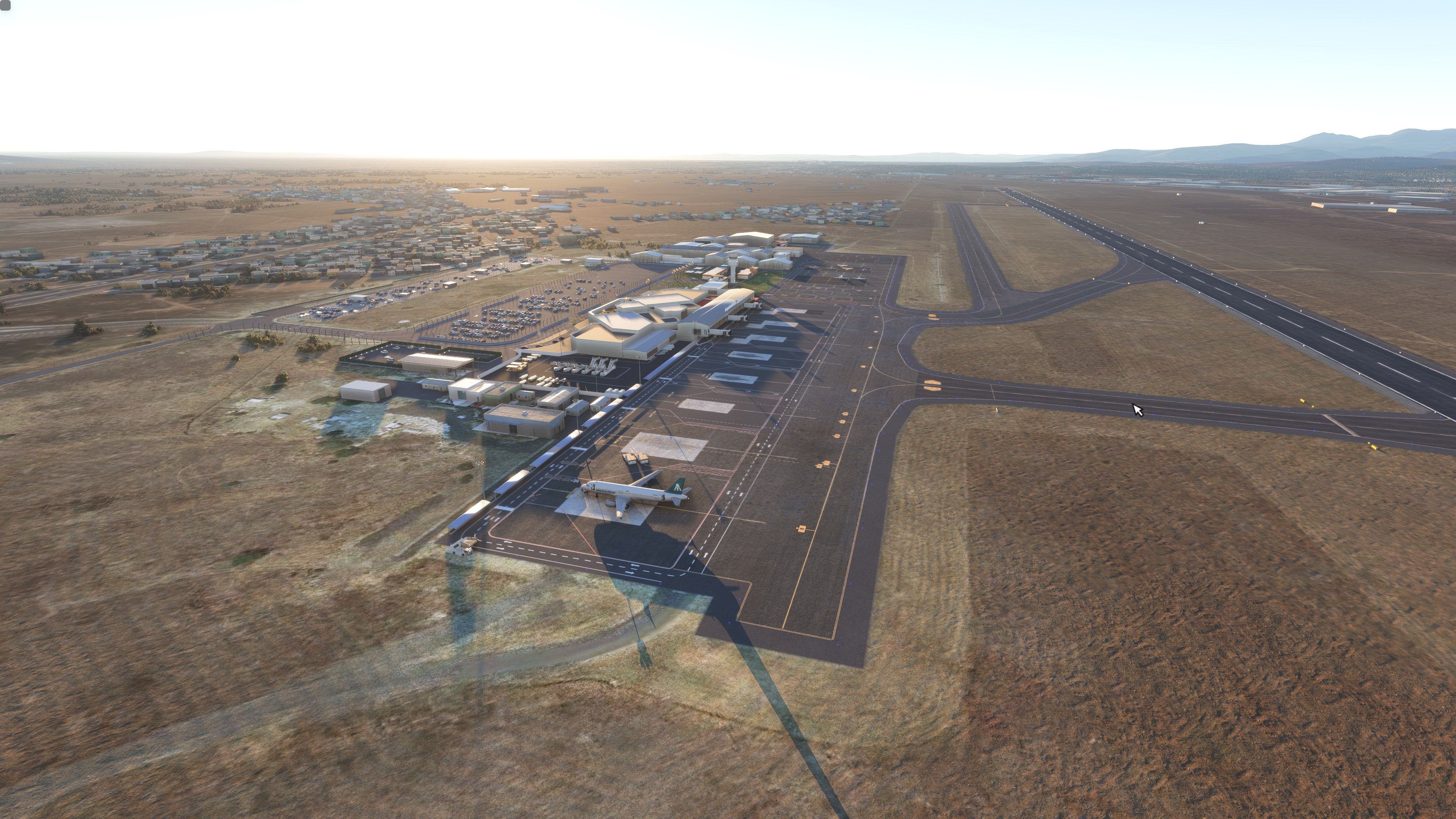
Description
This is a modification to the default MMLO airport in MSFS. All modifications are done using Microsoft SDK, Custom models, lights, and PBR textures.
This airport is colloquially known as Bajio International Airport and serves mostly flights within Mexico. It has operations from Aeromexico, Aeromexico Connect, Volaris, Viva Aerobus, United Airlines, American Airlines, and more! Volaris uses this airport as a mini-hub and offers many flights to international destinations. as of 2022 (with the expansion of Volaris operations)it served more than 2.6 million passengers.
Features include:
- Many hand-placed objects
- Taxiways are properly assigned and mapped
- Gates are re-worked and re-numbered
- Runway materials updated for more realism
- Added night lighting to ramp areas, terminals, hangars, and many more buildings
- Hand-painted many taxi and apron lines for a more authentic feel, most of these textures have PBR for more realism
- Modified and/ or replaced most buildings within the airport area for more immersion, many custom-made buildings have been implemented.
- Many custom ground markings
- Hundreds of night lights hand-placed around Loreto and Nopolo cities
- Added night lights to roads leading to the airport, as in MANY cases, MSFS does not place them there at all
- Added many objects to enhance the feel of the airport, including parking areas.
NOTAMS:
- REQUIRES ALL OF MSFS WORLD UPDATES TO BE INSTALLED**we use scenery objects from all of these updates in our airport.
- Ground clutter on the ramp was kept to a minimum (basically, none) for future GSX profiles.
****************************IF YOU HAVE GSX AND WOULD LIKE GLASS JETWAYS:*************************
1. Navigate to the GSX folder.
2. Drop the hss-airport-mmlo-leon filder into your community folder
3. Drop the .ini file under your Virtuali/gsx/msfs folder to get the profile built for this airport.
OTHERWISE, if you DON'T WANT OR HAVE GSX**********************************************************
1. Navigate to the NO GSX Folder.
2. Place hss-airport-mmlo-leon in your MSFS "community" folder in your MSFS installation location.
-More Mexican airports to come in the future!
-Follow us on Facebook: HSS Facebook page.
Installation***************
1. Unzip the .RAR file
2. Place the folder hss-airport-mmlo-leon in your MSFS "community" folder in your MSFS installation location.
- the location of your community folder may vary depending on where or how you bought the sim. For more info visit this page: https://www.flightsim.com/vbfs/content.php?21235-Finding-The-MSFS-2020-Community-Folder
For support, please contact us at:
Hss Discord Page
Do NOT re-upload this package or any of its contents to any other website without explicit permission from us.Do NOT use any of this package's content for any other purpose than for use within MSFS.
Happy landings!
Comments(40)
Log in to join the discussion
Log In11 months ago
11 months ago
about 1 year ago
about 2 years ago
Thank you for your hard work and your talent!
11/5!
about 2 years ago
over 2 years ago
over 2 years ago
over 2 years ago
.. we need specifics.. which airports from those World Updates did you pull objects from for this Airport? Those are the dependencies we need for this airport file you've made. Thanks
over 2 years ago
almost 3 years ago
almost 3 years ago
almost 3 years ago
almost 3 years ago
almost 3 years ago
almost 3 years ago
almost 3 years ago
almost 3 years ago
(MMLO) Guanajuato International Airport, Mexico
Enhance MMLO airport in MSFS with this modification, featuring custom models, lights, and PBR textures. Enjoy a reworked airport with proper taxiway mapping, updated runway materials, and added night lighting. Immerse yourself in the realism of hand-painted textures, custom buildings, and hundreds of hand-placed objects. Make sure to have all MSFS world updates installed for optimum experience.
User Reviews
9 reviews
Location
More Information
Version History
1.1 --- Added Custom VOR building. --- Fixed issue with Terminal Waypoints disappearing when using stock MSFS navdata. --- General cleanup.
Related
(MMUN) Cancun International Airport
Enhance your MSFS experience with this modification for MMUN Cancun International Airport. Features include mapped taxiways, re-worked gates, updated runway materials, custom night lighting, and more. Enjoy a more immersive airport environment with custom ground markings and replaced buildings. Stay tuned for more Mexican airports from the developer.
by HSSsimulations
MMMY - Monterrey International Airport v3
Enhance your experience at Monterrey International Airport with this v3.2 add-on, featuring updated satellite imagery, redesigned aprons and taxiways, custom ground decals, and improved taxi lights. This modification for Microsoft Flight Simulator offers a more realistic airport layout, updated runway materials, and added night lighting for a immersive flying experience. Stay tuned for more Mexican airports from HSS Simulations in the future.
by HSS
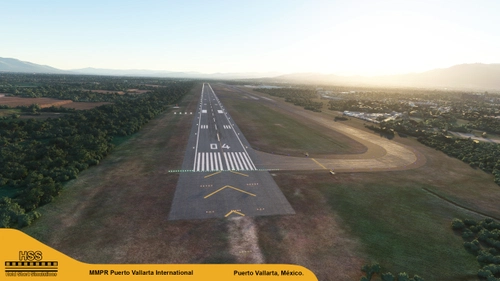
(MMPR) Puerto Vallarta International Airport, Mexico
Enhance Puerto Vallarta International Airport in MSFS with this mod, featuring revamped taxiways, reworked gates, realistic runway materials, and detailed night lighting. Additional improvements include hand-painted taxi and apron lines, custom ground markings, and modified airport buildings for increased immersion. Keep an eye out for future Mexican airport updates and follow HSS Simulations on Facebook for more.
by HSSsimulations
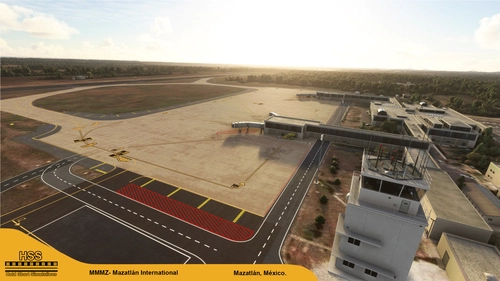
(MMMZ v2) Mazatlan International, Mexico
Enhance your MSFS experience with the (MMMZ v2) Mazatlan International Airport mod! This add-on offers upgraded taxiways, re-numbered gates, updated runway materials, night lighting, and hand-painted details for a more authentic feel. Additional features include jetways and GA Ramp up to current specifications. Stay tuned for more Mexican airport upgrades from HSS Simulations in the future.
by HSSsimulations
11 months ago