
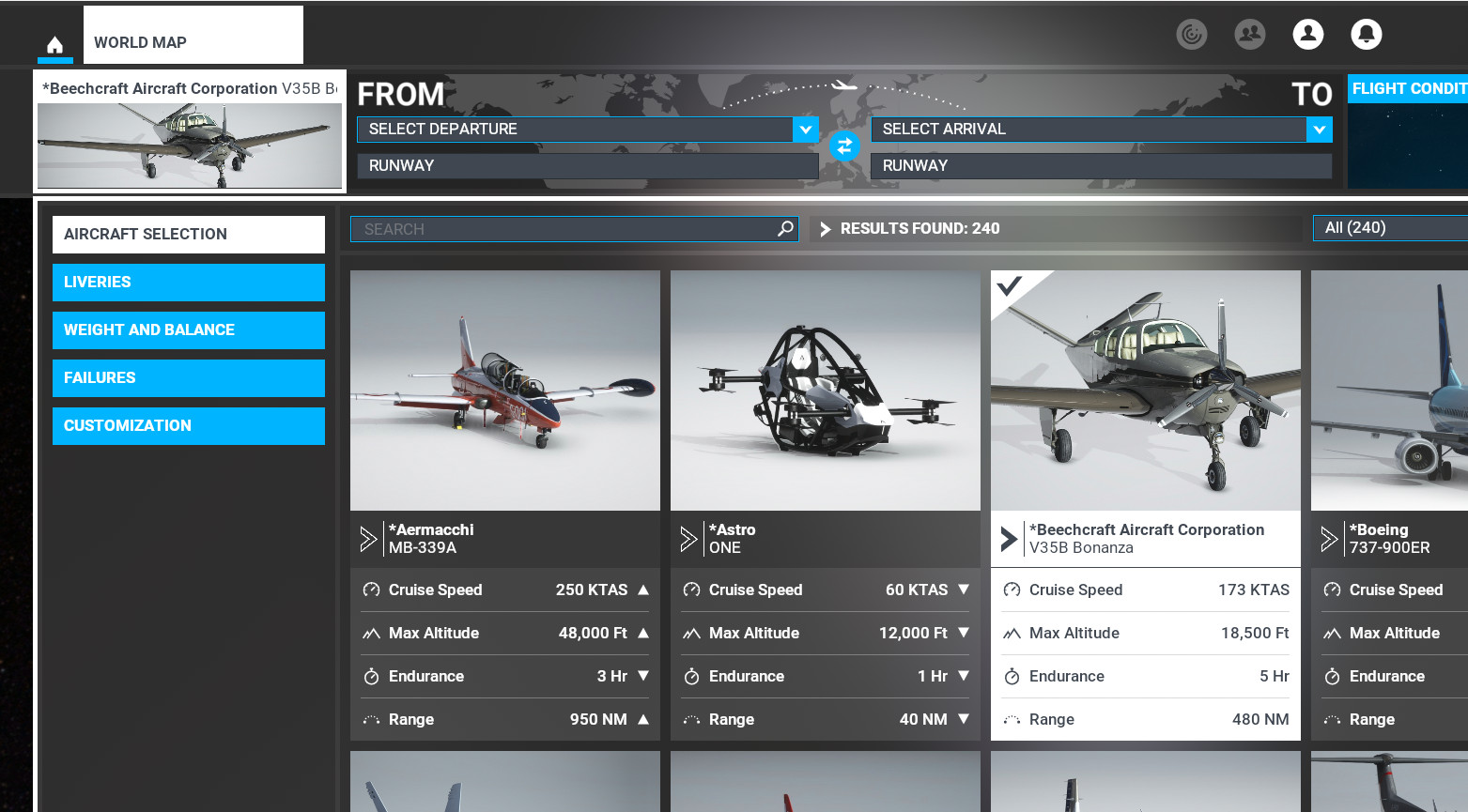
Description
Pin your favourite MSFS2020 planes at the top of the list in game.
This app scans your MSFS2020 aircraft, then lets you 'pin' favourite aircraft at the top of your MSFS2020 Aircraft List in game.
- No more scrolling through 100s of planes to find your ‘go to’ aircraft.
- VR experience improved as no more having to take headset off to use search.
- Simple ‘single file’ application, no clunky installers.
- Responsive developer who is always on hand to help.
- Pro version available for who those who want more control with a multistar system, custom naming and visual editor.
I hope you enjoy this app as much as we did creating it.
Dan - Flukester Software
Visit Us: https://flukestersoftware.com
COMMON FIXES
If you have updated to a new version and things don't display how you expect, use the 'Scan' button to rescan your aircraft and rebuild the cache used for fast loading.
KNOWN LIMITATIONS
MSFS Aircraft Pinner cannot favourite an aircraft that is encrypted. Not all store purchased planes are like this however. You can tell a aircraft that is encrypted as it's folder contains '.fsarchive' files.
SUPPORT
Bugs, support and comments: dan@flukestersoftware.com
You can also Private Message us here.
REQUIREMENTS
MSFS2020 and a 64bit Windows with .NET framework 4.7.2 (will run without any other install / files on any modern Windows computer)
WINDOWS SMARTSCREEN
This app is not 'signed' with a certificate so Windows may warn you when running for first time. Click 'More Info' on the blue smart screen warning and run. It won't ask you again.
FALSE ANTIVIRUS POSITIVES
Every MSFS Aircraft Pinner release is scanned with VirusTotal, which submits our application to over 60 AV programs. This guarantees our releases are safe.
MSFS Aircraft Pinner
Pin your favourite MSFS2020 planes at the top of the list in game. This small utility will scan your aircraft and list them allowing you to select, then 'favourite' them for displaying at the top of your aircraft list in game. No more scrolling through aircraft trying to find your 'go to' aircraft.


User Reviews
22 reviews
Version History
CHANGELOG: - Tool windows cannot be maximized. - Aircraft details clear and disable after exiting visual editor. - Grid selection cleared after exiting visual editor. - Main editor hides when visual editor loaded. - Hide text about multistar etc in Pro version. - UI tidyup. - Show Only Favourites filter always sorts by Aircraft Manufacturer. - Allowed all characters in Aircraft Manufacturer except a comma, which could break the cache saving.
Log in to join the discussion
Log InComments(127)
5 months ago
almost 2 years ago
Quote from Website:
"Responsive developer who is always on hand to help."
Empty words. He doesn't answer here or by email, even though I bought the Pro version.
almost 2 years ago
about 2 years ago
about 2 years ago
about 2 years ago
Therefore: I deleted this tool again - sad...
over 2 years ago
your MSFS configuration back?...thanks
almost 3 years ago
about 3 years ago
about 3 years ago
over 3 years ago
Hi Dan, I really enjoyed your software, and appreciate the time you spent on it. Was really considering going to the pro version but as most of my aircraft have been bought from the store, I couldn't figure out why I could not pin them. Well now I have read that it is a known limitation, I have decided not to use it and have uninstalled/deleted the program. I have no trace of it that I can find on my computer but now my aircraft that I did pin are all out of order and I would really like to just get everything back to normal as my OCD would have me do.
If you can tell me how to fix this I would really appreciate it. Again thank you for your hard work on this but it is not for me, the MSstore aircraft buying flightsimmer. lol
Thanks @flukester
over 3 years ago
Hi
Probably the easiest way rather than manually editing config files is to download pinner again and scan you library. Then 'unpin' any starred planes found.
Things will then be back as they were
about 3 years ago
over 3 years ago
Is there a way to hide mod so that they don't show in the MSFS list?
Example, I've uninstalled as much as I can, and I never use Cessna 152, 172, AsobA320, Zlin, Cirrus, Diamond, & Pipistrel, but they still show in the aircraft list. I'd love it if they didn't...
over 3 years ago
Hi, I'm guessing you could move the folders out of the packages\official\onestore folder. I say move just so you have a copy of them. I have not tested this though, but by moving you can at least undo if this is a issue.
over 3 years ago
Tried this, on MSFS start-up it detects this and "updates" by reinstalling all the removed files :-(
over 3 years ago
MANY THANKS!!!!
over 3 years ago
Such a basic and useful feature that should had allways been in the sim, specially since you can't uninstall or hide the default planes you'll never use. Good job, thank you!