
Flightsim.to
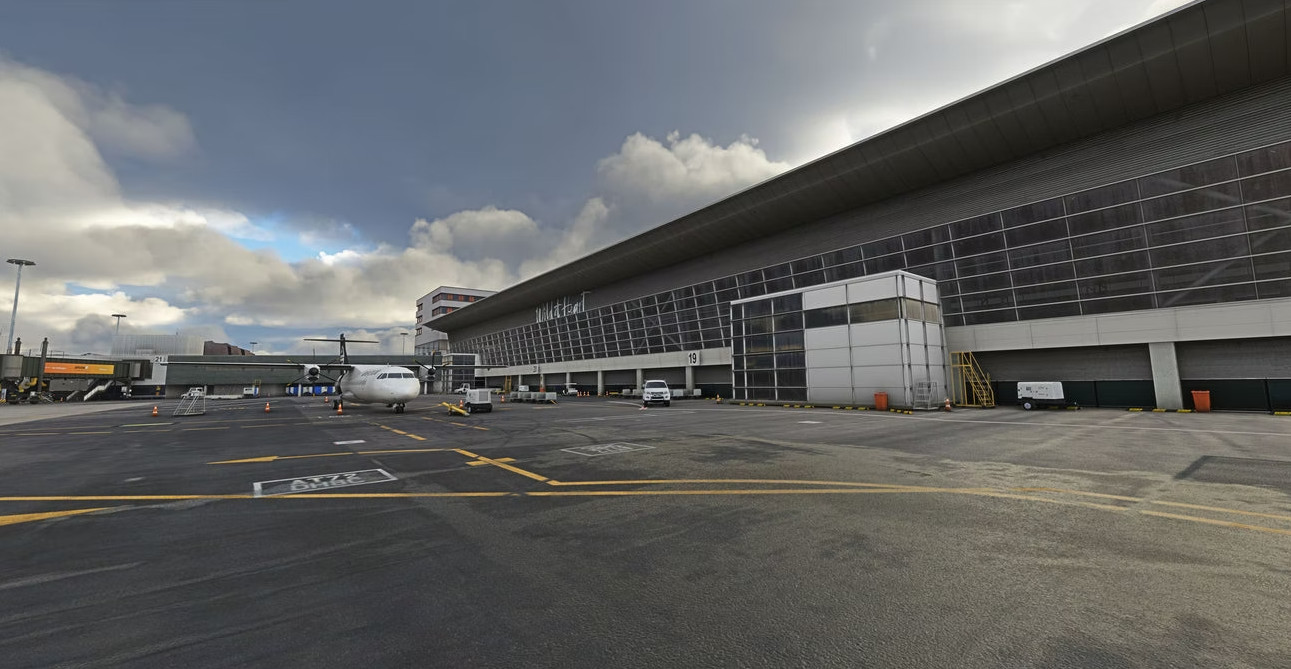
    NZWN - Flightbeam - GSX Profile - Image 1

    Description

    - Added VDGS to gates

    - Vehicles moved around to not hit scenery

    - AirNZ Services

    - Pushback positions

    - Terminal walkers

    Comments(4)

    Log in to join the discussion

    Log In
    I

    7 months ago

    Please update this profile. You have left out all the ATR gates! Like where even is Gate 19 and 20??!
    J

    over 2 years ago

    Great GSX implementation. Thank you!
    d

    almost 3 years ago

    thanks

    O

    about 3 years ago

    Thanks for sharing your work.

    MSFS 2020MSFS 2024

    NZWN - Flightbeam - GSX Profile

    Enhance ground operations at NZWN airport with this Flightbeam GSX Profile add-on. Experience added VDGS to gates, optimized vehicle placement, AirNZ services, designated pushback positions, and terminal walkers for a more realistic flight simulation experience.

    Downloads6K
    Version2.0
    File Size6.47 KB
    Published3 years ago
    Updated3 years ago

    User Reviews

    3.7

    3 reviews

    5
    67%
    4
    0%
    3
    0%
    2
    0%
    1
    33%

    More Information

    Simulator
    MSFS2020
    Sub-CategoryGSX Pro Profiles
    ICAONZWN

    Version History

    Added all smaller walk in gates for the new Asobo ATR thanks to Jqro for their help with this

    Related
    NZAA - Flightbeam - GSX Profile

    NZAA - Flightbeam - GSX Profile

    Enhance your NZAA airport experience with this updated GSX profile by Flightbeam. Ensuring all gates work seamlessly with the airport, this profile also provides terminal walkers, AirNZ services, and precise pushback positions. Remember to adjust your aircraft position through the GSX menu for optimal gate alignment.

    by ecstaticaviator
    4.0
    Inibuilds - NZQN - GSX Profile

    Inibuilds - NZQN - GSX Profile

    Enhance ground operations at NZQN with this GSX Profile add-on by Inibuilds, featuring ATR gates, custom terminal paths, adjusted vehicle placements, AirNZ services, and designated pushback positions. Improve your airport experience with these added details for a smoother virtual flying experience.

    by ecstaticaviator
    5.0
    Nadi NFFN - IniScene - GSX profile

    Nadi NFFN - IniScene - GSX profile

    Enhance your airport experience with the Nadi NFFN scenery add-on by IniScene, featuring detailed terminal gates with functional jetways and optimized parking positions for the PMDG 737-800 aircraft. Elevate your virtual flights at this Pacific island destination with this high-quality mod.

    by ecstaticaviator
    3.0
    Fenix Overhead Panel for Touch Portal

    Fenix Overhead Panel for Touch Portal

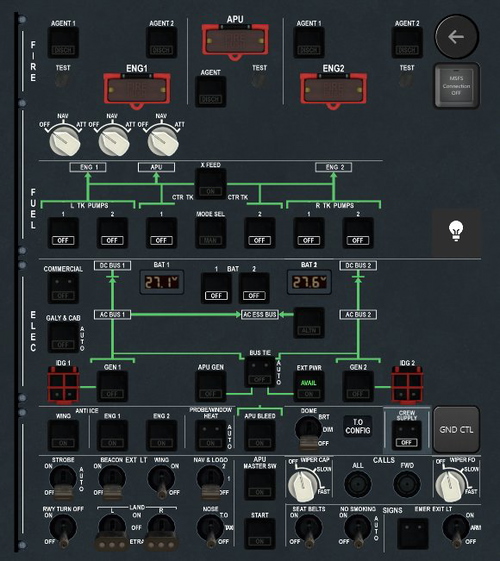
    Enhance your Fenix A320 experience with this work-in-progress overhead panel for Touch Portal. 90% of buttons and switches are functional, with some limitations due to coding constraints. Manual adjustments may be required for certain functions, such as the available sign on the Start switch. This plugin also utilizes mobiflight for certain events, enhancing your cockpit immersion.

    by ecstaticaviator

    2.5
    Logo

    Looks like your ad blocker is on.

    ×

    We rely on ads to keep creating quality content for you to enjoy for free.

    Please support our site by disabling your ad blocker.

    Continue without supporting us

    Choose your Ad Blocker

    • Adblock Plus
    • Adblock
    • Adguard
    • Ad Remover
    • Brave
    • Ghostery
    • uBlock Origin
    • uBlock
    • UltraBlock
    • Other
    1. In the extension bar, click the AdBlock Plus icon
    2. Click the large blue toggle for this website
    3. Click refresh
    1. In the extension bar, click the AdBlock icon
    2. Under "Pause on this site" click "Always"
    1. In the extension bar, click on the Adguard icon
    2. Click on the large green toggle for this website
    1. In the extension bar, click on the Ad Remover icon
    2. Click "Disable on This Website"
    1. In the extension bar, click on the orange lion icon
    2. Click the toggle on the top right, shifting from "Up" to "Down"
    1. In the extension bar, click on the Ghostery icon
    2. Click the "Anti-Tracking" shield so it says "Off"
    3. Click the "Ad-Blocking" stop sign so it says "Off"
    4. Refresh the page
    1. In the extension bar, click on the uBlock Origin icon
    2. Click on the big, blue power button
    3. Refresh the page
    1. In the extension bar, click on the uBlock icon
    2. Click on the big, blue power button
    3. Refresh the page
    1. In the extension bar, click on the UltraBlock icon
    2. Check the "Disable UltraBlock" checkbox
    1. Please disable your Ad Blocker
    2. Disable any DNS blocking tools such as AdGuardDNS or NextDNS
    3. Disable any privacy or tracking protection extensions such as Firefox Enhanced Tracking Protection or DuckDuckGo Privacy.

    If the prompt is still appearing, please disable any tools or services you are using that block internet ads (e.g. DNS Servers, tracking protection or privacy extensions).