

Description
Add this additional overhead avionics tablet to your Beaver featuring the Garmin Aera GPS system.
Also available for the Douglas DC-3, Cessna 152, Grravel/Carbon and Robin DR400
Navigation Tablet can be hidden by clicking the tablet button, and restored clicking the base mount. This is the same functionality added by Got Friends to the standard tablet and basically a copy paste of their implementation.
v1.2.0 Update:
- Added ability to relocate tablet to panel (via clickspot) for better visibility
v1.1.2 Update:
- Small customization of the Garmin Aera to improve navigation and provide menu access in the map and flight plan screens
Special thanks to @EzRyder for pointing me in the right direction on how to make these types of modifications.
Installation Instructions:
1) Delete any prior installation of this mod from your Community folder
2) Install ONE of the following mod folders in your Community folder:
a) simflight-DHC2-interior-navtablet-gf (If you have the Got Friends 40th Anniveriary Expansion Pack installed)
b) simflight-DHC2-interior-navtablet-ms (If you are using the base Microsoft installation without the Got Friends Addon)
DHC-2 Beaver Avionics Tablet Mod
Add an overhead avionics tablet with the Garmin Aera GPS system to your DHC-2 Beaver with this mod. Navigate with ease and customize your flight experience. Also available for other aircraft models such as Douglas DC-3, Cessna 152, Savage Grravel/Carbon, and Robin DR400. Update v1.2.0 allows the relocation of the tablet to the panel for better visibility.


User Reviews
11 reviews
Version History
Added ability to relocate tablet to panel (via clickspot) for better visibility
Related
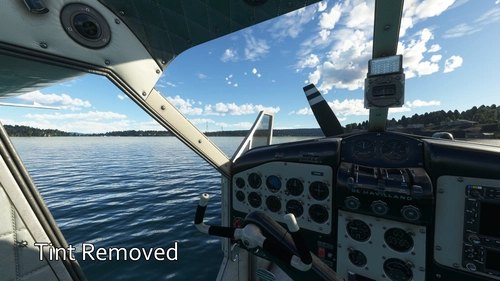
DHC-2 Beaver Cockpit Glass Tint Removed
Enhance your visibility with the DHC-2 Beaver Cockpit Glass Tint Removed add-on, removing the default tint for improved clarity, especially in VR. Compatible with all variants, simply extract and copy to your Community folder to install.
by NMatt30
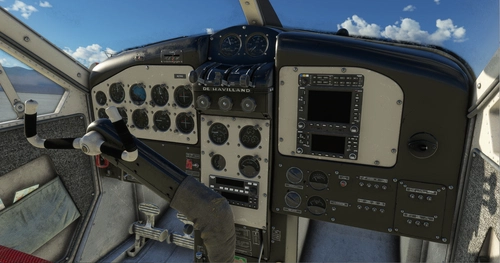
DHC-2 Beaver Dark Interior Combo Pack
Combine three popular DHC-2 Beaver interior mods with this convenient pack, featuring dark panel/yoke, black/grey seats, and cockpit glass tint removal. Install all at once for a complete interior transformation, or choose individual mods for customization. Simply extract the archive to your Community folder for easy installation.
by NMatt30
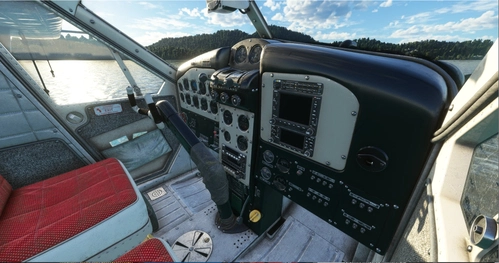
DHC-2 Beaver Dark Panel/Yoke
Enhance your DHC-2 Beaver experience with this add-on featuring a dark panel and yoke. Simply extract and place it in your community folder to install.
by NMatt30
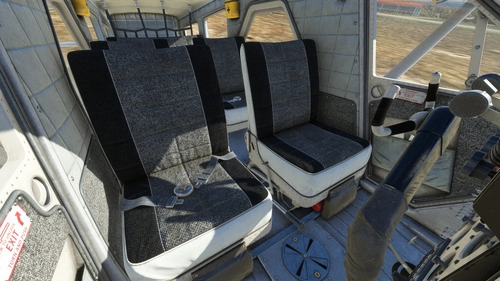
DHC-2 Beaver Black/Grey Seats
Enhance your DHC-2 Beaver experience with stylish Black/Grey seat variants, compatible with all models unless customized by a specific livery. Perfectly complements the Dark Panel/Yoke Mod for a complete cockpit transformation. Simply extract and add to your Community folder for easy installation.
by NMatt30
Log in to join the discussion
Log InComments(66)
6 months ago
It's cool to have the 3D thingy also, but the map is all I need for her.
8 months ago
over 1 year ago
Thanks
Rick
about 2 years ago
about 2 years ago
over 2 years ago
almost 3 years ago
about 3 years ago
over 3 years ago
Super. Could you make similar to the Norseman aircraft as well?
over 3 years ago
Which version of the Garmin is this? I'm trying to find an operators manual and there are a bunch of different versions.
almost 4 years ago
I suppose saving the tablet's settings isn't possible, but could you default the data fields in the overlay to something other than BRG in all four corners? Just a thought.
almost 4 years ago
The functionality of the Garmin Aera is provided by Asobo and reused in this mod. I have made some slight adjustments to it, but am by no means and expert on the codebase. Perhaps at some point I'll dig in further on it. What you're asking for may be possible.
almost 4 years ago
Can you make this for the Wilga float (80H)?
almost 4 years ago
Fantastic add on - thank you! It took me a while to figure out how to move the tablet to the dash. Should the mount on the ceiling move with the tablet or disappear when it is moved? In VR it's still in my field of vision. It would be nice if it disappeared.
almost 4 years ago
Thanks! For now, everything stays visible as long as the tablet is visible.