

Description
It eliminates minor problems that occur when using multiple scenery at the same time, and adds apron lighting and some objects.
Additional libraries are needed for some objects.
Download here. v0.1.0 or higher
When combining with other airports, rename the folders so that they are in the same order as in the example below.
[airport-rjsn-niigata-1-digson] Mod by digson(digson-airport-rjsn-niigata)
[airport-rjsn-niigata-2-excl-scenery] Mod by berry(no lighting)
[airport-rjsn-niigata-3-add] This mod
[airport-rjsn-niigata-4-rwy] optional
Dependencies
Location
RJSN Niigata Airport add
Improve your Niigata Airport experience with this add-on that includes apron lighting and additional objects. Make sure to download the required libraries for full compatibility. Sync with other airport sceneries by following the provided folder renaming example for seamless integration.
Downloads Stopped
The creator has temporarily stopped downloads for this addon. Please check back later.


User Reviews
2 reviews
Version History
Since the ILS will be off-center of the runway if made according to the data in eAIP Japan, a correction to align the ILS to the center of the runway has been separated as an option. Please download the optional RJSN Niigata Airport Runway. The runway has the slope as accurately as possible, but the intersection of the two runways is ambiguous. The optional runway can be used by itself in combination with other scenery. The uniquely created markings will not disappear. Rest assured. Add of RDML.
Related
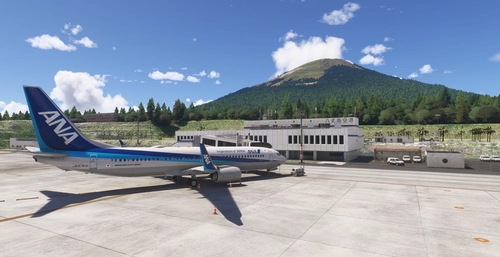
RJTH Hachijojima Airport Enhanced
Enhance your flying experience with the RJTH Hachijojima Airport add-on, now with improved airport details and elevation accuracy. This update includes changes to runway location, lighting, markings, and parking, as well as additions like approach lights and custom models. Make sure to have World Update 1 Japan installed for full compatibility.
by karuchie
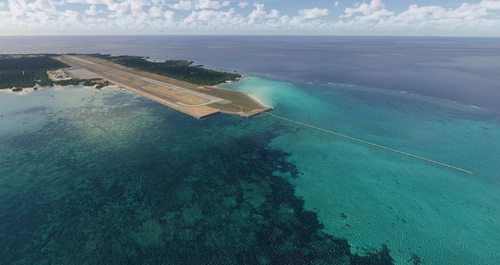
RORS Shimojishima Airport Enhanced
Enhanced version of RORS Shimojijima Airport with fixes and improvements, including updated 3D models and lighting adjustments. Ensure to download additional dependencies for an optimal experience.
by karuchie
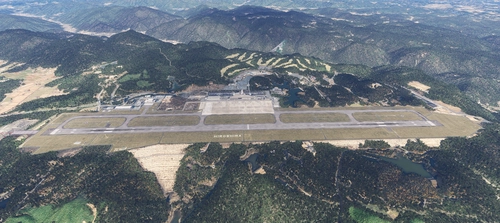
RJOA Hiroshima Airport Enhanced
This add-on enhances KAZEs RJOA Hiroshima Airport by correcting misaligned runways, taxiways, and aprons, leading to improved ILS alignment. It replaces the glass jetway with a metal asset and incorporates a 1m DEM across the airport and a 3m DEM in the surrounding area. Additional features include updated taxiway signs, new lighting installations, and adjustments to objects for height and position accuracy. Users are advised to adjust the file priority for proper integration with the existing scenery.
by karuchie

RJCK Kushiro Airport Enhanced
Enhanced version of Kushiro Airport featuring runway and taxiway line changes, updated taxiway lights, and accurate runway slope. Requires additional Japanese airport model library for some objects. Experience fine-tuning of terminal building, apron lights, and more in this detailed add-on.
by karuchie
Log in to join the discussion
Log InComments(27)
over 3 years ago
Hello,
I am still getting duplicate Gates 5-8, but I have confirmed sceneries are in the correct order. Any advice?
Thanks
over 3 years ago
Very great work!
I surprised that file loading sequence depends on its file name, it's different from my memory. Since when? (I don't know because I was away from community for a long time, include 5ch)
However, that was absolutely correct. And I tried to solve the problem of a conflict in different RJSN files. My result was different from your recommended order, "1-Digson, 2-berry, 3-yours" was advisable. In my environment (almost vanilla), "1-berry, 2-Digson" brings double-painted runway and duplicated 5-8 gate. I tried hard to solve it, it was impossible. Curiously, these problems disappeared only rename their folder.
So, I re-uploaded renamed "RJSN compatible" file (for force to put my file after Digson's one by file name) and wrote some guidance in description of my work. Could you take a look it? And I'm glad if you add its link in description of this work. (Of course, I wrote about your work in there: "strongly recommended to download together".)
https://flightsim.to/file/17936/rjsn-compatible
See you later in the sky!
over 3 years ago
Misunderstanding.
Your description is quite right order "1-digson 2-berry". (Since when did I misunderstand "1-berry 2-digson"? From the first?)
Forget my wrong comment.
almost 4 years ago
昨日からの流れでさぞ御心痛のこととお察しします。そのような中で大変不躾とは思いながらも、前バージョンを再び利用できるようにしていただけないかと思い、改めてコメントさせていただいた次第です。
karuchieさんとしても、KADOさんの考えに思うところがあり、修正版をアップされたものと存じますが、ユーザーとしては前バージョンの感動を忘れることはできません。せめてold versionとして現バージョンとともに利用可能にしていただくことはできないでしょうか?
もちろん今すぐにとは申しません。例えば、現在KADOさんがTwitter上でdigsonさんに今回の件で問い合わせをしているところ(あまり感心できる行為ではないですが…)であり、それに対するdigsonさんの反応を待ってからでもよろしいかとも思います。
誰にとっても幸せにはならない結末にしないためにも、ユーザーとしての立場を弁えないお願いとは存じますが、御検討の程何卒よろしくお願いいたします。
almost 4 years ago
KADOさんの謝罪をもって、一連の騒ぎは収まったと思われます。単なるユーザーの私が極めて差し出がましいお願いや口出しをしてしまい、大変恥ずかしく思っております。
MOD 自体も色々と修正頂き、さらに素晴らしいものになりました。今後は静かにこのMOD を楽しんでいきたいと思います。このMOD を作っていただいたこと、そして一連の御対応に重ねて感謝申し上げます。ありがとうございました。
almost 4 years ago
本業が忙しくて、KADOさんの問い合わせも気づかず、アップデート後のチェックもしてませんでした。まったく申し訳ありません! 私の新潟空港のモデリングデータを延命させて頂いて感謝しています。