
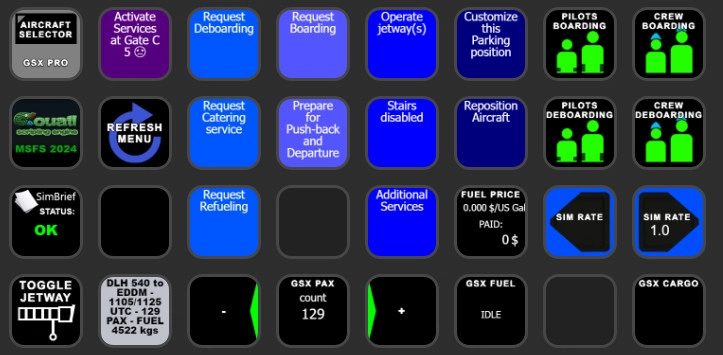
Description
GSX PRO StreamDeck XL Profile & AAO Scripts
for LORBYs AxisAndOHs (AAO) and its SD Plugin
by Guenseli
Based on the GSX SD profile and scripts from LORBY-SI
No need to open the GSX In-Game Menu any more! ;)
ATTENTION!
PLEASE READ CAREFULLY!
- When you import SD profiles, make sure to delete the old ones, otherwise you'll get profile copies.
- Make sure to always have the latest AAO and AAO StreamDeck plugin versions!
- I just create the SD profiles! For any connection issues, SD plugin not working, Buttons show "?" or nothing, no reaction of the SD etc., please contact the developer of AAO! And please read the AAO Manual or the short Troubleshooting PDF provided by the AAO dev
- It is - as the title says - just for the StreamDeck XL (!). Please do not ask for a 15 button conversion. This will not happen as this will more than double the amount of development and support for me as I do not have a 15 button SD. Sorry.
- Please ask if you want to use parts of my SD profiles, icons or AAO scripts or whatever! And please ask everytime you start a new project! You have to credit and link me in your description!
If you use my work, you are then not allowed to beg for own donations!
Installation:
Install the SD profile by double clicking at GSX MSFS GUENSELI.streamDeckProfile
Import the AAO script AxisAndOhs_GSX_Scripts.xml according to the AAO manual
(These are the same as found on Lorby download page!)
You need to change your own file paths!
1)
AAO -> Scripting -> RPN Scripts Editor -> expand GSX:
double click MENU_UPDATE: change the following orange to your own path
(LOADTEXTFILE:D:\FSDreamteam\Addon·Manager\MSFS\fsdreamteam-gsx-pro\html_ui\InGamePanels\FSDT_GSX_Panel\menu|GSX_MENU|11)
(LOADTEXTFILE:D:\FSDreamteam\Addon·Manager\MSFS\fsdreamteam-gsx-pro\html_ui\InGamePanels\FSDT_GSX_Panel\tooltip|GSX_TOOLTIP|1)
2)
Open StreamDeck Software with profile GSX MSFS GUENSELI
Click in the GUI on the button with the GSX logo, a context menue is opening in the SD Software
under "Key Down event": change the following orange to your own path
(EXEC:D:\FSDreamteam\Addon·Manager\couatl64\Couatl64_MSFS.exe)
under "Key Up event": change the following orange to your own path
(EXEC:D:\FSDreamteam\Addon·Manager\couatl64\Couatl64_MSFS2024.exe)
Please note:
if you start Couatl via StreamDeck (Button with Couatl Logo), wait some seconds until the button shows the correct connection. Do not press this button repeatedly!
Read the included LorbyAxisAndOhs_MSFS_GSX_Integration.pdf!!!!
You can use the SimBrief status button also to reload SimBrief into GSX. be sure to press the refresh button before, you should then read "unknown" as status for a few seconds.
Do not change passenger numbers after you loaded a SimBrief flightplan. You will get wrong numbers in the counter, GSX will choose the SB pax number in any case.
Donations are welcome!!! it is a lot, really a lot of work, and some donations make future projects easier ;) thx!
If you want to donate directly as friend without a PayPal fee, then use this adress, please: www.paypal.com/paypalme/GuenterSteiner
Comments(45)
Log in to join the discussion
Log In6 months ago
over 3 years ago
If you have greyed out buttons, no reaction of the StreamDeck, exclamation marks etc, that means you have connections issues between AAO and the StreamDeck.
94% of all support request are due to no proper connections or outdated versions of AAO and/or the AAO SD plugin.
Check ports, check the troubleshooting PDF, contact AAO support.
My Streamdeck profiles work (beside from probably little bugs). If you have such issues, I can't help you, sorry! Support requests can't not solved by me as I'm not the developer of AAO!
over 3 years ago
Is this still supposed to work? I followed the instructions to the letter, both your's Günter, and the AAO manual but all I see is grey buttons on the streamdeck where your blue buttons with text are, pilots, refresh, start couatl etc show up but don't do anything. I have the same problems with all your other profiles and I feel that I miss something very basic but I don't find my problem.. :/ AAO is up to date, Web API on port 9080, everything loaded, the paths set to my paths.. SD software up to date etc...
over 3 years ago
Yes, it is working.
If you have grey buttons, you have connection problems, like port settings etc.
Please contact AAO support for this
over 3 years ago
alles klar, danke, mach ich!
over 3 years ago
Hi Günter, habs zum Laufen gebracht. Ich hatte die Ports in der Firewall nicht freigegeben. Vielen Dank für deine Mega Arbeit hier, die Plugins sind der Hammer!
over 3 years ago
Danke sehr und gut, dass es geklappt hat
over 3 years ago
Thank you for your work I like it a lot!
Is it normal that at 50% of the time I have to have the GSX menu open for it to recognize the inputs, and that the menu always opens when you press "refresh"? If that's normal, it would be nice to have a button dedicated to closing the menu via streamdeck.
over 3 years ago
This behave changed some GSX versions before. Formerly, I could use my profile and have never seen the GSX window.
Currently I can't say, when and why it cames up 100%
Will try to change sth if possible
over 3 years ago
Fantastic! Thank you very much
over 3 years ago
Thank you very much for this. I only have one comment. I do a lot of turnaround flights, where I disembark everyone and start a new boarding afterward. When I first deboard, it shows the status until it shows "COMPLETED" for PAX and CARGO. However, if I request a new boarding (for a new flight), the count of the passenger will show as well as the "completed" will stay message one on top of each other. Is there a way to clean this up? A refresh menu does not solve it. Thank you for all your hard work!
over 3 years ago
Hello, unfortunately I can just work with the variables GSX provide. And they do not change in that case.
FSDreamteam itself recommends itself, that in case of a turnaround you have to restart GSX. Do you do that?
over 3 years ago
I don't. But I can start doing that. One other thing. After the new update (Post SU10), now the menu on the screen is opening which is kinda of annoying. Is there anything to change on the integration so that doesn't happen anymore? Example, refresh menu now opens the menu on the screen as well. Thanks again!
over 3 years ago
Same Here and there in no control via steamdeck' the regresh menu open it and there is no control via streamdeck unless menu is open
over 3 years ago
@Desh: have alook at certain GSX settings. It does not happen here.
over 3 years ago
@ezman: please make more effort writing cleary, I do not understand what you mean
over 3 years ago
The behavior went away today. Not sure if they fixed or made a change and went back. Thanks again for this. One of the best uses of my Stream Deck. Good to know that I wasn't the only one. What he meant is that when we click on the streamdeck, the menu would pop on the screen. If we closed the menu on screen, the buttons on streamdeck would not make any action until we opened the menu on the screen or when we pressed "refresh menu" on the Streamdeck. This would make the plugin pop up on the MSFS screen. I will let you know if it happens again. (if they make it a permanent change). Thanks again!
GSX PRO StreamDeck XL Profile & AAO Scripts
Enhance your GSX experience with the GSX PRO StreamDeck XL Profile & AAO Scripts by Guenseli. This add-on eliminates the need to open the GSX In-Game Menu, offering seamless functionality. Ensure to follow installation instructions carefully for the StreamDeck XL and AxisAndOHs plugin compatibility. Consider supporting the developer with a donation for future enhancements to this plugin.
User Reviews
10 reviews
More Information
Version History
Added support for MSFS2024 (and MSFS2020) Some enhancements also
Related
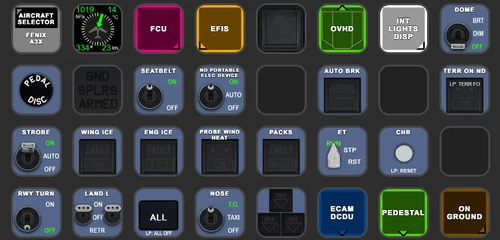
FENIX A3XX AAO Scripts & StreamDeck XL & PLUS Profile
Customize your Microsoft Flight Simulator experience with FENIX A320 AAO Scripts & StreamDeck XL Profile by Guenseli. This add-on offers a seamless integration with LORBYs AAO and StreamDeck Plugin for optimal performance. Explore the detailed installation instructions for enhanced functionality with a VRInsight MCP Combo II. Elevate your simulation setup with this meticulously crafted add-on.
by Guenseli
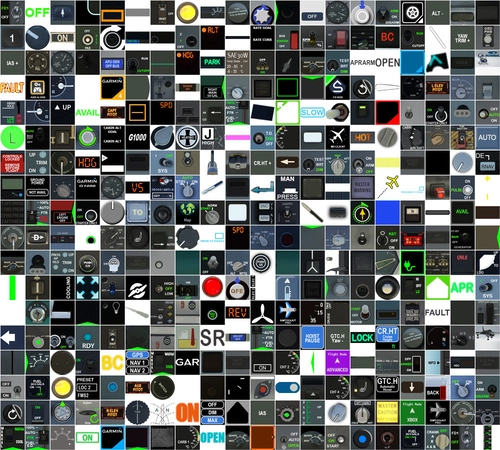
Icon Pack for Elgato StreamDeck
A collection of over 3500 icons designed for Elgato StreamDeck and similar devices, created by Guenseli. Ideal for personal use with a disclaimer against commercial usage. Icons are detailed and diverse, providing a variety of options for customization. Credits required if used in public projects, with a suggestion for donations to support the creators work.
by Guenseli
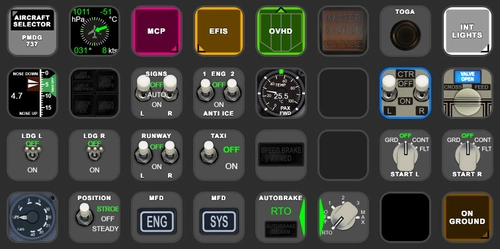
PMDG 737 AAO Scripts & StreamDeck XL & PLUS Profile
Enhance your PMDG 737 experience with the PMDG 737 AAO Scripts & StreamDeck XL & PLUS Profile by Guenseli. Make sure to update your Elgato Software to version 6.0 or higher for compatibility. This profile is specifically designed for the StreamDeck XL and requires LORBYs AAO and its StreamDeck Plugin to run smoothly. Get ready to elevate your cockpit with this detailed and user-friendly add-on.
by Guenseli
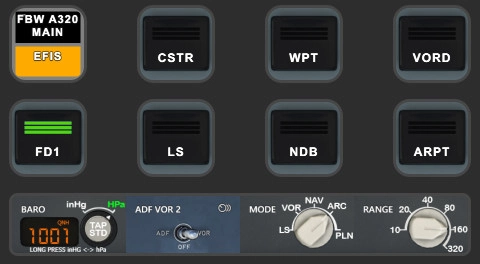
FBW A320 AAO Scripts & StreamDeck XL & PLUS profile and MCP Combo template
Enhance your FBW A320 experience with tested AAO Scripts and StreamDeck profiles for XL & PLUS versions. Ensure to delete old profiles before import and always use the latest plugin versions for seamless integration. Contact AAO developer for any connection issues and give credit if using parts of these profiles in your projects. Install scripts and profiles for an immersive flight simulation experience.
by Guenseli
over 3 years ago
If you have greyed out buttons, no reaction of the StreamDeck, exclamation marks etc, that means you have connections issues between AAO and the StreamDeck.
94% of all support request are due to no proper connections or outdated versions of AAO and/or the AAO SD plugin.
Check ports, check the troubleshooting PDF, contact AAO support.
My Streamdeck profiles work (beside from probably little bugs). If you have such issues, I can't help you, sorry! Support requests can't not solved by me as I'm not the developer of AAO!