

Description
Recently I've made the Pelican improvement mod (the speed brakes + lighting add-on). And it was extremely difficult to bring my 3D objects onto the existing Pelican by Asobo. I was stuck for days! Because of lack of documentation and lack of (or broken/outdated) tools.
While focusing on delivering the mod, I also noted for later that this was a task that maybe I could contribute in simplifying. Now it's the time and I've written some scripts for you (and also for me, of course).
So, I hope it will empower some of you into adding fun (or serious) stuff on existing aircraft and expending even more the richness of this community.
Disclaimer:
- Don't use these tools (or any other) to add stuff and republish aircraft 3D models of copyrighted/payware stuff. That would bring you legal problems!
- Even if you want to reuse freeware GTLFs and add a new set of wings or floats or a trailer attached behind the tail (that's the kind of stuff I could have done :D ), always ask the initial aircraft/models creators first: It's not true that "It's easier to ask for forgiveness than permission."
Tools you will need:
- Blender 3.1.x or 3.2. AND Blender 2.93 (with add-ons that are listed on the PDF included with this mod)
- Python 3
- Probably MSFS Textures Toolbox (another add-on of mine)
Knowledge you will need:
- How to "use Blender": managing add-ons, import/export, modelling, animating, unwrapping, texturing, organizing your collections, etc.
- How to create MODs: folders naming and structure, generating/updating a layout.json, making your manifest.json, etc.
Behind the download button, you will find:
- Two Python3 scripts > MSFS-GLTF-Compiler.zip
- One PDF documentation > MSFS Gltf Merge DOC.zip
- One example MOD : "Toga Cola dispenser for the Cessna 208B" (see screenshots on this page) > lrdfrt-aircraft-208B-TogaCola.zip
- Example/Working files (Blender + PNG + various GLTFs) of the Toga Cola Mod > Toga-Cola Example files.zip
I will not put much more text here, everything you should learn is in the PDF (4 pages, a big [and complex] schema). And if it's not in there, maybe I forgot to explain it, or maybe it's something you should already know before stepping in this thing :)
Future updates:
Right now, you will see this process is utterly complicated and could really benefit from one or two little simplifications that would make the whole thing so much more easy and even automatable. So I will think, refine and see what I can do within the limitations of code copyright from all the tools involved in this mix.
Comments(11)
Log in to join the discussion
Log In9 months ago
9 months ago
7 months ago
over 1 year ago
almost 3 years ago
almost 3 years ago
almost 3 years ago
almost 3 years ago
about 4 years ago
Nice job !
Thanks for the retro engineering
about 4 years ago
Thanks mate. I'm currently diving in "pyGltflib" Python library... If I can manage to breakdown one last thing, the export/compilation of GLTF should be really easier!
And maybe, some day (let's allow us to dream a little), we can just import compiled GLTF in Blender 3 and export compiled GLTF with Asobo's exporter, by ticking a checkbox :) ... maybe ;)
GLTF-Compiler + Doc + Example
A comprehensive set of tools, documentation, and examples to facilitate the process of adding custom 3D objects to existing aircraft in Microsoft Flight Simulator. Includes Python scripts, PDF documentation, and a working example MOD for easy understanding and implementation. Requires Blender, Python 3, and knowledge of Blender and MOD creation. Empower your creativity and enhance the communitys aircraft customization potential.

User Reviews
2 reviews
Version History
No change to the scripts and/or versions compatible with them. I just included the doc + demo files (working file + finished add-on) directly in the main ZIP since there are no longer additionnal downloads on flightsim.to
Related
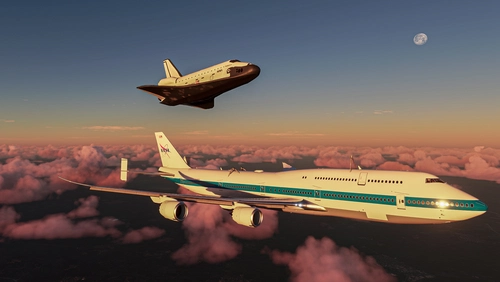
Boeing 747 SCA
Experience the rare Boeing 747 SCA in Microsoft Flight Simulator with this detailed add-on. Includes the Endeavour Shuttle Orbiter attachment, modern livery, additional vertical tail ailerons, tuned engines, and more. Explore the unique detach console and Shuttle Payload Manager EFB for a fully immersive simulation. Enhance your simulation experience with this meticulously crafted aircraft mod.
by LordFrites
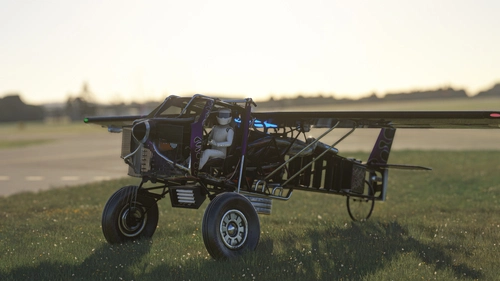
The Scrapyard Monster
The Scrapyard Monster is a fictional aircraft inspired by the powerful Cosworth RA engine, offering extreme STOL and aerobatic capabilities. With highly detailed 4K textures and custom sound pack, it features dual VOR navigation, autopilot, and various effects like engine smokes and contrails. Choose between the Bush Monster or the Sea Monster variant for a unique flying experience.
by Flying Fries
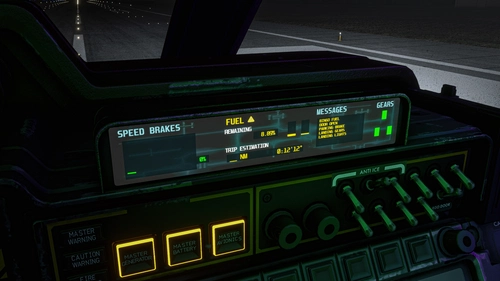
Pelican Improvement Mod
I've never played Halo. Let's start with this statement! Nevertheless, I think the lore of this universe is really rich and the Pelican Asobo provided is simple enough to let us dream and create our own adventures around it. So get ready for a fun mod!
by LordFrites
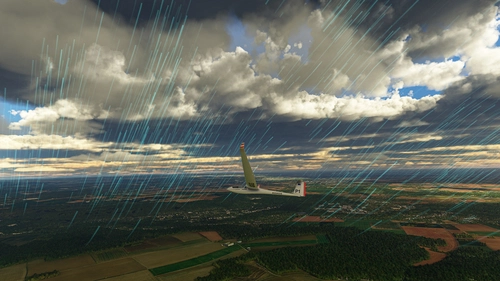
FSB - Weather Pack
A few custom weather presets made for FSB Flight Groups, by myself and other virtual wingmen! These presets aim for epicness, contemplation and sometimes challenges. This pack is going to be updated on regular basis, with only great and very specific presets.
by LordFrites
9 months ago