

Description
Note: Requires the version of OMDB included with MSFS Premium Deluxe. There are different installation instructions depending on whether you have GSX Pro - see below.
This is a complete overhaul of Asobo's Premium Deluxe OMDB, combining Asobo's eye candy with an accurate and usable airport in all other respects. Everything has been changed except for Asobo's airport building models. This update includes custom, highly detailed ground textures, additional custom objects (gate signage, VDGS stands, Concourse D jetway links, missing logos and signs), overhauled runways and taxiways, terraforming, accurate night lighting, and much more.
INSTALLATION INSTRUCTIONS
If you don't have GSX Pro:
- Open the "1. Default Asobo Jetways Version" folder.
- Move "qnh997-omdb-overhaul" into your Community folder.
If you have GSX Pro:
- Open the "2. GSX Jetways Version - Requires GSX" folder.
- Move "qnh997-omdb-overhaul" into your Community folder. If you install the GSX version, do not install the main file - choose one or the other.
- Download the GSX Profile for the airport HERE.
- If you want more accurate jetway logos, follow the instructions in the readme.
- Make sure OMDB is disabled in the Jetway Configuration section of your GSX settings (which can be accessed via the FSDT Installer).
OPTIONAL (HIGHLY RECOMMENDED) DOWNLOADS
To see static aircraft: Static aircraft have been included in select long-term parking and maintenance spots. You will need FSLTL to see them (AIG is no longer required). I have not added any static a/c to any active aprons, to preserve their usability on VATSIM and with offline traffic.
To fix unrealistically tall autogen on the approach into 12L/R:
- Open the "3. OPTIONAL Autogen Height Correction" folder.
- Copy "qnh997-MENA-autogen-correction" into your Community folder.
Note: this will change the height of apartment buildings across the Middle East and North Africa region, not just in Dubai. I personally prefer this, but if you do not, don't use this file.
KNOWN ISSUES
Updates not showing: If you are amongst the few users facing issues getting the file to work, make sure my file is loading AFTER the Asobo OMDB package using the package order function in the Experimental settings menu.
Floating jetways: Jetways and jetway links may appear to be floating/unlinked to the terminals, especially when using the drone camera. This is a sim bug, not a scenery bug.
ISSUES AND FEEDBACK
Comment below or direct message me. All feedback is welcome 😊
COMMERCIAL USE AND DISTRIBUTION WITHOUT PERMISSION IS STRICTLY PROHIBITED. ALL RIGHTS RESERVED.
Location
OMDB Dubai Int'l Overhaul
Transform your Microsoft Flight Simulator experience with the OMDB Dubai International Airport Overhaul. This add-on provides a complete makeover to Asobos Premium Deluxe OMDB, featuring custom ground textures, additional objects, overhauled runways, accurate night lighting, and more. Choose from different installation options based on whether you have GSX Pro, and explore optional downloads for static aircraft and autogen height correction. Share your feedback and enjoy a more immersive airport environment.

User Reviews
62 reviews
Version History
The scenery has not changed. You do not need to redownload if you already have version 3.4 from last December installed. This upload is to account for recent changes to flightsim.to. The website no longer supports multiple files. Both versions of the scenery (default + GSX) and the optional autogen fix are now all included in a single upload.
Featured in Collections(1)
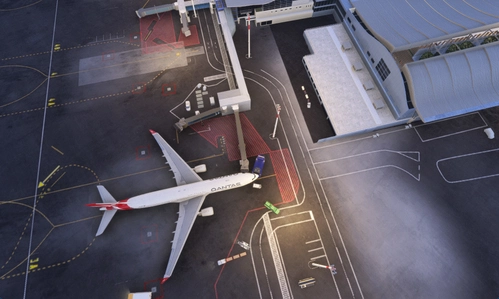

Related
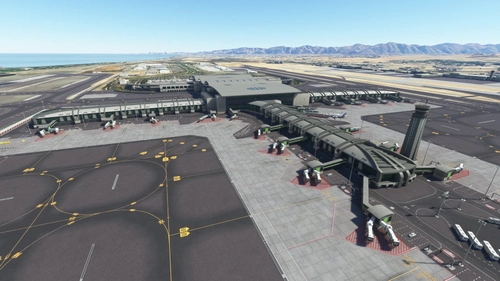
OOMS Muscat Int'l - Muscat, Oman
Experience Muscat International Airport in Oman like never before with this detailed add-on for Microsoft Flight Simulator. Featuring custom 3D models, textures, and an accurate layout as of August 2022, immerse yourself in the hub for Oman Air and Salam Air. Follow the installation instructions carefully for a seamless experience, including optional high-res aerial imagery to enhance your simulation. Please note known issues and provide feedback to improve this stunning rendition of OOMS.
by QNH997
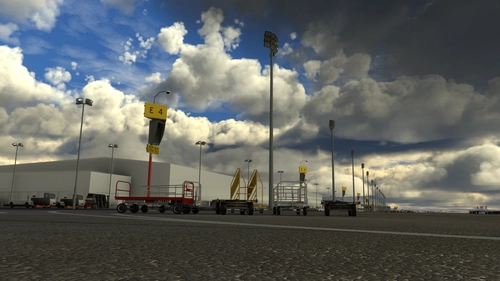
GSX Profile - OMDB Dubai (QNH997)
GSX Profile for OMDB Dubai (QNH997) featuring VDGS, custom pushback positions, and vehicle placements for completed gates. Created in collaboration with SimonTricks, it covers terminals 1, 2, 3, and Royal Air Wing gates. Additional gates are a work in progress. Installation involves copying the ini file to %APPDATA%VirtualiGSXMSFS. Feedback is appreciated.
by QNH997, SimonTricks
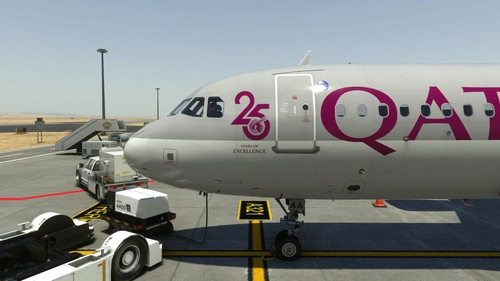
Fenix A320 | Qatar Airways A7-LAA | 2 Versions | Cabin | 8K & 4K
Enhance your Qatar Airways experience with the Fenix A320 livery add-on, featuring both the current "25 Years" logo and a logo-free version in stunning 8K and 4K resolution. Please note that this is a modified version and not an exact replica of the real aircrafts cabin. Make sure not to rename the livery folder to ensure proper functionality within the Fenix app. For any feedback or issues, feel free to reach out to the creator.
by EK1288
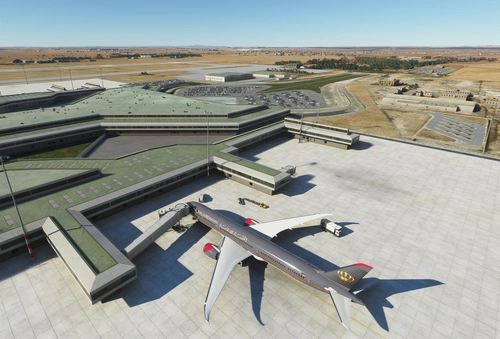
OJAI Queen Alia Int'l (Amman, Jordan) - Default Scenery Enhancement
Enhance your default experience at OJAI Queen Alia Intl (Amman, Jordan) with this scenery add-on. Enjoy accurate gates, taxiways, and visual improvements while still utilizing the default terminal and buildings. Latest updates include missing lights, taxiway sign fixes, and more visual enhancements for a more realistic airport experience.
by EK1288
Log in to join the discussion
Log InComments(248)
3 months ago
This comment has been deleted
3 months ago
5 months ago
This comment has been deleted
10 months ago
3 months ago
10 months ago
4 months ago
11 months ago
7 months ago
12 months ago
12 months ago
about 1 year ago
about 1 year ago
3 months ago
about 5 hours ago
about 1 year ago
about 1 year ago
over 1 year ago
I always download the airport and follow all the instructions in "Read.me", and I extract the airport folder to "community" and every time I enter the simulator and go to the airport, it remains in its default version.
Does anyone know how to fix this?
about 1 year ago
about 1 year ago