
Description
Hi little monsters!
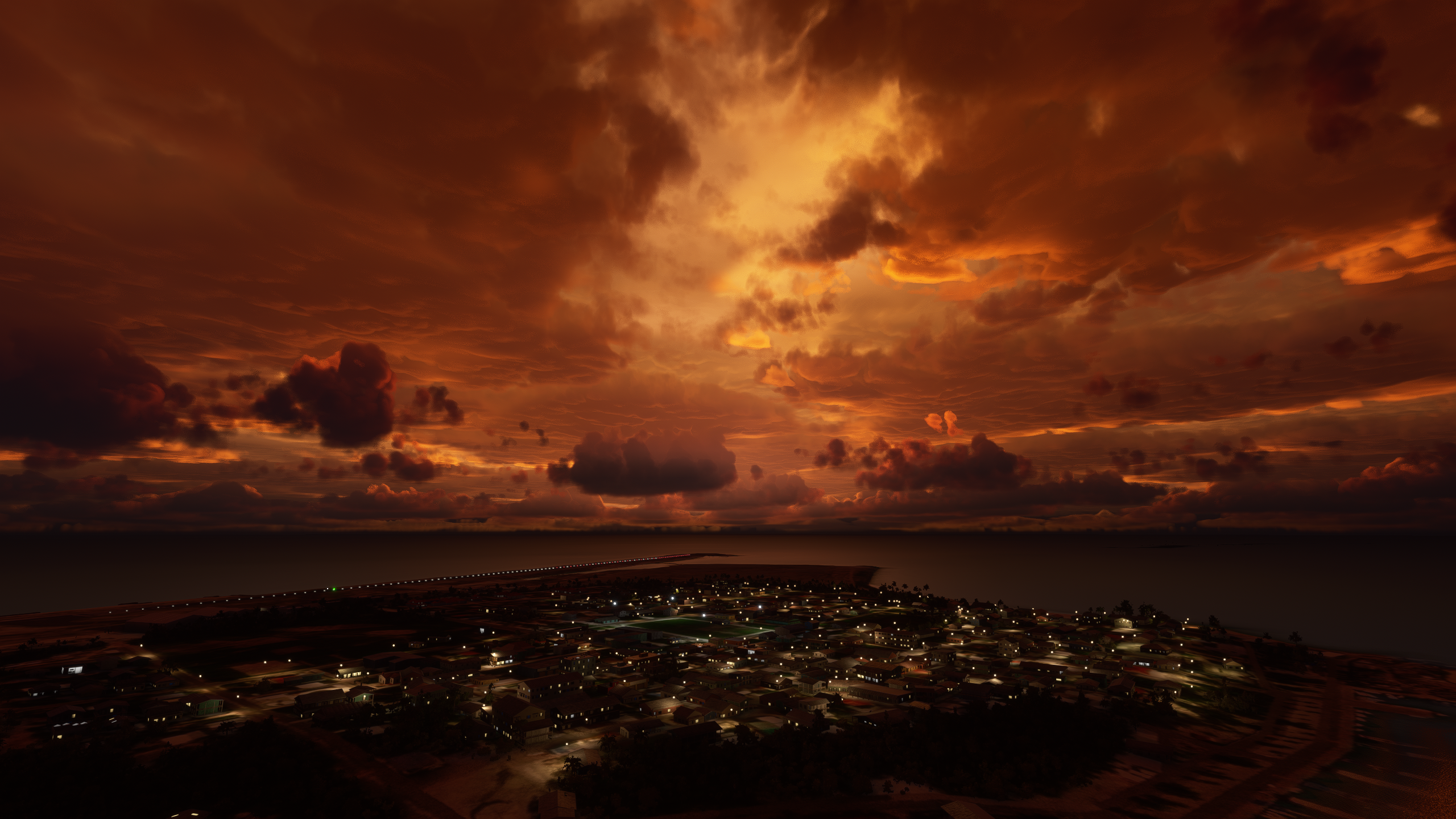
This is the Halloween Creepy Weather Preset you have discovered in Halloween EVENT in FS2020.
Simply Drag and drop the Halloween.WPR in the PRESETS Folder:
TO INSTALL
(steam): Open the archive, drag and drop the Halloween Creepy Weather preset file into
C:\Users\{yourAccount}\AppData\Roaming\Microsoft Flight Simulator\weather\Presets\
If "C:\" isn't the disk your Windows isn't installed on obviously choose the right disk. Make sure hidden folders are unhidden. If you cannot find the AppData folder, press Windows Button + R (or select Run from start menu) and type in: "%AppData%". You can also put this into the url bar thing of windows explorer.
for windows store users: C:\Users\\AppData\Local\Packages\Microsoft.FlightSimulator_\LocalState\Weather\Presets\
You have to put his weather preset in there. If you find a different pathway post it in the comments to help out others and anyone else who wants to share weather... we can only hope MS puts the weather presets in a more sensible location so we can share these things easier
Don't forget to change the time in Flight Simulator 2020 and choose the end of the day when the sun goes down or rises to find the same creepy atmosphere
This weather preset also gives you a nice layer of clouds during the day, you can also remove the storm in the weather options.
Halloween Creepy Weather Preset
Transform your Microsoft Flight Simulator experience with the Halloween Creepy Weather Preset. This preset creates a spooky atmosphere perfect for Halloween flying adventures. Simply install the preset and adjust the time in-game to fully immerse yourself in the eerie environment.


User Reviews
7 reviews
Version History
No version history available.
Log in to join the discussion
Log InComments(15)
2 months ago
AppData\Roaming\Microsoft Flight Simulator 2024\Weather\Presets
over 5 years ago
Genial!!!. Un enorme saludo y agradecimientos. Por gente como vos es que vale la pena seguir una comunidad.
over 5 years ago
over 5 years ago
over 5 years ago
over 5 years ago
over 5 years ago
over 5 years ago
over 5 years ago
over 5 years ago
over 5 years ago
almost 6 years ago
almost 6 years ago
almost 6 years ago
Could you create, please, more ??
It look amazing. Misterious
almost 6 years ago