
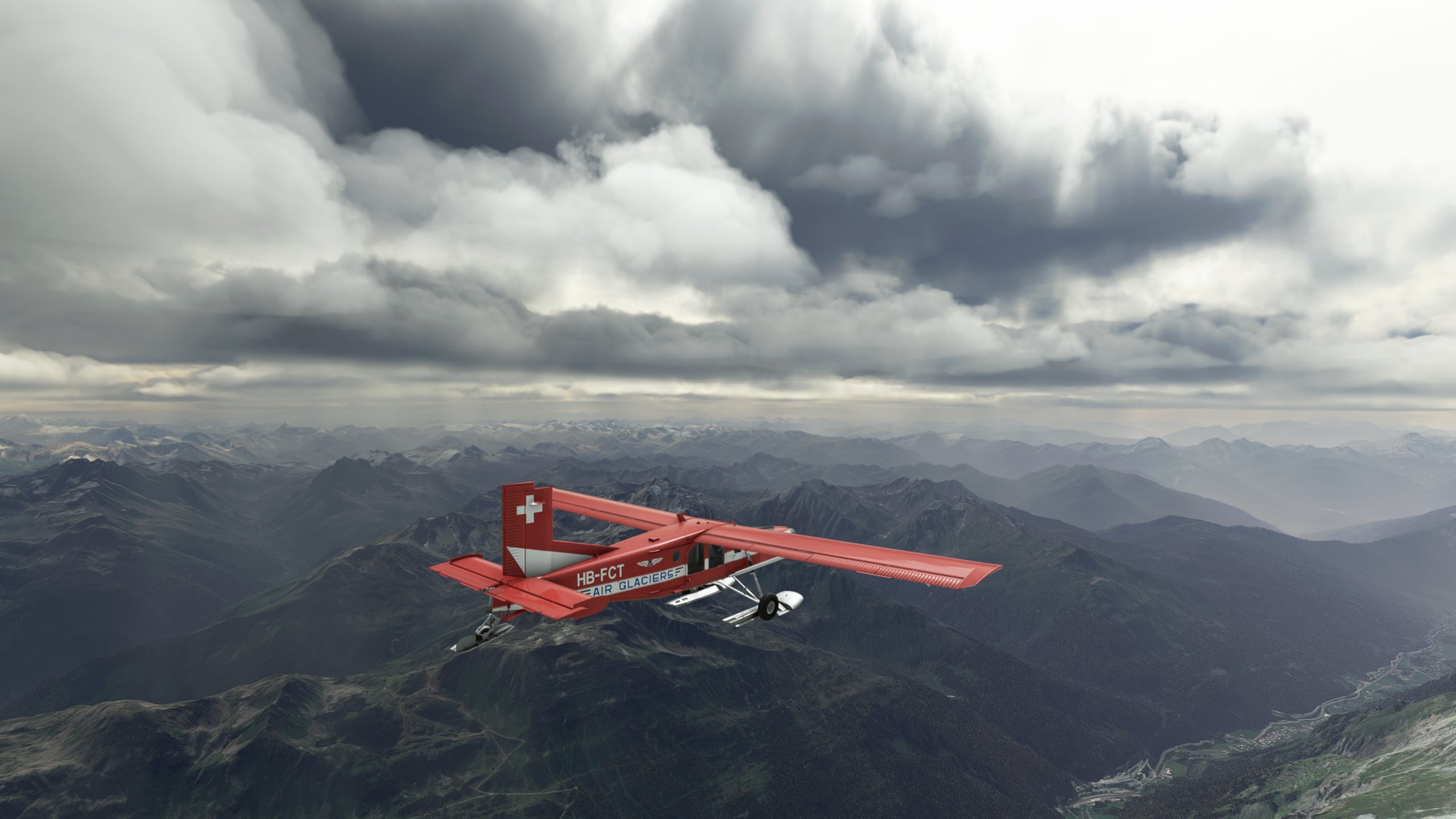
Description
Hi Pilots!
Are you looking for a different, challenging weather, with beautiful clouds?
Here is Knack's Weather Presets with 10 Weather Presets!
Easy to use, just copy the folder to the Community folder and the adventure begins with breathtaking rendering
Here is the list of presets:
-
KNK Cloudy Day
-
KNK Cloudy Horizon
-
KNK Creepy Sky
-
KNK Fog No Visibilty
-
KNK Heavy Sky
-
KNK Mountains Chill
-
KNK Snow Storm With Fog
-
KNK Spring Sky
-
KNK Summer Storm
-
KNK Threatening Clouds Sky
How to Install?:
You just need to unzip the file and drag and drop the folder to your 2020 or 2024 Community folder
I had been looking for weather presets for some time to make great in-flight captures.
Hope you enjoy it, have a nice flight!
Credits: PC-6 Swiss Liveries - Air Glaciers and Swiss Air Force by flightzoomer available here: https://fr.flightsim.to/file/23658/pc-6-swiss-liveries-air-glaciers-and-swiss-air-force
Knack Weather Presets Pack
Transform your flight simulation experience with Knacks Weather Presets Pack! This pack offers 10 unique weather presets for you to explore, from Cloudy Day to Snow Storm With Fog. Simply install by copying the folder into your Community folder and get ready for a visually stunning adventure in the skies. Perfect for capturing breathtaking in-flight moments and adding a new level of challenge to your flights!


Version History
works with msfs 2024 put the folder in your FS24 community and enjoy
Log in to join the discussion
Log InComments(13)
almost 5 years ago
there seems to be a quote missing in the manifest.json file in the title field:
line 4
"title": "Knack Weather Presets,
almost 5 years ago
it's fixed
almost 5 years ago
YOU ROCK!
almost 5 years ago
Thanks for using/presenting my PC-6 livery (available here on flightsim.to too)!
almost 5 years ago
it's added with credits now :)
almost 5 years ago
Followed the install instructions, but the presets are not there.
almost 5 years ago
Hi
thanks for tour feedback
try this please
Drag and drop the .WPR files in the PRESETS Folder:
TO INSTALL
(steam): Open the archive, drag and drop all .WPR files presets file into
C:\Users\{yourAccount}\AppData\Roaming\Microsoft Flight Simulator\weather\Presets\
If "C:\" isn't the disk your Windows isn't installed on obviously choose the right disk. Make sure hidden folders are unhidden. If you cannot find the AppData folder, press Windows Button + R (or select Run from start menu) and type in: "%AppData%". You can also put this into the url bar thing of windows explorer.
for windows store users: C:\Users\\AppData\Local\Packages\Microsoft.FlightSimulator_\LocalState\Weather\Presets\
almost 5 years ago
Comes up with invalid string on the layout.json. I'm sure it will install to sim weather preset though.
almost 5 years ago
Thanks, will follow these instructions. Thanks for the presets! :-)
almost 5 years ago
Excellent set of presets. My favourite is "KNK Cloudy Day". Best cloud preset ever!
almost 5 years ago
there seems to be a quote missing in the manifest.json file in the title field
almost 5 years ago
thx redheronde , it's fixed now damn " ;)
almost 5 years ago
Your creepy Halloween weather was amazing. Thanks so much for these new presets !