
Description
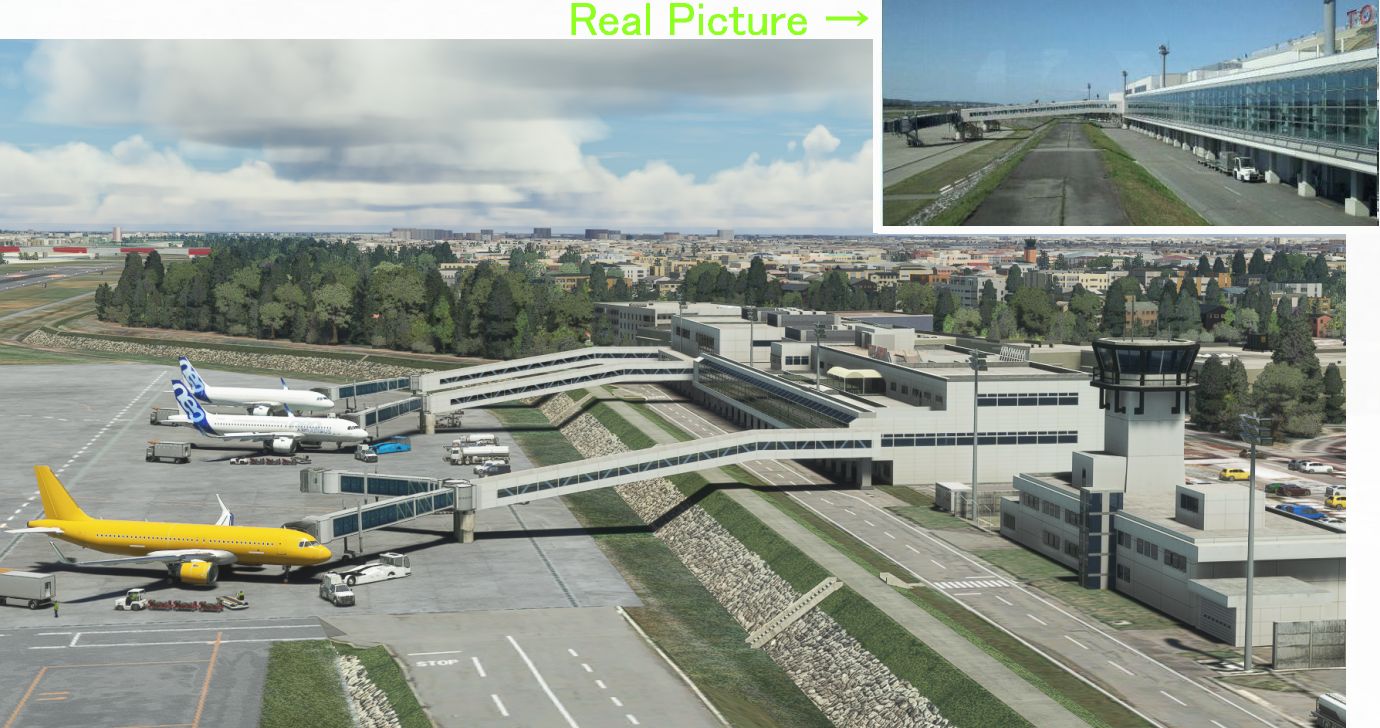
Toyama Airport was built in the river because land could not be secured in Japan, where there are few plains. It is designed to submerge the runway if the largest heavy rain hits (because raising the runway narrows the river width and causes floods).
The terminal was built outside the river to prevent it from being submerged.
Therefore, the longest 89-meter boarding bridge in Japan was built from the terminal.
The highway in front of the RWY20 side passes through the middle of the approach lights, so it is painted red and white. There is a "Caution for airplanes" sign on the road. In normal landing, it will fly at a low altitude in the center of Toyama City(Population 410,000) at 1000FT.
The runway is as narrow as 2000M and the apron is small, so the jet plane stops diagonally.
MSFS's Toyama was a poor airport, so I remade it.
Technically, creating a 2km long stone wall was extremely difficult.
Ver1.6
1. I have rebuilt JETWAY.
2. I adjusted the color of the building.
3 I added "dirt" to apron and taxi and turning pad.
4. I made other corrections.
The main changes are shown in Photo 1-8.
The file name has been changed from \h281_toyama to kaze-airport-rjnt-toyama, so please delete the old file first.
Ver1.6
1 jetwayが似ていないので作り変えました。
2 建物や 紅白の橋の白色が鼠色になっていて似ていなかったので白色にしました。
3 距離表示灯のフォントを変えました。
4 エプロンを汚しました。
5 ターニングパッドでくるっと回るときに入るタイヤの汚しを入れました(←3時間かかりました 3枚目写真)
6 趣味でいれていた ILS 109.3 のグライドスロープは 実際の通り 撤去しました。
主な変更は2枚目の写真のとおりですが、
掲載写真10枚の内 9枚 をV1.6の新しい写真におきかえました。8枚目だけ流用
※ご注意事項
ファイル名を¥h281_toyama から kaze-airport-rjnt-toyama に変えましたので 古いファイルを先に削除して下さい。
Location
(RJNT) Toyama Intl Airport
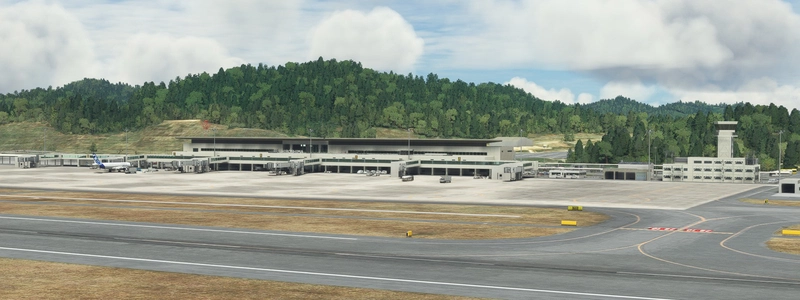
Discover the revamped Toyama International Airport in Japan for Microsoft Flight Simulator. Experience the unique design of an airport built in a river to combat heavy rain conditions, featuring a submerged runway and a terminal outside the river with Japans longest boarding bridge. Version 1.6 brings rebuilt jetways, color adjustments, and detailed dirt effects on the apron and taxi areas.
User Reviews
14 reviews
Version History
Ver1.6 1. I have rebuilt JETWAY. 2. I adjusted the color of the building. 3 I added "dirt" to apron and taxi and turning pad. 4. I made other corrections.
Featured in Collections(1)


Related
(RJOA) Hiroshima Intl Airport
Experience Hiroshima International Airport in Microsoft Flight Simulator with this detailed add-on created over seven months. Version 1.6 includes updated jetways, custom center lines, and added realism with dirt effects. Take note of recent issues regarding unauthorized copying and selling of this scenery, with the creator providing it for free to the community. Explore the changes made in this update for an enhanced flying experience.
by KAZE
(ROAH) NAHA Airport 2022
Enhance your Flight Simulator experience with the ROAH Naha Airport 2022 add-on, a collaborative creation by KAZE and Mr. Kuro. This scenery features a second runway with NAV data provided separately, including ILS frequencies for precision approaches. Version updates bring improvements such as pushback lines, gate adjustments, and realistic runway details. Discover the detailed enhancements and updates in this immersive airport scenery for Microsoft Flight Simulator.
by Kuro+KAZE
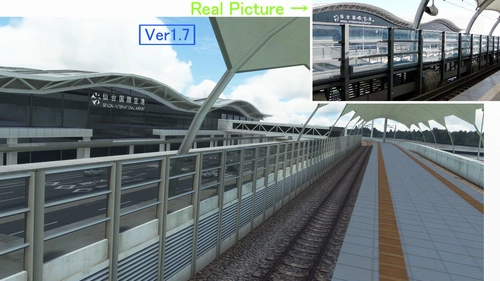
(RJSS) Sendai Intl Airport
Experience the transformation of Sendai Airport in this MSFS add-on, depicting the airport before the 2011 tsunami. Version 1.7 brings enhanced textures, realistic markings, and various corrections to improve the overall depiction of Sendai Intl Airport. A detailed update for aviation enthusiasts seeking a more authentic flight experience.
by KAZE
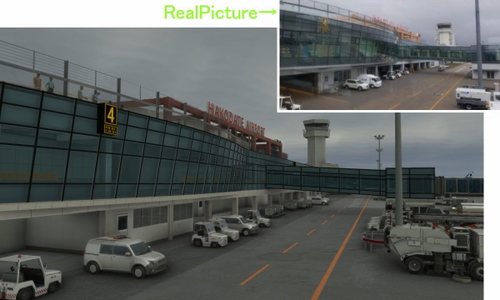
(RJCH) Hakodate Intl Airport
Enhanced version of Hakodate Intl Airport for Microsoft Flight Simulator, offering improved visuals and details such as remade jetways and updated runway markings. The add-on provides a more realistic airport environment, including dirty runways and added buildings, enhancing the overall flying experience over Hakodate city. Make sure to remove old files as the file name has been changed for this update.
by KAZE
Log in to join the discussion
Log InComments(69)
5 months ago
ありがとうございます!
over 1 year ago
over 2 years ago
over 2 years ago
I tested your airport, and found that the twin jetway deploys incorrectly on the tailgate of a Boeing 737. It is not an MSFS model aircraft, but an FSTL model. I also use GSX PRO, but I had the airport disabled, so it wouldn't use their jetways. However, I did not have the services disabled. In the screenshot in the attached link, you will understand what I mean.
https://1drv.ms/i/s!ArHTVrwPDnEngYkOLYES_1fooG51Ng?e=VpgmEh
over 2 years ago
JETWAY is set to connect to the front door.
If you go too far, MSFS's Jetways set to connect to the back door.So I think it's going to be weird.
I don't think there will be any problems if you stop at the stop line.
almost 3 years ago
about 3 years ago
over 3 years ago
I'm really enjoying your work as I tour Japan. Thanks for sharing.
almost 4 years ago
素晴らしいUpdateあり難うございます。
シーナリー標高調整に係わる面倒な作業本当にご苦労様でした。
また今回のVer1.5-Pro版の同梱も有り難うございます。
LOC Only ApproachでFPAやVS Controlで進入するのは、やはりリアル感があり楽しめます。(LOCの右側へのOffsetも上手く表示されていてGoodでした)
Thank you much!
almost 4 years ago
ありがとうございます。最近クレームしかコメントが入らないので 受信有が来るとドキっとしますが、うれしいコメントでありがとうございます。
almost 4 years ago
Thanks for continuing to update this airport, looks really good! ありがとうございます!
almost 4 years ago
Thank you. I've been feeling unmotivated lately, so it's encouraging.
about 4 years ago
Thank you!
about 4 years ago
Bedankt voor aanpassingen, Echt een geweldige luchthaven waar je kunt zien dat er veel tijd en energie in is gestoken. Ga zo doog
about 4 years ago
更新ありがとうございます。MFS○のを完全に超えました。
about 4 years ago
それはないと思いますが そういっていただければうれしいです。
about 4 years ago
有料版を超えてます。
about 4 years ago
いやそれはないとおもいます(汗)
over 4 years ago
Awesome scenery. I wish the jetways were animated. Any chance for OPTIONAL moving jetways (default metal) for those who prefer them animated?
over 4 years ago
Thank you very much. I'm sad, but I can't make animations.
It's very, very, very difficult.