
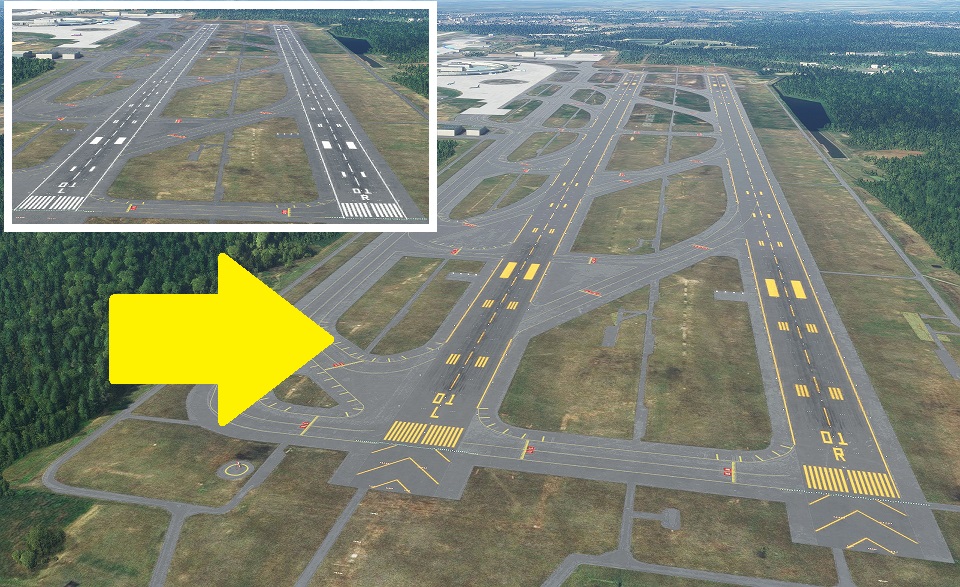
Description
Precision Runway Marking
精密滑走路標識
If it conflicts with other scenery and does not turn orange, change the scenery priority.
他のシーナリーと競合してオレンジ化されない場合はシーナリー優先順位を変更してください。
An easy way is to change the folder name to any name and it will be recognized as the latest and will be ranked higher.
簡単な方法は、フォルダ名を任意の名前に変更することで最新のものと認識され優先順位が上位になります。
Here, we are introducing another method.
こちらでは、別の方法を紹介しております。
https://www.tab-log.net/post-15088/
Thank you for visiting.
ご覧いただきありがとうございます。
It is created by surveying with Ministry of Land, Infrastructure, Transport and Tourism materials and Google.
国交省資料とGoogleで測量して作成してます。
The markings are not freehand and are therefore aligned.
マーキングはフリーハンドではないため、一直線に配置されています。
In the case of an airport in a snowy area, it is corrected to orange. The hue is suppressed within the range that does not feel strange with the default edge line.
降雪地帯の空港の場合オレンジ色に修正してます。デフォルトのエッジラインと違和感がない範囲で、色合いを抑えております。
The file size is very small because it consists only of programs.
プログラムのみで構成されているため、ファイルサイズは非常に軽量です。
We have adjusted it in consideration of the scenery that will be released from the other side in the future, but there are some sacrifices.
今後の他方からリリースされるシーナリーを考慮し調整してますが、犠牲にしてしまう部分があります。
Thanks to your kindness, it was a compatible MOD for the new Chitose Airport model (before Ver.1.5 was released) produced by KAPI_KUN.
ご厚意により、KAPI_KUN様制作の新千歳空港モデル(Ver.1.5公開前まで)互換MODとなっておりました。
Here is a list of Precision Runway Marking I have released.
リリースしているPrecision Runway Markingの一覧です。
旭川空港(Asahikawa Airport)
いわて花巻空港(Iwate Hanamaki Airport)
仙台国際空港(Sendai International Airport)
For installation, unzip to Community and use.
インストールについて、Communityに解凍して使用してください。
If you have any problems, please let me know.
不具合がありましたら、教えてください。
Location
Precision Runway Marking (New Chitose Airport (RJCC(RJSJ))
Enhance your airport experience with Precision Runway Marking add-on for New Chitose Airport (RJCC(RJSJ)). This modification ensures precise and aligned runway markings, correcting them to orange in snowy conditions. The small file size and easy installation make it a convenient addition to your simulator. Explore other airports with similar improvements by the same creator.
Downloads Stopped
The creator has temporarily stopped downloads for this addon. Please check back later.


User Reviews
1 reviews
Version History
Corrected the deviation from Google Map of the newly established taxiway, and arranged it according to KAPI's model correction. 新設の輸路送タキシーウェイのGoogle Mapとのズレを修正し、KAPIさんのモデル修正に合わせて整理しました。
Related
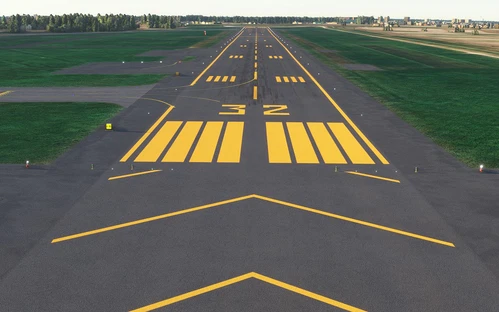
Precision Runway Marking (Okadama Airport)(RJCO))
Improve airport precision with this add-on featuring aligned runway markings created using Ministry of Land, Infrastructure, Transport and Tourism data and Google surveying. The small file size ensures easy installation, but adjustments may be needed for future scenery compatibility. Available for various airports, including Okadama, New Chitose, and Kobe.
by TOSHICHAN310
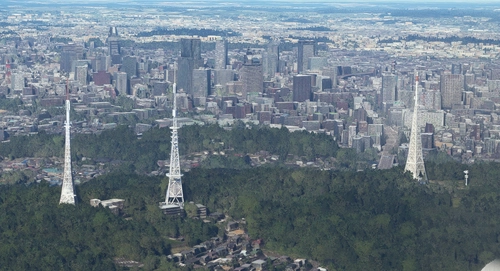
Sendai Landmarks
Explore the iconic landmarks of Sendai, Japan with this mod. Version 1.2 focuses on the east exit of Sendai Station, while Version 1.0 includes landmarks like TV tower 4 and Sendai Daikannon. Utilizing LOD20-22, this add-on aims to enhance the uniqueness of Sendai despite some frame rate drops during caching. Created using Google Earth Decoder, Blender, and color adjustments for Microsoft Flight Simulator.
by TOSHICHAN310
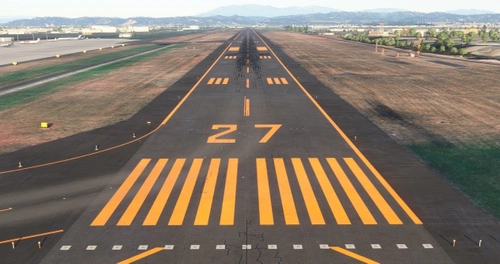
Precision Runway Marking 2024 (Sendai International Airport(RJSS))
Precision Runway Marking 2024 enhances the visual accuracy of Sendai International Airport (RJSS) for MSFS2024. This add-on features orange runway markings, tailored for regions that experience snowfall, and is created using data from the Japanese Ministry of Land, Infrastructure and Transport along with Google surveys. Note that it does not include building data and requires the “Japanese Airport Model Library KRC” for proper lighting setups. Adjust scenery priorities if conflicts with other add-ons arise.
by TOSHICHAN310
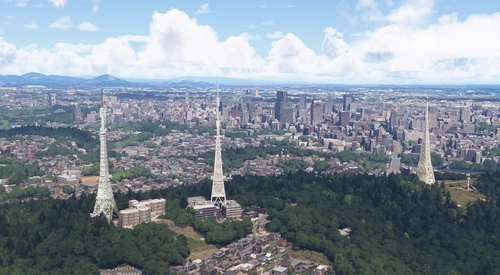
Sendai Landmarks 2024
We have extracted essential landmarks of Sendai from Google Maps.
by TOSHICHAN310
Log in to join the discussion
Log InComments(6)
almost 5 years ago
Could you turn in back on?
almost 5 years ago
about 5 years ago
New Chitose Airport (Chitose Base)
In the latest update (SU6), I felt something was wrong with the asphalt color, so I fixed it. Improved visibility of markings on the concrete runway on the Chitose Airfield side.
For installation, unzip to Community and use.
If it conflicts with other scenery and does not turn orange, change the scenery priority.
C: \ Users \ [username] \ AppData \ Local \ Packages \ Microsoft.FlightSimulator_8wekyb3d8bbwe \ LocalCache
→ Right-click content.xml → Open from program → Open with Notepad etc. (Be sure to back up!) Move down what you want to prioritize.
☆ Before putting in.
When playing multiplayer, in environments where this data is not shared, terraforming errors can cause the aircraft to float or sink from the ground. Share or uninstall and have fun.
Thank you for visiting. We would appreciate it if you could substitute it until a highly complete product is released. In addition to the materials of the Ministry of Land, Infrastructure, Transport and Tourism, it was created by measuring with Google Maps. The runway markings are basically straight lines as they are not free touch.
Overview
Based on AERODROME CHART, runways are consolidated on the RJCC side with 2 + 1 (public-private common area). I don't think you will be guided to the ASDF side.
Since all specifications such as transportation routes and frequencies are not separated, it depends on the RJCC side. (It will be separated if it is organized, but the timing is undecided)
Ver.1.2
In the latest update (SU6), I felt something was wrong with the asphalt color, so I fixed it. Improved visibility of markings on the concrete runway on the Chitose Airfield side.
Ver.1.1
It was confirmed that the number of Rwy19L had disappeared, so it was fixed.
Ver.1.0
I made the runway paint orange. Corrected the marking of Chitose Airfield to the actual one
If you have any problems, please let me know.
about 5 years ago
Any chance of adding lights?
about 5 years ago
Thank you for the e-mail.
I'm not thinking about adding lights so far.
That's because there are landscapes created by adding lights.
I created it with this in mind. There seems to be no big error so far.
You can download it from here.
https://flightsim.to/file/6360/rjcc-and-rjcj
about 5 years ago
Thank you! I really like your other works too. Please keep it up. I really enjoy the Japanese community freeware so far, you guys are dedicated.
Please include a donate link so I can buy you a coffee or beer.