
Description
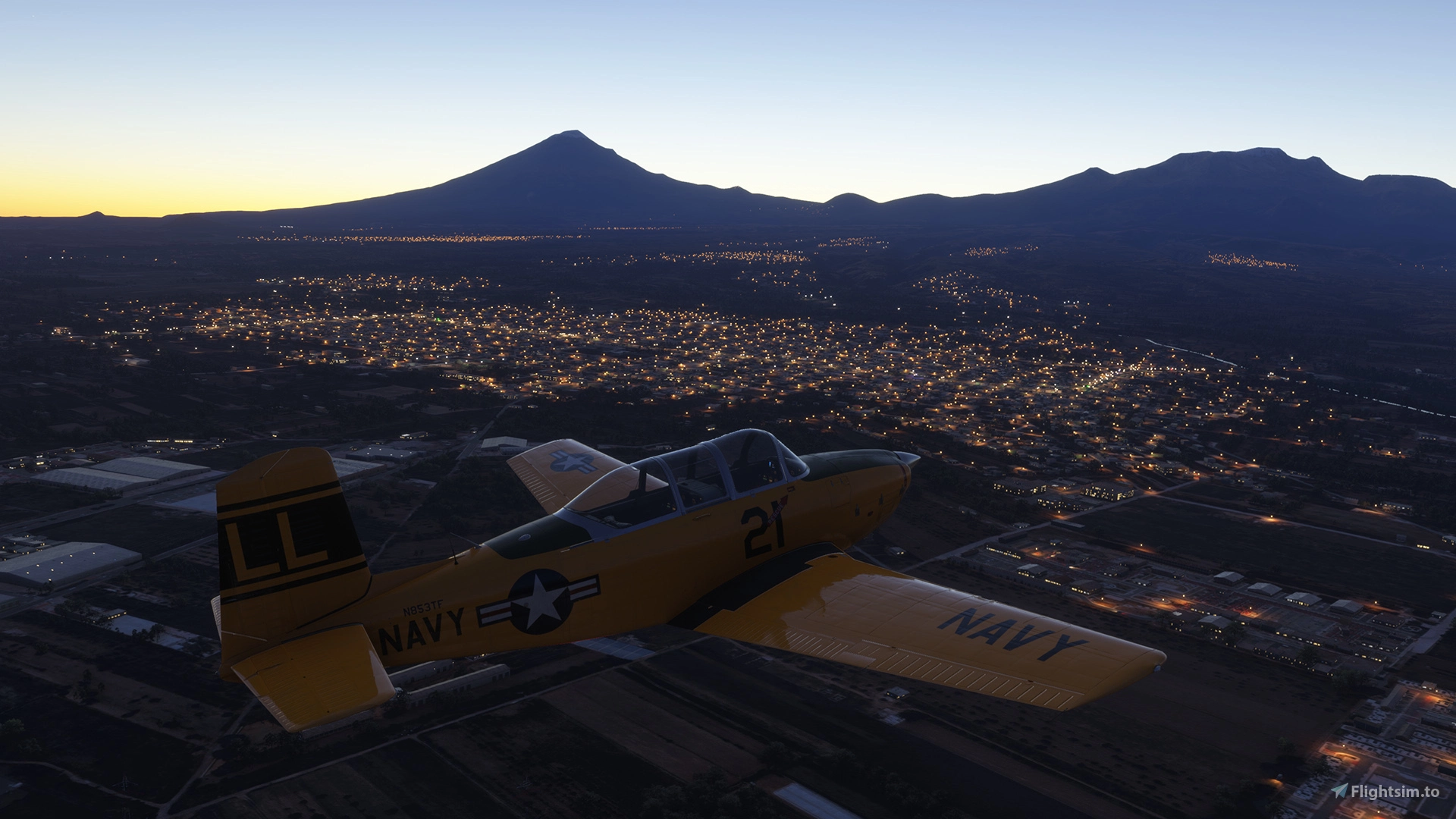
MSFS DarkStreets is a lightweight scenery package that enhances the night flying experience by excluding street lights outside of urban areas.
If you want to help out with ideas, testing, contributions, or just hang out with a bunch of sim nerds, feel free to join the project Discord!
https://discord.gg/aSgwX7VA
Full Earth Coverage:
AF - Africa
AS - Asia (RU, KZ, Central and Eastern CN, MM, N Part of SE Asia, KR, KP, JP, TW)
EU - Europe (EU, Eastern Europe, NW Middle East)
ME - Middle East (SA, IR, AF, PK, YE, OM, AE, Central Asia, IN, NP, Western CN)
NA - North America (US, CA, MX, Central America, Caribbean)
OC - Oceania (S part of SE Asia, ID, PH, MY, PG, AU, NZ, Pacific islands)
SA - South America
Up Next:
Subregion Tweaks and Algorithm Improvements
!IMPORTANT!
2024 SU5 has improved the light exclusion polygons LOD issue. Unfortunately there's nothing I can do to make it the same as 2020. Tools like DynamicLOD can help if you have the computer to power through TLODs 600-800.
Developed for the flightsim community using Claude.ai, Python, ArcGIS Pro, QGIS, mapshaper.org, and FOSS data sources including:
Copernicus - Europe's eyes on Earth (GHSL - Global Human Settlement Layer)
NASA Black Marble (VIIRS - Visible Infrared Imaging Radiometer Suite)
NaturalEarth
NightEarth.com (Reference only)
Over 320,000 exclusion polygons were programmatically generated from the satellite data sources using different data manipulation and filtering techniques.
Installation:
1. Delete old versions of kiwikat-darkstreets
2. Unzip and throw the 'kiwikat-darkstreets-XX' folders (containing ContentInfo, Scenery, json, etc.) into your sim's Community folder for each region you wish to use
Special thanks to @ryanbatc and the testing team for their efforts and listening to me ramble on about the project!
MSFS DarkStreets
MSFS DarkStreets is a scenery package designed to enhance night flying by removing street lights in non-urban areas across the world. Developed using various geographic information systems, this add-on focuses on programmatic generation of exclusion polygons, with additional support for user requests for improvements.

User Reviews
35 reviews
Version History
1.0.0 - Full project rework! DarkStreets now covers the entire Earth with over 320,000 polygons. By utilizing satellite imagery products, precision has been increased and many of the accuracy issues with OSM and other data sources are eliminated. See description and screenshot for coverage details. DELETE ALL OLD DARKSTREETS FILES BEFORE INSTALLING!
Featured in Collections(1)



Related
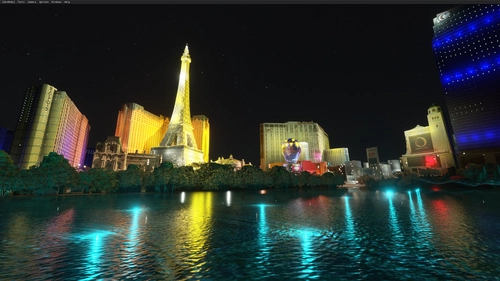
Las Vegas || Night Light Pack
Enhance your night flying experience with this Las Vegas night light pack for MSFS. This add-on features a multitude of colorful lights that illuminate the famous Las Vegas strip and its surroundings, matching real-life photos. With minimal impact on FPS, immerse yourself in the vibrant night scenery of Las Vegas with this easy-to-install enhancement.
by Aircake1
New York City Night Lighting and Improvements v1.4
Tired of New York City looking as if it's in the middle of a blackout? Try this.
by Aaron_H
FRANKFURT,GERMANY PART 2 . incl full night lighting
Explore more of Frankfurt, Germany with this second part add-on, featuring full night lighting and detailed enhancements to the city tower. Complementing the first part, this mod is a must-have for an enriched flight simulation experience, especially in VR.
by marktaylor
Immersive Lights: Los Angeles Area
Enhance your night flying experience in the Los Angeles area with Immersive Lights. This add-on replaces standard lighting with accurately placed, real-world data-driven lights, reflecting the true layout of the city. The optimally designed lights maintain visibility from high altitudes without impacting performance, providing a more realistic urban environment during nighttime flights.
by buenoman1
Log in to join the discussion
Log InComments(148)
10 days ago
Not sure what other work you have planned for it, but I hope this stays working for as long as possible.
I may have missed something, but since installing I've noticed landmarks are lit up like they're under a spotlight (pic attached)
If I have missed something, could someone point out what?
Other than that, 5/5 can't fly without it now.
about 5 hours ago
21 days ago
15 days ago
They know the "solution" in SU5 was not ideal, but my guess is due to console compatibility, they probably aren't able to change it at this point. If you guys want the next sim to have this sort of scenery built-in, I would start voicing your desires on the official forum.
about 1 month ago
25 days ago
about 1 month ago
about 1 month ago
25 days ago
about 1 month ago
about 1 month ago
about 1 month ago
2 months ago
2 months ago
2 months ago
2 months ago
Here's some SDK info I found:
https://docs.flightsimulator.com/msfs2024/html/3_Models_And_Textures/Plugins/Lights.htm
community post as well: https://forums.flightsimulator.com/t/improve-floating-lights/738003/27
If you consider this, it will be much appreciated!
2 months ago
Won't say "never" but I've been a lot more active over on the Linux side with X-Plane lately.
3 months ago
5 months ago
is there a way you can use the same script to fix AIRPORTS APRON NIGHT LIGHTING
Add light poles to all major airport aprons like real life
ramp/gate lighting: placing light poles where aircraft actually stop for parking
this issue has already been reported since msfs2020 but was never fixed
A solution I can think of here, is by assigning floodlight to every parking/gate layout in the airport. So all heavy and large parking stands are lit. It can also be set to a specific type of parking. For sample a Ramp GA Small wouldn’t have floodlights, but anything else would
a solution would be to make a script file to add a floodlight object to every parking spot so that in can be easily applied as a batch to all AI-generated airports as the parking spot objects are pretty much standardised across all of it without updating them one by one. (at least for all major and medium airport or regional airport)
tell me what you think about this project
best regards
4 months ago