
Description
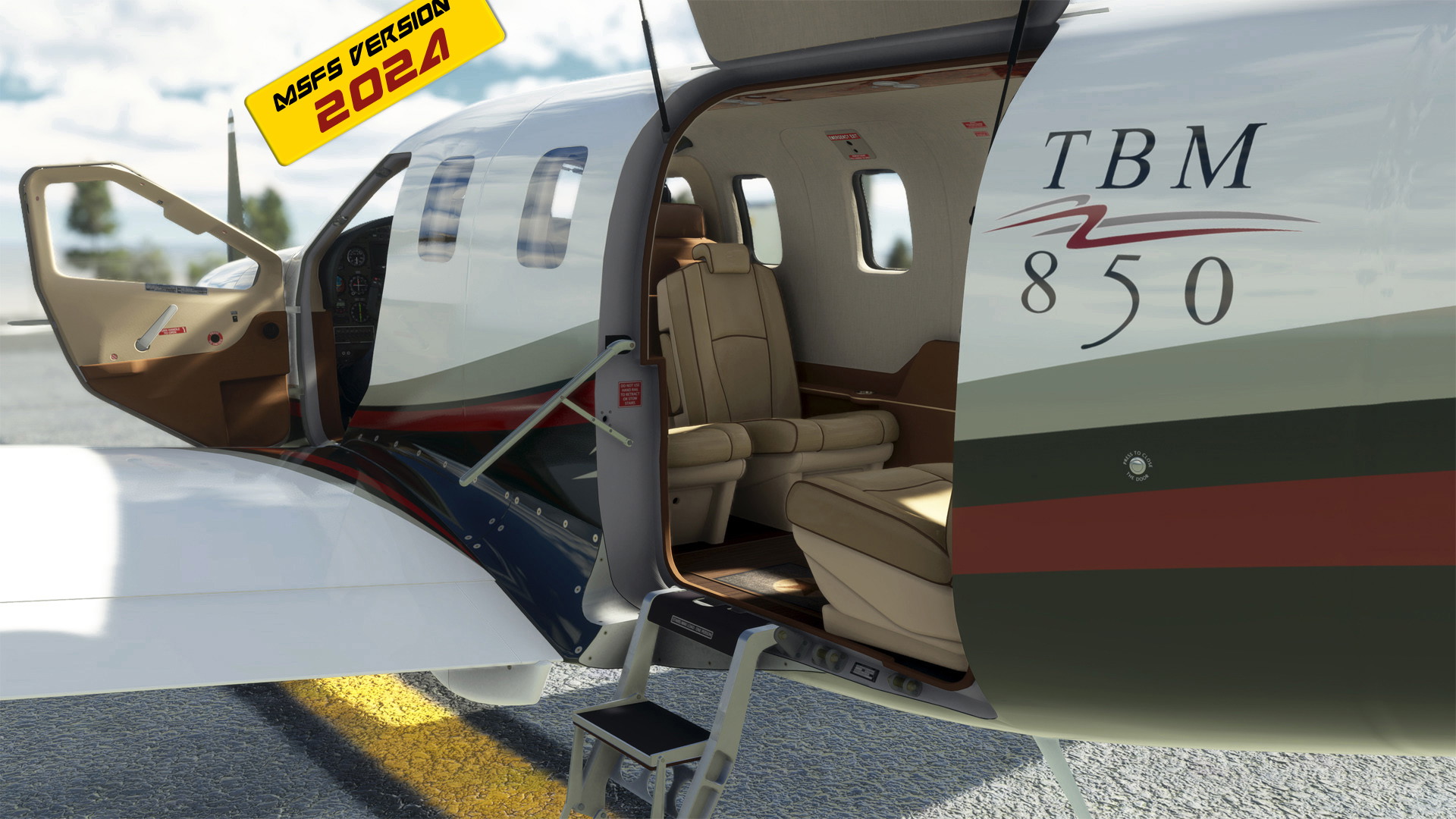
From the successful series “Pay Attention To Detail” here is another repaint of the wonderful BKSQ TBM 850 as N851TB. The interior is as luxurious as it is fictional.
Black Square TBM 850 version 1.5 for MSFS2024 is required to use this repaint.
For those who don't know who Steve is: A BULLET HIT MY AIRPLANE!
Since dynamic registration now works in MSFS2024 with SU4, here are two variants of my livery:
- one with a hard-painted tail number (N851TB) and
- one with dynamic registration (DR)
Both variants can be placed in the Community folder at the same time.
Note: You must still check the assigned tail number in the aircraft identification for your selected variant within MSFS2024 before every flight.
PS: In the “Dyn Reg” version, I left out the notepad on the yoke because a lot of people don't like it! I like it because it doesn't look quite as neat and unused that way ;-)
Overview of changes besides the exterior paint:
- Made the white outlines on the annunciator panel thinner and less prominent. To do this I inevitably also had to redraw the white frame on the overhead panel. This time correctly with rounded corners on rectangles.
- Adjusted amber color on Annunciator Panel and Master Caution.
- The recognition of the dark switches' positions in low-light conditions (on both the overhead panel and the main instrument panel) has been improved through the use of light-colored switch markings. This is helpful during normal flight operations as well as - and particularly - during VR flight.
- Added Honeywell logo to the Altimeter and Shadin logo to the ETM.
- Added TBM850 logo to center panel.
- ETM display color adjusted (less red) and labeling font corrected.
- Corrected the Clock LC-2 logo and adjusted the LCD background color when instrument light is on.
- Corrected the LCD digit "7" on ITT gauge as well as on the radios.
- Corrected the LCD digits " 6,7 and 9" on the AM250 ALT gauge.
- Corrected the mono font of the Bendix/King EFS40 ADI/HSI, especially the numbers.
- Corrected the letter spacing on the KX155 Radio to fit the 7-Segment background.
- Corrected the needle colors on the KI229 Radio Magnetic Indicator.
- Corrected the Engine Oil Temperature scale. (3 intermediate dashes instead of 4)
- Adjusted the background color of the dashboard because the bluish color no longer fits the interior.
- The surface under the carpet darkened because white corners could be seen every now and then.
- Seat bases painted in the same beige as the cockpit plastic panels.
- Dark leather seats taken at the front with brown backs.
- Light leather seats with brown decorative stitching and Safran logo installed in the cabin.
- Added seat release to the two cabin rear seats.
- Burl wood screwed to the ceiling including brass ceiling lights.
- The top wooden step on the entry ladder replaced with a robust one and the exaggerated white metal frame has been made shiny metallic.
- Added exterior indicators for cabin door lock and painted the outline of the door lever.
- Appearance of all screws changed slightly.
- Wherever necessary decals adjusted.
- Adjusted the white cutouts for the landing lights.
- Made pitot tubes and the stall warning vane and plate more metallic shiny.
- Static Discharger tuned.
- Added Hartzell logo to the propeller.
- Aircraft data plates attached to the rear area.
- Attached the bullet hole patch to the roof.
- Put a doormat in the cabin.
- Notelets added to the yoke clipboard.
- Gave the tablet an iPad look.
- And many other little things that I can't list them all...
Black Square TBM 850 N851TB with Interior (Dyn. Reg.)
Repaint of Black Square TBM 850 N851TB with luxurious fictional interior, not compatible with certain cockpit mods. Numerous enhancements made to exterior paint and interior details, including corrected logos and colors, adjusted fonts, and improved switch recognition. Additional features like added logos, seat releases, and doormat in the cabin for a detailed and immersive experience.


User Reviews
7 reviews
Version History
Compatibility with BKSQ TBM850 update v1.5 established.
Related
Black Square TBM 850 N851TB with Interior (Dyn. Reg.)
Repaint of Black Square TBM 850 N851TB with luxurious fictional interior, not compatible with certain cockpit mods. Numerous enhancements made to exterior paint and interior details, including corrected logos and colors, adjusted fonts, and improved switch recognition. Additional features like added logos, seat releases, and doormat in the cabin for a detailed and immersive experience.
by Raller & TimHH
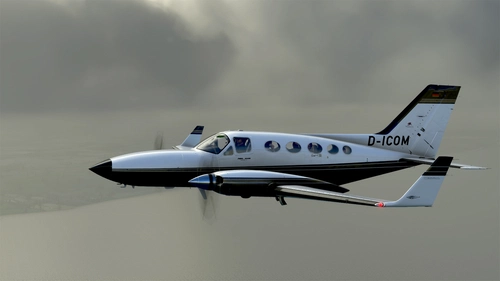
Flysimware 414AW D-ICOM with luxury interior
This is a slightly modified default livery with a german aircraft registration number. Less dirty and more shiny with a black nose and some added details. Additionally my luxurious interior in version 3.x is build in the great Cessna 414AW Chancellor by Flysimware.
by Raller
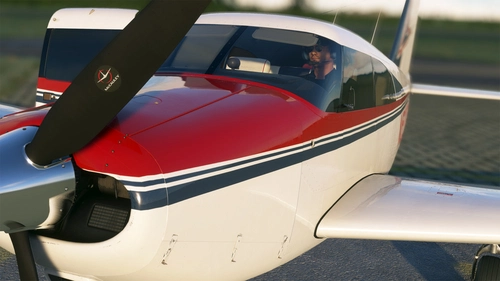
A2A PA24 Comanche N5312P with Interior
A repaint for the A2A Piper PA-24 Comanche featuring N5312P, a 1958 privately owned aircraft based in Santa Monica Municipal Airport in California. Please note that the interior design is fictitious due to lack of reference photos.
by Raller
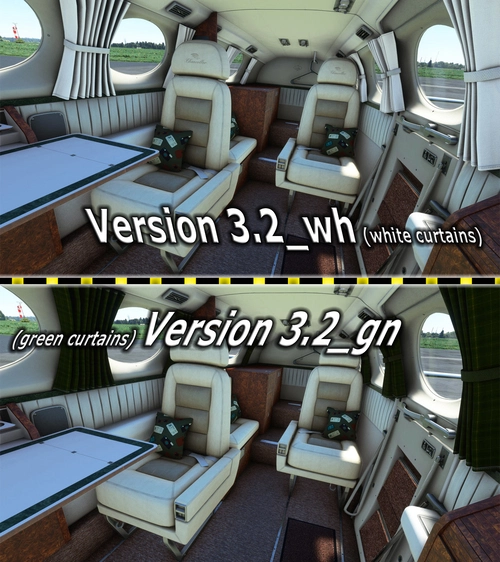
Flysimware 414AW luxury interior
Enhance your Cessna 414AW Chancellor experience with a more luxurious interior modification brought to you by Flysimware. This add-on offers a stylish upgrade in every standard livery, giving you the option to choose between dark green or white curtains. Compatible with Flysimwares C414AW version 3.3.2 and higher, this interior repaint is a must-have for those seeking a touch of luxury in their flights.
by Raller
Log in to join the discussion
Log InComments24
PS: Now it's ready...
I actually created this repaint with all the mods primarily for my own personal use, though I am, of course, happy to share it with the community. That is also why I do not create different versions - doing so would become too extensive, and I could’t and don’t want to fulfill every request.