
Description
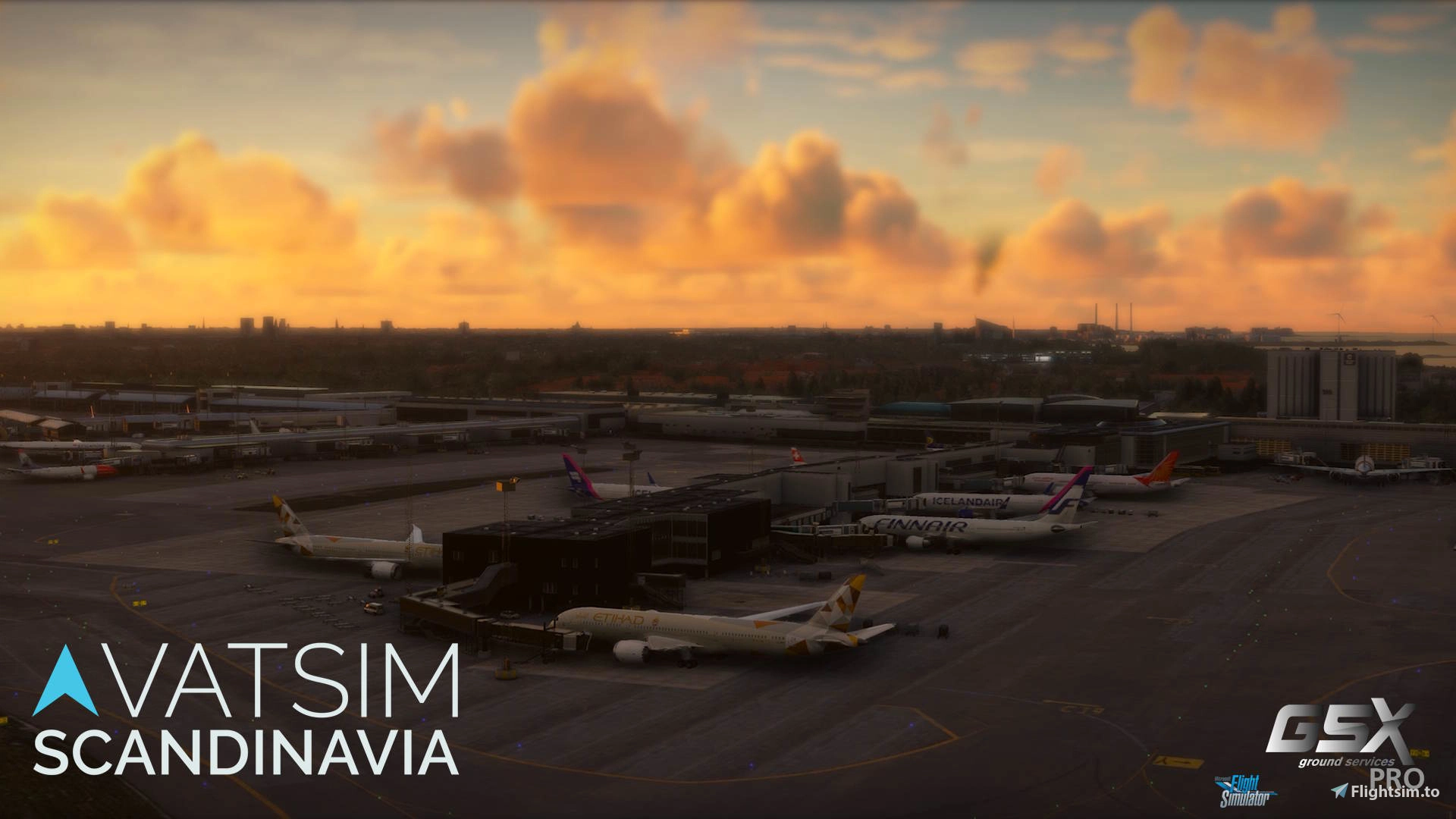
Complete and official-GSX profile for FlyTampa's Copenhagen scenery by VATSIM-Scandinavia.
This profile is based on official real life documentation and feedback from real-life controllers to provide the most up to date and complete handling experience in Copenhagen.
Copenhagen (EKCH) contains Start-Up and Release points due to the congested apron-layout, which are specific points located on taxiways, named by the taxiway designator and a number to identify its position (and direction) on the taxiway. All stands with pushback-services have a standard route to push, supplemented by several alternatives to ease traffic flow in specific situations.
This is a unique part of Copenhagen and we encourage all simmers to embrace this complex and fun system of pushback.
As this profile is correlated to current VATSIM and IRL procedures, we recommend everybody to make this your sole EKCH FlyTampa GSX profile for MSFS!
Features:
- Activation of de-activated stands on all aprons in FlyTampa's EKCH (i.e. A19, A12 etc.) with MARS-sub positions. Keep in mind that you have to reposition to it via GSX after spawning in, as it is a sub-position to the adjacent "parent" stand (i.e. "A14 MARS:A12")
- Automatic selection of handler based on VATSIM/SimBrief callsign
- Custom walk-in routes where appropriate
- Custom vehicle preferences, placement & different stopping positions according to aircraft types on different stands
- Custom handler-script including CDM VDGS-messages linked with VATSIM CDM (TOBT, TSAT, CTOT etc.) or SimBrief departure-information if not connected to VATSIM
(Be sure to add your VATSIM CID when prompted to in order for the CDM VDGS-integration to work)
- The script is monitoring the CDM-times and checking their validity compared with the current time. There might be an issue with these times, if one is not using "real time"
- Correct VDGS-panel placement and jetways according to AIP (however sadly not with APIS++ or ApronVision due to limitations of GSX - placeholders as close to the real thing have been chosen)
- Extensive custom pushback and pull-forward procedures to all correct startup points with some added alternatives
- Ground handling agencies and catering
- Working de-ice platform with real-life procedures (entry in "CW/CCW" - "Clockwise/Counter-clockwise" motion)
How to install:
First, remove all other files for EKCH (including old versions of this and old versions containing the previous "handler_storage.ini"-file).
- Copy and paste the provided GSX ".ini" file and the ".py" files into "C:\Users\USERNAME\AppData\Roaming\Virtuali\GSX\MSFS"
- Copy and paste the "Handlers"-folder into "C:\Users\USERNAME\AppData\Roaming\Virtuali" (If you already have a "Handlers"-folder in there, simply copy and paste the provided "lib"-folder within into the existing folder)
Feedback and update:
Please write a comment or email to denmark@vatsim-scandinavia for future requests, issues or general feedback. We are committed to assess and implement feedback expeditiously!
Copyright:
- Profile developed by VALROK - do not edit or alter without written approval
- Managed by VATSIM-Scandinavia
FlyTampa EKCH GSX Profile - Official VATSCA Publication
This add-on provides a comprehensive GSX Profile specifically for FlyTampa's Copenhagen (EKCH) scenery, developed by VATSIM-Scandinavia. Based on real-life documentation and controller feedback, the profile offers accurate handling tailored to the airports complex apron layout. Features extensive walk-in routes, correct, automatic, ground handling services, realistic CDM data integration (TOBT, TSAT, CTOT, etc.), as well as operational de-ice pads, ensuring a realistic simulation experience.


User Reviews
4 reviews
Version History
- Minor fixes all-round, including a bug in buses other than the CPH-buses being assigned for some remote stands as well as some minor size-changes in stands.
Related
Simnord EKBI GSX Profile - Official VATSCA Publication
This add-on provides VATSCAs official GSX profile for Simnord's Billund Airport (EKBI), offering a realistic ground handling experience. It features accurately configured parking stands, custom pushback routes, and tailored service setups for various aircraft types. Ground services including passenger boarding, catering, and baggage handling are optimized for each gate, ensuring efficiency and realism. The profile is designed for compatibility with popular aircraft add-ons and scenery, enhancing the overall simulation experience at EKBI.
by vatsca

Simnord EKCH GSX Profile - Official VATSCA Publication
This official GSX profile for Simnord's EKCH Copenhagen scenery is developed and maintained by VATSIM-Scandinavia. It is based on current real-world procedures and includes custom pushback routes, stand activations, tailored vehicle placements, and de-icing operations. The profile offers automatic handler selection, custom walk-in routes, and real-time VDGS integration for a realistic ground handling experience. Designed to align with both VATSIM and real airport standards, it aims to provide accurate ground operations at Copenhagen Kastrup.
by vatsca
Simnord EKYT GSX Profile - Official VATSCA Publication
This add-on provides a GSX Pro profile designed for Simnord's Aalborg Airport (EKYT). It enhances realism and ground handling with features such as custom pushback routes, accurate gate and stand positions, and adjusted stop positions for various aircraft. Ground services are aligned with the airport layout to improve operational efficiency at EKYT.
by vatsca
Simnord EKAH GSX Profile - Official VATSCA publication
This add-on provides the official GSX profile for Simnord's Aarhus Airport (EKAH), aimed at enhancing ground handling realism. It includes accurately positioned parking spots, tailored pushback routes, and specific service configurations based on real-world operations. Key ground services such as boarding, catering, and baggage handling are optimized for various aircraft sizes and layout configurations. The profile focuses on smooth vehicle movement and service efficiency to create an immersive experience for users.
by vatsca
Log in to join the discussion
Log InComments(49)
7 days ago
13 days ago
about 8 hours ago
21 days ago
20 days ago
20 days ago
20 days ago
20 days ago
19 days ago
about 2 months ago
Like I mentioned earlier, the A20-A23 stands are all shifted for me, when using FlyTampa EKCH. I understand they changed in RL, so they're all moved by one? Not sure what the reason is. I was in an A220 for these flights.
I just read your previous reply. I don't quite understand what A20 [MARS: A19] means, but I assume this is accurate to real life ops?
Can you please explain the STAND vs MARS meaning?
about 2 months ago
couatl v5.0 (build 7016)
panic log started on Mon Aug 31 19:34:24 2026
problem raised by addon
[00:00:33.172] Traceback (most recent call last):
[00:00:33.172] File ".\GSX\__init__.py", line 14051, in prepareGate
[00:00:33.172] File ".\GSX\assistanceServices\__init__.py", line 10738, in setGate
[00:00:33.172] File ".\GSX\assistanceServices\baseAssistanceVehicle.py", line 532, in setGate
[00:00:33.172] File ".\GSX\assistanceServices\groundPowerUnit.py", line 104, in getInitialPosition
[00:00:33.172] TypeError: '_MarsMapParking' object is not subscriptable
{'Airport': 'EKCH', 'User Pos': (55.62813636221391, 12.664209955991268, 8.63173 m, 4.11333 m, 38.58843839671612, 0.01502161441298804, 0.013962633907794952, 7.725550674283684e-05, 4.078833590698243, 1.0)}
about 2 months ago
about 2 months ago
In terms of your panic-log, this only describes that GSX did not recognise the selected stand, and caused an issue in spawning the vehicles - but not "why".
The picture around how the stands are shifted with A20-A23 is not completely clear to me, but what I can say is A19 and A23 was not included in the scenery at all; which is why GSX's new feature of "MARS-subpositions" (basically created a new virtual "fake" stand "under" a true stand with this being the virtual stand's parent) has been used for these - basically as a workaround of the missing stands; enabling the use of them.
You cannot spawn at these positions, as they are not natively in the scenery at all, so you will have to spawn at their parent-stands (i.e. A20 or A22) and THEN reposition to either A19 or A23. If you are assigned one of these stands by ATC, when taxiing in, you can simply choose the specific stand as usual, but the name of it in the GSX-menu will be the previously described name: "A20 [MARS: A19]".
about 2 months ago
about 1 month ago
The wingspan has been adjusted with some of the stands accepting the B777.
2 months ago
2 months ago
Keep in mind A23 and A19 are both in fact a GSX sub-position, which is bound to the adjacent stand. This means that if one wishes to spawn at A19, one needs to select A20 to begin with, and then reposition to A19 (named: "Stand A20 [MARS: A19]") through GSX.