
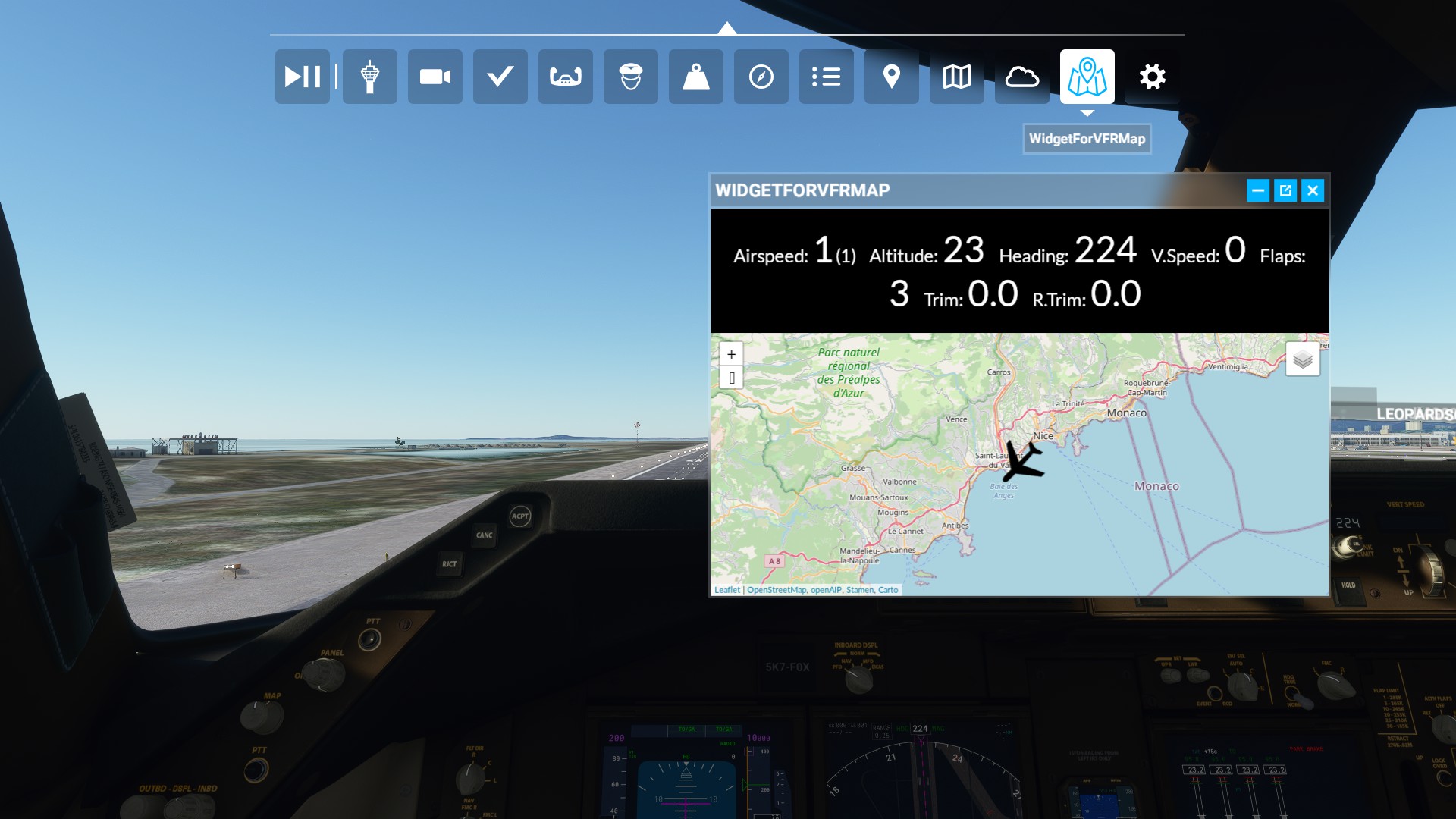
Description
Toolbar widget for Microsoft Flight Simulator to display VFRMap plugin in game.
INFO: this is just a widget to display what VFRMap displays in your browser
If you have requests about VFRMap please open a ticket in VFRMap's GitHub:
https://github.com/lian/msfs2020-go/releases
You have to use the VFRMap plugin to display the map :
https://www.msfsaddons.org/freeware/plugin-vfrmap
Alternative link: https://github.com/lian/msfs2020-go/releases
You can hide the text part by clicking on "hide HUD" as shown here: https://www.dropbox.com/s/olws2vvkvbj3k3q/vfrmap.png?dl=0
Thanks @aurelbdx for the heads-up
Widget repository: https://github.com/joelcancela/MFS2020_VFRMap_UI_Widget
Toolbar Widget for VFRMap
A toolbar widget for Microsoft Flight Simulator that allows the display of VFRMap plugin within the game. To utilize this widget, it is required to have the VFRMap plugin installed separately. For any inquiries or feedback about VFRMap, please refer to the plugins GitHub repository. The widget offers the functionality to hide the text part by clicking on "hide HUD". Visit the widgets repository on GitHub for more information.


User Reviews
12 reviews
Version History
Fixed icon not showing in toolbar
Log in to join the discussion
Log InComments(52)
almost 2 years ago
almost 4 years ago
vfrmap no longer displays the navigation data, so it is much less useful now.
almost 4 years ago
Hi, yes it's a real shame though I'm not the owner of the VFRMap repository so I can't be much help :/
almost 4 years ago
I reported the problem to the author in GitHub but he has not been active recently. Apparently the loss of access to the navigation source data is also affecting all similar addons and apps that used it.
almost 4 years ago
Is a Cool mod, any idea to make the fonts a bit smaller
almost 4 years ago
Here is a modified version with a slider to adjust the font size: https://github.com/Georodin/msfs2020-go/releases/tag/v0.0.71#start-of-content
Download vfrmap-win64-v0.0.71.zip from there.
almost 4 years ago
Thanks for your help^^
over 4 years ago
Félicitations pour votre widget qui fonctionne à merveille. Quel plaisir de pouvoir suivre en VFR son avion sur une carte détaillée et de connaître avec précision les zones traversées.
L'usage d'un deuxième écran reste évidemment un confort que l'on apprécie.
over 4 years ago
Excellent support application on my second screen.
In my case, I selected the Web page version, so as not to affect the fps in the simulator.
I use the Opera browser it works very well and consumes little CPU resources.
Great job.
about 4 years ago
How did you selected the web version
about 4 years ago
Follow the instructions below:
Open VRFmap.exe, a black console window should open
Open http://localhost:9000 in your browser
more information here : https://www.msfsaddons.org/freeware/plugin-vfrmap
Now if you have an unused android tablet I recommend looking for the "Flight Display Companion" highly recommended.
over 4 years ago
Really great! Thank You!
almost 5 years ago
Anyone may know why I cannot see the icon in the toolbar ? I have an empty zone instead of the normal small square icon. This is the second addon for which I meet tha issue. Disapointing...
almost 5 years ago
I have same problem... ?
over 4 years ago
I'll try to fix that soon
over 4 years ago
Should be fixed with new version