
Description
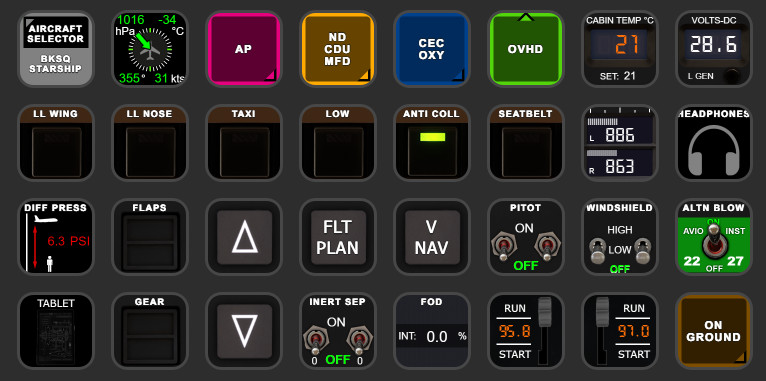
BKSQ Starship StreamDeck XL & PLUS profile & AAO Scripts
for LORBYs AxisAndOHs (AAO) and its SD Plugin
by Guenseli
You need LORBYs AAO and its StreamDeck Plugin to run this StreamDeck profile.
ATTENTION!
PLEASE READ CAREFULLY!
- When you import SD profiles, make sure to delete the old ones, otherwise you'll get profile copies.
- Make sure to always have the latest AAO and AAO StreamDeck plugin versions!
- I just create the SD profiles! For any connection issues, SD plugin not working, Buttons show "?" or nothing, no reaction of the SD etc., please contact the developer of AAO! And please read the AAO Manual!
- It is - as the title says - just for the StreamDeck XL (!). Please do not ask for a 15 button conversion. This will not happen as this will more than double the amount of development and support for me as I do not have a 15 button SD. Sorry.
- Please ask if you want to use parts of my SD profiles, icons or AAO scripts or whatever! And please ask everytime you start a new project!
- You have to credit and link me in your description!
- If you use my work, you are then not allowed to beg for own donations!
Installation:
Install the SD profile by double clicking at BKSQ Starship.streamDeckProfile.
Install the SD PLUS profile by double clicking at PLUS BKSQ Starship.streamDeckProfile.
Import the AAO scripts BKSQ Starship_Scripts.xml according to the manual
Scripts can be used for other hardware also, of course
tested and created only with MSFS2024
Tip: go to Downloads - AXIS AND OHS, search for WebFMCs Vol.2, there you will find a WEB FMC for the Startship.
Works great on browser and tablet, way better then clicking the FMC with the StreamDeck!
Donations are welcome!!! it is a lot, really a lot of work, and some donations make future projects easier ;) thx!
If you want to donate directly as friend without a PayPal fee, then use this adress, please: www.paypal.com/paypalme/GuenterSteiner
BKSQ Starship StreamDeck XL & PLUS profile & AAO Scripts
The BKSQ Starship StreamDeck XL & PLUS profile and AAO scripts enhance the functionality of LORBYs AxisAndOHs (AAO) alongside its StreamDeck Plugin. Currently an alpha release, this add-on includes the Flight Management Computer (FMC) feature designed to simplify flightplan entries. Users must have the latest versions of AAO and its StreamDeck Plugin to utilize this profile effectively. Future updates may introduce additional features, including a PLUS profile.




User Reviews
4 reviews
Version History
fixed headphones added new pressurisation gauge minor improvements
Related
FENIX A3XX AAO Scripts & StreamDeck XL & PLUS Profile
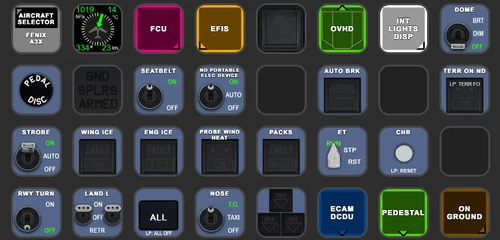
Customize your Microsoft Flight Simulator experience with FENIX A320 AAO Scripts & StreamDeck XL Profile by Guenseli. This add-on offers a seamless integration with LORBYs AAO and StreamDeck Plugin for optimal performance. Explore the detailed installation instructions for enhanced functionality with a VRInsight MCP Combo II. Elevate your simulation setup with this meticulously crafted add-on.
by Guenseli
Icon Pack for Elgato StreamDeck
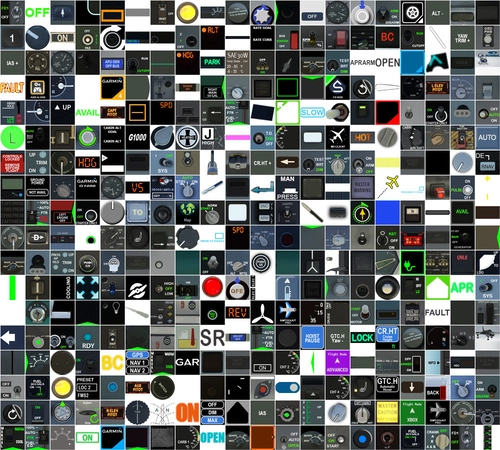
A collection of over 3500 icons designed for Elgato StreamDeck and similar devices, created by Guenseli. Ideal for personal use with a disclaimer against commercial usage. Icons are detailed and diverse, providing a variety of options for customization. Credits required if used in public projects, with a suggestion for donations to support the creators work.
by Guenseli
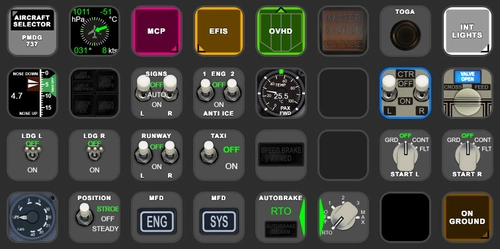
PMDG 737 AAO Scripts & StreamDeck XL & PLUS Profile
Enhance your PMDG 737 experience with the PMDG 737 AAO Scripts & StreamDeck XL & PLUS Profile by Guenseli. Make sure to update your Elgato Software to version 6.0 or higher for compatibility. This profile is specifically designed for the StreamDeck XL and requires LORBYs AAO and its StreamDeck Plugin to run smoothly. Get ready to elevate your cockpit with this detailed and user-friendly add-on.
by Guenseli
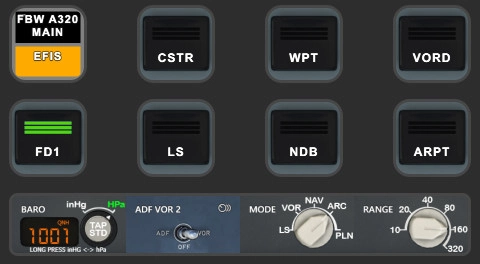
FBW A320 AAO Scripts & StreamDeck XL & PLUS profile and MCP Combo template
Enhance your FBW A320 experience with tested AAO Scripts and StreamDeck profiles for XL & PLUS versions. Ensure to delete old profiles before import and always use the latest plugin versions for seamless integration. Contact AAO developer for any connection issues and give credit if using parts of these profiles in your projects. Install scripts and profiles for an immersive flight simulation experience.
by Guenseli
Log in to join the discussion
Log InComments(32)
9 months ago
It works well but the labels are not displayed properly.
They appear in the bottom of each button, do you know why?
Using Stream Deck 7.1.0 MSFS SU4 stable and your 1.3 profile.
9 months ago
9 months ago
Have a look at the Elgato settings "Style" and try to change the font settings here. As far I can see they have indeed changed the font sizes ... 9pt seems to be what 8pt was before ... don't know
Be careful when change this setting as I can't say what happens for all pfofiles
9 months ago
Changed the labels to top position and font to 9px, then reinstalled your profile and now it looks far better.
Thanks for your profile for this fantastic plane !
10 months ago
10 months ago
Vielen Dank! Kleine Aufmerksamkeit wurde verschickt.
11 months ago
11 months ago
But wipers are working here on my end?
Please contact me via PM if you need help, as the notification here for further answers do not work
11 months ago
11 months ago
SD+ : I have noticed the cockpit temp knob is not working. Also the wiper knob.
I think the scripts have been renamed and not updated here. Could be worth going through these.
Also, would you be able to add a second page to the Overhead with next/previous arrows, and add the missing lights. - Strobe Low, Wing, Cabin Overhead/Aisle and Bar?
I really appreciate your work and knowledge with these profiles.
best regards
Trev
11 months ago
Unfortunately the Starship crashes here with SU4 Beta.
Have to wait a while after the beta settles.
about 1 year ago
Akin Rudolf Audu
Germany
about 1 year ago
Gerne auf deutsch
about 1 year ago
Thanks for your hard work with these.
EDIT: Ooops, I did forget a number! Thanks for the reply and I understand. I can probably make the modifications myself, I'm just not well versed in it so I thought I'd see if there were plans for an official release before I started tinkering.
about 1 year ago
0 or 4?
😉
I assume 2020, no, I haven't installed it any more
about 1 year ago
about 1 year ago
AxisAndOHs
StreamDeck plugin
StreamDeck profiles
AxisAndOHs Script
about 1 year ago
about 1 year ago
It references to the Duke scripts.
Have to be changed to the Starship.
Will be fixed
thx