
![Qatar Airways (A7-BED) UEFA PSG Champions League [8K] - Image 1](https://cdn.flightsim.to/images/27/qatar-airways-a7-bed-uefa-champions-league-8k-313540-1749833832-Uws6v.jpg)
Description
README:
If you have problems during installation in MFS2024, just follow these very simple steps:
1) Take this route: Community\pmdg-aircraft-77w-liveries\SimObjects\Airplanes\PMDG 777-300ER\liveries\pmdg
2) Within this route that we have followed, I placed the Qatar livery.
3) Download the MSFSLayoutGenerator file from the following link: https://github.com/HughesMDflyer4/MSFSLayoutGenerator
4) Inside of pmdg-aircraft-77w-liveries we must put the MSFSLayoutGenerator file that we have downloaded.
5) Inside this folder where we just added the downloaded file, we'll see this other folder, layout.json . What we'll do is grab and drag that file into the MSFSLayoutGenerator. Here is an example of what I mean: https://www.youtube.com/watch?v=H4KYrK2Kqdw&ab_channel=aaron_gcrr
6) Enjoy it.
Please be on the lookout for any updates to the aircraft that may be needed for possible visual improvements in the future.
This is my PayPal account if you'd like to make a donation to help me improve my content. Thanks:
https://www.paypal.com/donate/?hosted_button_id=HYCFG9Z4KRM78
Qatar Airways (A7-BED) UEFA PSG Champions League [8K]
This add-on features a high-resolution 8K livery for Qatar Airways Boeing 777-300ER, registration A7-BED, themed around the UEFA Champions League. Installation requires downloading and unzipping the file, then placing it in the appropriate directory within the PMDG 77W design folder. Users can manage the livery through the PMDG Operations Center after installation. Future updates may provide visual enhancements as necessary.
User Reviews
8 reviews
Version History
- The installation issue in OC3 for 2024 has been fixed. If you're still having trouble, please follow the mini-tutorial in the description. - Visual improvements have been added.
Related
![Qatar Airways [Pack+Retro´s] w/Cabin PMDG B777-300ER](https://cdn.flightsim.to/images/26/qatar-airways-main-pack-w-cabin-pmdg-b777-300er-176187-1721348300-jBu8F.jpg?width=500)
Qatar Airways [Pack+Retro´s] w/Cabin PMDG B777-300ER
Qatar Airways [Main Pack] for the PMDG Boeing 777-300ER featuring custom interior, exterior, and PBR textures, specific logos and designs, and airline-specific cabin. Various registrations included such as Oneworld and White liveries. Follow simple installation steps to enjoy this detailed recreation with some known cabin model discrepancies.
by Atarium
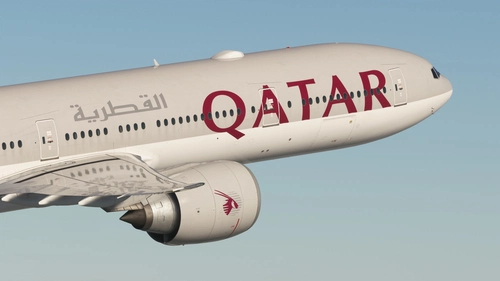
Qatar Airways (A7-BEE & -BEM) w/ Cabin - PMDG 777-300ER
Discover two meticulously crafted Qatar Airways liveries for the PMDG 777-300ER, featuring accurate decals and a realistic design based on the latest available photos. Included liveries: A7-BEE (25 Years of Excellence) and A7-BEM. Simply follow the installation steps to elevate your virtual aviation experience with these stunning liveries. Feedback and updates available via Discord.
by Aanerud
![Qatar Airways A7-BEG [FORMULA 1] | PMDG 777-300ER](https://cdn.flightsim.to/images/28/qatar-airways-a7-beg-formula-1-pmdg-777-300er-709043-1767192248-vzdhY.jpg?width=500)
Qatar Airways A7-BEG [FORMULA 1] | PMDG 777-300ER
This add-on features a detailed livery of Qatar Airways A7-BEG designed specifically for the PMDG 777-300ER in Microsoft Flight Simulator. It includes accurate representations of Qatar Airways stencils and high-quality custom PBR textures with weathering effects. Installation is facilitated through the PMDG Operations Center, making it user-friendly for simulation enthusiasts.
by HUES
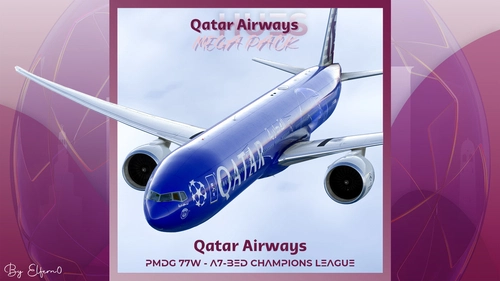
Qatar Airways A7-BED Champions League | PMDG 777-300ER
The Qatar Airways A7-BED Champions League add-on for PMDG 777-300ER features meticulously recreated textures that reflect the real aircraft with high fidelity. It includes custom logos and emblems, detailed exterior and interior designs, and an authentic cabin experience. This add-on also features enhanced wing and engine textures for improved realism. Installation is straightforward, requiring a drag-and-drop into the community folder for 2024 users.
by Hues_by_Horizon
Log in to join the discussion
Log InComments(69)
about 11 hours ago
about 1 year ago
about 1 year ago
about 1 year ago
Without the PMDG OC?
about 1 year ago
about 1 year ago
about 1 year ago
about 1 year ago
I just get an issue when grab and drag, i have this text :
"One or more file paths in the folder containing "C:\Users\[...]\Community\pmdg-aircraft-77w-liveries\layout.json" are 260 characters or greater in length. Please move this package to a directory with a shorter path"
Do you have a fix for this ?
Thanks.
about 1 year ago
about 1 year ago
about 1 year ago
As for the product - its beautiful and functionally has no issues - perfect from someone who works indepedently out of passion rather than professionally. 5 stars!
Thank you and great work!!!
about 1 year ago
about 1 year ago
about 1 year ago
about 1 year ago
about 1 year ago
about 1 year ago
does it possible to have a zip files to put in OC3 ?
Thx a lot
about 1 year ago