
Flightsim.toFlightsim.to
    Winwing MCDU profile - FlyByWire A32NX - Image 1

    Description

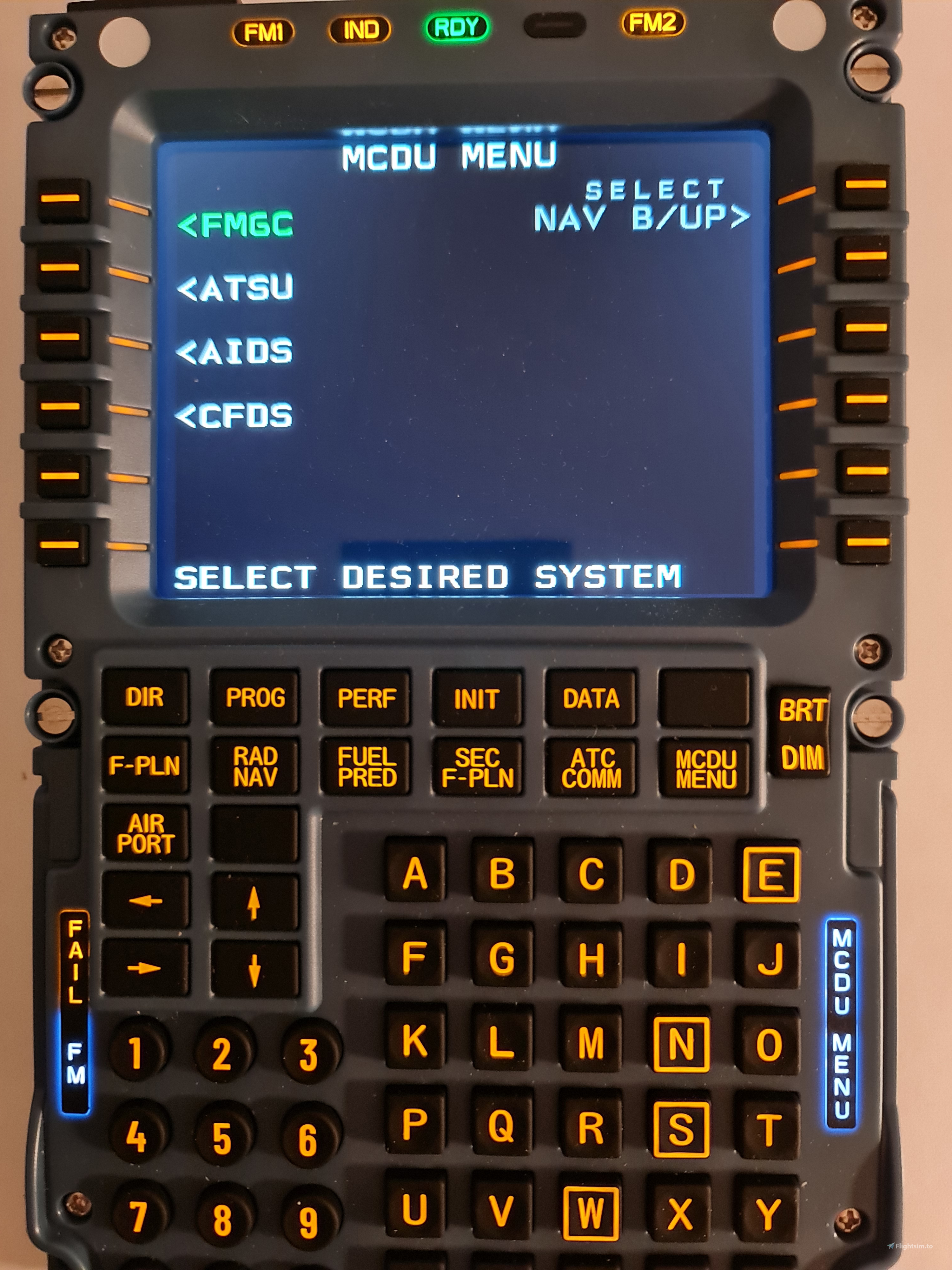
    This add-on provides a MobiFlight profile to enable the use of the Winwing MCDU with the FlyByWire A32NX version. It only includes the captain MCDU.

    It was built and tested on the Mobiflight connector BETA 10.5.3.5. It was not tested on MSFS 2024!

    The display works.

    All the buttons work. The blank buttons (next to DATA and AIRPORT) control the background lighting via the integrated lights potentiometer on the pedestal. The BRT/DIM switch changes the brightness of the display of the MCDU and in the sim. It can be used by single or continuous press.

    All annunciator lights work in the lamp test .

    Parts of this build on the work of the people in the HubHop community at Mobiflight.

    Comments(29)

    Log in to join the discussion

    Log In

    3 months ago

    Where is the .mcc file? Beta version is not reading the .mfproj file. Fenix works perfect, but this file for the FBW is not working.

    6 months ago

    can someone help me my mcdu display is working but my bottons arent

    6 months ago

    Witam.Mam ten sam problem z MCDU ze stroną FBW A32NX WINWING CDU.PY.Ma ktoś pomysł?

    7 months ago

    Does anybody know how to get the screen off of Info: Startinf FBW A32NX WINWING CDU.PY

    about 2 months ago

    did you install the python software?

    9 months ago

    I still cant load the .mfproj file in to mobi flight
    (and yes im on the latest version)

    9 months ago

    mobiflight does not pick the file - what to do please i have latest verison of mobiflight installed

    9 months ago

    I have the same problome :( just want to use my mcduuuuuuuuuuuuu

    10 months ago

    Hola: No consigo guardar un plan de vuelo en la MCDU en el FS 2020.
    Gracias.

    11 months ago

    Hello,
    I installed the last mobiflight beta. Open the file in mobiflight. Start the MSFS2024. The Simbridge is running. Of course I do the Run in Mobiflight.
    When I start FS with the A320 flybywire, I can see correctly the display but no buttons are working.
    What do I miss ?
    Do I need to install the beta version of Flybywire A320 ? I use the last version stable 0.13.0
    Thanks

    11 months ago

    Can you also make it for the PFP 3N

    12 months ago

    Ok, I was stuck like a lot of people with the buttons working but not the screen. You need to install the A32NX with the installer AND install Simbridge. Don't forget to startup Simbridge as well, it's not automatic. So working great in MSFS 2024 , with this file in Mobiflight BETA , SU3 Beta MSFS (regular probably works as well) + Simbridge.

    Only issue I have at the moment is the PFD (or Navigation Display) is flickering. Need to investigate on what could be the cause.

    12 months ago

    Works flawlessly, tested with BETA 10.5.3.7 in MSFS 2024. Thank you!

    12 months ago

    I'm the same as FlyGuyNation. Mobilflight can't see the file due to it being .mfproj instead of .mcc
    I have the latest version of Mobiflight 10.5.3
    Each time I go to open and select the file its not showing.

    12 months ago

    Yup that's what im getting as well.

    12 months ago

    If you really use the 1.5.3.5. BETA it should load both file types.

    12 months ago

    And you might need to update the MCDU firmware like LH4371 did ...

    12 months ago

    strange. for me the file browser opens, too, but bottom right it says "MobiFlight Files (*.mfproj and *.mcc). Sure both types are selected as this file here is mfproj?
    MSFS 2020MSFS 2024

    Winwing MCDU profile - FlyByWire A32NX

    This add-on features a MobiFlight profile designed to integrate the Winwing MCDU with the FlyByWire A32NX aircraft in Microsoft Flight Simulator. It includes full functionality for the captains MCDU, allowing control of display brightness and background lighting. Currently in beta testing, compatibility is confirmed for the Mobiflight connector BETA 10.5.3.5, although it has not been tested with MSFS 2024. Annunciator lights are functional, enhancing the immersion of the simulation experience.


    Downloads2K
    Version1.1
    File Size7.86 KB
    Published1 year ago
    Updated1 year ago

    User Reviews

    4.3

    3 reviews

    5
    67%
    4
    0%
    3
    33%
    2
    0%
    1
    0%

    More Information

    Simulator
    MSFS2020

    Version History

    STATUS annunciator now works (thanks to tracernz). Behaviour of LCD brightness and backlight brightness changed.