Flightsim.to
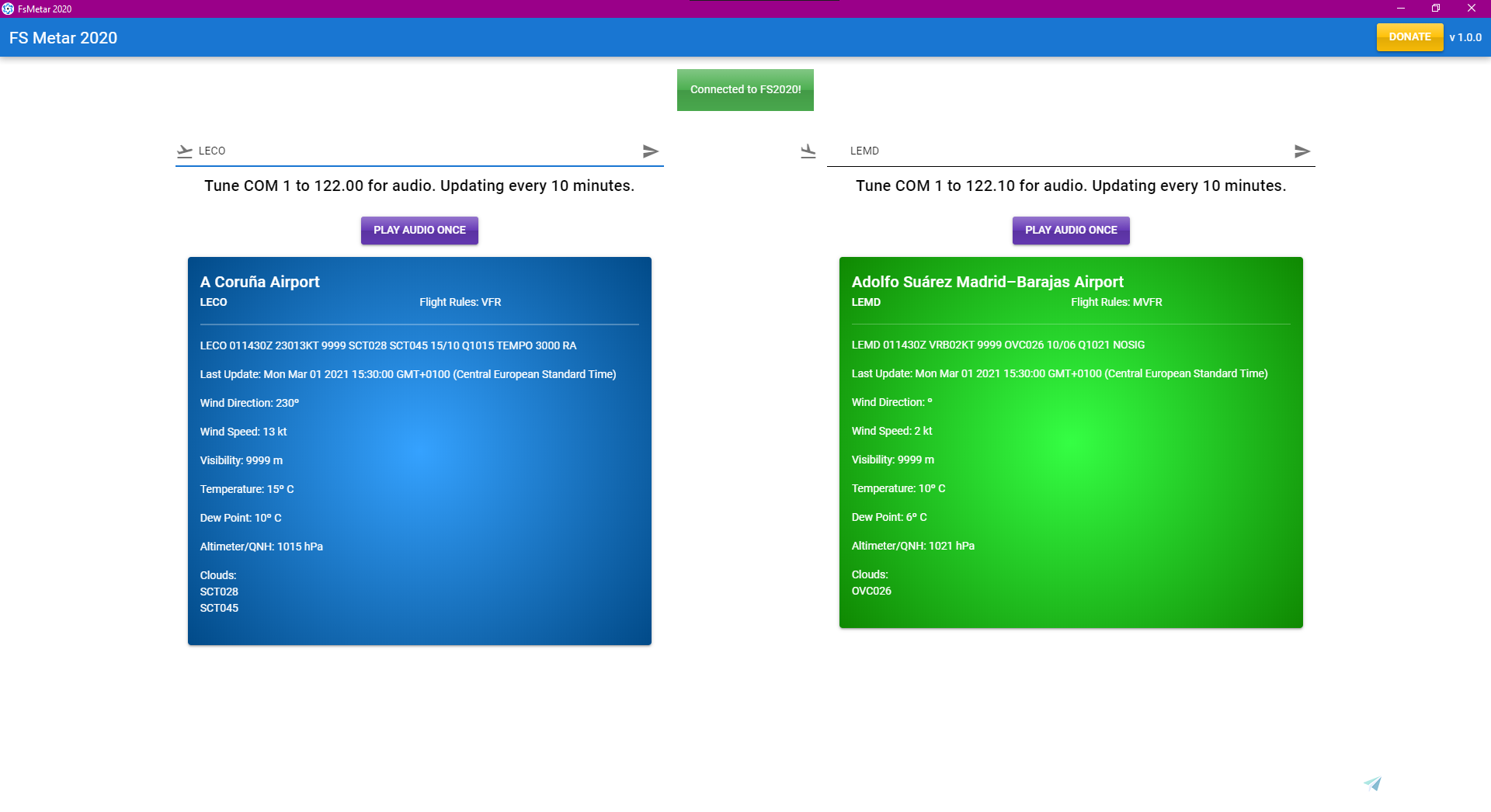
    FS Metar 2020 - Image 1

    Description

    Hello! 

    I created FS Metar 2020 because i wanted to listen to the actual metar on my aircraft comms. All you have to do is select departure and arrival airports and then set your radio comm1 to 122.00 to listen to the departure atis or 122.10 to listen to the arrival atis. 

    Installation:

    All you have to to is unzip and run FSMetar.exe.  You also have to run metarconnect.exe wich is in the metarconnect folder while fs2020 is running. If you dont want to listen to the audio on comm1 you dont have to run metarconnect and just use FSMetar for metar information on airports.  

    I´ll be keeping a close watch in the comments to listen to feedback and provide improvements as I continue to improve the app. 

    I have long term plans in developing this app so any help from you guys is really appreciated.  You can buy me a coffee here:

    Buy me a coffee

    Thanks a lot everyone and happy flying!

    Frequently Asked Questions

    Comments(29)

    Log in to join the discussion

    Log In
    E

    about 1 year ago

    The program is half working.
    There are no ICAO Russian airports.
    A

    about 1 year ago

    Hi, what is the source of metar ?
    s

    almost 2 years ago

    very nice thanks
    f

    almost 5 years ago

    as it is now, this utility is useless because it don't show the FS metar but the real one We need FS Metar

    p

    over 5 years ago

    Awesome app - exactly what I needed.
    f

    about 5 years ago

    Thanks Paul
    b

    over 5 years ago

    Is it based on METARs or is based on ACTUALs from the sim... cause they are different. I am looking for an app to give me what is actually depicted.
    f

    over 5 years ago

    based on METARS not weather in the game. If your using live weather they should be the same.
    g

    about 5 years ago

    MSFS2020 uses meteoblue.com for weather I think. All of these metar apps never match up with it.

    S

    over 5 years ago

    Great little app. Thank you so much.

    The in cockpit audio still works even with the radio switched off. Not a big issue but if it could be linked to the radio on/off switch that would be even better.
    f

    over 5 years ago

    Thanks Sernder46. I have it set so you can only hear if radio is on. Are you able to hear when radio has no power? (master switch off) . If so, what aircraft are you using? can you try to see if it behaves the same in cessnna 152. Tested it on this aircraft, but it should behave the same in all airplanes.
    S

    over 5 years ago

    Yes, it works correctly in the C152. In the Savage Cub, switching off the ignition stops it working but if you only switch off the radio (with the ignition still on) it still works.
    f

    over 5 years ago

    thanks for the feedback. Ill try to have it sorted in the next version.
    S

    over 5 years ago

    Oops, think I just sent this in a Report by mistake. Apologies.

    Still happening with v1.1. Don't know if it helps but the ignition and radio switching in the Savage Grravel are the same as in the Asobo Savage Cub and it works correctly with the Savage Grravel.

    Thanks for the voice settings in the update :)
    f

    over 5 years ago

    Thanks for the info Sender46. I did some testing with the savage cub and there doesn't seem to be a simconnect variable that detects when that radio knob is in the off position..I think FS just treats it like a volume knob. Sorry about this! :(
    S

    over 5 years ago

    The Savage Grravel mod is based on the Asobo Savage Cub so I thought there might a clue in the Savage Grravel files as to how it works correctly with that aircraft. No worries though, thanks for trying and I'm still glad to have this app :)
    g

    over 5 years ago

    how to use this app in A320NX. I have set comm1 to 122.00 but can hear anything.
    f

    over 5 years ago

    have you opened both metarconnect and fsMetar..do you have active ICAO codes? please let me know if you have further problems.
    f

    over 5 years ago

    Hello, fabulous program, thank you, it is possible to turn down or turn up the volume
    f

    over 5 years ago

    Thanks for the feedback. Im working on a slider for volume and for comm2 integration. Give me a couple of days and ill post an update.
    MSFS 2020MSFS 2024

    FS Metar 2020

    FS Metar 2020 is a tool that enables users to listen to actual METAR reports on their aircraft comms in Microsoft Flight Simulator. Simply select departure and arrival airports, set your radio comm1 to 122.00 for departure ATIS or 122.10 for arrival ATIS. Installation is straightforward - unzip and run FSMetar.exe, then run metarconnect.exe while FS2020 is active. The creator welcomes feedback and plans to continue improving the app, with long-term development goals in mind.

    Downloads Stopped

    The creator has temporarily stopped downloads for this addon. Please check back later.

    Downloads2K
    Version1.1
    File Size60.66 MB
    Published5 years ago
    Updated5 years ago

    User Reviews

    4.2

    5 reviews

    5
    80%
    4
    0%
    3
    0%
    2
    0%
    1
    20%

    More Information

    Simulator
    MSFS2020
    CategoryUtilities
    Sub-CategoryApplications

    Version History

    Added volume slider in settings Added voice selector in settings squashed bugs