
Description
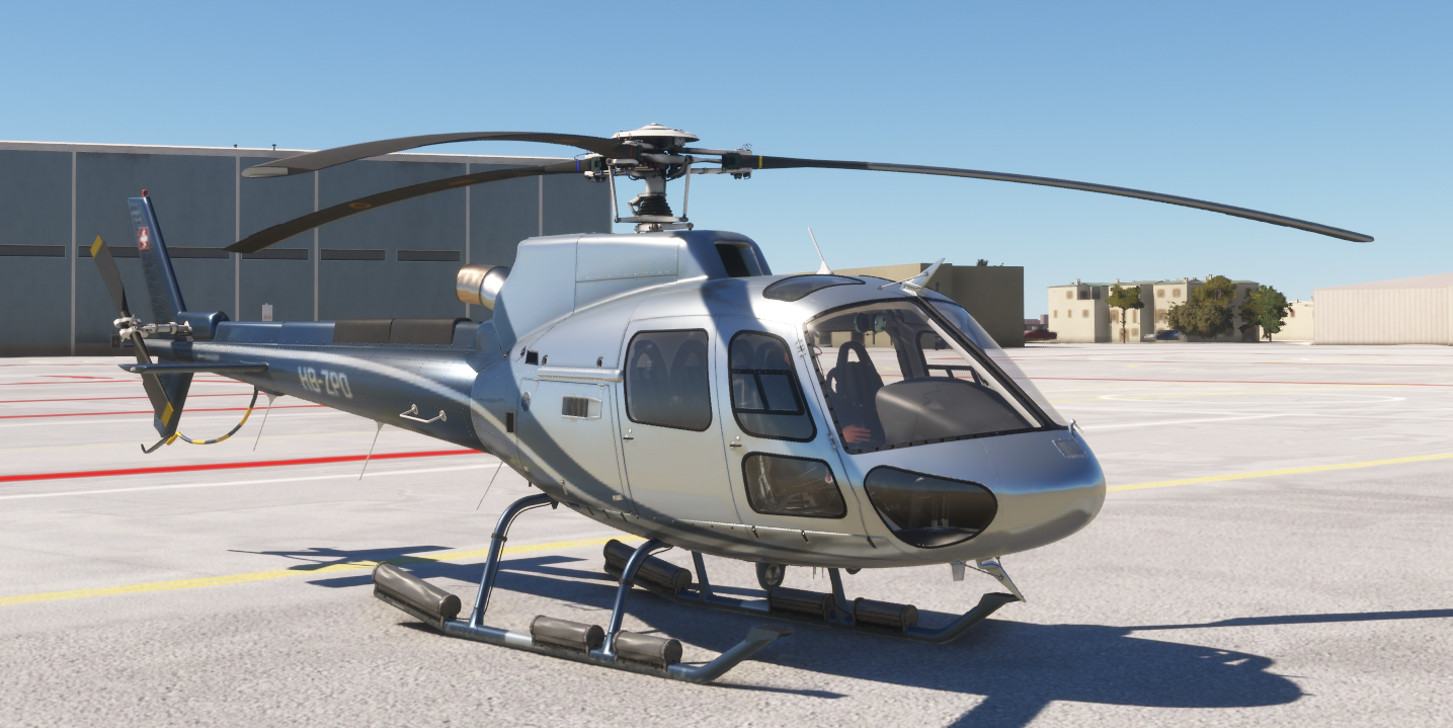
This freeware module is intended to be used with CowanSim H-125 helicopter as a realism enhancement mod.
List of features:
- *NEW* MSFS2024 Flight Model
- Realistic AS350/H125 Vortex Ring State (VRS) model
- Loss of Tail-rotor Effectiveness (LTE) model
- Retreating Blade Stall (RBS) model
- Custom engine temperature (T4) and engine hotstart modelling
- Realistic H125 Hydraulic system including Servo Transparency phenomenon
- Stress damage model on different helicopter components: engine, main rotor and tail rotor transmission
- Random failures model system based on realistic aviation failure rates: engine fail, oil leak, main rotor failure, tail rotor servo stuck, etc.
- Engine / blades icing effects
- ...and many other additions & fixes! (check version readme)
- Custom sling loads physics model (v9.0): requires FS Fire addon (NOT Marketplace!)
-------------------------------------------------------------------
(Please, check the UserGuide!)
** DONATIONS **
If you're really enjoying this mod and want this developer to continue improving these mods and creating new ones, please donate
Paypal: jacn1277@gmail.com
THANK YOU! **
CowanSim H-125 Realism Mod
The CowanSim H-125 Realism Mod is a freeware enhancement designed specifically for the CowanSim H-125 helicopter. Key features include a detailed Vortex Ring State model, custom engine hotstart behavior, and a realistic hydraulic system. Additionally, it incorporates a stress damage model for critical components and introduces random failure simulations based on actual aviation statistics. Users can also experience blade icing effects, further enhancing the simulations realism.


User Reviews
9 reviews
Version History
v9.0 (MSFS2024): ** IMPORTANT NOTE ** The next features are intended for MSFS2024 only. While compatibility with MSFS2020 is attempted, both sim versions have diverged too much for allowing compatibility in a single mod, especially in terms of Flight Model & Physics. This said, this mod version is NOT tested in MSFS2020 as its aimed to MSFS2024 product. Use at your own risk in 2020 and if any issue arise, please stay in v8.3 or a previous version. ***************************************************************** - Revised and improved custom physics model - New and improved hover dynamics model. Now, the transition to hover state will result more natural and realistic. - Revised and improved VRS model. - Arriel D2 (H125/AS350 B3e) full engine model implemented: + Highly accurate TOT model matching H125 AFM figures + Highly accurate TORQUE model matching H125 AFM figures + Operating Limitations updated - Performance model completely redone matching H125 AFM figures: + Hover IGE/OGE, Delta ISA [-35 to +35] + Fast cruise speeds, Delta ISA [-35 to +35] + Fuel Flow, Delta ISA [-35 to +35] - VEMD improvements: + New FLI model + New Fuel units added (KG, KG/H & LB, LB/H) -> "Select" button in VEMD + Fuel Flow Reading filtered + Corrected TQ test timing + N1 label implemented (missing in Cowan's version) + Flight TOT display implemented. Previously, only Start TOT was displayed + "Overlimit Detected" message logics improved + "Failure Detected" message implemented - Tail rotor: + New collision damage model implemented + TR failure realistic helicopter dynamics implemented + TR visual damage implemented - Sounds updated: + New sound effects added + CW System "gong" sounds with red CW lights implemented ***************************************************************** - FS Fire addon (MSFS2024 - requires FS Fire 2024 addon) + Full FS Fire addon integration in H125 RealismMod + New FS Fire bucket animation based on a 100% custom physics model + Realistic dynamic effects (6DoF) on the helicopter due to the bucket + Realistic operating limitations including helicopter damage + Included in UserGuide (please, read) - Sling load operations (MSFS2024 - requires FS Fire 2024 addon) + Free Flight mode 100% compatible + Includes crew sounds ***************************************************************** -> UserGuide overhauled and vastly updated (MUST-READ!)
Related
HPG H145 & H160 Realism Mod
Enhance realism with this mod designed for the HPG H-145 & H-160 helicopters. Experience various emergency situations encountered by real-life pilots, improving the immersive simulation experience by incorporating operational failures and structural damage effects. Compatible with default systems, the mod includes random failure events, realistic damage propagation, and icing effects on engines, pushing players to react with proper judgment during critical moments.
by ACN
CowanSim R-66 Realism Mod
The CowanSim R-66 Realism Mod is a freeware enhancement designed to improve the realism of the CowanSim R-66 helicopter in Microsoft Flight Simulator. This mod includes advanced features such as a Vortex Ring State model, custom torque and engine oil models, and realistic helicopter performance, along with damage effects for the rotors and engine. Additional elements focus on failures, icing effects, and improved electrical systems, aiming to provide a comprehensive simulation experience.
by JACN12
CowanSim R-22 Realism Mod
The CowanSim R-22 Realism Mod adds a layer of realism to the CowanSim R-22 helicopter in Microsoft Flight Simulator. This freeware module introduces features such as a realistic Vortex Ring State model, icing effects on the carburetor, and a stress damage model affecting various helicopter components. It also implements a random failures system based on authentic aviation rates and includes a mast bumping damage model.
by JACN12
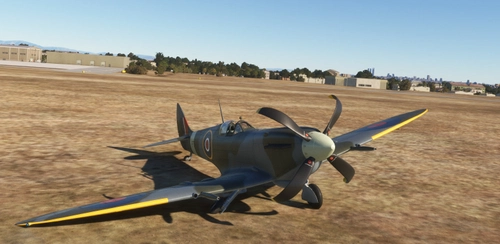
Spitfire mkIX Realism Mod
The Spitfire mkIX Realism Mod enhances the flight experience by introducing an improved flight physics model, featuring realistic spin and propeller slipstream effects. It includes detailed system simulations for hydraulics, pneumatics, and various engine subsystems, alongside an intricate model for flaps and landing gear. Additionally, the mod incorporates a comprehensive failures system that allows for accumulated and random damage during flight.
by JACN12
Log in to join the discussion
Log InComments(108)
about 1 month ago
PS: The Paypal button does not work ("This organization's account is inactive."). Directly to your email works.
about 4 hours ago
https://youtu.be/Auy9yruPt_g
(And A LOT of fixes, new features and improvements...stay tuned)
1 day ago
- The engine catches fire all the time. Just barely touching the limit makes my engine burn.
- Max torq gives me very little lift, and I have to be very causios about not over torqing.
- Controllers are just barely moving, and jumping back to center all the time, even without SAS enabled. After some time they are not moving at all.
- Steam gauges are freezing after some time.
- Limit light goes on for almost nothing.
- Impossible to stop the engine.
- Very hard to decend and stop because the rotor tend to rev far beyond its limits.
- Anti torq pedals are often way out of center (not only the visuals, but my hardware as well)
- The engine temp is always high. Around 880 when cruising, never gets below 640
- SAS is not working as intended. Not able to turn on any autopilot functions above 40kts (or below for that sake)
and more...
I only fly in VR :)
What can I do to solve these problems?
2 days ago
I really love your mod! Awesome work, thank you so much!
I have a question tho: If it’s me and I overlooked it in your precise setup docu, sorry, but I can’t get the GTN750 working. It’s just there, dead, with a grey screen. If I click the GPS panel selector on the main panel, the small unit changes to the stock GPS but the dead GTN750 remains.
I have now removed the pms folder and your pms folder in the community directory and it doesn’t work in any way.
Is a specific version of the gtn necessary or the payware version?
6 days ago
6 days ago
5 days ago
9 days ago
9 days ago
I would consider delving any deeper into *his* work to be disrespectful.
For now, I’m just watching HPG’s moves; we’ll see what happens later...once the H125 finished, we'll see
10 days ago
10 days ago
Thanks for your comments. Right now I'm working on another BIG update with improvements and fixes (especially on the Perfo part, where I inadvertently included some bugs...)
Absolutely, and thanks for the offer!! ;)
I will DM you in short for getting feedback for more improvements/tweaks of this beautiful bird.
17 days ago
17 days ago
This new version should be released soon, once enough tested and validated.
28 days ago
This comment has been deleted
28 days ago
Once I have this info I will look into it
28 days ago
This comment has been deleted
28 days ago
This comment has been deleted
28 days ago
More (awesome) updates soon... 😉
about 1 month ago
PS: The Paypal button does not work ("This organization's account is inactive."). Directly to your email works.
about 1 month ago
I'm delighted to know that a real pilot has it among their favorites.
I'm currently working on the next update. The goal is to fly the machine according to the Airbus figures in their manual, in addition to new features and a bunch of fixes. I don't want to release it before it's been thoroughly tested, hence the delay.
PS: Unfortunately, I never got the Flightsim.to link to work. Nevertheless, the direct contribution via Paypal worked perfectly, so I'm very grateful. Thanks! ;)