
Description
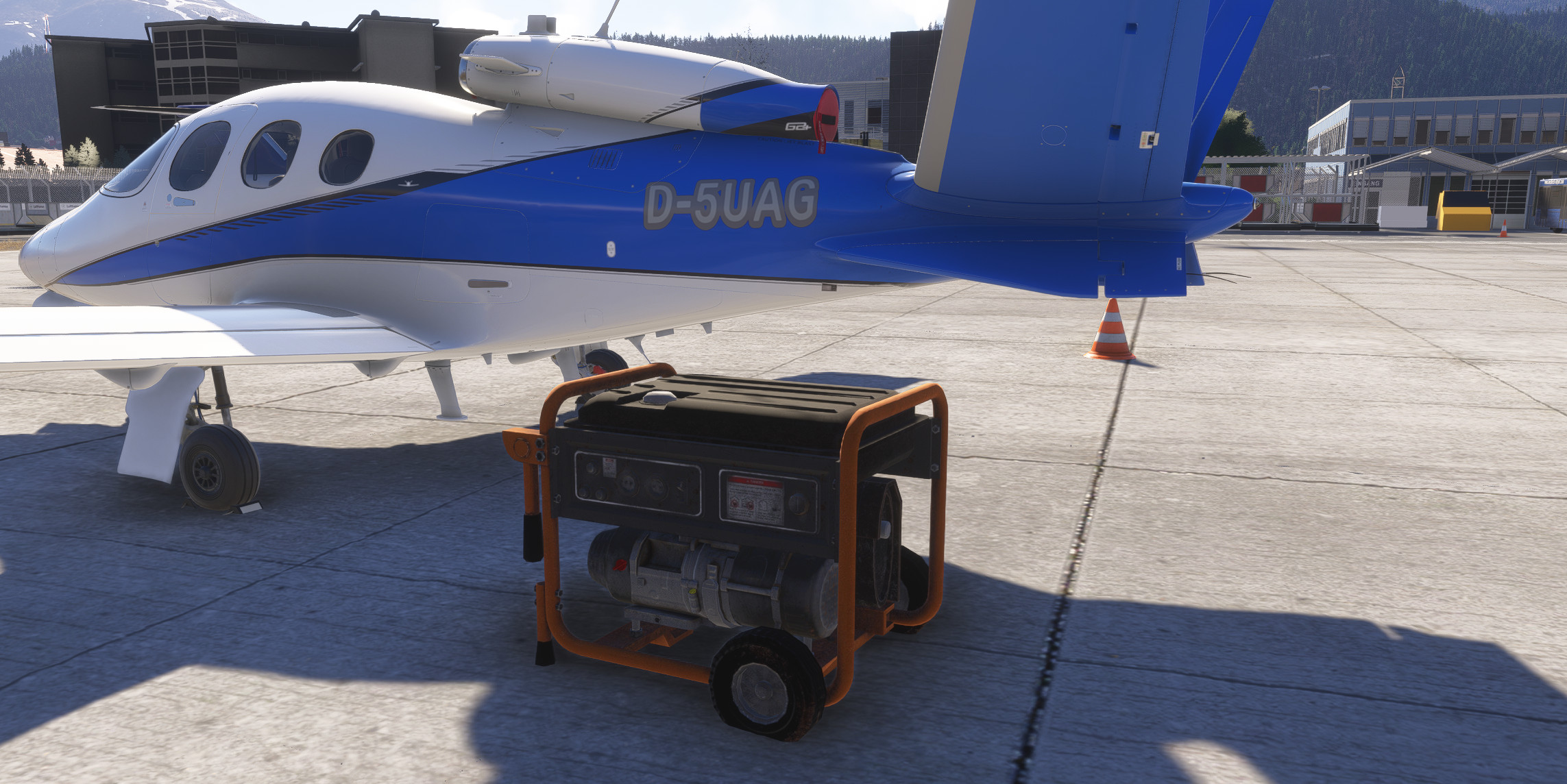
This adds a simple Combustion Engine Generator to the Vision Jet since by default in MSFS2024 the Vision Jet has no GPU in free flight but does require one since operating on batteries prolonged will drain them and eventually run low making the aircraft systems useless.
For installation: Drop the folder within the zip into the MSFS 2024 Community folder, start the sim and spawn somewhere with the vision jet.
The control of the GPU happens on the middle MFD within the Utilitiies -> Setup Page.
FAQ:
1. The GPU Does not connect: 1. You need to have the parking brake set otherwise no connection is possible due to a toggle behaviour on the Vision Jet. 2 You need to be on a parking stand because otherwise the GPU will disconnect over and over since the sim thinks theres no available gpu.
2. The GPU doesn't spawn in the same location: Yes i know, the logic of where to create the generator has issues, i will get to that. If you know a reliable way to spawn a Simobject Relative to the Aircraft, shoot me a message.
Credits:
Generator 3d model: https://sketchfab.com/3d-models/generator-f394f4f7f446474fa65e3217923bdaaf
Fun fact: The sounds are recordings from my own car.
Vision Jet Groundpower Unit(GPU)
This add-on introduces a Combustion Engine Generator (GPU) for the Vision Jet in Microsoft Flight Simulator 2024, addressing the absence of a ground power unit in the default aircraft. Users must set the parking brake and be on a designated parking stand to establish a connection. Installation involves placing the provided folder into the MSFS Community directory, with control of the GPU accessible via the middle MFDs Utilities Setup Page. Sounds for the generator are sourced from real car recordings.

User Reviews
3 reviews
More Information
Version History
No version history available.
Comments(12)
Log in to join the discussion
Log In