
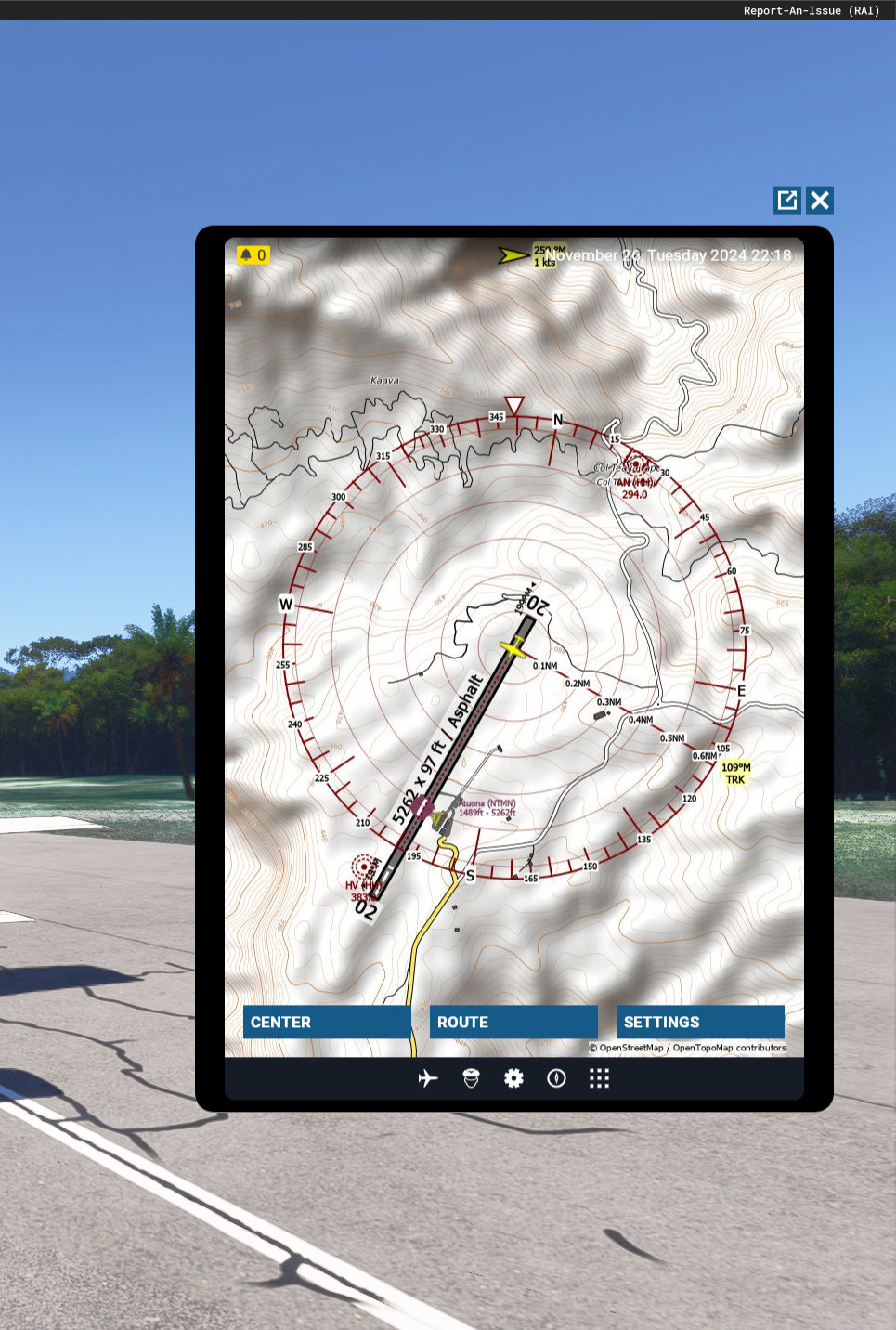
Description
Simple client/app to display Little NavMap in the ingame EFB.
Work in progress.
Current features:
- Three Map modes:
- Center on aircraft
- Flightplan
- Free look
- Zoom in/out
- Move up/down/left/right
- Performance Settings:
- Jpeg quality
- Resolultion
- Update interval
Requirements
Little NavMap (https://github.com/albar965/littlenavmap) with turned on Webserver (Menu->Tools->Run Webserver. The EFB app will then connect to it automatically.)
To install, simply extract it to your community folder.
Infos/Faq:
- 404 Error in route mode: Create a flight plan in LNM.
- 404 Error in center mode:
- Connect LNM to flight simulator (Tools->Connect).
- Start a flight! (This mode does't work in Sim Main Menu)
- Refresh by moving left/right.
- Stutters every 1second (or update interval): try decrease Setting->Resolution.
- Blank screen: Make sure the LNM Webserver is activated.
This app is only a client of LNM as "Little Navmap can deliver map images, [...]" (https://www.littlenavmap.org/manuals/littlenavmap/release/2.6/en/WEBSERVER.html#web-developers)
Many thanks to Alex (albar965), the creator of Little NavMap, for providing this great software for free! (https://albar965.github.io/donate.html)
https://forums.flightsimulator.com/t/provide-readable-airport-data-for-little-navmap/672891
Little NavMap EFB Client
The Little NavMap EFB Client is a straightforward application designed to integrate Little NavMap into the in-game Electronic Flight Bag (EFB) of Microsoft Flight Simulator. This in-progress add-on features capabilities such as centering on the aircraft, zooming in and out, and displaying flight plans. Users will need to have Little NavMap with the web server enabled to utilize this client effectively. Installation is simple, requiring extraction to the community folder.


User Reviews
11 reviews
Version History
Update: 0.0.4 * Added buttons to move the map freely (top/down/left/right) * Persistent settings * Added resolution slider to address performance issues
Related
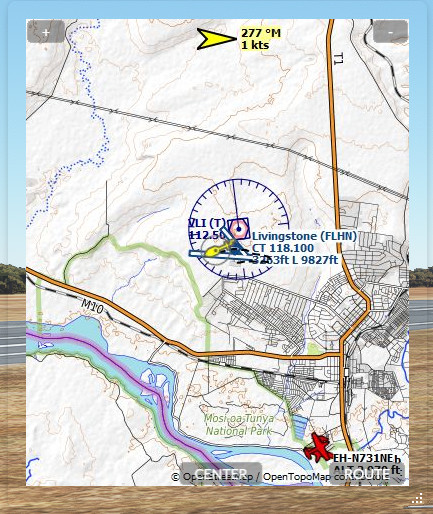
Flow Pro Widget: Little NavMap
Flow Pro Widget: Little NavMap is a work in progress add-on for Microsoft Flight Simulator. This widget allows you to display Little NavMap on your screen, with features such as centering on aircraft, showing flight plan, zooming, and map movement. It also includes resizing and commands for the Otto search bar, utilizing the Little NavMap web server for map display. Give feedback and suggestions on the Discord thread provided. Requirements include Little NavMap with the Webserver turned on and Flow Pro.
by LimaKiloMike

Flow Pro Widget: Display Nearest Airport
Quickly find the nearest airports with this convenient Flow Pro Widget. Simply extract the files to your MSFS Community folder and start using it right away. Feedback is encouraged for future improvements.
by LimaKiloMike
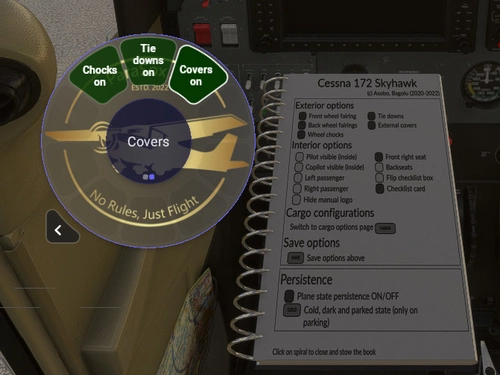
Flow Pro Widget: Exterior options for Bagolu's Cessna 172SP Skyhawk AS1000
Control exterior options of your "Bagolu Cessna 172SP Skyhawk AS1000" with this Flow Pro Widget. Enhance your walk-around experience effortlessly. Installation is easy - simply extract the contents to your MSFS Community folder. Requirements include Flow Pro and the Bagolu Cessna 172SP Skyhawk AS1000 improvement mod.
by LimaKiloMike
Log in to join the discussion
Log InComments(47)
2 months ago
One small (I hope so) suggestion to make it work in all circumstances: Please add an easy-to-access option; if not directly in the app client, maybe as an easily editable *.js or *.txt to add your HTTPS, computername or IP and port where your Little Navmap program is running, instead of using only "localhost:8965" as a source. I run almost all peripherals and additional apps on a remote computer on my network and use only "Little Navconnect" on my Sim system.
I edited line 3749 in \html_ui\efb_ui\efb_apps\TemplateApp\TemplateApp.js to match my LNM host computer. I found the solution easily by searching for "localhost:8965" in your files.
This would make it work in almost every thinkable network environment. It would even allow the use of the map of someone else, who is hosting his Navmap on a public IP. This would allow an easy use case for mass online flights, e.g. like Bushdrivers do, and a client doesn't even have to install LNM to get a working chart.
2 months ago
Yeah, the hostname and port should definitely be configurable.
Can probably put then in the settings page easily.
Haven't set my machine up for developing currently though.
Will add it to the to-do list and hopefully find some time to get into msfs scripting again...
7 months ago
I do not get the extra tab on the EFB in my FBW Airbus A 320
7 months ago
7 months ago
11 months ago
12 months ago
12 months ago
12 months ago
As a hotfix for you, you could test changing "http" to "https" in file ...\Community\lkm-lnm-efb-app\html_ui\efb_ui\efb_apps\TemplateApp\TemplateApp.js (about line 3749 or use search).
This would hopefully use the https/encrypted LNM version, if msfs supports that.
12 months ago
about 1 year ago
over 1 year ago
over 1 year ago
over 1 year ago
over 1 year ago
over 1 year ago
"Community\lkm-lnm-efb-app\html_ui" ?
Sometimes the unzip process creates an additional sub folder like:
"Community\lkm-lnm-efb-app\lkm-lnm-efb-app\html_ui" which is wrong.
over 1 year ago
over 1 year ago
I already tried to get rid of the default filenames (and its classes etc) but then nothing worked anymore...
I hope the sdk documentation for the EFB build process will be updated soon.
Will look into that issue when I have some spare time!
over 1 year ago
you may have a look at my efb addon github https://github.com/alx-home/msfs2024-vfrnav-efb
I have spent some time dealing with those issues...