

Description
Flow Pro Widget to display Little NavMap.
Work in progress.
Current features:
- Center on aircraft
- Show flightplan
- Zoom in/out
- Simple up/down/left/right map movement
Many thanks to @ranbogmord#6509 who added following features:
- Resizing
- Commands for Otto search bar:
- lnm center <icao>/"plane"
- lnm range <distance>
This widget uses the Little NavMap web server (localhost:8965) to display the map.
Feedback and suggestions welcome: Discord Thread
Requirements
- Little NavMap (https://github.com/albar965/littlenavmap) with turned on Webserver (Menu->Tools->Run Webserver: http://localhost:8965)
- Flow Pro
Flow Pro Widget: Little NavMap
Flow Pro Widget: Little NavMap is a work in progress add-on for Microsoft Flight Simulator. This widget allows you to display Little NavMap on your screen, with features such as centering on aircraft, showing flight plan, zooming, and map movement. It also includes resizing and commands for the Otto search bar, utilizing the Little NavMap web server for map display. Give feedback and suggestions on the Discord thread provided. Requirements include Little NavMap with the Webserver turned on and Flow Pro.

User Reviews
8 reviews
Version History
Fixed incorrect size of the map when the windows scaling option is set to more than 100%.
Related
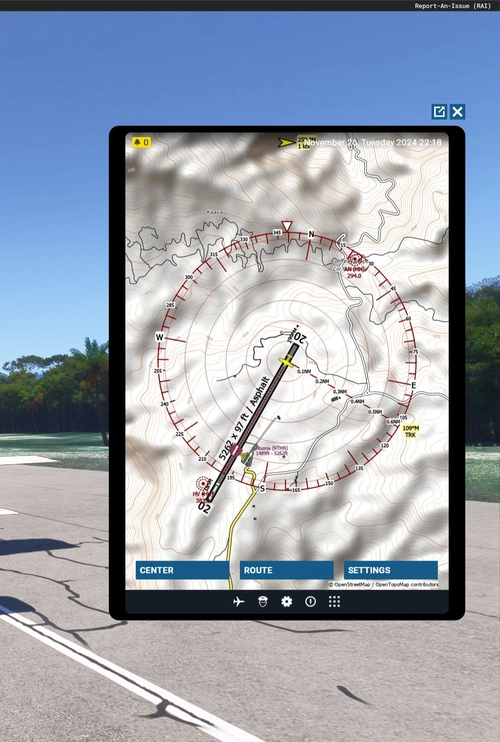
Little NavMap EFB Client
The Little NavMap EFB Client is a straightforward application designed to integrate Little NavMap into the in-game Electronic Flight Bag (EFB) of Microsoft Flight Simulator. This in-progress add-on features capabilities such as centering on the aircraft, zooming in and out, and displaying flight plans. Users will need to have Little NavMap with the web server enabled to utilize this client effectively. Installation is simple, requiring extraction to the community folder.
by LimaKiloMike
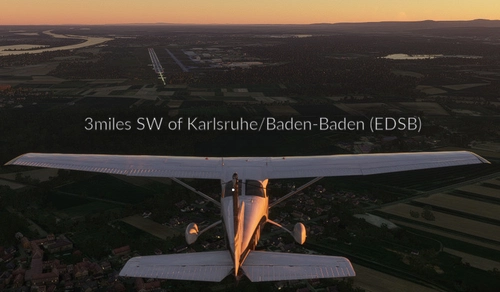
Flow Pro Widget: Display Nearest Airport
Quickly find the nearest airports with this convenient Flow Pro Widget. Simply extract the files to your MSFS Community folder and start using it right away. Feedback is encouraged for future improvements.
by LimaKiloMike
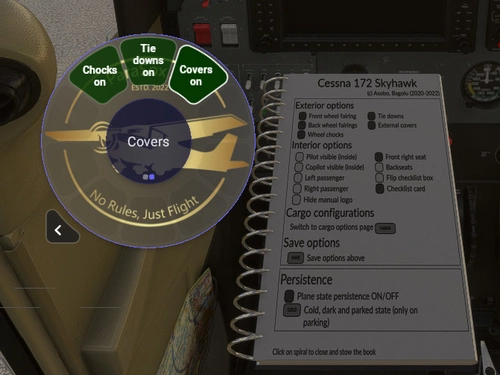
Flow Pro Widget: Exterior options for Bagolu's Cessna 172SP Skyhawk AS1000
Control exterior options of your "Bagolu Cessna 172SP Skyhawk AS1000" with this Flow Pro Widget. Enhance your walk-around experience effortlessly. Installation is easy - simply extract the contents to your MSFS Community folder. Requirements include Flow Pro and the Bagolu Cessna 172SP Skyhawk AS1000 improvement mod.
by LimaKiloMike
Log in to join the discussion
Log InComments(38)
almost 3 years ago
almost 3 years ago
almost 3 years ago
I heard now that the widget has resizing issues in VR. I cannot reproduce this debug this as I do not own a VR headset.
Would it help to offer an option to set it manually to a preferred size (in pixel)?
almost 3 years ago
about 3 years ago
about 3 years ago
Can you elaborate when the stutter appears/appeared?
Is your system slowed down when only LNM+webserver is running (without Msfs)?
about 3 years ago
about 3 years ago
about 3 years ago
A bit out of ideas what is going wrong.
Maybe you can also try to get more help on the P42 Discord server linked in the description.
about 3 years ago
about 3 years ago
I don't know if Addon linker and Flow Pro community widgets work together very well.
about 3 years ago
about 3 years ago
For me your path to the community folder seems odd.
As far as I know it should be in either
C:\Users\[Your User Name]\AppData\Local\Packages\Microsoft.FlightSimulator_8wekyb3d8bbwe\LocalCache\Packages\
or for the Steam install:
C:\Users\[Your User Name]\AppData\Local\Packages\Microsoft.FlightDashboard_8wekyb3d8bbwe\LocalCache\Packages\
Or are you using the "Addon Linker" program?
about 3 years ago
about 3 years ago
about 3 years ago
Can you check that the unzipping did not create a nested folder?
It should be ".../community/lnmwidget.../layout.json"
about 3 years ago
about 3 years ago
it is transparent when the webserver (inside of LNM) is not running.
Can you check that the LNM Webserver option is checked at Menu->Tools->Run Webserver
about 2 years ago
over 1 year ago