
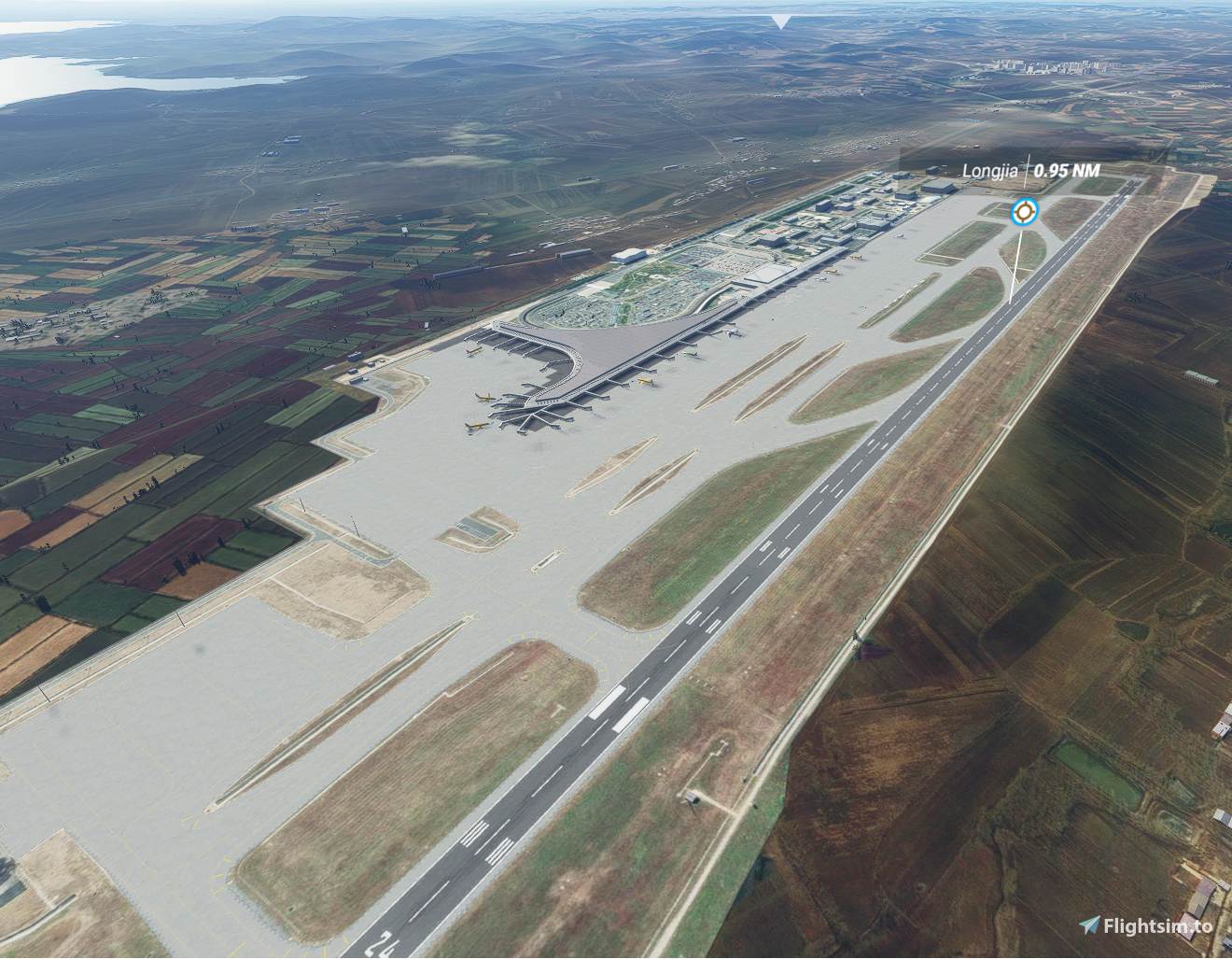
Description
Cmpatible with navigraph navidata, the SIDs and STARs ILS usable,also fixed when using the zycc as a arrival airport,the ND shows path to the dafangshen airport. SU9 compatible. BUT the zycc aerial no longer works,I don't konw why. Tested on a FBW mod. Have a good flight.
Comments(17)
Log in to join the discussion
Log Inabout 4 years ago
Hello, first of all, thank you for ZYCC. As last time, when selecting the airport, the air base is not displayed, and ZYCC1 is displayed normally. After entering the game, I used SIMBRIEF to import the route. ZYCC is still at the air base, but ZYCC1 is not displayed. I only tested the take-off phase. Although the airport is not displayed, I can manually set the course after take-off, and then I can return to normal after arriving at the route.
about 4 years ago
首先,感谢作者,作者是不是也是长春人啊?
本来现在的龙嘉机场就是ZYCC,这个之所以被命名为ZYCC1,是因为我发现西湖北面的jun用机场是ZYCC,虽然没有在MSFS2020中显示出来,我是通过Navlog里发现的。
The ZYCC is already exist at norhwest of Changchun, found that from my Navlog.
Can you make the ZYCC available too?
about 4 years ago
The ARP(airport reference point )was defined by the default bgl file,and can't be changed by the scenery maker,this issue also happens to the zppp, did you see a functional zppp?
almost 5 years ago
Hi. This mod cannot be used in the SU5. Hope you can update it.
about 5 years ago
Hi. The latest version cannot work in the simulator now and it doesn't have SIDs or STARs.
about 5 years ago
Doesn't work for me either. The only to get to it is by starting in the Air
about 5 years ago
There was an update to MSFS on March 26 so I guess that's broken it. And yes I re-deleted the APX81160.bgl as it had been replaced.
about 5 years ago
about 5 years ago
I was using v1.3 so I
Deleted zycc_longjia and zycc_aerial folders
Checked if APX81160/bgl was still removed
Started MSFS then stopped MSFS to clear it
Copied both folders from the zip to the community folder
Started MSFS
ZYCC still not there
Even if I tell LittleNavMap to re-scan for additions it cannot find ZYCC
The version before March 18 worked as I landed there.
I've just installed the previous version from February and that works so there must be something missing in v1.3
about 5 years ago
about 5 years ago
over 5 years ago
You can choose "to delete" and un-select all navdata related ticks in airport objects' properties in SDK which allows navigraph navdata. (If you have select them, it could be other problem to make navigraph unusable)
ZYCC does not exist in msfs orginally so there's no in-game navdata for it.
over 5 years ago
over 5 years ago
Hope you can work more on it and fix the ILS problem.
MSFS2020 ZYCC Changchun Longjia international airport
Enhance your MSFS2020 experience with the ZYCC Changchun Longjia International Airport add-on. This mod offers compatibility with navigraph navidata, SIDs and STARs ILS support, and path guidance to Dafangshen airport. Note: the ZYCC aerial function is currently unavailable. Tested for compatibility with the FBW mod.

User Reviews
3 reviews
Location
More Information
Version History
Cmpatible with navigraph navidata, the SIDs and STARs ILS usable,also fixed when using the zycc as a arrival airport,the ND shows path to the dafangshen airport. SU9 compatible. BUT the zycc aerial no longer works,I don't konw why. Tested on a FBW mod. Have a good flight.
about 4 years ago
Looking for Xigazê ChinaZURK