
![WinWing FCU+L&R EFIS Inibuilds Airbus Superpack [A320/A321/A330/A330 P2F/Beluga XL] for MSFS 2024 - Image 1](https://cdn.flightsim.to/images/27/-winwing-fculr-efis--inibuilds-airbus-superpack-a320a321a330a330-p2fbeluga-xl-for-msfs-2024--355549-1732166303-S_Z4g.jpg)
Description
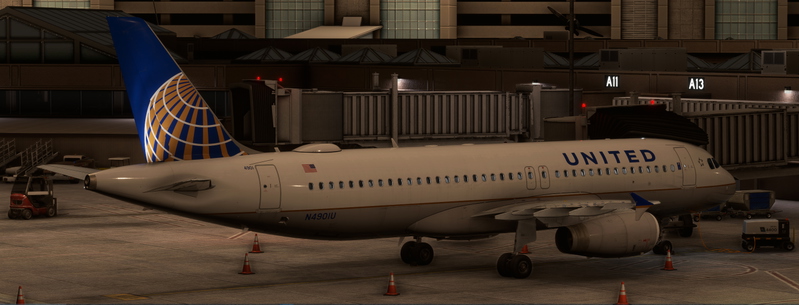
Profiles for Inibuilds A320, A321, and A330 (Pax, P2F, and Beluga). Supports dimming, test modes, and nearly all functions.
Other Airbus Packs made by me:
Profiles include:
- FCU Only
- FCU+EFIS L&R
- FCU+EFIS L
- FCU+EFIS R
Any issues? Let me know!
Known limitations:
- When MobiFlight is stopped, the test mode may be enabled for the annunciators.
- Occasionally, the Dash mode will be disabled and a figure will be displayed.
- Some switches must be "initialized" before their in-sim positions match.
- Right BARO may not display correctly when in Test mode.
- A330 ENG ND Switch is unavailable.
Install MobiFlight 10.4.0.1+:
To install MobiFlight 10.4.0.1+, download MobiFlight as regular. Once installed, select settings -> General -> Beta Versions -> Check the checkbox next to "Yes, I would like to receive beta version updates." Once done, restart MobiFlight.
To Install:
- First, ensure that you have MobiFlight 10.4.0.1+ installed.
- Copy "WinWing FCU + EFIS L+R Inibuilds A320-A321-A330-A330 P2F-Beluga XL.mcc" to where you store your MobiFlight profiles.
- Open MobiFlight
- Select File -> Open
- Select "WinWing FCU + EFIS L+R Inibuilds A320-A321-A330-A330 P2F-Beluga XL.mcc"
- Load the sim and a supported aircraft.
- Click Run on MobiFlight.
- Ensure your aircraft is powered.
IF USING MOBIFLIGHT 11.X+:
To ensure that your bindings work correctly, please ensure that you click on the three dots next to the project name and select controller bindings. Select the correct controller to match the unmatched device for the functionality to work.
WinWing FCU+L&R EFIS Inibuilds Airbus Superpack [A320/A321/A330/A330 P2F/Beluga XL] for MSFS 2024
This add-on provides a customizable MobiFlight profile for the Inibuilds Airbus A320, A321, and A330 aircraft models, including passenger, cargo, and Beluga variants, in Microsoft Flight Simulator 2024. It features support for functionality such as dimming and test modes, along with nearly all cockpit functions. The add-on requires MobiFlight version 10.5 or higher for optimal use and includes known limitations related to some features. Installation instructions are provided for users to set up the profile correctly.

User Reviews
8 reviews
Version History
Added Support for EXPED/ALT Annunciator Light Added Support for Annunciator Light Dimming via overhead panel Updated Readme to include mobiflight installation instructions.
Related
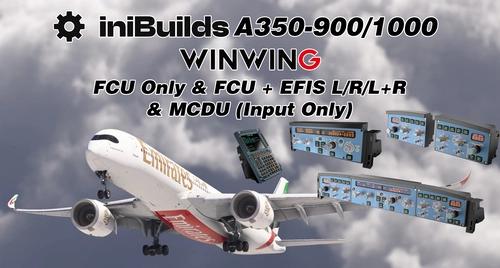
WinWing FCU Only, FCU+EFIS L/R/L&R, MCDU Profile Pack for Inibuilds Airbus A350-900/1000
The WinWing FCU+L&R EFIS+MCDU Profile Pack provides customized profiles for the Inibuilds Airbus A350-900 and A350-1000. This pack supports key functionalities such as dimming, test modes, and an array of operational features across different configurations, including FCU only and combined EFIS options. Detailed installation instructions for MobiFlight are included to facilitate setup.
by gamesyns
WinWing MCDU Captain and First Officer Profiles for Fenix A32X
This add-on provides pre-release WinWing MCDU profiles for the Fenix A32X, supporting all MCDU functions. It offers separate modes for both Captain and Co-Pilot roles and requires SimAppPro for mode swapping. Note that display drawing support is currently available on Mobiflight Beta (10.5.2.4) and above.
by gamesyns
WinWing FCU+L&R EFIS Profile Pack for Inibuilds Airbus A400M - MSFS2024
This add-on provides specialized profiles for the Inibuilds Airbus A400M, tailored for use with the WinWing FCU and EFIS hardware. It supports essential functionalities such as dimming and test modes, and consists of various profiles including FCU only and combinations with left and right EFIS units. Compatibility requires MobiFlight version 10.4.0.1 or higher, and installation involves loading the appropriate profiles within MobiFlight for seamless functionality. The add-on note limitations regarding some aircraft features and modes which may not be fully supported.
by gamesyns

WT/Kuro/Horizon B787 | WinWing FCU Unit1 | Mobiflight Profiles
This add-on features modified Mobiflight profiles for the WinWing FCU Unit 1, specifically tailored for various Boeing 787 aircraft in Microsoft Flight Simulator. Originally created by TMongun, the profiles enable equivalent mode functionality using Airbus FCU logic and include HUD controls. Users should be aware of some known issues, such as intermittent speed window blanking and inconsistent behavior in A/T mode switches.
by gamesyns
Log in to join the discussion
Log InComments(64)
3 months ago
3 months ago
3 months ago
3 months ago
3 months ago
about 1 year ago
over 1 year ago
over 1 year ago
over 1 year ago
over 1 year ago
over 1 year ago
over 1 year ago
over 1 year ago
over 1 year ago
almost 2 years ago
almost 2 years ago
almost 2 years ago
Using Mobiflight BETA 10.4.0.1
Can you advise thanks.
almost 2 years ago
almost 2 years ago
As you can see those rotation switches are not working, but speed/HDR/ALT LCD display are working if you change from msfs 2024 is find except QFE LCD display.
thanks
almost 2 years ago